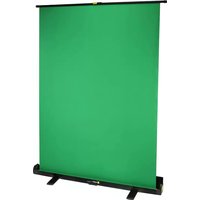
PortaScreen - Projection screen Angler - Free user manual and instructions
Find the device manual for free PortaScreen Angler in PDF.


| Product Type | Portable Monitor |
| Brand | Angler |
| Model | PortaScreen |
| Display Size | 15.6 inches |
| Resolution | 1920 x 1080 (Full HD) |
| Aspect Ratio | 16:9 |
| Panel Type | IPS |
| Brightness | 250 cd/m² |
| Connectivity | USB-C, HDMI, 3.5mm headphone jack |
| Power Source | USB-C (5V/3A) or external power adapter |
| Power Consumption | 15W typical |
| Dimensions (W x H x D) | 14.1 x 8.9 x 0.3 inches |
| Weight | 1.5 lbs (0.68 kg) |
| Built-in Speakers | Yes, dual 1W speakers |
| VESA Mount Compatible | Yes, 75x75mm |
| Operating Temperature | 32°F to 104°F (0°C to 40°C) |
| Storage Temperature | -4°F to 140°F (-20°C to 60°C) |
| Cleaning Instructions | Wipe with a soft, dry cloth. Do not use harsh chemicals. |
| Safety Standards | CE, FCC, RoHS compliant |
| Included Accessories | USB-C cable, HDMI cable, power adapter, protective case |
| Warranty | 1 year limited warranty |
Frequently Asked Questions - PortaScreen Angler
User questions about PortaScreen Angler
0 question about this device. Answer the ones you know or ask your own.
Ask a new question about this device
Download the instructions for your Projection screen in PDF format for free! Find your manual PortaScreen - Angler and take your electronic device back in hand. On this page are published all the documents necessary for the use of your device. PortaScreen by Angler.
USER MANUAL PortaScreen Angler
▶ Important! Rotate feet 90° before proceeding.
Handle the unit with care.
Clean the unit with only a soft, dry cloth.
Make sure that this product is intact and that there are no missing parts.
Keep this product away from children.
Make sure the PortaScreen is properly counterbalanced when using it in windy conditions.
Setup Instructions
Note: For the best results, use this screen in front of a wall and avoid light sources behind the screen.
- Rotate the feet 90irc to form a stable base for the PortaScreen.
- Unlock and open the top of the case.
- Use the handle to raise the screen to the desired height.

natural_image
Mechanical assembly diagram showing two vertical components connected by a central shaft, with directional arrows indicating motion (no text or symbols)One-Year Limited Warranty
This Angler product is warranted to the original purchaser to be free from defects in materials and workmanship under normal consumer use for a period of one (1) year from the original purchase date or thirty (30) days after replacement, whichever occurs later. The warranty provider's responsibility with respect to this limited warranty shall be limited solely to repair or replacement, at the provider's discretion, of any product that fails during normal use of this product in its intended manner and in its intended environment. Inoperability of the product or part(s) shall be determined by the warranty provider. If the product has been discontinued, the warranty provider reserves the right to replace it with a model of equivalent quality and function.
This warranty does not cover damage or defect caused by misuse, neglect, accident, alteration, abuse, improper installation or maintenance. EXCEPT AS PROVIDED HEREIN, THE WARRANTY PROVIDER MAKES NEITHER ANY EXPRESS WARRANTIES NOR ANY IMPLIED WARRANTIES, INCLUDING BUT NOT LIMITED TO ANY IMPLIED WARRANTY OF MERCHANTABILITY OR FITNESS FOR A PARTICULAR PURPOSE. This warranty provides you with specific legal rights, and you may also have additional rights that vary from state to state.
To obtain warranty coverage, contact the Angler Customer Service Department to obtain a return merchandise authorization (“RMA”) number, and return the defective product to Angler along with the RMA number and proof of purchase. Shipment of the defective product is at the purchaser’s own risk and expense.
For more information or to arrange service, visit www.anglerights.com or call Customer Service at 212-594-2353.
Product warranty provided by the Gradus Group.
www.gradusgroup.com
Angler is a registered trademark of the Gradus Group.
© 2019 Gradus Group LLC. All Rights Reserved.

ANGLER®
A Gradus Group Brand
GG3
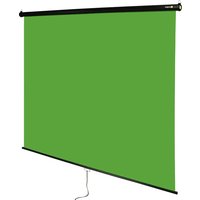
Brand : Angler
Model : PortaScreen
Category : Projection screen