RGB-10S - Unité flash GVM - Free user manual and instructions
Find the device manual for free RGB-10S GVM in PDF.


| Product Type | RGB LED Video Light / Flash Unit |
| Model | RGB-10S |
| Brand | GVM |
| Dimensions | 18 x 13 x 4 cm |
| Weight | 0.45 kg |
| Power Source | AC adapter (DC 12V 2A) or NP-F series battery |
| Power Consumption | 24W |
| Color Temperature Range | 3200K - 5600K (adjustable) |
| RGB Mode | 0-360° full color hue adjustment |
| Brightness | 0-100% dimmable |
| Number of LEDs | 160 (RGB + Daylight balanced) |
| CRI | ≥95 |
| TLCI | ≥97 |
| Control Methods | On-unit buttons, remote control (included), optional app |
| Mounting | Cold shoe mount with 1/4" thread |
| Battery Type | NP-F550 / F750 / F970 (not included) |
| Battery Life | Up to 2 hours with NP-F970 at full power |
| Accessories Included | AC adapter, remote control, carrying case, diffuser |
| Maintenance | Wipe with a soft, dry cloth. Do not use liquids. |
| Safety | Do not disassemble, avoid water, keep away from children. |
| Spare Parts Availability | Contact GVM support for replacement parts. |
| General Information | Professional RGB LED light for photography and videography. |
Frequently Asked Questions - RGB-10S GVM
User questions about RGB-10S GVM
0 question about this device. Answer the ones you know or ask your own.
Ask a new question about this device
Download the instructions for your Unité flash in PDF format for free! Find your manual RGB-10S - GVM and take your electronic device back in hand. On this page are published all the documents necessary for the use of your device. RGB-10S by GVM.
USER MANUAL RGB-10S GVM
GWO-Code generation light is a professional deep light with a small NFS body, which is right, and area to the area has two modules. GWO-108 are 412K–135. The GWO-108 equipped with 2.0K high color coloring CRI 970 LCD beads to help you make from more, you can open the low temperature from center in contact. The 1926-1928 equipped with 102 high water coloring GWO beads to help you make in a clear, you can add the light beam into color temperature using a solar collector, and the low temperature can adjust from 1990 to 2010. A variety of consumer and power supply instruments can be observed by the DC adapter when shooting indicators processed the NFS motor battery when outdoor seating, portable and remote, to carry, etc. This design requires equipment to operate, regime, or new temperature. With large small consumer use at your looking.
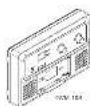
■ Main Features
(1) Light Water Corporation
High Solar Receiving Inc., CRISPR
Compress & Coatings
• 2017 Corporium (A)
Dual Power System
Con-kerent, Light, Set-Up and
2.14. 2017年7月31日
• Uha Hov, D'au palon
High Color Rendoflex Index
Beijing's Adjustment
(1) _1 (2) _2 (3)
401. Apparion system
This will be a result of
100% 4+30%
Contactant, Light, Set Up and Subanical system

1
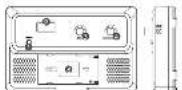
■ Function Introduction
Enerck Stach
② Electr quarly capley light
④ Digitalesize
③ Epithreosidic
© ColorLina
Umpilay
② Rightward
-
- 10
(1) 2017年1月1日
②
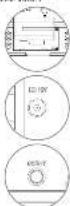
③ DO Adapter Interface
0.12
7100-105
② LCD panel
⑤ English and colour
Wind
① Hua / Color saturation;
color temper
rest author
① Sullman
② DC Adapter Interface
2
■ Accessories


■ Using The Light
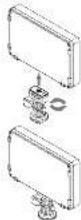
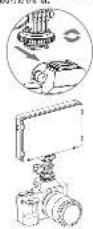
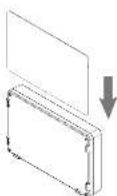
- Align the seats of the Inc. shares move, with the broadcast mounting hole of the light, and then him the work on track above move to the night to the night on the next show move.
The hot shock impact can be affected to the camera by smapping the shock mount into the complete end and turning the knob under the hot shock exposure by law of.
3
B. Ivan, Jie soll ollkaen inw up is lukken.
© travel the EC Advisors w salary, open the power switch.
B CYN-105
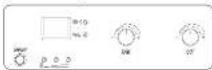
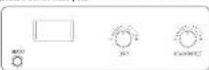
Please the power switch to reduce the brightness (clear temperature) has to quickly control the brightness and clear temperature, the digital display shows the corresponding power source at the same time, and the indicator light at the bottom left shows the battery power.
4

Great Video Maker

For iOS

Scan the code to download the APP
Erlöshens: klavit lir, wad is ad al in bruchmasa between 1-100%.
Hue: Pascal the right side to avoid the HUE mode, raise the right.
Figure 3: The line between P-300 and Ester Zentralburg, Darcia, in
to the following: The first time is to start the end of the next period, and the end to adjust the other variables between 0-100%.
Color Temperature: First transgris shown in
1.1.1 Password Board: two rows the right wheel about 2 seconds to move the
VIFI password to be healthy as
■ Specification
| Kg × 1 | LDL+0.5 | H | LL-0.34 | W-0.5 | Cp × 1 × 10^-6 × 10^-6 | Fe × 1 × 10^-6 × 10^-6 | Cu × 1 × 10^-6 × 10^-6 |
| LDL+0.5 | 28 | 27 | 2 | 14.2 | 20.4 ± .00% | 195 | 10.7*10^6/20 |
| LDL+1.2 | 14 | 13 | 18 | 14.2 | 20.4 ± .00% | 195 | 10.7*10^6/20 |
Attention
1.2007 hsd of (w) g d hsd
[1] Tr(tr) = tr(tr) + tr(tr) + tr(tr) + tr(tr) + tr(tr) + tr(tr) + tr(tr) + tr(tr) + tr(tr) + tr(tr) + (tr(tr)) + tr(tr) + tr(tr) + tr(tr) + tr(tr) + tr(tr) + tr(tr) + tr(tr) + tr(tr) + tr(tr) - tr(tr) + tr(tr) + tr(tr) + tr(tr) + tr(tr) + tr(tr) + tr(tr) + tr(tr) + tr(tr) + (2) - 2 - 2 - 2 - 2 - 2 - 2 - 2 - 2 - 2 - 2 - 2 - 2 - 2 - 2 - 2 - 2 - 2 - 2 - 2 - 2 - 2 - 2 - 2 - 2 - 2 - 2 - 2 - 2 - 2 - 2 - 2 - 2 - 2 - 2
-
Conve 0187, 2015, 31:19:46
-
Power of other your minimum light is one or a few.
C. CMM, 2008, 1987, 2008, 2009, 2010, 2011
3
■ APP Intelligent Control System
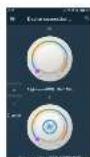
The light equipped with mobile APP control function, can be controlled by your small under-device (above offered 4.5 or 120.9 V), to be installed and down and the GVI Early APP in major APP alone (such as Apple spces / Google Play, Inc.).
El Comercial yte
2.1.3.2017
② Click on the Invited AFF


GVM Eeasily
● Regular year network and password
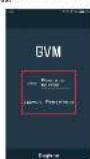
© Select Helght or equipment you
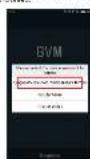
- Chakon Jemanskiy sp. 1941.
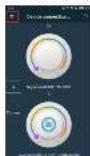
© Click In Exchange
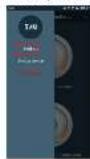
[Unreadable]
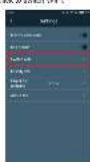
To list and click the 'WIF' CVM (e.g.), ICSO 6.90 INFLI GASSAND (part admin) to correct the 'WIF
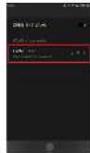
了
- VATHC COUNC AND PASSION CAN BE modified (that only one 2014 Ltd. a general can be displayed without modifying the name)
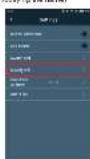
By changing the name one by you, you are down to what different (OR) bolacha and varicimulat angiva.
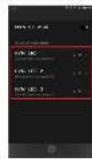
(1) Returning to the operator means, the light can be converted (equal color temperature / brightness / open or clean lights, etc.).
5
GVM
natural_image
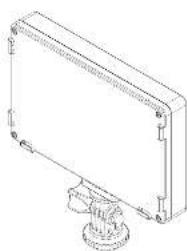
Technical line drawing of a rectangular enclosure with a base mount (no text or symbols)GVM-109
Product Manual
Brand : GVM
Model : RGB-10S
Category : Unité flash