Solus PerfectTemp SR7001 - Iron SUNBEAM - Free user manual and instructions
Find the device manual for free Solus PerfectTemp SR7001 SUNBEAM in PDF.


User questions about Solus PerfectTemp SR7001 SUNBEAM
0 question about this device. Answer the ones you know or ask your own.
Ask a new question about this device
Download the instructions for your Iron in PDF format for free! Find your manual Solus PerfectTemp SR7001 - SUNBEAM and take your electronic device back in hand. On this page are published all the documents necessary for the use of your device. Solus PerfectTemp SR7001 by SUNBEAM.
USER MANUAL Solus PerfectTemp SR7001 SUNBEAM
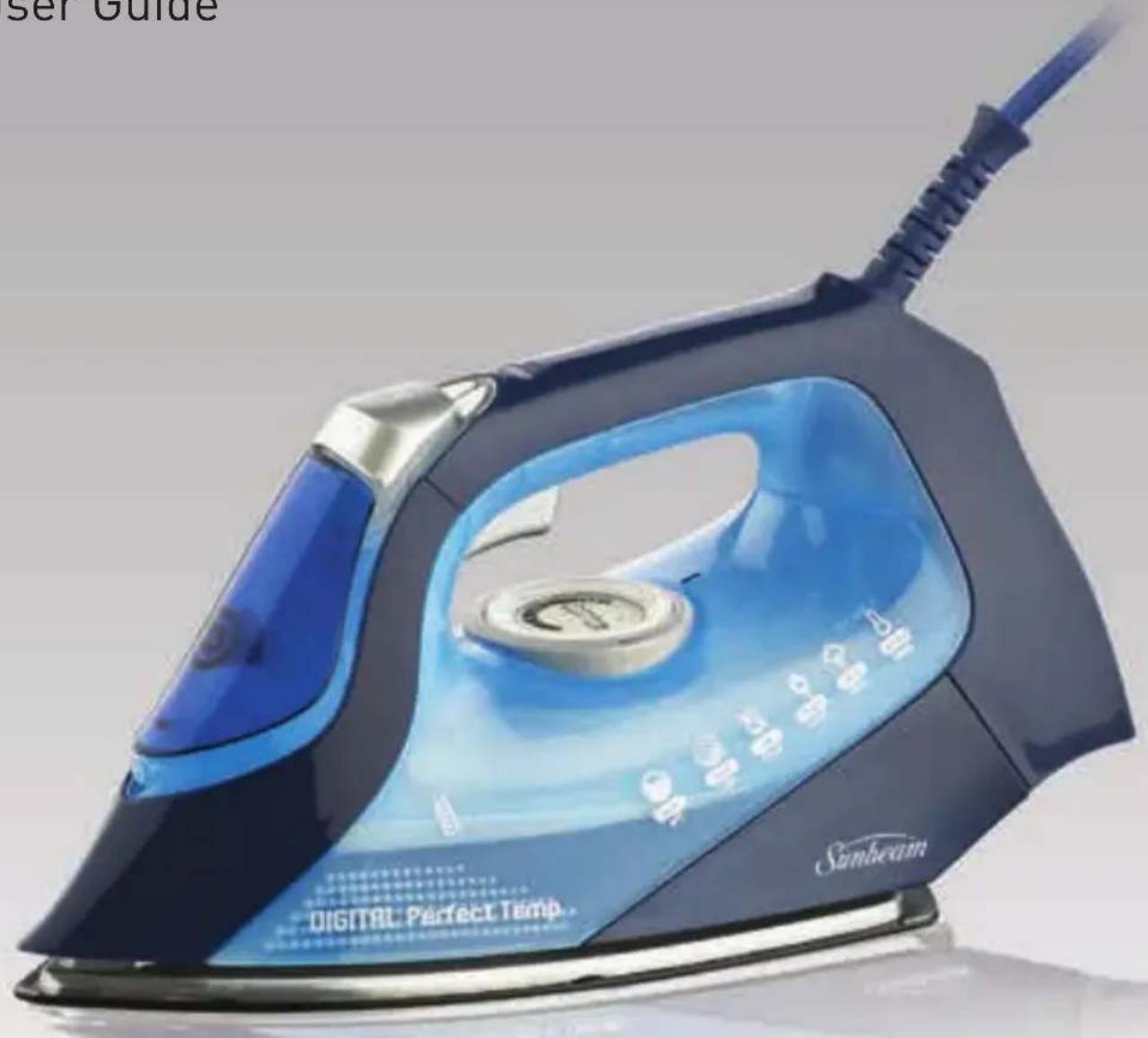
Digital Resilium® Shot & Spray Iron with Safety Auto-Off
User Guide
text_image
ser Guide DIGITAL Perfect Temp. SunbeamContents
Sunbeam's Safety Precautions 3
Features of your Solus Iron 4
Using your Solus Iron 6
The Safety Auto-Off Feature 7
Care and Cleaning of your Solus Iron 8
Troubleshooting 8
Ironing Tips & Tricks 9
Ironing Chart 10
Important instructions – retain for future use.
Sunbeam's Safety Precautions
SAFETY PRECAUTIONS FOR YOUR IRON
- Do not leave a hot iron within reach of children. If they come into contact with a hot iron it could lead to serious burns.
- Iron only on an ironing board.
- An iron takes approximately 30 minutes to cool down. Allow the iron to cool completely before storing.
- Do not wind the cord around the soleplate while the iron is still hot.
- Do not leave the iron unattended while it is plugged into the power outlet.
-
Always unplug the iron from the power outlet before filling or emptying the water tank.
-
The iron must be used and rested on a stable surface.
- The iron is not to be used if it has been dropped, if there are visible signs of damage or if it is leaking.
- This iron features an “auto-off” function, which is an additional safety feature designed to disconnect power to the heating element if the iron has not been used for a certain period of time.
- When placing the iron on its heel rest, ensure the surface on which it is placed is stable.
Sunbeam is very safety conscious when designing and manufacturing consumer products, but it is essential that the product user also exercise care when using an electrical appliance. Listed below are precautions which are essential for the safe use of an electrical appliance:
- Read carefully and save all the instructions provided with an appliance.
- Always turn the power off at the power outlet before you insert or remove a plug. Remove by grasping the plug - do not pull on the cord.
- Turn the power off and remove the plug when the appliance is not in use and before cleaning.
- Do not use your appliance with an extension cord unless this cord has been checked and tested by a qualified technician or service person.
- Always use your appliance from a power outlet of the voltage (A.C. only) marked on the appliance.
- This appliance is not intended for use by persons (including children) with reduced physical, sensory or mental capabilities, or lack of experience and knowledge, unless they have been given supervision or instruction concerning use of the appliance by a person responsible for their safety.
- Children should be supervised to ensure that they do not play with the appliance.
-
The temperature of accessible surfaces may be high when the appliance is operating.
-
Never leave an appliance unattended while in use.
- Do not use an appliance for any purpose other than its intended use.
- Do not place an appliance on or near a hot gas flame, electric element or on a heated oven.
- Do not place on top of any other appliance.
- Do not let the power cord of an appliance hang over the edge of a table or bench top or touch any hot surface.
- Do not operate any electrical appliance with a damaged cord or after the appliance has been damaged in any manner. If damage is suspected, return the appliance to the nearest Sunbeam Appointed Service Centre for examination, repair or adjustment.
- For additional protection, Sunbeam recommend the use of a residual current device (RCD) with a tripping current not exceeding 30mA in the electrical circuit supplying power to your appliances.
- Do not immerse the appliance in water or any other liquid unless recommended.
- Appliances are not intended to be operated by means of an external timer or separate remote control system.
- This appliance is intended to be used in household and similar applications such as: staff kitchen areas in shops, offices and other working environments; farm houses; by clients in hotels, motels and other residential type environments; bed and breakfast type environments.
Features of your Sunbeam Solus Iron
Extreme shot of steam
Squeezing the shot of steam trigger instantly produces a concentrated, high-pressure shot of steam to remove stubborn wrinkles.
Vertical shot of steam
Squeezing the shot of steam trigger with the iron in an upright position produces a vertical shot of steam, which is ideal for steaming curtains and suits, and removing creases from delicate fabrics.
Fine spray mist
Pressing the spray button provides a fine mist spray to dampen hard-to-iron fabrics.
Water tank with easy-fill water inlet
Holds 300ml of water for continual high steam performance without having to refill the tank regularly.
Drip-stop steam system
The drip-stop steam system automatically stops water flowing to the steam chamber should the temperature fall too low to generate steam. This prevents dripping, even at low temperatures.
Full length button groove
For ironing around buttons.
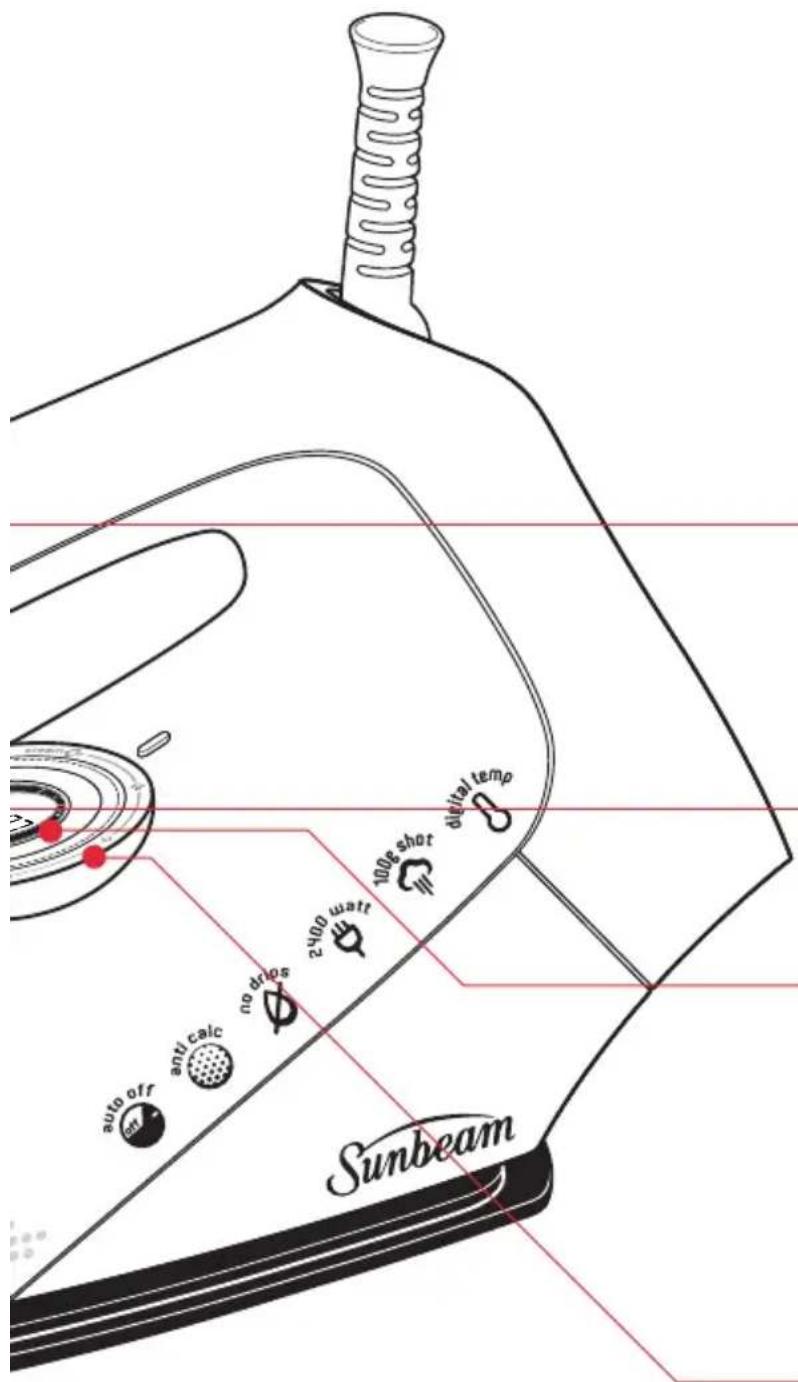
2400 watts for fast heat up
Provides faster initial heat up and rapid heat recovery during ironing. The 2400W element helps to maintain your selected temperature, and provides superior shot of steam output.
Resilium® non-scratch soleplate
Resilium® is a durable, scratch resistant surface that provides a superior glide and prevents rucking. Exclusive to Sunbeam, this premium soleplate features 172 steam holes to maximise steam distribution.
text_image
Auto off anti calc no drps 2400 wait 100s shot digital temp SunbeamDigital thermostat
The digital thermostat provides precise temperature control, allowing you to select the exact temperature recommended for each garment. It eliminates temperature overshoot and minimises temperature fluctuations. This ensures consistently superior results and prevents scorching.
Temperature alert
The light located on the iron handle indicates when the iron soleplate has reached the selected temperature.
Green = ready to iron
Orange = heating up
Red = too hot, cooling down
Temperature control
Use the + and - buttons to select the desired temperature setting for each garment, as displayed on the LCD.
LCD screen
The illuminated LCD displays the selected fabric setting.
Safety auto-off
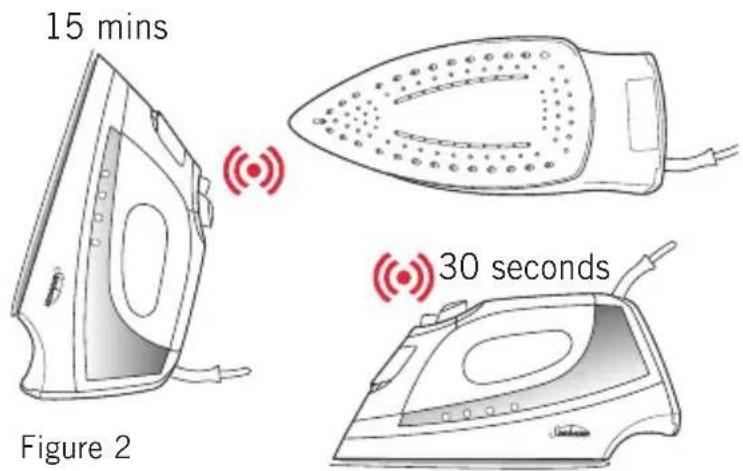
The iron automatically switches itself off if left in the ironing position (horizontal) for 30 seconds, or in the heel rest position (vertical) for 15 minutes. (For more information on the safety auto off feature see page 7).
Variable steam dial
Allows you to select the desired steam output for each garment. Alternatively, select the DRY setting to iron without steam.
Anti-calc
The built-in anti-calc cartridge removes minerals from tap water to prevent scale build up inside the soleplate and steam chamber, prolonging the life of your iron.
Using your Sunbeam Solus Iron
Before first use
Remove any adhesive stickers, plastic covers or cardboard sleeves from the soleplate.
Ensure that all adhesive is removed by rubbing the soleplate with a cloth dampened with methylated spirits.
Fill the water tank and empty the water. This will rinse out any foreign particles remaining in the water tank from the manufacturing process.
NOTE: When turned on for the first time, your new iron may give off vapours for up to 10 minutes. This is due to the initial heating of the materials used. It is safe, not detrimental to the performance of the iron, and will not reoccur.
Filling the iron with water
Before filling the iron with water ensure the power is turned off and the plug is removed from the power outlet. The iron can be filled with water while it is hot.
Place the iron on its heel and open the water inlet cover.
Slowly pour water into the water inlet until the maximum water level is reached. Do not exceed the maximum water level indicator. Push the water inlet cover firmly to close.
NOTE: The anti-calc cartridge and special soleplate design allows you to use tap water with your Solus iron without affecting the steam performance. However in very hard water areas, Sunbeam recommends the use of distilled water, or water which has been demineralised.
For best performance, we recommend the use of Sunbeam Demineralised Water, available from selected retailers. Use as a direct replacement for tap water to prolong the life of your iron.
Do not fill the iron with fabric conditioner, starches or any other solution as these will damage the steam mechanism. Do not use contaminated water.
Using your iron
- Insert the plug into a 230/240 volt power outlet and turn the power on. The LCD screen and the orange temperature alert light (located on top of the handle) will illuminate to indicate that the iron is switched on and heating.
- Use the temperature +/- buttons to select the desired temperature. The bars on the LCD will flash as the iron heats up to the selected temperature setting. As each incremental temperature is reached the bars will display solidly. When the temperature alert light changes to green, the iron has reached the selected temperature and is ready to use.
NOTE: When the temperature is changed from a high setting to a lower temperature setting during ironing, the temperature alert light will change to red. This indicates that the iron is cooling to the selected temperature. To ensure that the iron has reached the selected temperature and is not too hot, wait until the temperature alert light illuminates green before ironing.
Dry ironing
Follow steps 1 and 2 above.
- Select DRY on the steam dial. This will cut off the steam flow if there is water in the tank.
Steam ironing
Follow steps 1 and 2 above.
NOTE: When steam ironing, ensure that the temperature is set to the silk setting or above, and that the tank is at least 1/4 full of water.
- Turn the steam dial to the desired steam setting.
Using the shot of steam
The shot of steam can be used when dry or steam ironing, when the temperature is set above the two dot (●●) setting.
- Ensure the tank is at least 1/4 full of water.
- Select the desired temperature and wait until the temperature alert light illuminates green.
- Squeeze the shot of steam trigger several times with the iron on the soleplate to prime the pump.
Note: If the tank has run dry, it may be necessary to re-prime the pump after filling the iron with water.
Using the spray mist
The spray mist can be used whether dry or steam ironing to pre-dampen hard to iron fabrics.
- Ensure the tank is at least 1/4 full of water.
- Press the spray button during ironing to release a fine mist from the spray nozzle.
The 3-Way safety auto-off feature
The safety auto-off mechanism automatically turns the iron off if you forget.
The iron will automatically shut off if left on the heel rest (vertical) for 15 minutes without being moved, or in the ironing position (horizontal) for 30 seconds, or if it is knocked onto its side (See figure 2).
Should you leave the iron unattended, the LCD screen and the red temperature alert light will flash, and a warning beep will sound to let you know that the auto-off function has been activated.
Power to the iron's heating element will be cut and the iron will start to cool. After 30 seconds the frequency of the beep alarm will decrease.
Once the iron is moved the power will reconnect. Allow the iron to heat until the temperature alert light illuminates green, and continue ironing as normal.
text_image
15 mins Figure 2 30 secondsCare and Cleaning
After each use
- Turn the power off and remove the plug from the power outlet.
- Allow the iron to cool before winding the cord around the built-in cord wrap.
Storage
Always store the iron on its heel rest. Do not store the iron with the soleplate facing down, or in the carton.
Cleaning
To clean the exterior of your iron, wipe over with a damp soft cloth and wipe dry. Caution: Do not use harsh abrasives, chemical cleaners or solvents to clean the exterior of your iron as these will damage the surface.
Cleaning the steam holes
To remove build up from the steam holes which may affect steam performance, use a cotton wool tip moistened in methylated spirits.
Cleaning the Resilium® soleplate
Wipe with a soft damp cloth and wipe dry.
Caution: Do not use scouring pads, abrasives or harsh cleaners to clean your Resilium®, soleplate, as these will scratch and damage the surface.
Troubleshooting
If the following conditions occur simultaneously, it indicates a possible fault within the thermistor. These conditions will persist until the soleplate thermistor is working correctly.
- The temperature alert light flashes red continuously, and
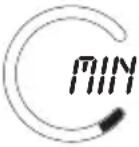
• The LCD backlight remains lit, and - The temperature cannot be changed from the MAX setting, and the circular graphic flashes and counts up to the MAX segment continuously.
To reset the iron, simply switch it off at the power outlet, switch it back on again and wait 15 seconds. The iron should now operate normally. If the fault occurs regularly return the iron, along with your purchase receipt, to the place of purchase for a replacement or refund.
Note: the fault conditions described above are different to what occurs when the safety auto-off feature is activated. When the iron is in the auto-off mode the LCD backlight will flash, the temperature alert light on the handle will flash red, and a warning beep will sound.
Ironing Tips and Tricks
Tip # 27 - Iron shirts like a pro
Start with the collar, working from the outer edges into the middle. Iron the shoulder next, followed by the cuffs and sleeves. Place the collar at the narrow end of the board so that one front panel of the shirt is extended flat. Iron the front panel from shoulder to shirt tail. Rotate to iron the back of the shirt. Rotate and complete the remaining front panel.
Tip # 34 - Tips for T-shirts
Straighten seams on t-shirts before hanging out to dry. To avoid damage to printed graphics and logos turn the t-shirt inside out and iron the reverse side of the print. Never iron areas of your t-shirt where perspiration marks are visible as the heat of the iron will permanently fix the stain.
Tip # 54 - Hung out to dry
When washing is complete, remove shirts from the machine immediately, shake them out and hang them on coat hangers to air dry – this will keep wrinkles to a minimum.
Tip # 18 - Selecting the right temperature
If you are unsure of the correct setting for a particular garment, test a small area such as a seam or inside hem before ironing a visible area. Start with a low temperature and slowly increase the heat to find the best setting.
Tip # 33 - Don't be afraid to iron silk
Don't be afraid to iron silk. Although delicate in appearance, silk is the strongest and most resilient of all natural fibres. To achieve the best results, set to a low cotton setting and use regular shots of steam. Always use a pressing cloth to avoid shine marks.
Tip # 13 - Ironing the seam
Always press seams in the same direction they were made. When a garment is produced, the fibres will naturally settle in the direction they were initially pressed, so it's best not to iron against the grain.
Tip # 26 - Sort types of fabric
Sort articles to be ironed according to the type of fabric. This will reduce the need to adjust the temperature constantly. Start with articles requiring lower temperatures and work your way through to items requiring higher settings.
Tip # 2 - Summer frocks and frills
Steam is the key when ironing delicate summer fabrics such as muslin, cotton and linen. Don't press down with the iron, simply hover above the garment and steam it using a vertical shot of steam. Ruffling, netting, tulle or intricate hand detailing is also best ironed using this method.
Tip # 5 - Pressing your winter woollies
Steam is crucial when pressing your winter woollies. Woollen garments can be hung and steamed using the vertical shot of steam feature. After steaming, brush the garment with your hand to plump up woollen fibres. If ironing the garment flat it is best to use a pressing cloth. Don't be afraid to apply pressure – steam and hold.
Tip # 42 - Table settings to impress
To avoid unwanted creases always iron your table cloth after taking it out of the cupboard. A dinner party is a special occasion, so treat the table cloth as you would your own outfit. For best results, lay towels across your table and iron the table cloth over the towels. This will save you time and ensure a beautifully presented table setting.
Ironing Chart
| TEMPERATURE SETTING | FABRIC IRONING RECOMMENDATION | |
| minimum | Acrylic | Dry iron on wrong side. |
 | Acetate | Dry iron on wrong side while still damp or use spray to dampen. |
| Nylon | Iron on wrong side while still damp or use spray to dampen. | |
| synthetic | Polyester & Rayon | Iron on wrong side of fabric. |
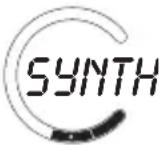 | Viscose | Mainly dry iron. Steam can be used under manufacturer's instructions. |
| silk | Silk | Iron on wrong side. Use an ironing cloth to prevent shine marks. |
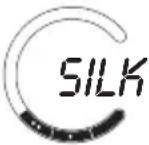 | Cotton Blends | Check label and follow manufacturer's instructions. Use setting for the fibre requiring the lowest setting. |
| wool | Wool & Wool Blends | Steam iron on wrong side or use an ironing cloth. |
 | ||
| cotton | Cotton | Dry iron while still damp or use spray to dampen. Use steam medium to high. |
 | Corduroy | Steam iron on wrong side or use an ironing cloth. |
| linen | Linen | Iron on wrong side or use an ironing cloth to prevent shine marks, especially with dark colours. Dry iron while still damp or use spray to dampen. Use steam medium to high. |
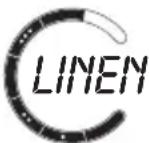 | ||
| maximum | Denim | Use maximum steam. |
 | ||
2
Year
Replacement Guarantee
This Sunbeam product is covered by a 2 year replacement or repair warranty, which is in addition to your rights under the Australian Consumer Law (if your product was purchased in Australia) or New Zealand Consumer Guarantees Act (if your product was purchased in New Zealand).
Upon receipt of your claim, Sunbeam will seek to resolve your difficulties or, if the product is defective, advise you on how to obtain a replacement or refund.
To assist us in managing warranty claims, we recommend you register your product as soon as practicable after purchase by creating a MySunbeam account on our website and uploading a copy of your original receipt.
In order to make a claim under our warranty, you must have the original proof of purchase documentation for the product and present it when requested (if not already uploaded to our website).
Should your product develop any defect within 2 years of purchase because of faulty materials or workmanship, we will replace or repair it, at our discretion, free of charge. A product presented for repair may be replaced by a refurbished product of the same type rather than being repaired. Refurbished parts may be used to repair the product.
Our replacement or repair warranty only applies where a defect arises as a result of faulty material or workmanship during the warranty period. Your warranty does not cover misuse or negligent handling (including damage caused by failing to use the product in accordance with this instruction booklet), accidental damage, or normal wear and tear.
Your warranty does not:
• cover freight or any other costs incurred in making a claim, consumable items, accessories that by their nature and limited lifespan require periodic renewal (such as filters and seals) or any consequential loss or damage; or
• cover damage caused by:
- power surges, power dips, voltage supply problems, or use of the product on incorrect voltage;
- servicing or modification of the product other than by Sunbeam or an authorised Sunbeam service centre;
- use of the product with other accessories, attachments, product supplies, parts or devices that do not
conform to Sunbeam specifications; or - exposure of the product to abnormally corrosive conditions; or
- extend beyond 3 months if the product is used in commercial, industrial, educational or rental applications.
The benefits given to you by our warranty are in addition to other rights and remedies under law in relation to the product.
In Australia our goods come with guarantees that cannot be excluded under the Australian Consumer Law. You are entitled to a replacement or refund for a major failure and for compensation for any other foreseeable loss or damage. You are also entitled to have the goods repaired or replaced if the goods fail to be of acceptable quality and the failure does not amount to a major failure.
Our goods also come with guarantees that cannot be excluded under the New Zealand Consumer Guarantees Act.
If your warranty claim is not accepted, we will inform you and if requested to do so by you, repair the product provided you pay the usual charges for such repair. You will also be responsible for all freight and other costs.
Should your product require repair or service after the warranty period, contact your nearest Sunbeam service centre. For a complete list of Sunbeam's service centres, visit our website or call our customer service line for advice on 1300 881 861 in Australia, or 0800 786 232 in New Zealand.
Should you experience any difficulties with your product during the warranty period, please contact our customer service line for advice on 1300 881 861 in Australia, or 0800 786 232 in New Zealand.
Australia
www.sunbeam.com.au
1300 881 861
Units 5 & 6,
13 Lord Street,
Botany NSW 2019
Australia
New Zealand
www.sunbeam.com.nz
0800 786 232
Level 6, Building 5,
Central Park,
660-670 Great South Road
Greenlane, Auckland
New Zealand
Need help with your appliance?
Contact our customer service team or visit our website for information and tips on getting the most from your appliance.
Australia | visit www.sunbeam.com.au
phone 1300 881 861
mail Units 5 & 6, 13 Lord Street,
Botany NSW 2019 Australia.
New Zealand | visit www.sunbeam.co.nz
phone 0800 786 232
mail Level 6, Building 5, Central Park,
660–670 Great South Road,
Greenlane, Auckland.
Sunbeam Corporation Limited | ABN 45 000 006 771
Sunbeam Corporation is a division of GUD Holdings Limited.
Sunbeam is a registered trademark.
Solus, PerfectTemp and Resilium are registered trademarks of Sunbeam Corporation.
Designed and engineered in Australia.
Made in China to Sunbeam's specification.
Due to minor changes in design or otherwise,
the product you buy may differ slightly from the one shown here.
Approved by the appropriate electrical regulatory authorities.
©Copyright Sunbeam 2014.