
TRAOBD45279 - Docking Station Tracer - Free user manual and instructions
Find the device manual for free TRAOBD45279 Tracer in PDF.


| Product Type | Docking Station |
| Brand | Tracer |
| Model | TRAOBD45279 |
| Compatible Devices | Laptops, tablets, smartphones with USB-C |
| Dimensions (L x W x H) | 200 x 80 x 25 mm |
| Weight | 300 g |
| Input Power | 20V DC, 3A (via included adapter) |
| Output Power (Charging) | Up to 60W (USB-C PD 3.0) |
| Number of Ports | 7 ports: 1x USB-C PD IN, 2x USB-A 3.0, 1x USB-C Data, 1x HDMI, 1x Ethernet RJ45, 1x 3.5mm audio |
| Supported Displays | Single 4K@30Hz or dual 1080p@60Hz |
| Data Transfer Speed | USB 3.0 up to 5 Gbps |
| Cable Length | 1 m (attached) |
| Material | Aluminum alloy with anti-slip base |
| Color | Space Gray |
| Operating Temperature | 0°C to 40°C |
| Storage Temperature | -20°C to 60°C |
| Humidity Range | 5% to 95% (non-condensing) |
| Safety Certifications | CE, FCC, RoHS |
| Maintenance & Cleaning | Wipe with a soft, dry cloth; avoid liquids |
| Spare Parts Available | Power adapter (sold separately) |
| Repairability | Not user-serviceable; contact Tracer support for repairs |
| Included Accessories | Docking station, power adapter, user manual |
Frequently Asked Questions - TRAOBD45279 Tracer
User questions about TRAOBD45279 Tracer
0 question about this device. Answer the ones you know or ask your own.
Ask a new question about this device
Download the instructions for your Docking Station in PDF format for free! Find your manual TRAOBD45279 - Tracer and take your electronic device back in hand. On this page are published all the documents necessary for the use of your device. TRAOBD45279 by Tracer.
USER MANUAL TRAOBD45279 Tracer
Wi-Fi HDD Docking Station
Instructions for use
Home & Office
PL
Stacja dokująca
Wi-Fi HDD
Instrukcja obsługi
1. Opis produktu

3. Statyczne IP
PL
Stacja dokująca
Wi-Fi HDD
Instrukcja obsługi
4. Bezprzewodowe
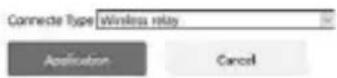
Wireless Relay

We suggest using automatic firmware upgrading!
Select Firmware:
The current network status
Network status uncorrected
Networking information
link_type
DHCP(Automatic acquisition)
P address :
storage space
Disk storage space
○B
dik_press
OE
connected device[5]
file share
access internet
USER
792.165.169.114
3c46d8-44a5mn
26491-金贵房515850C30
192.165.169.211
50:4:0.9w:24f9d



This product is a large capacity mobile storage device, which is exchanging high-speed data with computer through USB port or WIFI Network. It could transfer data through WIFI network compared with traditional HDD Enclosure and it support APP software from third-party.
2. Supported operating systems
- Microsoft® Windows Vista®
• Microsoft Windows 2000 - Microsoft Windows XP
- Microsoft Windows 7
- Microsoft Windows 8
- Linux Fedora FC8
- MAC OS 10.6.2
- Android
3. Product Features
- High speed USB3.0 HDD Enclosure
- WIFI wireless storage device
- Wireless Router
- Can be read as an external USB mobile hard disk and other external storage devices via USB port
- Support 20 devices simultaneously
- Meanwhile support for samba and FTP server functionality shared perfectly.
- Supports FAT32 / NTFS / EXT4 three kinds of disk format for wireless data read and write
EN
Wi-Fi HDD
Docking Station
Instructions for use
4. Structure Description
Size: L(135)*W(119)*H(83.5)MM
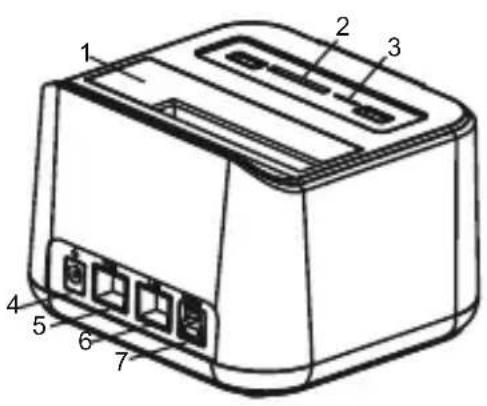

5. Structure Introduction
-
2.5/3.5inch HDD Insert port
-
SD card slot
-
TF card slot
-
12V2A DC power port
-
RJ45 WAN port
-
RJ45 LAN port
-
USB3.0 Port
-
USB 2.0 Expansion port
-
Power switch
-
Wifi and network indicator: After starting wifi, wifi indicator (red) lights, red light will flash when connecting wifi! After access to the WAN, the network indicator (green) lights.
-
Power and data indicator: Power supply indicator (yellow) lights after turn on the device .When reading and writing data, the indicator (blue light) blinks.
-
Reset button hole: In the hard disk shutter a reset button hole hidden below. When you wifi set incorrectly or forget your password, the device is turned on, until the wifi start with a small wire inserted into the hole, press for 5 seconds, ten release, the device will restart, restore the factory settings.
Note:
-
SD Card and TF card can not be used simultaneously, so when you need to use the SD card, please remove the TF card! Similarly when you need to use TF card, please remove the SD card! In order to avoid data read errors!
-
Color Indicator displayed because light pipe causes for blending, so the indicator's color will be different from the actual color
Specification for WiFi Router
Before connecting to the WiFi, we need to set the Router. Open the explorer on your network device, input 192.168.169.1 in the address bar and press Enter. The explorer will turn to WiFi Set page if your device is not connected to the internet.
EN
Wi-Fi HDD
Docking Station
Instructions for use

Select language on this page
Input original password: kimax
Press Enter into the set page

Set up your Wifi Router
For your network security, you should modify the original settings. Click to enter System Setting

You can set your WiFi Access Password on this page. First select a Encryption Mode
EN
Wi-Fi HDD
Docking Station
Instructions for use

Then input your new password which should be at least eight letters (Remember your Password, you will need it when connecting to WiFi) and save it. The router will reboot now and you need to input your new password to access the router.
At this moment the router has not connect to internet yet, to do that we need to set it up. Enter System Setting page and select Network Setting.
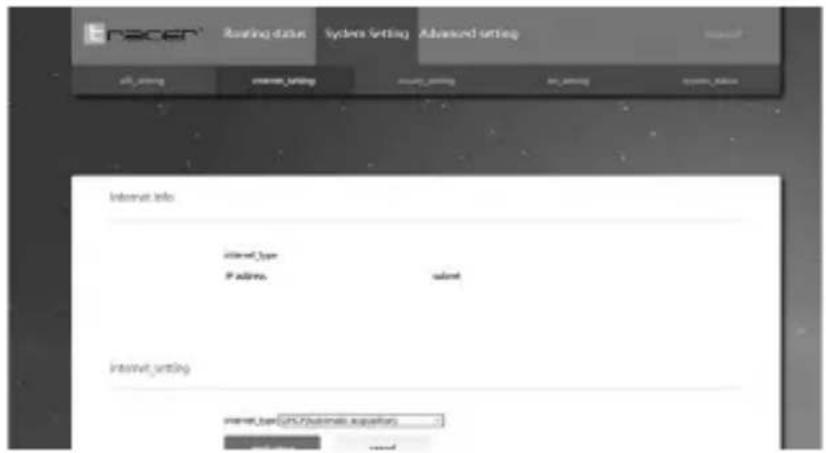
First you need to know your connection type to the internet, then choose the right one from the options.
There are four types to connect to the internet:
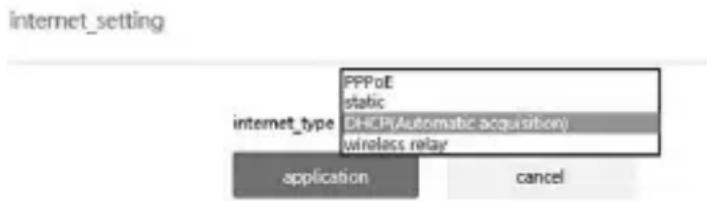
1.DHCP
2.PPPOE
3. Static IP
4. wireless repeat
- DHCP means dynamic access to ip address: If you get your network from a cable router already (you don't need to Dial-up to connect to internet), then no set need to be done, the Wifi router will connect to internet automatically.
- PPPOE means Dial-up to the internet: If you get your network from the Network Company (your cable comes directly from a Modem), then you need to make some simple moves. Select connection type to PPPOE, then input your user name and password given by your network supplier, click Apply.
EN
Wi-Fi HDD
Docking Station
Instructions for use
internet setting

3. Static IP
Orderly input your IP address, subnet mask, gateway, DNS, then click Apply.
internet setting

- Wireless repeat

Click Scan, now the WiFi Router will search for wifi hotspot nearby.
Select the wifi hotspot you want to repeat, click Join in. Password is needed when you connect to it.
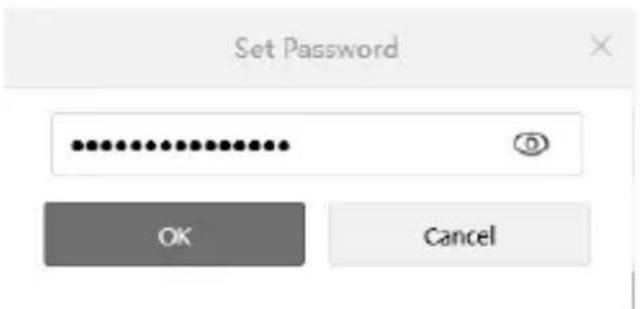
When successfully repeated, the wifi hotspot will appear on the bottom of the screen.
EN
Wi-Fi HDD
Docking Station
Instructions for use
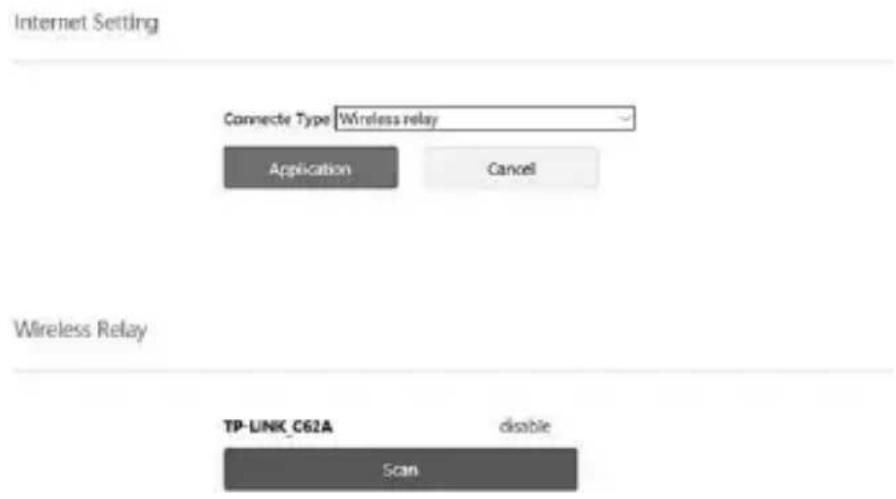
If you want to stop repeating and connect net cable to the router, please first disconnect the wifi hotspot, then reboot the router.
(Attention: If the operations above doesn't work, please restore the router to factory settings and set it up again).
Administrator Password Set
You should change your Administrator Password for your router's safety.
The original password is: kimax
This is how to change your password:

Input the old password, then input your new password twice, click Save. Firmware Update. Click System State

Click Local Upgrade.
EN
Wi-Fi HDD
Docking Station
Instructions for use
Local upgrading
We suggest using automatic firmware upgrading!
Select Firmware:
浏览...
start upload
cancel
Click Scan
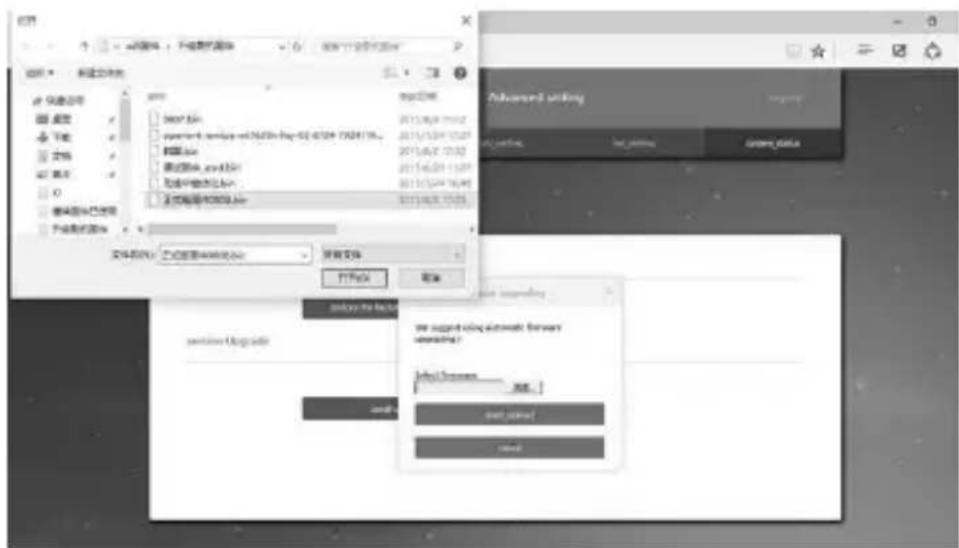
Select the firmware in your computer you want to upgrade to, click Open
Local upgrading

We suggest using automatic firmware upgrading!
Select Firmware:
Click Confirm Update, now the router will upgrade the firmware. This process will last about 5 minutes, when it is done the router will reboot automatically.
Attention: Power must not be cut off during the upgrade, so make sure the capacity of battery is no less than 50% if you are using battery to supply the power.
Management of Router's Access Authority
This function allows you to control all users' access authority to File Sharing and Connectiong to Internet.
EN
Wi-Fi HDD
Docking Station
Instructions for use
| Router Information | |||
| Router model HSV-02 | System Version T.1.2 | mar address 20:0A:8E:09:1B:8D | |
| The current network status | network status unconnected | ||
| Networking Information | -storage_space | ||
| link_type DHCP(Automatic acquisition) | IP address: | Grid storage space 0 B | disk_space 0 B |
| connected_device[5] | file_share access_internet | ||
| ● ● | |||
| ● ● | |||
| ● ● | |||
| ● ● | |||
On this page you can see all the devices linked to your router, you can control their authority by switching the button to Open/Close.
The two top buttons are main switch which default to be Open, it means all new devices are allowed to access to disk files and internet. If you change it to Close, it suit for all devices too. If you want to change authority for particular device, just adjust the button next to it.
Please insert HDD or External storage device firstly.
Different operation depends on different Operating System. Here take example as OS: Windows, Android, IOS.
If you watch HD video in terminal device, please using "QQ media" or "VLC media player" for watching. Video will be stuck in other players.

This player can ensure the fluency of high-definition video and make you experience better, other players may exist some flaws in supporting streaming media files, they may block when playing high-definition videos.
If you can't read files in your disk by following methods, pls check whether your disk installed well and disk format is correct. If it is new hard drive, it should be initialized formatted in advance. If above is no problem, you can turn off power and reboot.
1. Windows system take Window8 as example.
Samba server operation instruction as bellow
When device connect WIFI normally, open the files administration, namely random folder, input \192.186.169.1 in folder address bar and press "Enter". (Please note"\"before IP can't omitted.
EN
Wi-Fi HDD
Docking Station
Instructions for use
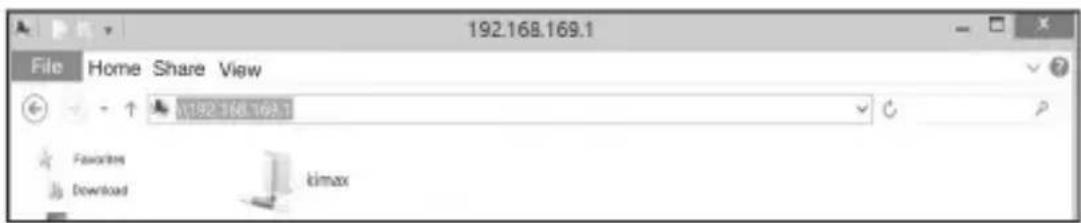
Kimax folder is the sharing folers of the disk. Clicking to enter the disk will make your disk share folders as disk numbers reveal, you can use and manage it like local file

FTP server operation instruction as below.
If you are used to using FTP server
After device connected WIFI, open the files administration, namely random folder, input \192.186.169.1 in folder address bar and press "Enter". (Please note"\"before IP can't omitted.

Share folder is exactly your disk sharing files, Clicking to enter the disk will make your disk share folders as disk numbers reveal, you can use and manage it like local file
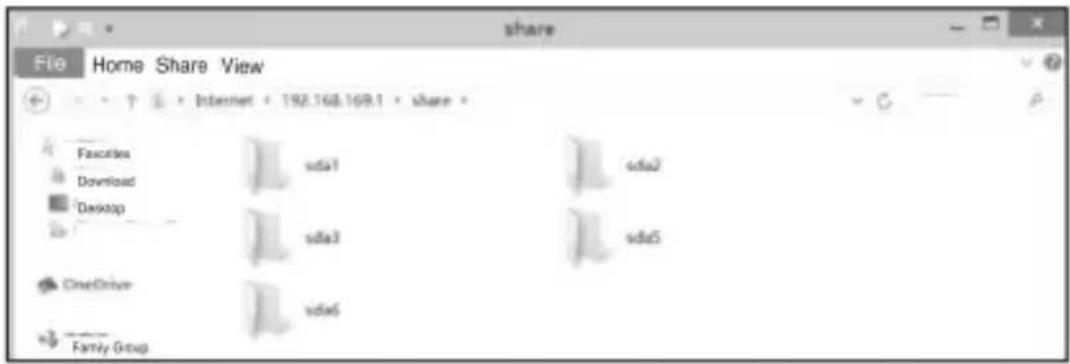
2. Android system takes Android 4.3 for example
firstly, Using your Android device connect with WIFI network. Enter into Android application market and search: ES File Explorer,, download and install.(download address: http://www.estrongs.com/?lang=en)At
EN
Wi-Fi HDD
Docking Station
Instructions for use
Then open ES File Explorer

ES File Explorer
3.1.3(4 MB)



Click the lupper left corner icon.
Appear the following page
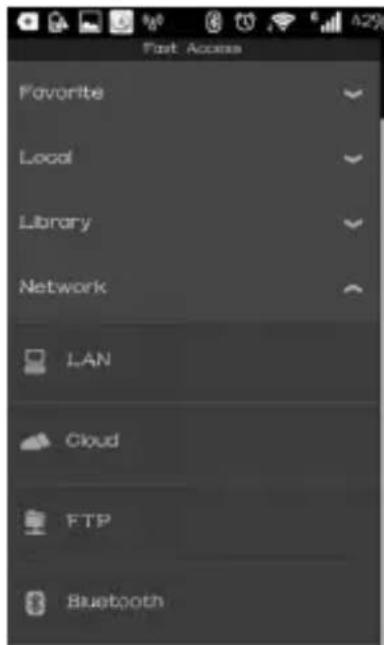
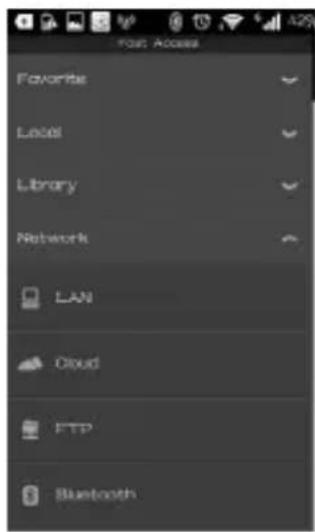
Choose LAN


You can click on the scan.
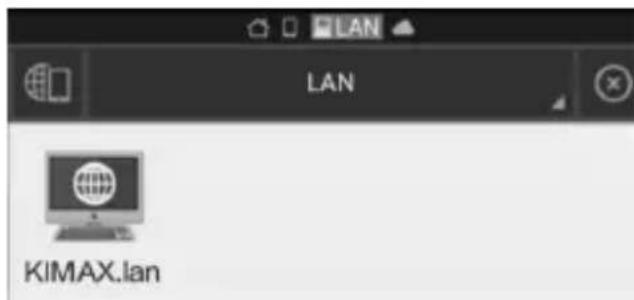
Scan to KIMAX Shared server is your equipment. Click to enter the KIMAX folder inside.
System will place your disk appears in the form of a shared folder as the disk number.
Then you can use and management them like local file.
EN
Wi-Fi HDD
Docking Station
Instructions for use

FTP server operation instruction as follows, If you are used to using FTP server,
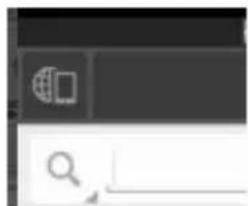
Open ES file browser
natural_image
Pure UI element with no text, numbers, or symbols visibleClick on the top left corner

Enter.
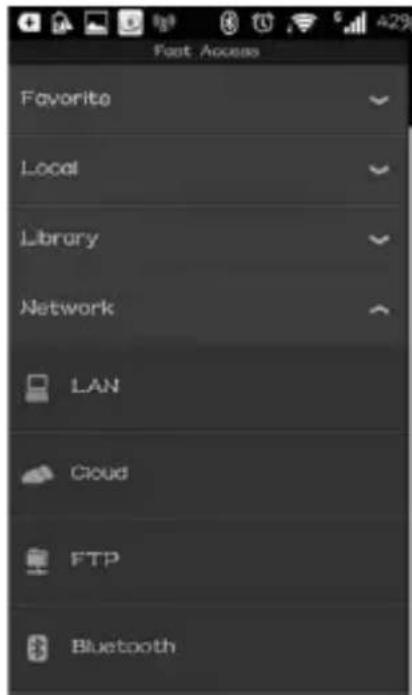
Choose FTP


You can click on the New

EN
Wi-Fi HDD
Docking Station
Instructions for use

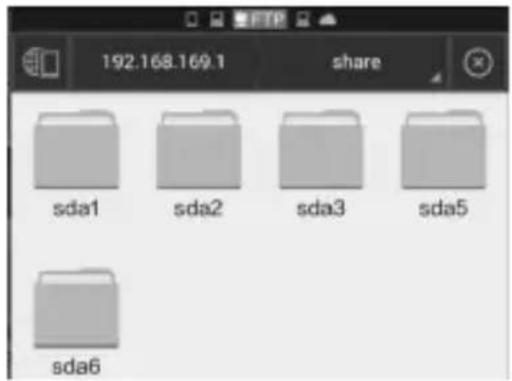
Sever: input routing IP address: 192.168.169.1
The user name and password: don't fill in
The following anonymous: tick
Other default need not editing Click Ok and create FTP share server yourself.

Click to enter the share folder inside.
System will make your disk share folders as disk number, so you can use and manage it like local files.
3. Apple's system take IPAD IOS 7.1.2 system version for example.
First connect WIFI network.
(1) Search File Explorer in the app store, make sure iPAD connected WiFi.

Open the software after installation.
EN
Wi-Fi HDD
Docking Station
Instructions for use

Click the add button

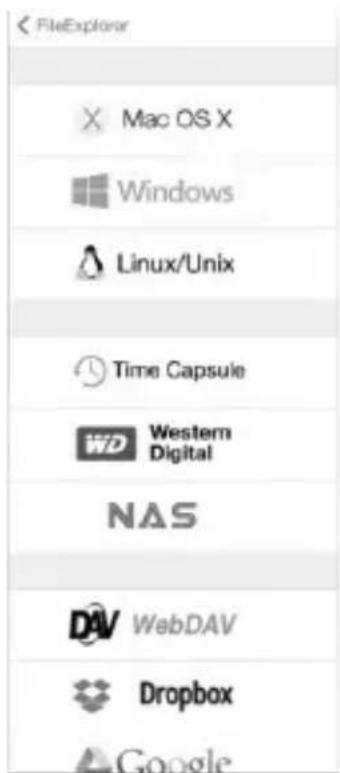
Click To enter the next page
![返回 Save CONNECTION Display Name Optional Host Name/IP Host[Path] DNS Domain Optional Port 445 Show Hidden Files Support DFS Concurrent Connection Mode CONNECT AS User Name Optional Password Optional NETWORK NEIGHBORHOOD KIMAX 192.168.169.1 LIUMAISO 192.168.169.147](/content/2026/05/1049897/images/54103309d96d924db00bfcfdd8b79af9716d43c81cdc9ed1d3cc58d8a9fd5bbf.jpg)
In the menu bar on the left, the software will automatically search the server list. Click KIMAX
EN
Wi-Fi HDD
Docking Station
Instructions for use

Click KIMAX

Click on the visitors into the Shared server

Click to enter the Shared folder KIMAX.
System will make your disk share folders as disk number, so you can use and manage it like local files.
Instructions for use
Wi-Fi HDD
Docking Station
EN

natural_image
Blank white image with no visible content, text, or symbolsmegabajt
DEKLARACJA ZGODNOŚCI
Megabajt Sp. z o.o., Rydygiera 8, 01-793 Warszawa
Deklaruje že:
- PL
- Stacja dokująca
- Wi-Fi HDD
- Instrukcja obsługi
- Opis produktu
- Statyczne IP
- Bezprzewodowe
- Supported operating systems
- Product Features
- EN
- Structure Description
- Structure Introduction
- Note:
- Specification for WiFi Router
- Set up your Wifi Router
- Static IP
- Administrator Password Set
- Management of Router's Access Authority
- Docking Station
- Instructions for use
- Windows system take Window8 as example.
- Samba server operation instruction as bellow
- FTP server operation instruction as below.
- Android system takes Android 4.3 for example
- Apple's system take IPAD IOS 7.1.2 system version for example.
- DEKLARACJA ZGODNOŚCI
Brand : Tracer
Model : TRAOBD45279
Category : Docking Station