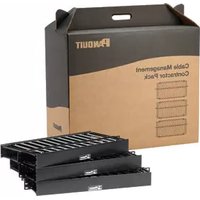
WMPFSE-E - Cable management Panduit - Free user manual and instructions
Find the device manual for free WMPFSE-E Panduit in PDF.


| Product Type | Cable Manager |
| Brand | Panduit |
| Model | WMPFSE-E |
| Series | WMPFSE |
| Color | Black |
| Material | Steel |
| Mounting Type | 19-inch rack |
| Cover Type | Hinged, opens top or bottom |
| Screw Retention | Built-in in mounting holes |
| Recommended Screws | #12-24 x 0.5 in or M6 |
| Recommended Torque (#12-24) | 9 ± 1 in-lb |
| Recommended Torque (M6) | 1 ± 0.1 N-m |
| Cable Capacity Method 1 – UTP (.187 in) | 48 |
| Cable Capacity Method 1 – SeTP (.250 in) | 32 |
| Cable Capacity Method 1 – Fiber (3 mm) | 144 |
| Cable Capacity Method 2 – UTP (.187 in) | 24 |
| Cable Capacity Method 2 – SeTP (.250 in) | 16 |
| Cable Capacity Method 2 – Fiber (3 mm) | 72 |
| Compatible Patch Panels | Panduit 24 or 48 port |
| Installation Method | Position cover flat against fingers, push to snap |
Frequently Asked Questions - WMPFSE-E Panduit
User questions about WMPFSE-E Panduit
0 question about this device. Answer the ones you know or ask your own.
Ask a new question about this device
Download the instructions for your Cable management in PDF format for free! Find your manual WMPFSE-E - Panduit and take your electronic device back in hand. On this page are published all the documents necessary for the use of your device. WMPFSE-E by Panduit.
USER MANUAL WMPFSE-E Panduit
The hinged cover opens from the top or the bottom. Pull flange to open and close cover.
Install the managers to the rack with the #12-24x.5 or M6 screws provided. Built-in screw retention in mounting holes secures screws in manager during installation. Install the covers to the manager by positioning cover flat against the front of the manager fingers, then push to snap in place.
Note: The recommended assembly torque shall be 9+/-1 in-lb for #12-24 screws, 1+/-0.1 N-m for M6 screws.
The PatchLink cable manager is recommended for use with Panduit 24 or 48 port patch panels mounted above and below the manager.
When routing the cables for the patch panels, either of the following two methods are recommended to help maintain cable bend radius.
METHOD 1: For each row of 24 ports, place two cables in each slot on the manager.
Route half the cables through each of the wire retainers on the ends of the manager.
METHOD 2: If the cables are coming from one side of the rack, place 2 cables in each of the slots on the manager.
NOTE: When using front and back WMPH's to manage cables on the rear of the rack, place 2 cables in each of the 12 slots in the rear of the manager, for each row of 24 ports.
METHOD 1

METHOD 2

Cable Capacity
| Part Number | UTP Cable .187" dia. | SeTP Cable .250" dia. | Fiber 3mm dia. | |
| WMP1E WMPF1E WMPH2E WMPHF2E | Method 1 | 96 72 312 | ||
| Method 2 | 72 | 48 | 192 | |
| WMPSE WMPFSE | Method 1 | 48 32 | 144 | |
| Method 2 | 24 | 16 72 | ||
| WMPLSE WMPLFSE | Method 1 | 32 | 24 | 96 |
| Method 2 | 16 | 12 | 48 | |
For Worldwide Subsidiaries
and Sales Offices visit
Web Site: www.panduit.com

PANDUIT
Technical Support Phone: 866-405-6654
Fax: 708-444-6993
E-mail: ncginfo@panduit.com

Brand : Panduit
Model : WMPFSE-E
Category : Cable management