
WT 5100 - Washing machine UPO - Free user manual and instructions
Find the device manual for free WT 5100 UPO in PDF.


Pick your language and provide your email: we'll send you a specifically translated version.
| Product Type | Washing Machine |
| Brand | UPO |
| Model | WT 5100 |
| Energy Class | A |
| Dimensions (H x W x D) | 85 x 60 x 60 cm |
| Weight | 70 kg |
| Load Capacity | 7 kg |
| Maximum Spin Speed | 1200 rpm |
| Water Consumption | 50 L per cycle |
| Noise Level (Wash/Spin) | 56 dB / 76 dB |
| Number of Programs | 15 |
| Display Type | LED |
| Door Opening Angle | 180 degrees |
| Drum Material | Stainless Steel |
| Voltage / Frequency | 220-240 V / 50 Hz |
| Plug Type | Schuko (CEE 7/7) |
| Child Lock | Yes |
| Delay Start | Up to 24 hours |
| Detergent Drawer Cleaning | Remove and rinse monthly |
| Filter Cleaning | Every 2 months |
| Annual Energy Consumption | 200 kWh |
| Annual Water Consumption | 11000 L |
Frequently Asked Questions - WT 5100 UPO
How do I clean the detergent drawer?
Press the catch inside the drawer and pull it out completely. Rinse under warm water to remove residue. Dry thoroughly before reinserting.
What should I do if the machine does not start?
Check that the door is closed properly, the water supply is open, and the plug is securely connected. Also ensure the program is selected and the Start button is pressed.
How often should I clean the pump filter?
Clean the pump filter every two months. Remove the lower access panel, unscrew the filter, and remove any debris. Place a tray to catch water.
Can I open the door during a cycle?
It is not recommended as water may leak. If the machine is in a paused state and water level is low, you may open the door. Refer to the manual for specific instructions.
What does error code E01 mean?
Error E01 usually indicates a door lock issue. Ensure the door is fully closed and the lock is engaging. If persists, check the door hinge or call service.
How do I level the washing machine?
Adjust the front feet by turning them clockwise to lower or counterclockwise to raise. Use a spirit level to ensure the machine is stable on all four feet.
Which detergent should I use?
Use high-efficiency (HE) detergent for front-loading machines. Follow the manufacturer's dosage instructions. For UPO WT 5100, avoid excessive suds.
What is the maximum load capacity?
The UPO WT 5100 has a maximum load capacity of 7 kg for cotton program. Overloading may cause poor washing results and vibration.
How do I clean the drum?
Run a drum cleaning program with an empty machine, using a special cleaner or a cup of white vinegar. Alternatively, use a high-temperature cycle (90°C) with no detergent.
Where can I find spare parts?
Spare parts such as door gaskets, filters, and belts are available from authorized UPO service centers or online retailers. Use the model number WT 5100 for ordering.
User questions about WT 5100 UPO
0 question about this device. Answer the ones you know or ask your own.
Ask a new question about this device
No questions yet. Be the first to ask one.
Download the instructions for your Washing machine in PDF format for free! Find your manual WT 5100 - UPO and take your electronic device back in hand. On this page are published all the documents necessary for the use of your device. WT 5100 by UPO.
USER MANUAL WT 5100 UPO
natural_image
Line drawing of a rectangular industrial machine or storage unit with vertical panels and a flat top (no text or symbols)UPO
Bästa Kund!
Tvättmedelsfacket
natural_image
Line drawing of a kitchen appliance with lid and front panel (no text or symbols)

flowchart
graph TD
    A["开始"] --> B{条件判断}
    B -->|是| C["执行操作"]
    B -->|否| D["结束"]
    C --> E["结束"]
    style A fill:#f9f,stroke:#333
    style E fill:#bbf,stroke:#333


natural_image
Line drawing of a shirt with two pockets (no text or symbols)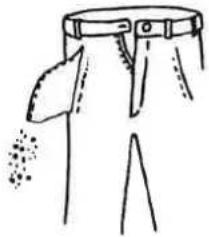
natural_image
Simple line drawing of a pair of pants with a belt and a flag (no text or symbols)
Vilken temperatur skall man välja ?
natural_image
Simple line drawing of a magnifying glass resting on a tray with a box nearby (no text or symbols)
natural_image
Illustration of a printer with a circular dial and rotating button, no text or symbols present
natural_image
Simple line drawing of a mechanical device with an arrow indicating rotation, no text or symbols present

natural_image
Diagram showing a hand interacting with a vertical panel and directional arrows indicating motion (no text or symbols)
Justera fötterna
natural_image
Hand inserting a plug into an electrical socket (no text or symbols visible)
natural_image
Hand drawing a line on paper with a pencil, no text or symbols present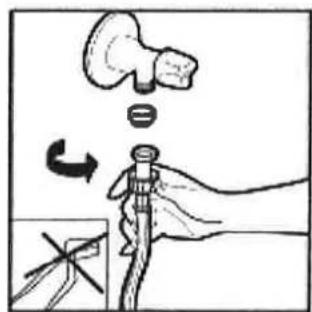
natural_image
Simple line drawing of a medical or anatomical structure with no visible text, numbers, or symbols.
Table of contents
Click a title to access it
Manual assistant
Powered by Anthropic
Waiting for your message
Product information
Brand : UPO
Model : WT 5100
Category : Washing machine