Appiani 90 ISLA ALA VID - Range hood Haceb - Free user manual and instructions
Find the device manual for free Appiani 90 ISLA ALA VID Haceb in PDF.


Pick your language and provide your email: we'll send you a specifically translated version.
| Product Type | Island Range Hood |
| Brand | Haceb |
| Model | Appiani 90 ISLA ALA VID |
| Width | 90 cm (35.4 inches) |
| Mounting Type | Island |
| Finish | Stainless Steel / Glass |
| Control Type | Electronic push buttons |
| Number of Fan Speeds | 3 (plus intensive boost) |
| Maximum Extraction Rate | Approximately 700 m³/h (depending on ducting) |
| Noise Level (max speed) | Approximately 65 dB(A) |
| Lighting | LED strip |
| Number of Lights | 2 |
| Grease Filter Type | Aluminum mesh (washable) |
| Carbon Filter (optional) | Yes, for recirculation mode |
| Duct Diameter | 150 mm (6 inches) |
| Energy Class | A+ (typical) |
| Power Supply | 220-240 V ~ 50 Hz |
| Total Power Consumption | Approximately 250 W (motor + lights) |
| Dimensions (H x W x D) | Approx. 60 cm x 90 cm x 50 cm |
| Net Weight | Approximately 25 kg |
| Cleaning | Clean exterior with mild detergent; wash aluminum filters monthly |
| Safety Features | Thermal cut-off, motor protection |
| Remote Control | No (manual controls only) |
Frequently Asked Questions - Appiani 90 ISLA ALA VID Haceb
How often should I clean the grease filters?
It is recommended to clean the aluminum mesh grease filters every month or more often if you cook frequently. They can be washed in the dishwasher or by hand with warm soapy water.
Can this range hood be used in recirculation mode?
Yes, the Appiani 90 ISLA ALA VID can be used in recirculation mode. You will need to install optional carbon filters to absorb odors. The ducted version requires connection to an exhaust outlet.
What is the recommended installation height?
For optimal performance, the hood should be installed at a height of 65-75 cm above the cooking surface. Refer to the manual for exact measurements.
How do I replace the LED lights?
The LED lights are integrated and should be replaced by a qualified technician. If they fail, contact Haceb service for assistance.
Why is my hood noisy at low speed?
Check that the filters are properly installed and not clogged. Also ensure there are no obstructions in the ductwork. If noise persists, verify the motor is balanced.
What type of ducting is required?
Use a rigid or flexible duct with a diameter of 150 mm (6 inches). Smooth inner walls reduce noise and improve airflow. Avoid sharp bends.
Can I install this hood myself?
Installation should be performed by a qualified electrician or installer. The hood must be securely fixed to a ceiling support capable of bearing its weight, and electrical connections must comply with local regulations.
How do I reset the filter saturation indicator?
After cleaning or replacing filters, press and hold the corresponding button (often the booster or timer button) for 3 seconds until the indicator light turns off. See your manual for exact procedure.
What should I do if the hood does not turn on?
First, check the power supply: ensure the plug is connected and the circuit breaker is not tripped. If it still doesn't work, the control board may be faulty – contact Haceb support.
Is a remote control included?
No, this model does not come with a remote control. It features manual electronic push buttons on the hood itself.
User questions about Appiani 90 ISLA ALA VID Haceb
0 question about this device. Answer the ones you know or ask your own.
Ask a new question about this device
No questions yet. Be the first to ask one.
Download the instructions for your Range hood in PDF format for free! Find your manual Appiani 90 ISLA ALA VID - Haceb and take your electronic device back in hand. On this page are published all the documents necessary for the use of your device. Appiani 90 ISLA ALA VID by Haceb.
USER MANUAL Appiani 90 ISLA ALA VID Haceb
natural_image
Diagram of a building interior with labeled section B and structural details, no readable text or symbols beyond labelsnatural_image
Hand inserting a small object into a screen, showing a left-pointing arrow (no text or symbols on the diagram itself)natural_image
Diagram showing a mechanical component with a downward arrow and labeled Figura 14, no readable text or symbols present.
IMPORTANTE
natural_image
Hand pressing a button on a device panel, labeled 'Figura 18.' (no text or symbols on the diagram itself)natural_image
Hand inserting a small object into a screen, showing a left-pointing arrow (no text or symbols)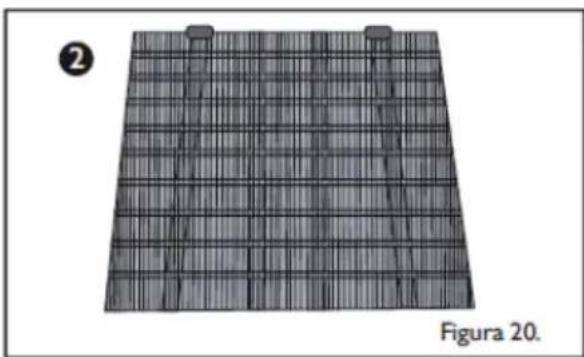
natural_image
3D grid-patterned surface with two small protrusions, labeled Figure 20 (no text or symbols on the pattern itself)
IMPORTANTE
LIMPIEZA
natural_image
Abstract 3D letter 'S' with a hand holding a cloud, rendered in grayscale (no text or symbols)Servicio Haceb
más cerca
•ASESORÍA
natural_image
White Haceb water heater with control panel and wheels (no visible text or symbols)
Table of contents
Click a title to access it
Manual assistant
Powered by Anthropic
Waiting for your message
Product information
Brand : Haceb
Model : Appiani 90 ISLA ALA VID
Category : Range hood