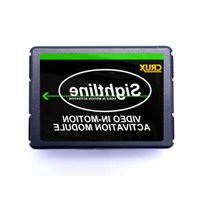
VIMCF-93 - Car accessory CRUX - Free user manual and instructions
Find the device manual for free VIMCF-93 CRUX in PDF.


| Product Type | Video Interface Module for MyGig Navigation Radios |
| Compatible Vehicles | Select Chrysler, Jeep, Dodge, and Volkswagen models (2007-2017) |
| Compatible Radios | MyGig Navigation Radios |
| Main Function | Enables video-in-motion (VIM) for passenger entertainment while driving |
| Installation Type | Plug & Play T-Harness, no wire cutting required |
| Power Supply | 12V DC vehicle power |
| DIP Switch Settings | DIP #1: ON for permanent VIM; OFF for switched VIM (requires toggle switch on GREEN wire) |
| Included Parts | VIMCF-93 Module, VIMCF-93 Harness |
| Notable Feature | Retains MyGig Navigation system functionality for passenger access at any time |
| Dimensions (Module) | Approx. 2 x 1.5 x 0.5 inches |
| Weight | Approx. 2 oz |
| Cleanup Instructions | Wipe with dry cloth; avoid liquids |
| Safety Notes | Disconnect vehicle battery before installation; ensure secure connections to avoid short circuits |
| Repairability | Not user-serviceable; contact manufacturer for issues |
Frequently Asked Questions - VIMCF-93 CRUX
User questions about VIMCF-93 CRUX
0 question about this device. Answer the ones you know or ask your own.
Ask a new question about this device
Download the instructions for your Car accessory in PDF format for free! Find your manual VIMCF-93 - CRUX and take your electronic device back in hand. On this page are published all the documents necessary for the use of your device. VIMCF-93 by CRUX.
USER MANUAL VIMCF-93 CRUX
Vehicle Applications
CHRYSLER
| 2011 – 2014 | 200 |
| 2008 – 2010 | 300/300C |
| 2008 - 2010 | Aspen |
| 2007 – 2011 | Sebring |
| 2008 – 2017 | Town & Country |
JEEP
| 2008 – 2010 | Commander |
| 2009 – 2015 | Compass |
| 2008 – 2013 | Grand Cherokee |
| 2008 – 2015 | Liberty |
| 2009 – 2017 | Patriot |
| 2007 – 2017 | Wrangler |
DODGE
| 2007 – 2015 | Avenger |
| 2010 – 2012 | Caliber |
| 2008 – 2017 | Caravan |
| 2009 – 2014 | Challenger |
| 2008 – 2010 | Charger |
| 2008 – 2012 | Dakota |
| 2008 – 2013 | Durango |
| 2009 – 2010 | Journey |
| 2007 – 2012 | Nitro |
| 2009 – 2012 | Ram |
VOLKSWAGEN
| 2009 – 2013 | Routan |
Features
- Retains functionality of MyGig Navigation system for passenger access at any time.
- Plug & Play Installation.
Note
- Compatible with MyGig Radios.
Parts Included

VIMCF-93 MODULE

natural_image
Two connected electrical connectors with multicolored wires, one gray and one black, against a white background (no text or symbols visible)VIMCF-93 HARNESS
1 / 2
Rev.022317
Crux Interfacing Solutions
www.crxinterfacing.com

tel. #: (818) 609-9299
fax #: (818) 996-8188
Installation Diagram

flowchart
graph TD
    A["MyGig Navigation Radio"] --> B["TO FACTORY RADIO"]
    B --> C["CRUX Sightline"]
    C --> D["TO FACTORY HARNESS"]
    E["WHITE = +12V Output"] --> C
    F["GREEN = Video In Motion"] --> C
Installation Instructions
- Remove the factory radio to gain access to the factory connectors.
- Make the T-Harness connections behind the factory radio and OEM harness.
- Set the DIP switch to the desired VIM function. See DIP setting below.
- Test the interface functions before re-installing the factory radio.
DIP Settings
The VIMCF-93 has a feature that enables the user to have either a permanent or a non-permanent VIM function. To set VIM to permanent, set DIP#1 to ON. To set to non-permanent, set DIP#1 to OFF and connect the GREEN wire to +12V using a toggle switch (not included).
- ON = Permanent VIM Enabled
- Not Used
- Not Used
- Not Used
- Set to OFF
- Set to OFF

Rev.022317
Brand : CRUX
Model : VIMCF-93
Category : Car accessory