
Prowatch X - Uncategorized LAVA - Free user manual and instructions
Find the device manual for free Prowatch X LAVA in PDF.


| Product Type | Smartwatch |
| Brand | LAVA |
| Model | Prowatch X |
| Display | Color touchscreen with always-on display (AOD) and adjustable brightness |
| Sensors | Heart rate, SpO2, Barometer, Altimeter, Compass, Ambient sound |
| Health Features | Body Energy, Stress monitoring, Sleep tracking, Breathing training, Heart Rate Variability (HRV) |
| Activity Tracking | 110 workout types, including running, cycling, swimming, yoga; auto-detection for running, walking, elliptical, rowing |
| GPS | Built-in GPS with A-GPS update for faster connectivity |
| Connectivity | Bluetooth for calls, notifications, music control, and camera remote |
| Voice Assistant | Activate via app for voice commands |
| Notifications | App notifications, incoming calls, and messages |
| Additional Features | Flashlight, Alarm, World Clock, Stopwatch with lap function, Timer, Find Phone, Cycle Tracking, Favorite contacts |
| Battery Indicator | View charge level and enable power-saving mode |
| Vibration | Adjustable intensity |
| Menu Style | Two different menu styles available |
| Reset/Restart | Factory reset and restart options |
| Watch Faces | Customizable via app |
| Compatibility | iOS and Android (via Prospot app) |
| Manual Pages | 4 pages (PDF available for download) |
Frequently Asked Questions - Prowatch X LAVA
User questions about Prowatch X LAVA
0 question about this device. Answer the ones you know or ask your own.
Ask a new question about this device
Download the instructions for your Uncategorized in PDF format for free! Find your manual Prowatch X - LAVA and take your electronic device back in hand. On this page are published all the documents necessary for the use of your device. Prowatch X by LAVA.
USER MANUAL Prowatch X LAVA
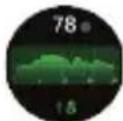
Body Energy is a feature that uses a combination of Heart Rate Variability (HRV), Stress, Sleep and Activity to estimate a user's energy reserves throughout the day, this feature provides a number out of 100 based on the energy level estimated, the higher the better
2. SpO^2
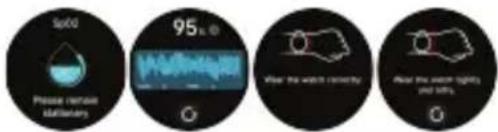
Measure your blood oxygen levels manually or enable continuous 24/7 monitoring. For accurate results, keep your wrist still and remain patient until the measurement is completed
3. Stress
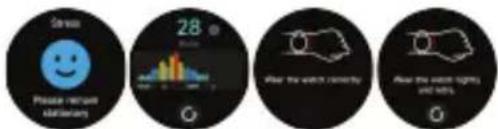
Measure stress levels manually or activate continuous automatic monitoring through the app settings. To ensure accuracy during measurements, keep your arm steady and wait for the process to finish. Stress scores ranged from 1 to 100. Lower the score the better is the stress level
1-29 - Relax
30-59- Normal
60-79-Medium
80-100-High
4. BreatheTraining
Use the Breathing feature to adjust your breathing with customizable durations. Start the guided breathing session and follow the vibration and animations to relax and manage emotions effectively.
5. Sleep
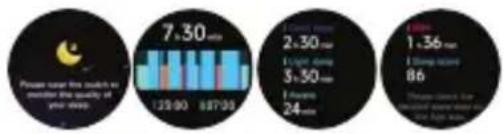
Check your most recent sleep records and view detailed insights into your sleep stages and status.
bar
| Time | Value | |---|---| | 7:30 min | 129:00 | | 87:00 | 887:00 | | 2:30 min | 5:30 | | 3:00 min | 24 | | 1:36 min | 86 | Please note that the number of times is required for your drop.Heart rate monitoring
Measure your heart rate via the heart rate widget on the watch, typically completed within 30–60 seconds.

Push for measurement
Heart rate, stress, and blood oxygen levels can all be measured simultaneously. Ensure your arm and wrist remain still during each measurement and wait patiently until it is complete.
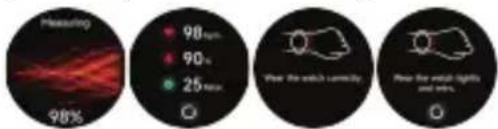
Heart Rate Variability (HRV):- HRV measures slight variations in the time between heartbeats, reflecting small changes that add or subtract fractions of a second between beats. Heart rate variability for a healthy person should be between 25ms to 200ms
6. Workout
Access up to 20 default exercise types, including running, cycling, swimming, and yoga, and customize or rearrange them via the app. A total of 110 activity options are available
7. Intelligent Exercise Recognition
The watch automatically detects and tracks your activity without needing to activate a specific workout mode. Currently this feature is available for the following activity types:
I. Auto-Activity Detection Running, Walking, Elliptical, Rowing Exercise
II. Auto-Pause Detection Running, Outdoor Cycling
III. Auto-End Detection Running, Walking, Outdoor cycling, Rowing, Elliptical, Swimming
8. Running Courses
Follow six structured running courses, including three each for walking and running, with step-by-step guidance to progress from beginner to advanced levels.
9. Barometer and altimeter
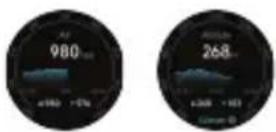
The inbuilt barometric sensor and altimeter measure surrounding atmospheric pressure and altitude.
10. Compass
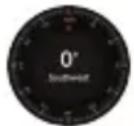
Use the inbuilt compass to determine directions after calibration.

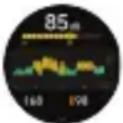
- An inbuilt GPS in a smartwatch tracks your location and movement without needing a connected smartphone. It enables accurate measurement of distance and directions for outdoor activities. It is recommended to update (A-GPS) from the app for faster connectivity. Users are recommended to use in open settings
- Ambient sound You can manually measure noise levels on the watch, which also supports continuous 24/7 noise monitoring. You can enable or disable this feature and view the data through the app settings.
FEATU RES & FU NCTIONS

Brightnes AOD Time
Adjust the display brightness by tapping the brightness icon.

Set the desired time for AOD. The set time will be effective post last activity on watch.

Menu Style
Choose from 2 different menu styles to customize your watch interface.
Battery
Tap the battery icon to check the charge level and enable power-saving mode.

Vibration
You can control the intensity of watch's vibration with multiple options.

Flashlight
Access the flashlight feature by selecting the flashlight icon from the menu.

Alarm clock
Use this feature to set alarm for the desired time.

Find Phone
Use the "Find Device" feature to locate your connected smartphone.

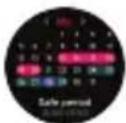
Cycle Tracking
After accessing Cycle Tracking in the app, the watch will show the available cycle tracking options. You can configure the cycle length, reminder time, and other settings, with periodic reminders sent accordingly.



Music
Control phone music playback—play, pause, and switch tracks—directly from the watch.

Camera
Access and control the phone's camera through the watch's camera widget.

About
View device details, including Bluetooth name, MAC address, and firmware version.

Shutdown
Power off the watch using the shutdown option.

Favorite contacts
Add up to 10 favorite contacts through the app to access them directly on the watch.

Notifications Voice Assistance
Enable notifications for selected apps in Prospot to receive updates on the watch.

World Clock
You can view the local time on your watch and configure the app to display the time for cities in other countries directly on the watch.
Stopwatch
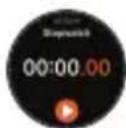
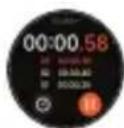
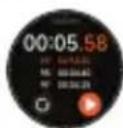
Track time accurately and reset the stopwatch using the left button. The stopwatch has a "Lap" function.

Timer
Set and run timers for custom durations.

Reset
Factory reset the watch to erase all existing data.
Restart
Restart the watch by selecting the restart function

Weather
After selecting a city in the app, weather updates sync automatically to the watch.

Dial
Use the watch's dial pad to make calls via Bluetooth connection.

Activate voice assistant on the watch via the app to issue commands seamlessly.
- SpO2
- Stress
- BreatheTraining
- Sleep
- Heart rate monitoring
- Push for measurement
- Workout
- Intelligent Exercise Recognition
- Running Courses
- Barometer and altimeter
- Compass
- FEATU RES & FU NCTIONS
- Brightnes AOD Time
- Menu Style
- Battery
- Vibration
- Flashlight
- Alarm clock
- Find Phone
- Cycle Tracking
- Music
- Camera
- About
- Shutdown
- Favorite contacts
- Notifications Voice Assistance
- World Clock
- Stopwatch
- Timer
- Reset
- Restart
- Weather
- Dial
Brand : LAVA
Model : Prowatch X
Category : Uncategorized