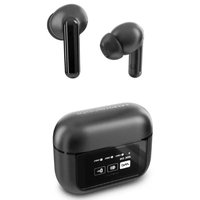
Display ANC - Headphones ENERGY SISTEM - Free user manual and instructions
Find the device manual for free Display ANC ENERGY SISTEM in PDF.


| Product Type | Over-ear Wireless Headphones with Active Noise Cancellation |
| Brand | Energy Sistem |
| Model | Display ANC |
| Driver Size | 40 mm |
| Frequency Response | 20 Hz - 20 kHz |
| Impedance | 32 ohms |
| Bluetooth Version | 5.0 |
| Wireless Range | 10 meters |
| Battery Type | Lithium-ion rechargeable |
| Battery Life (ANC On) | 20 hours |
| Battery Life (ANC Off) | 30 hours |
| Charging Time | 2 hours |
| Charging Port | USB-C |
| Active Noise Cancellation | Yes, with ambient mode |
| Microphone | Built-in for calls |
| Controls | Touch or physical buttons (volume, playback, ANC) |
| Foldable Design | Yes |
| Weight | 250 g |
| Dimensions (folded) | 18 x 15 x 5 cm |
| Included Accessories | USB-C cable, audio cable (3.5mm), carrying case |
| Compatibility | iOS, Android, Windows, Mac |
| Cleaning | Wipe with dry cloth; avoid liquids |
| Repairability | Battery and ear cushions replaceable |
| Warranty | 2 years (subject to local regulations) |
Frequently Asked Questions - Display ANC ENERGY SISTEM
User questions about Display ANC ENERGY SISTEM
0 question about this device. Answer the ones you know or ask your own.
Ask a new question about this device
Download the instructions for your Headphones in PDF format for free! Find your manual Display ANC - ENERGY SISTEM and take your electronic device back in hand. On this page are published all the documents necessary for the use of your device. Display ANC by ENERGY SISTEM.
USER MANUAL Display ANC ENERGY SISTEM
Frequently asked questions (FAQ) 3
Technical specifications .... 3
AUDIO 3
ACTIVE NOISE CANCELLING (ANC) 3
TRANSPARENCY MODE 3
CONNECTIVITY 3
HANDS-FREE MICROPHONE 3
BATTERY 3
EARPHONE 3
CHARGING CASE 4
Care and maintenance 4
Warranty 4
ENERGY♥SISTEM
natural_image
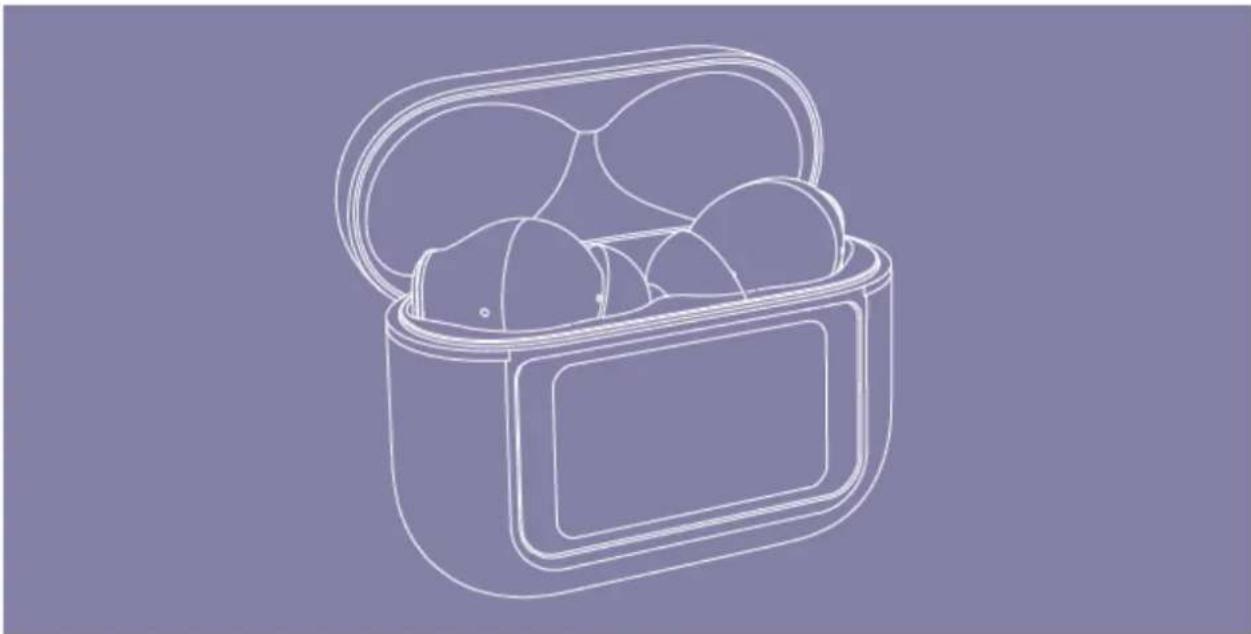
Line drawing of an open cylindrical device with multiple spherical objects inside (no text or symbols)Thank you for trusting us and purchasing your new Display ANC earphones. We hope you enjoy it.
User guide
Consult the quick guide for use by clicking here.
First use
Remove the protective strips on each of the earbuds, put them back in the case and fully charge the device. With this gesture, the protection mode that we include by default to prevent battery degradation will be deactivated and it will be calibrated to obtain maximum performance from it.
Frequently asked questions (FAQ)
- How can I reset the earphones? Disconnect them from any Bluetooth sound source, place them in the case, unlock the screen and press the button on the bottom of the case three times in a row, right next to the charging connector. Put them in the case and when you take them out again you can connect them again via Bluetooth.
If you want to disconnect them from the last device you linked it to, place them in your ears and press either earbud 10 times. You will hear a beep, put them in the case, close the lid and when you open it again you can pair them again.
Technical specifications
AUDIO
• Frequency response: 20 Hz \~ 20 kHz
- Driver diameter: 10 mm
• Maximum power: 5 mW
- Design: in-ear
- Type: dynamic
ACTIVE NOISE CANCELLING (ANC)
• Reduction of up to -30 dB between 20 and 1000 Hz
TRANSPARENCY MODE
- Transparency mode to listen to outside sounds
CONNECTIVITY
- Bluetooth version 5.3, class 2
• Supported audio codecs: SBC / AAC
• Working frequency: 2.4 GHz
• Maximum signal power: < 20.00 dBm
• Supports Bluetooth profiles HSP / HFP / A2DP / AVRCP - Up to 20 meters range
• True Wireless function with automatic pairing - Hands-free function
• Voice assistant compatible with Google/Siri
HANDS-FREE MICROPHONE
- Type: integrated
• Sensitivity: -38 dB ± 3 dB (@1 kHz)
• Frequency range: 100Hz \~ 10kHz
BATTERY
EARPHONE
• Capacity: 40 mAh per earbud
- Type: lithium polymer
ENERGY♥SISTEM
• Autonomy with ANC active: 5 hours*
• Autonomy with ANC deactivated: 6 hours*
- Charging time: 1 hour
- Charging system: charging case
CHARGING CASE
• Capacity: 500 mAh
- Type: lithium polymer
- Extra autonomy with active ANC: 20 hours*
- Extra autonomy with ANC deactivated: 24 hours*
- Charging time: 2 hours
- Charging system: USB type C
*This information is approximate. The autonomy depends on the selected volume and the type of music played.
Care and maintenance
- Do not expose the device to shocks, dust, humidity or high temperatures.
- Do not use corrosive or abrasive cleaning products. *Do not disassemble it. Any repair must be carried out exclusively by qualified personnel of Energy Sistem Technology, S.A.
- Be sure to keep your device turned off when not in use and do not leave it for a long period of time with the battery completely discharged.
Warranty
You can consult the warranty conditions here.

Brand : ENERGY SISTEM
Model : Display ANC
Category : Headphones