500E - Uncategorized JILONG - Free user manual and instructions
Find the device manual for free 500E JILONG in PDF.


| Type de produit | Digital Scale |
| Dimensions | Approx. 20 x 15 x 2 cm |
| Weight | Approx. 300 g |
| Power Supply | 2 x AAA batteries (included) |
| Display | LCD screen |
| Maximum Capacity | 5 kg / 11 lbs |
| Accuracy | 1 g / 0.05 oz |
| Units | g, kg, lb, oz |
| Functions | Tare, auto-off, overload indicator |
| Platform Material | Tempered glass |
| Color | White |
| Auto-Off | After 60 seconds of inactivity |
| Low Battery Indicator | Yes |
| Overload Protection | Yes |
| Cleaning | Wipe with a damp cloth; do not immerse |
| Storage | Store in a dry, flat place |
Frequently Asked Questions - 500E JILONG
User questions about 500E JILONG
0 question about this device. Answer the ones you know or ask your own.
Ask a new question about this device
Download the instructions for your Uncategorized in PDF format for free! Find your manual 500E - JILONG and take your electronic device back in hand. On this page are published all the documents necessary for the use of your device. 500E by JILONG.
USER MANUAL 500E JILONG

natural_image
Blue square icon with white line art of a hand holding a leaf above it (no text or symbols)Light weight & Compact

natural_image
Blue square icon with a white human figure wearing a helmet and waving (no text or symbols)Suitable for working at height

natural_image
Blue square icon with white line drawing of a wrench inside a circle, no text or symbols present.No need tools to replace electrodes

Automatic welding heating
CE
EMC
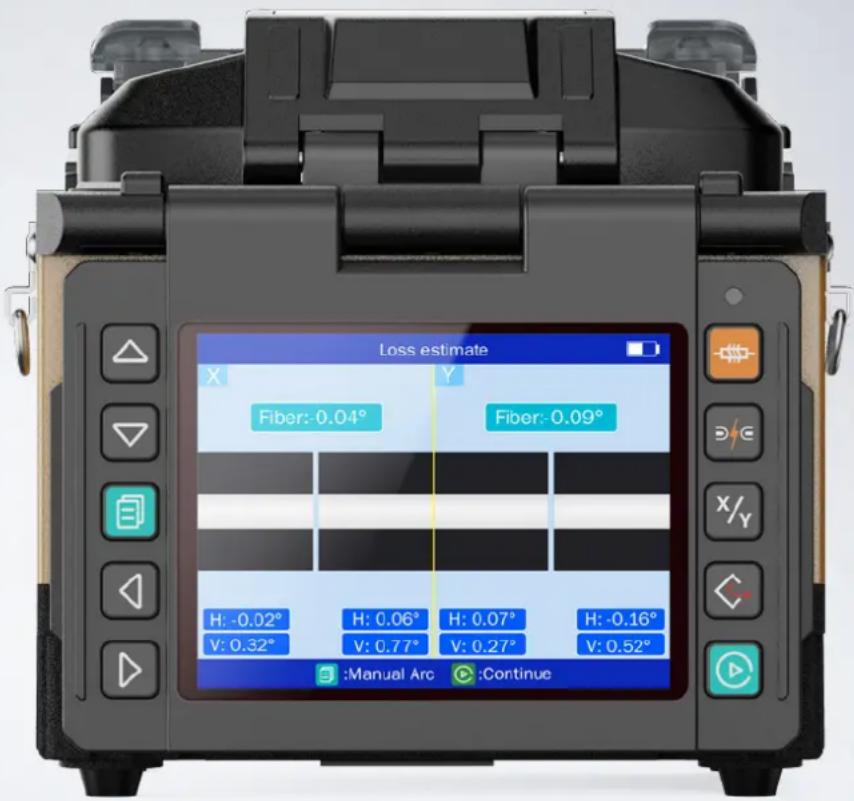
Efficient, versatile, lightweight & portable
Working platform design for aerial work
Special 3-in-1fiber holde
3 Year warranty policy
Electrode life around 5000 times(Replaceable)
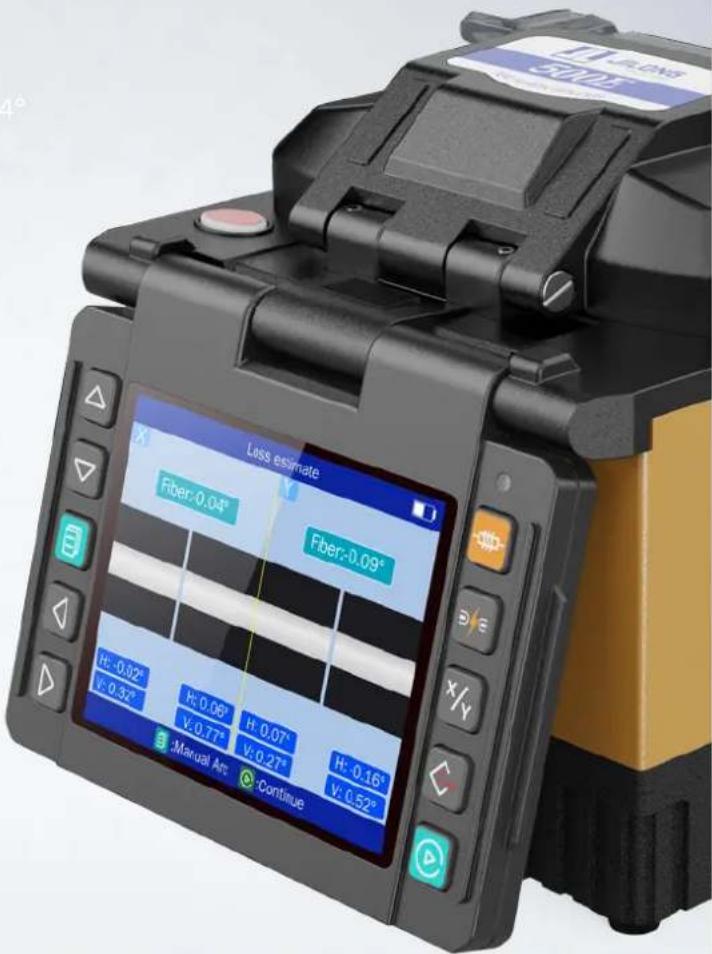
Automatic splicing & automatic heating
Innovatively no need tools to replace electrodes
Support 120 times of splicing + heating when fully charged

Main Features
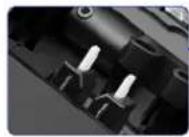
Durable ceramic
fiber pressure heads
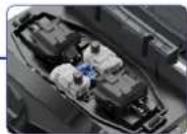
Fast-splicing 8s
Fast-heating 18s
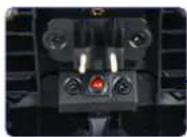
Mirror design makes uniform light path
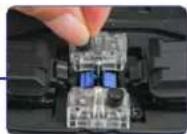
The electrodes can be replaced by screwing it gently without tools
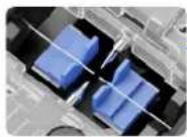
Special designed V-groove
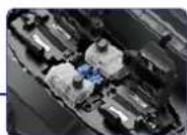
Special 3-in-1 fiber holder
3-IN-1 Fiber Holder
Fiber holder suitable for Bare Fiber/ 3.0mm, Jump Fiber/ Pigtail and Fiber/Rubber-insulated fiber cable
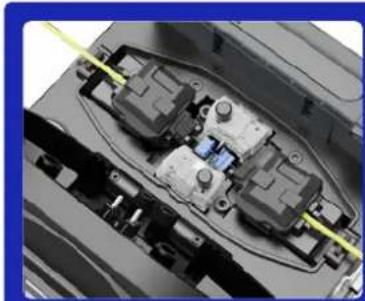
natural_image
Close-up of a mechanical assembly with internal components and yellow alignment lines (no visible text or symbols)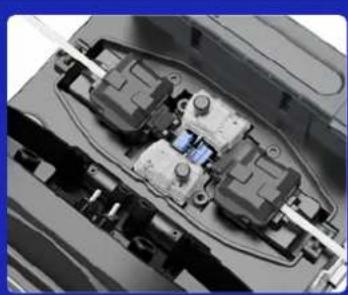
natural_image
Close-up of internal mechanical components with visible wiring and connectors (no text or symbols)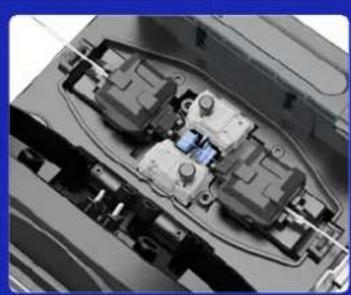
natural_image
Close-up of an electronic device internal structure with visible components and wiring (no text or symbols)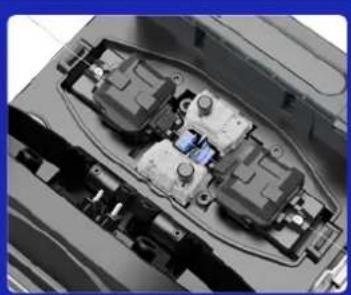
natural_image
Interior view of an electronic device showing internal components and wiring (no visible text or symbols)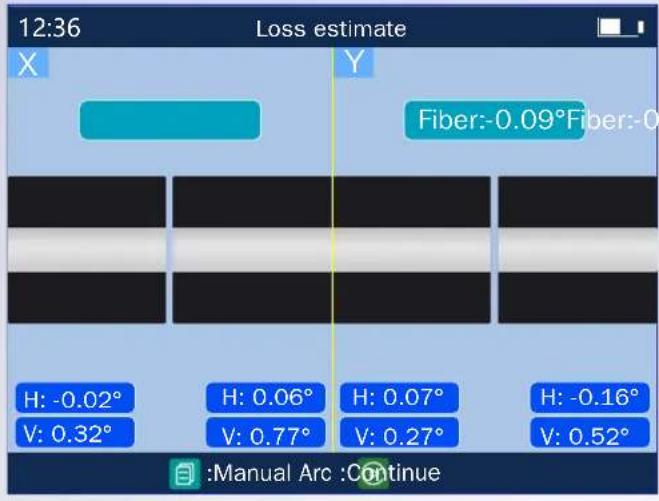

Fast-splicing 8s

Fast-heating 18s

Working platform design for aerial work
High altitude operation adaptability. Not only suitable for aerial work, also suitable for conventional ground work in any environment
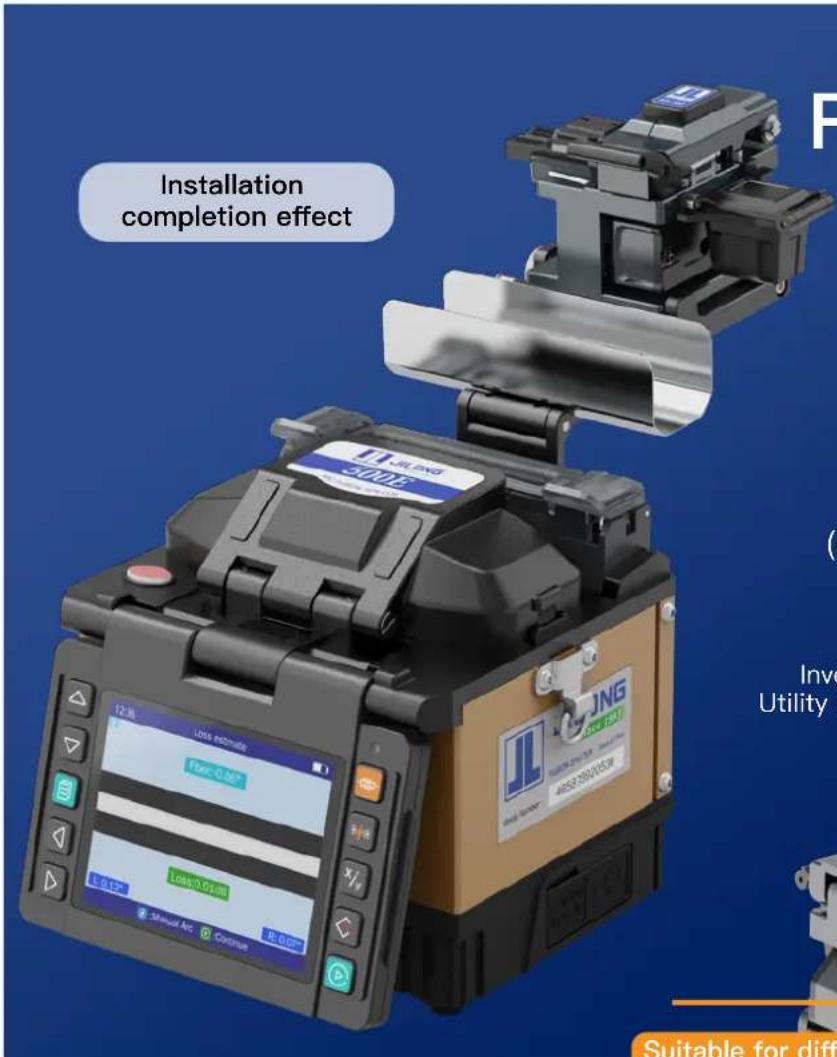
Rich expansibility
fiber optic cleaver operating platform (Optional)
Support the placement of cleaver operating platform, do cleaving and splicing work in one step Operation platform be ordered separately)
Invention patent application number 202210544729.X Utility model patent application number 202221202906.8
Suitable for different models fiber optic cleavers
Installation instructions of fiber optic operating platform
natural_image
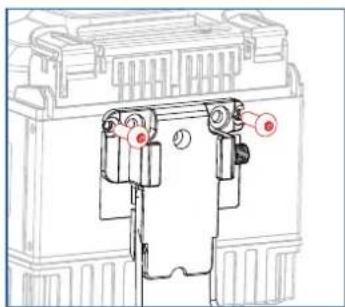
Technical diagram of a mechanical assembly with no visible text or symbolsStep 1: Install the fixing plate behind the fusion splicer with screws (M3/ M4/ M5).
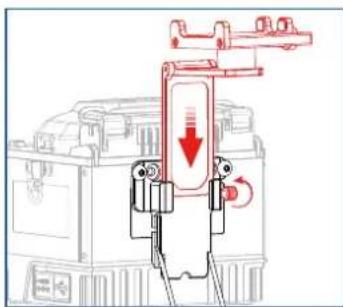
Step 2: Insert the support plate into the fixing plate and tighten the fixing screws.
Cooling tray can be placed
Highly scalable
*Operation platform be ordered separately
natural_image
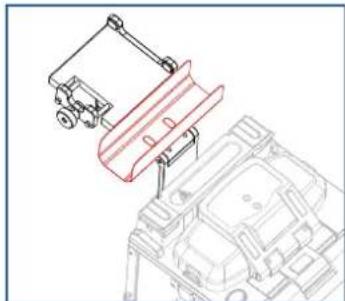
Technical line drawing of a mechanical assembly with no visible text or symbolsStep 3 : Place the cooling tray in the corresponding position of the support plate, and the installation is completed
natural_image
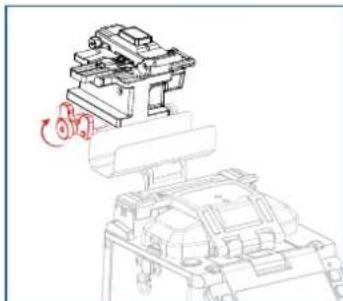
Technical line drawing of a mechanical assembly with a rotating component (no text or symbols)Step 4: After placing the fiber cleaver on the operating platform, adjust the depth of the screw so that the rubber pad fits the cleaver completely.
natural_image
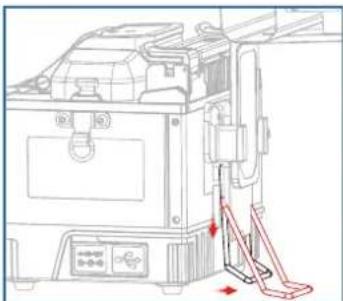
Technical line drawing of a mechanical device with no visible text or symbolsStep 5 : Pull the bracket vertically to the bayonet, and then pull it horizontally to support the machine on the table.
natural_image
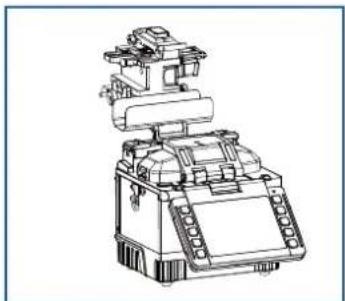
Line drawing of a mechanical device with no visible text or symbolsStep 6 : Now, the bracket installed on the fusion splicer for placing the cleaver and the cooling tray is installed.
| Splice Method : | Active Clad-Alignment |
| Applicable Fibers : | SM(ITU-T G.652&G.657) / MM(ITU-T G.651) / DS(ITU-T G.653) / NZDS(ITU-T G.655) |
| Compatible Fiber/Cable : | 0.25~3.0 mm / indoor flat cable |
| Fiber Holder : | Replaceable |
| Fiber Diameter : | Cladding: 80–150μm, Coating: 100~1000μm |
| Fiber Cleave Length : | 8~16 mm |
| Splice mode : | Max 128 modes |
| Typical Splice Loss : | SM: 0.03dB / MM: 0.01dB / DS: 0.04dB / NZDS: 0.04dB / G.657: 0.03dB ★1 |
| Return Loss : | >>60dB |
| Splicing Time : | SM Quick mode : 8 sec / SM Average: 10 Sec |
| Estimated Splice Loss : | Available |
| Heating Time : | Quick mode 18 sec.(SM G652 250μm 40mm Sleeve) adjustable★2 |
| Protection Sleeve Length : | 20mm, 30mm, 40mm, 50mm, 60mm |
| Heat Programs: | Max 32 modes |
| Battery : | 3400mAh Battery Capacity, Typical 120 Cycles (Splice&Heat) per Charge ★3 |
| Electrode Life : | 5000 arcs (replaceable) ★4 |
| Auto-start : | Splice / Heating |
| Automatic Fiber Identification : | / |
| Automatic ARC Identification : | Automatic arc calibration by air pressure and temperature |
| Results Storage : | The last 10,000 splice records and 2,000 result images |
| Tension Test : | 1.96~2.25N |
| Operating Condition : | Altitude: 0~5000m, 0~95% relative humidity, -20~50°C, Max Wind 15m/s |
| Storage Condition : | 0~95% relative humidity, -20~60°C |
| Display : | 3.5" color high resolution (800 x 480) display |
| Fiber Magnification : | X, Y, XY, X/Y : 320X Magnification |
| Power Supply : AC 100-240V, DC 9-14V | |
| Terminal : | USB2.0 |
| Weight : | 1.06kg without battery / 1.35kg with battery |
| Size : 130H x 113W x 126D mm | |
★① With identical fibres(in room temperature). Measured by cut-back method relevant to ITU-T and IEC standards.
★② 0.25mm fiber, may vary depending on the battery status and operating environment.
★③ Splice & Heat cycles based on 40mm shrink tube.
★④ Electrode life may vary depending on the operating environment.
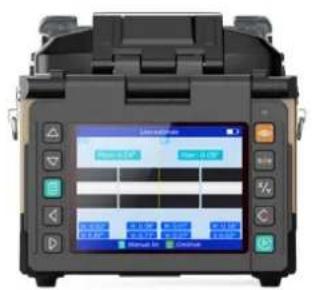
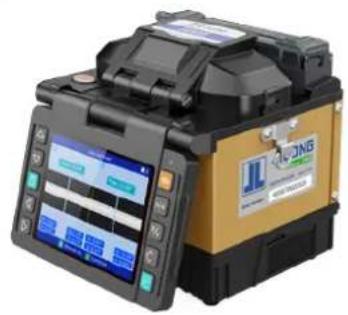
natural_image
Close-up of a black and gold optical fiber optic transducer device with display screens (no readable text or symbols)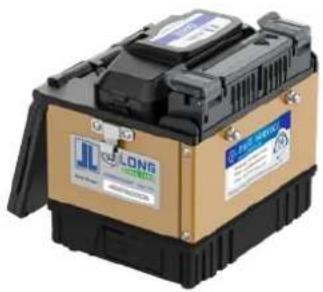
natural_image
Exterior view of a beige and black LNG container with visible branding (no text or symbols on body)
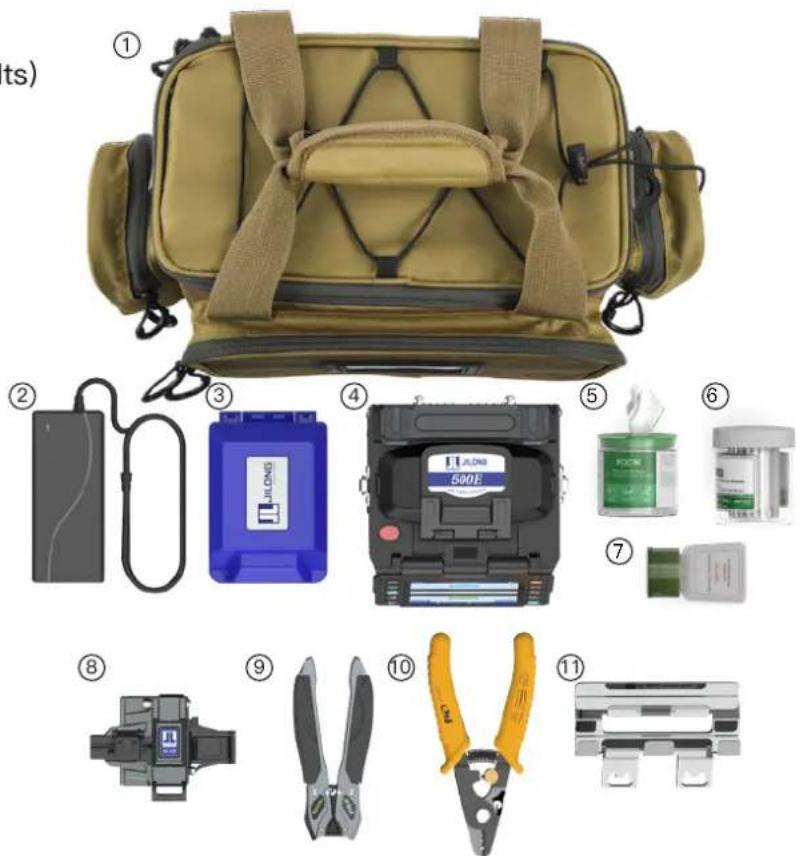
Packing List
① Carry bag (Including Suspenders & belts)
② Power charger
③ Cutter storage box
④ 500E Mini Fusion splicer
⑤ FOCW Cleaning wipes(box)
⑥ FPS-40 Splicing protector sleeves
⑦ Alcohol bottle
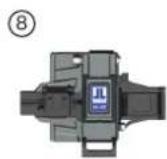
⑧ KL-22FFiber optic cleaver
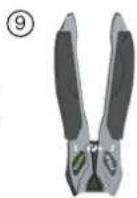
⑨ FTS-01 Drop cable stripper
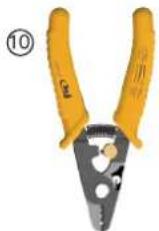
⑩ FIS-FT11301T 3-hole fiber stripper
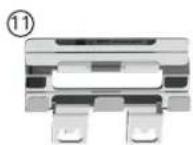
⑪ Cooling Tray
Contact us
HEAD OFFICE: Nanjing Jilong Optical Communication Co., Lt
Add: Room 401-402, Building 14-1, Xingzhihui Business Garden, No.19 Xinghuo
Road, Pukou District Nanjing, Jiangsu, 210032, China
Web: www.JILONGOT.com
Mail: info@jilongot.com
TEL: +86 25 58880885

Focus on official website for more
Brand : JILONG
Model : 500E
Category : Uncategorized