NBS012 - Padlock LOGILINK - Free user manual and instructions
Find the device manual for free NBS012 LOGILINK in PDF.


| Product Type | Padlock |
| Brand | LogiLink |
| Model | NBS012 |
| Lock Mechanism | 3-digit combination |
| Body Material | Zinc alloy |
| Shackle Material | Hardened steel |
| Shackle Diameter | 6 mm |
| Body Width | 50 mm |
| Overall Height | 75 mm |
| Weight | 120 g |
| Number of Combinations | 1000 (000-999) |
| Weather Resistant | Yes, rust-resistant coating |
| Color | Black or silver |
| Usage | Indoor and outdoor |
| Maintenance | Apply graphite powder or silicone lubricant periodically |
| Included Accessories | None |
| Warranty | 1 year |
Frequently Asked Questions - NBS012 LOGILINK
User questions about NBS012 LOGILINK
0 question about this device. Answer the ones you know or ask your own.
Ask a new question about this device
Download the instructions for your Padlock in PDF format for free! Find your manual NBS012 - LOGILINK and take your electronic device back in hand. On this page are published all the documents necessary for the use of your device. NBS012 by LOGILINK.
USER MANUAL NBS012 LOGILINK
natural_image
Product photo of a black cable with attached sensors and a black wrist strap (no text or symbols visible)LogiLink®
Laptop Key Lock
Art. No.: NBS012
Provides a safe and secure solution for your laptops.

natural_image
Close-up of a metallic mechanical component with a black handle and two metallic pins (no text or symbols visible)
natural_image
Close-up of a metallic dental implant or tooth (no text or symbols visible)Noble Wedge Slot for Low-Profile Laptops
Fits Noble Wedge slot size of 3.2 x 4.5mm, grips and protects your laptop like no other.

natural_image
Close-up of a metallic key with attached cable and metal connector (no text or symbols visible)Anti-Pick Tubular Key Lock
Paired with a low-profile Wedge lock allowing you to secure your laptop effortlessly.
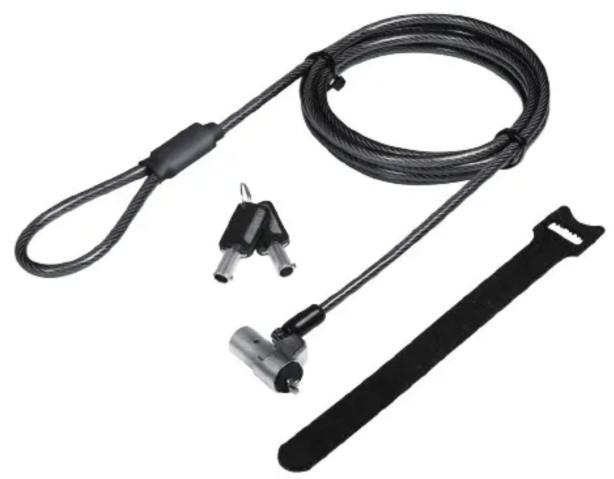
natural_image
Product photo of a black cable with attached sensors and a black bar (no text or symbols visible)LogiLink®
Laptop Key Lock
Art. No.: NBS012

Convenient 90° Pivot and 360° Rotating Cable
Creates great freedom of movement, eliminates awkward angles and allows you to insert your key offering uncompromised security and accessibility for even the thinnest laptops.
natural_image
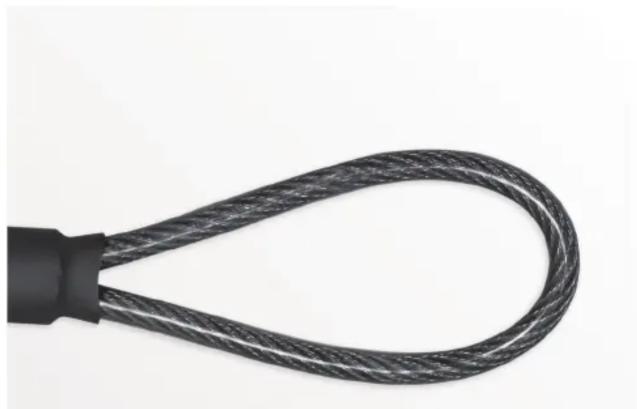
Close-up of a black cable with coiled wire, isolated on white background (no text or symbols)Extra Strong Cable
An anti-shearing sleeve for extra protection against tampering.

natural_image
Product photo of a black cable with attached sensors and a black wrist strap (no text or symbols visible)LogiLink®
Laptop Key Lock
Art. No.: NBS012
How to Use:
① Bumper Spacers
② Locking Hook
③ Security Cable
④ Keyhole


natural_image
Diagram showing a hand inserting a device into a device on a laptop keyboard (no text or symbols present)
natural_image
Simple line drawing of a rope knot with a loop, no text or symbols present

- Insert the key into the lock hole behind the lock.
- Wrap the cable around a firm object.
- Insert the key lock Ⓑ into the notebook and turn the key Ⓐ to the right 90°.
- Turn the key A to the left 90° and pull it out. The key lock successfully locks the notebook.
Package Contents:
» 1 x Notebook Key Lock
» 2 x Keys
» 1 x Velcro Strap
» 1 x User manual
Package Information:
» Packing Dimension: mm
» Packing Weight: kg
» Carton Dimension: mm
» Carton Q'ty: pcs
» Carton Weight: kg
Brand : LOGILINK
Model : NBS012
Category : Padlock