24BN650U - Screen Positivo - Free user manual and instructions
Find the device manual for free 24BN650U Positivo in PDF.


| Product Type | LED Monitor |
| Screen Size | 23.8 inches |
| Resolution | 1920 x 1080 (Full HD) |
| Aspect Ratio | 16:9 |
| Refresh Rate | 60 Hz |
| Panel Type | IPS |
| Brightness | 250 cd/m² |
| Contrast Ratio | 1000:1 |
| Response Time | 5 ms |
| Connectivity | 1 x HDMI, 1 x VGA, 1 x Audio Out |
| Power Consumption | 25 W (typical), <0.5 W (standby) |
| Power Supply | External adapter (100-240 V AC) |
| VESA Mounting | 100 x 100 mm |
| Dimensions (with stand) | 540 x 400 x 180 mm |
| Dimensions (without stand) | 540 x 320 x 50 mm |
| Weight (with stand) | 3.5 kg |
| Weight (without stand) | 3.0 kg |
| Tilt Adjustment | -5° to 20° |
| Maintenance & Cleaning | Clean with a soft, dry cloth. Do not use abrasive cleaners. |
| Safety Precautions | Do not open the casing. Use only the supplied power adapter. Avoid exposure to moisture. |
| Spare Parts & Repairability | Contact Positivo support for service. No user-serviceable parts inside. |
| General Information | Designed for home and office use. Operating temperature: 0°C to 40°C. |
Frequently Asked Questions - 24BN650U Positivo
User questions about 24BN650U Positivo
0 question about this device. Answer the ones you know or ask your own.
Ask a new question about this device
Download the instructions for your Screen in PDF format for free! Find your manual 24BN650U - Positivo and take your electronic device back in hand. On this page are published all the documents necessary for the use of your device. 24BN650U by Positivo.
USER MANUAL 24BN650U Positivo
4.3.1.1 Identification of materials and components requiring selective treatment
Product Identification:
| Marketing Name / Model | Description |
| 24BN650U | 23.8" |
Product Disassembly instructions for End of Life
Purpose: The document is intended for use by end-of-life recyclers or treatment facilities. It provides the basic instructions for the disassembly of products to remove components and materials requiring selective treatment.
1. Tools Required
List the type and size of the tools that would typically be used to disassemble the product to a point where components and materials requiring selective treatment can be removed.
| Tool Description |
| Screw driver Phillips and hexagonal N5 |
| Plastic ZIG |
| Gloves |
| Pliers |
2. Product disassembly Process
2.1 List the basic steps that should typically be followed to remove components and materials requiring selective treatment:
2.2 OPTIONAL: Depending upon the complexity of the disassembly process, a graphic depicting the locations of items contained within the product which require selective treatment (with descriptions and arrows identifying locations) can be inserted below:
2.3 How to write
1) Provide a picture of disassembly process
2) All the screws are showed in the picture
3) All the PCBAs are showed in the picture
4) LCD panel are showed in the picture
5) All the accessories like remote controller, batteries, and cables are showed in the picture
3. Related regulations: WEEE directive, EPEAT
Main Parts:
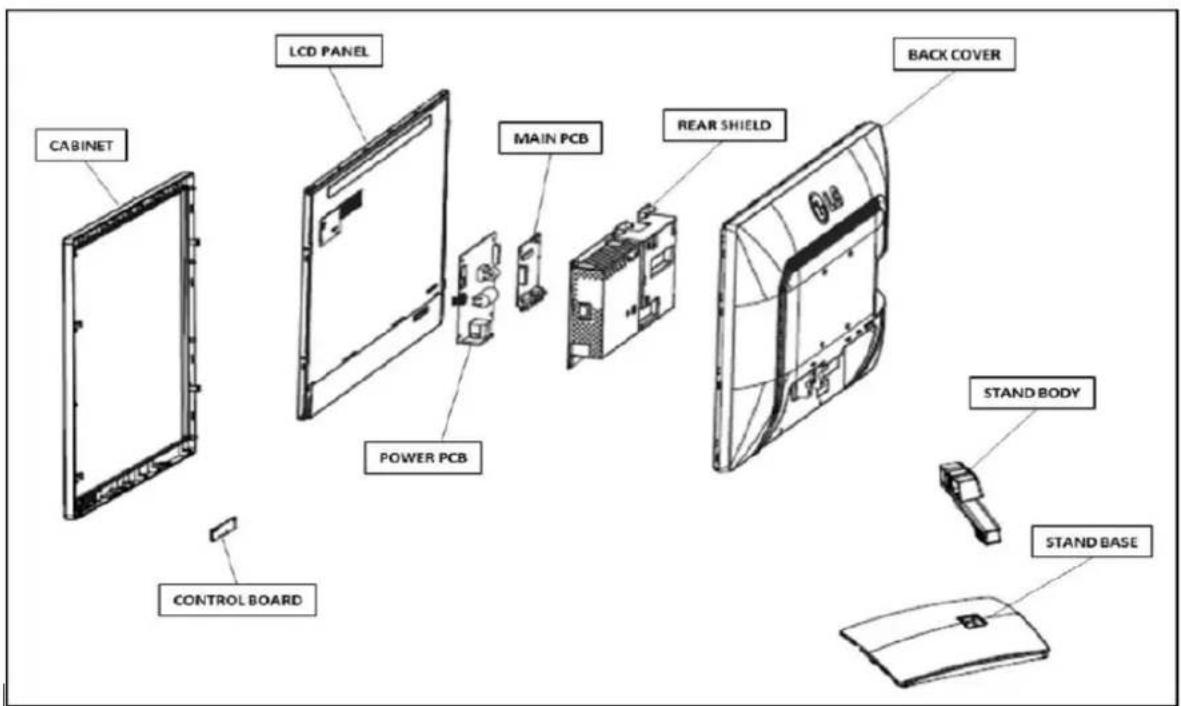
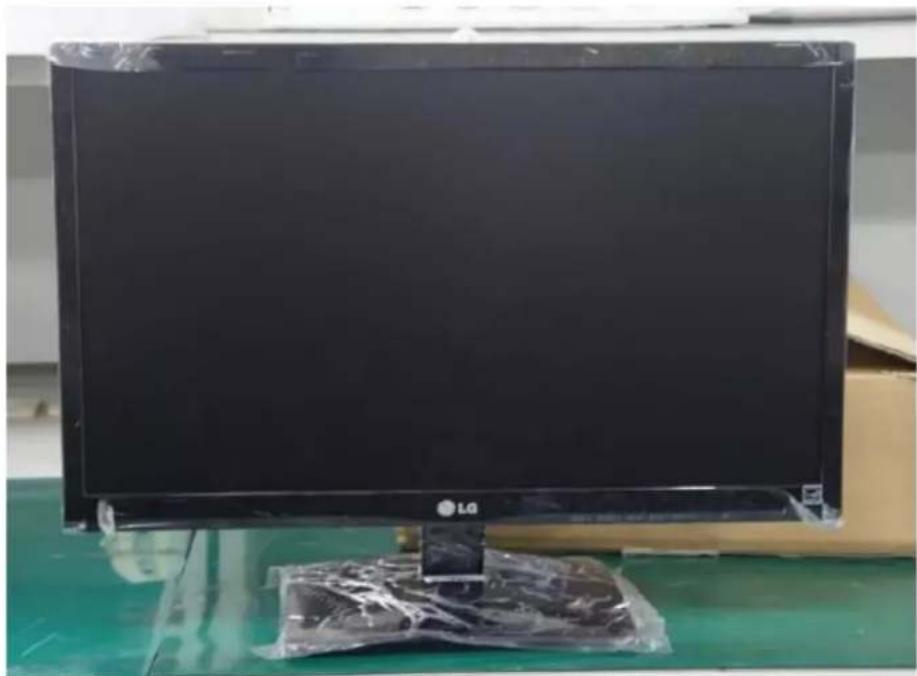
natural_image
Large black LG computer monitor on a green surface, with plastic wrap placed on the base (no visible text or symbols)Step 1 - Put the MNT on the clean vinyl.

natural_image
Two views of a device showing internal components with red arrows indicating changes (no text or symbols present)Step 2 – Pull the Stand Body down and remove it from the Back Cover
POSITIVO

natural_image
Two-panel image showing a monitor and a solar panel with a red circle highlighting the top portion of the monitor (no text or symbols present)Step 3 – Removing the Stand Base

natural_image
Two-panel photo showing hands installing or adjusting a black rectangular panel on a workbench, no visible text or symbols.Step 4 - Open cabinet from set

natural_image
Person in gloves installing or adjusting a black plastic component on a workbench (no visible text or symbols)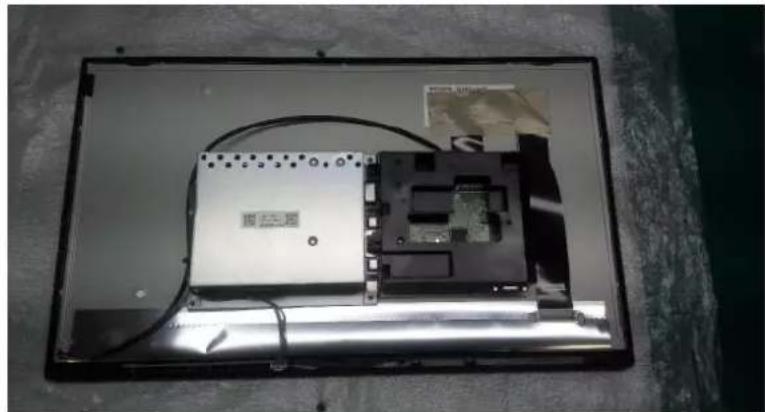
natural_image
Interior view of an electronic device with visible circuit board and wiring (no text or symbols)Step 5 – Open cabinet from set

natural_image
Close-up of a gloved hand installing or adjusting a textured surface on a computer monitor case (no visible text or symbols)Step 6 – Remove all tapes
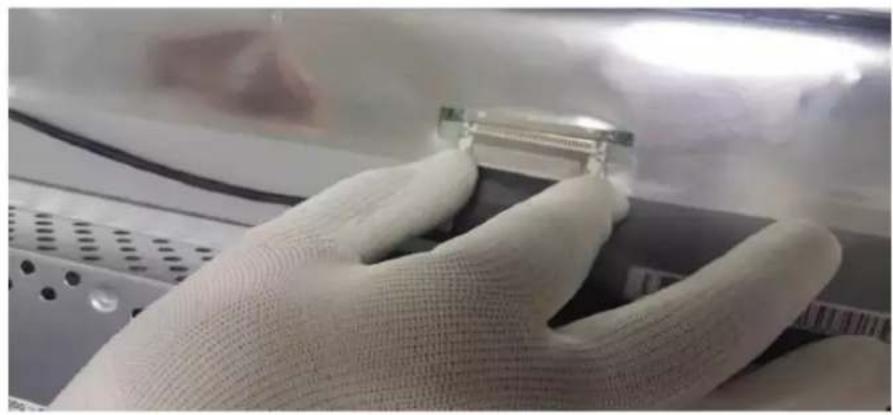
natural_image
Close-up of gloved hands holding a small electronic component (no visible text or symbols)
natural_image
Close-up of gloved hands installing a cable on a black electronic device with a small connector (no visible text or symbols)POSITIVO

Step 7 - Unplug all cables.
POSITIVO
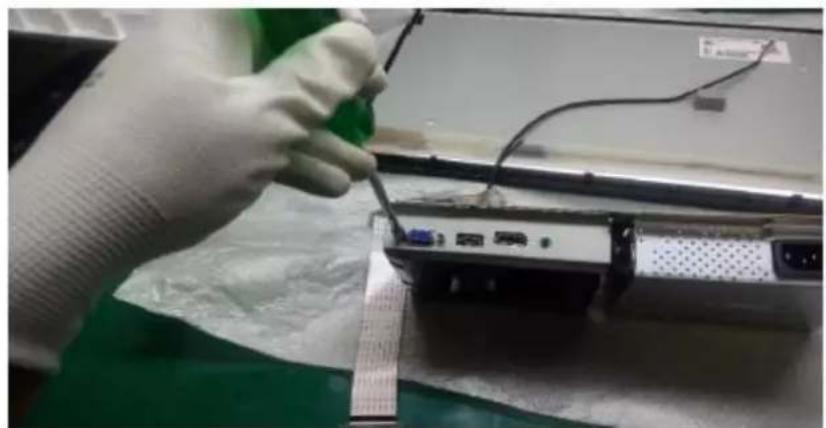
natural_image
Person in white glove working on a laptop with a screwdriver inserted, no visible text or symbols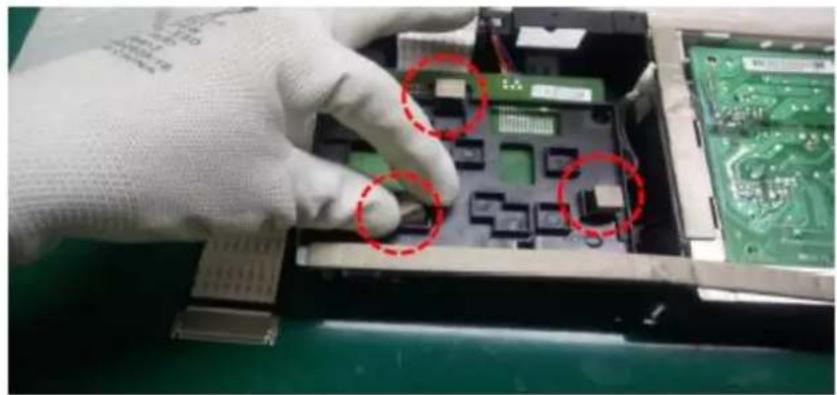
natural_image
Close-up of a gloved hand inserting electronic components into a circuit board (no visible text or symbols)
natural_image
Close-up of a soldering tool inspecting an electronic circuit board with green traces (no visible text or symbols)POSITIVO
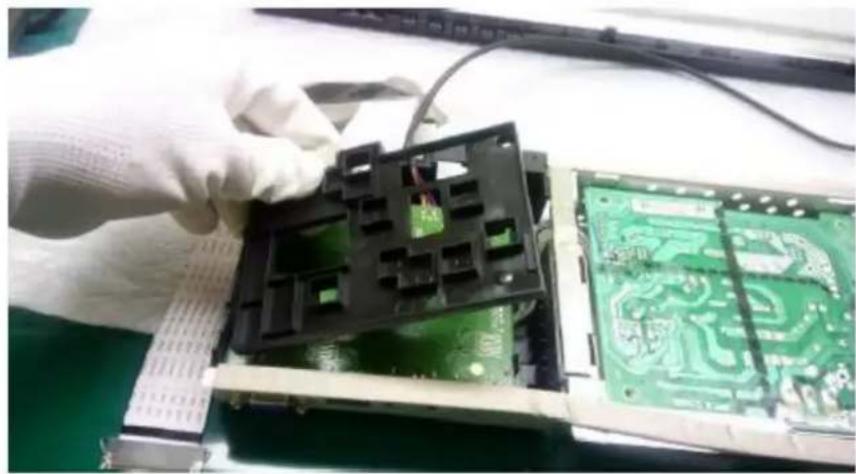
natural_image
Close-up of hands assembling a green circuit board with a black plastic housing (no visible text or symbols)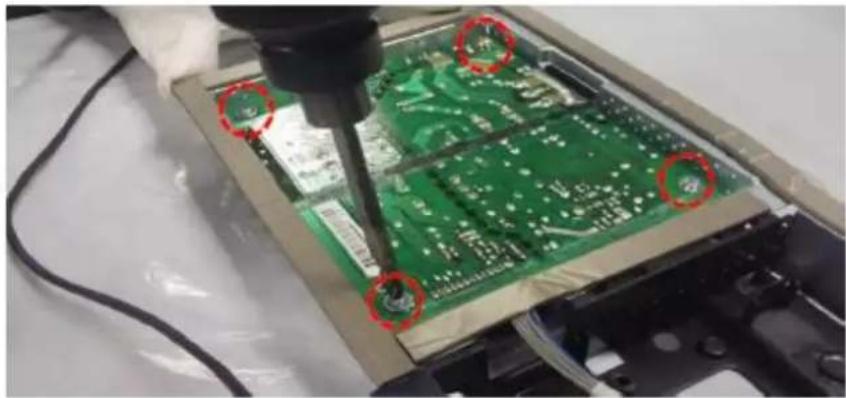
natural_image
Close-up of a green printed circuit board being cut with a tool, no visible text or symbolsStep 8 - Remove all screws.

natural_image
Close-up of gloved hands holding a small electronic component on a black plastic panel (no visible text or symbols)Step 9 - Pull control board and remove from front cabinet
POSITIVO

natural_image
Close-up of gloved hands installing or adjusting a green printed circuit board inside a device casing (no visible text or symbols)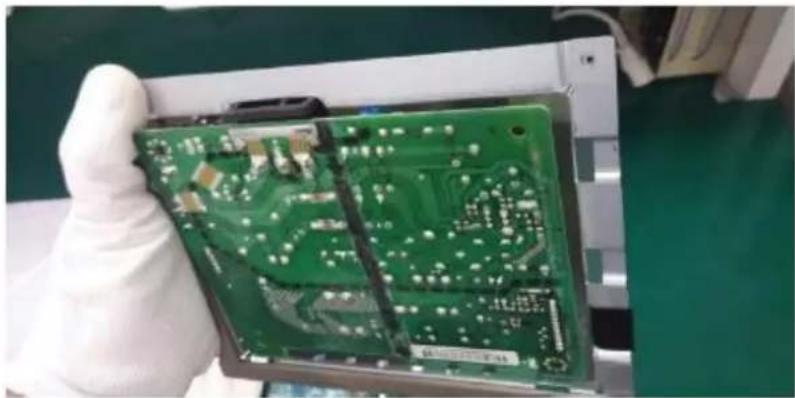
natural_image
Hand holding a green printed circuit board with visible traces and components, no text or symbols present.Step 10 - Remove PCB Board in the metallic shield
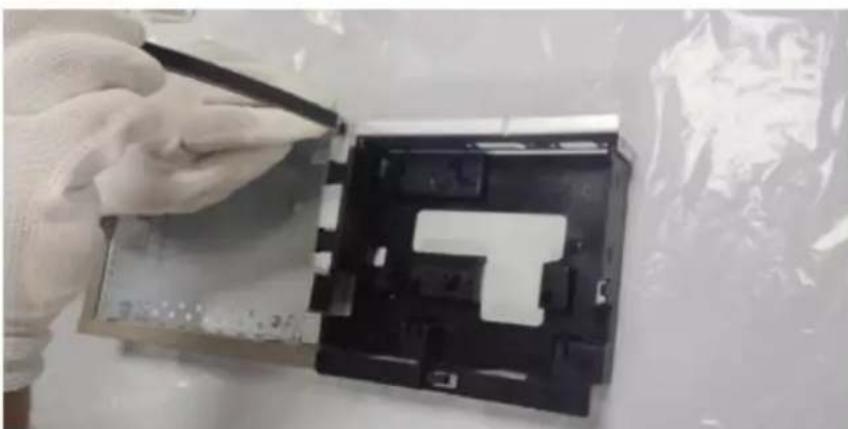
natural_image
Person in gloves handling a device component with a black plastic panel (no visible text or symbols)POSITIVO

Step 11 - Remove all gaskets and separate metal part with plastic part

Step 12- At Power PCB using pliers cut the connection between capacitor and board. For the glued capacitors take if off pushing it.
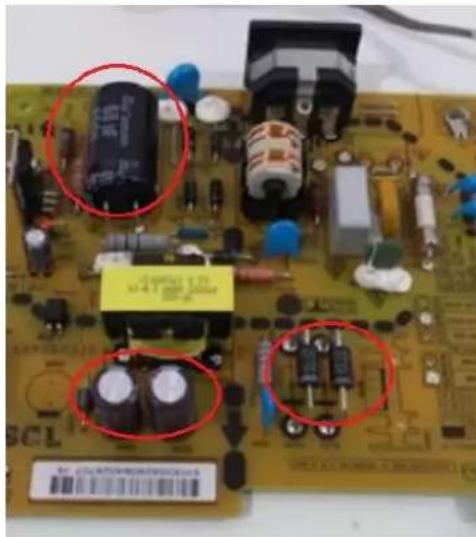
natural_image
Close-up of a printed circuit board with electronic components and red-circled annotations (no readable text or symbols)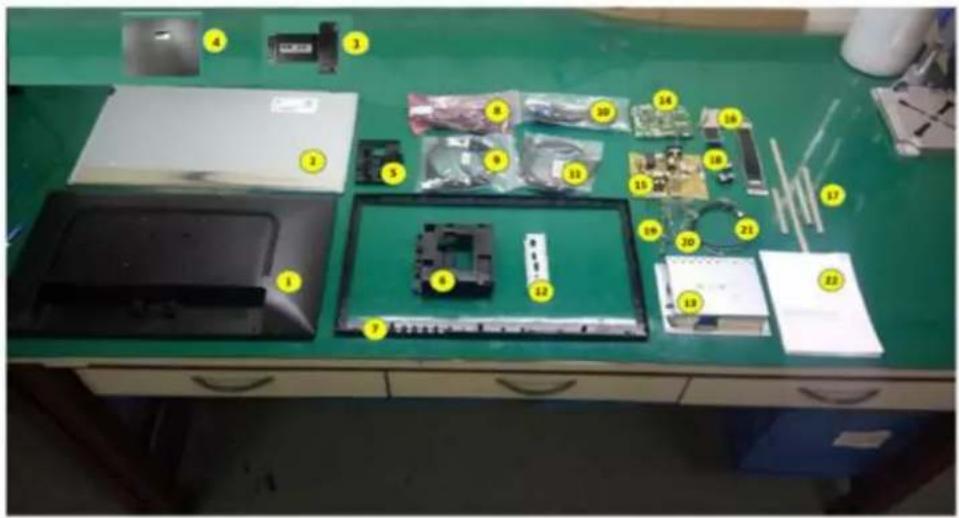
Step 13 - All items disassembly Back Cover
- LCD Module
- Stand Body
- Stand Base
- Bracket
- PCB Bracket
- Cabinet
- LCD FRAME
- Energy Cables
- DP Cables
- D-SUB Cables
- HDMI CABLE
- Metal Av Shield
- PSU Shield
POSITIVO
- Main Board
- Power board and PSU
- Flat cable
- Gaskts (EMI)
- Gasket Sponge
- Cables
- Cables
- Cables
- Manual
Brand : Positivo
Model : 24BN650U
Category : Screen