Bundle - Pest control Gaffgun - Free user manual and instructions
Find the device manual for free Bundle Gaffgun in PDF.


User questions about Bundle Gaffgun
0 question about this device. Answer the ones you know or ask your own.
Ask a new question about this device
Download the instructions for your Pest control in PDF format for free! Find your manual Bundle - Gaffgun and take your electronic device back in hand. On this page are published all the documents necessary for the use of your device. Bundle by Gaffgun.
USER MANUAL Bundle Gaffgun
Adjusting Tape Tension.... 11
Loading Tape Using a Standard Tape Adapter... 12
Tape Routing.... 13
Lower Handle.... 14
Extension Handle.... 15
Cable Memory.... 16
Using the GaffGun.... 17
Q&A....19
Warranty Information....21
Notes....22
IN YOUR BOX
GaffGun with lower handle
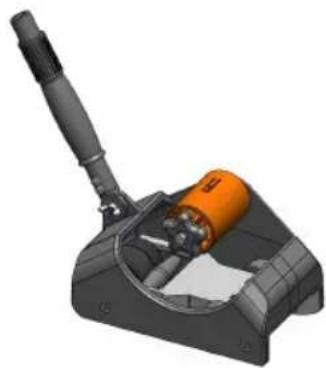
natural_image
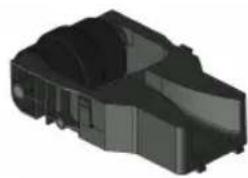
3D rendered mechanical component with orange cylindrical body and black handle, no visible text or symbolsCableGuide – small (Do not remove foam)
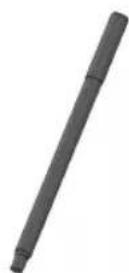
natural_image
3D rendered mechanical component with no visible text or symbolsExtension handle
IN YOUR BOX
Your box may also include:
(Additional accessories sold separately and may be combined for shipping.)
CableGuide - medium
CableGuide – large
(Do not remove foam) (Do not remove foam)
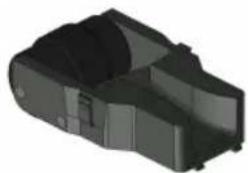
natural_image
3D rendered mechanical component with no visible text or symbols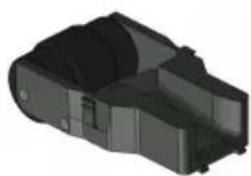
natural_image
3D rendered mechanical component with no visible text or symbolsFloorGuide
Standard Tape Adapters (set of 3)
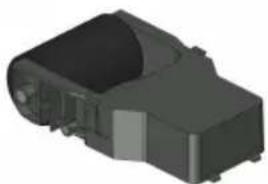
natural_image
3D rendering of a black plastic electronic component with no visible text or symbols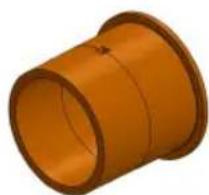
natural_image
3D rendering of a hollow orange cylindrical mechanical part with no text or symbolsCHOOSING A CABLEGUIDE
For the best results, select the guide most appropriate for your task.
For applications utilizing cables, select the CableGuide with a funnel width that will best accommodate the diameter and quantity of cables being used.
For applications that do not involve taping over cables, the FloorGuide is designed to apply tape directly to the floor.
CableGuide – small (10/16" wide)
CableGuide – medium (1-1/8" wide)
CableGuide - large (1-3/8" wide)
FloorGuide
Remember: Every cable has a different diameter and no two cables are alike. The shielding and gauge of your cables will help determine which guide to choose.
INSTALLING A CABLEGUIDE
To remove a CableGuide, depress the finger clips on the sides of the guide and pull outward.
To install a new CableGuide, insert the two alignment tabs into the matching holes on the front of the GaffGun's CableGuide slot. Then press the guide into place until you hear the 'click' of the finger clips locking.
GAFFGUN
CORELOK TAPES
CoreLok was specifically designed to optimize the performance of the GaffGun.
CoreLok locks your tape onto the GaffGun, which ensures the tape is always centered on the device and allows use of the GaffGun's tensioning system.
We are excited for you to experience all the benefits of CoreLok.
For a list of retailers that carry CoreLok tapes, please visit www.GaffGun.com.
The GaffGun tape cores are recyclable in any standard plastic recycling bin.
STANDARD TAPE ADAPTERS
The GaffGun was designed to work best using CoreLok technology.
However, if you have stock of non-CoreLok tape or if a type of tape is not yet available with CoreLok, we have Standard Tape Adapters available.
These adapters are sold as a set of three for 1", 2" and 3" tape.
They allow standard 3" core tape to be used on the GaffGun by bypassing the benefits of CoreLok and the GaffGun's tensioning system.
Tapes with CoreLok have been made specifically for use with the GaffGun and the pull-off tension has been optimized for use on the device. All other tapes have varying pull-off tensions. Some tapes have such high pull-off tensions that they will not allow the GaffGun to push freely. If you have trouble pushing the device due to this high tension, try another roll or brand of tape on the GaffGun.
Tapes that are past their shelf life or have been in climates outside of best storage practices may be more susceptible to a pull-off tension problem.
All standard 3" core tapes vary in actual core diameter.
To ensure the adapters will fit all brands of tape, the adapters err on the small side of these core diameters. If you are using tape that is loose on the core, wind tape around the adapter making the adapter wider to match your specific tape's core. The tighter the fit on the adapter, the better the device will perform.
LOADING CORELOK TAPE
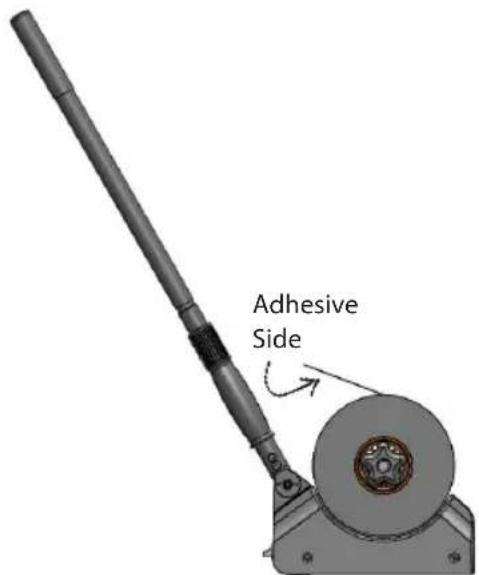
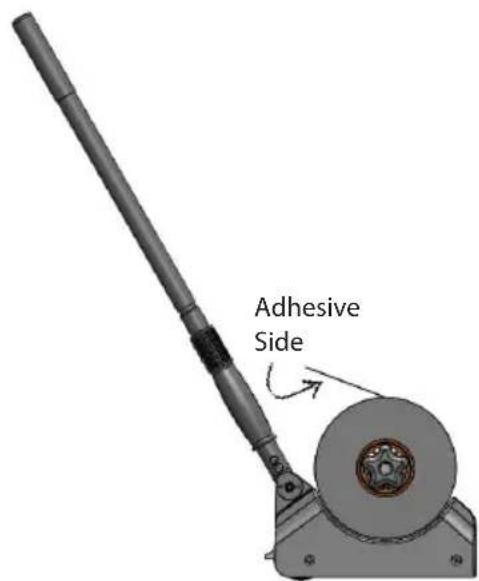
Align the notch found on the inside of the CoreLok tape's core with the depressable tab on the GaffGun's orange hub. Slide the tape over the hub until the core 'clicks' into place.
For proper tape direction, see the diagram below.
ADJUSTING TAPE TENSION
The GaffGun was designed to give you complete control of the tape's pulling tension.
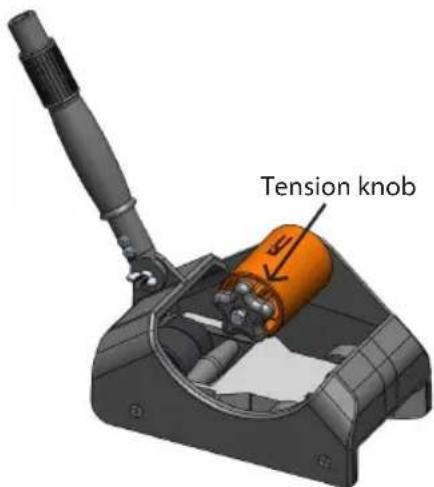
The adjustable knob on the GaffGun's orange hub allows you to vary the level of tension needed for your specific task or type of tape. The level of tension needed will vary based on the tape and flooring surface, and it will need to be adjusted based on these factors.
To increase tension, turn the tension knob clockwise. To decrease tension, turn the knob counterclockwise.
LOADING TAPE USING A STANDARD TAPE ADAPTER
Align the notch found on the inside of the tape adapter with the depressable tab on the GaffGun's orange hub. Slide the adapter over this tab until it 'clicks' on the device. The ridge side of the adapter should slide on first. (This ridge helps keep the tape centered on the GaffGun.)
Slide your tape onto the tape adapter until it comes into contact with the ridge.
For proper tape direction, see the diagram below.
TAPE ROUTING
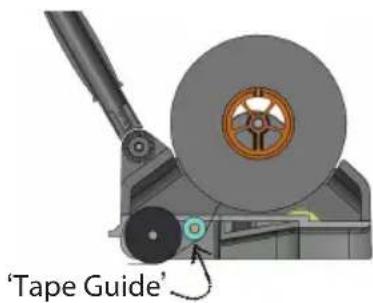
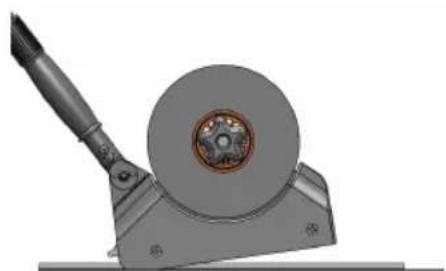
Feed the tape down through the GaffGun, staying to the proper side of the tape guide. (See illustration to the right.)
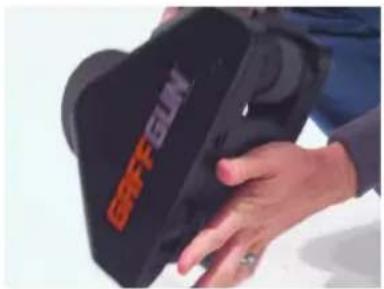
When not using the GaffGun, stick the fed tape against the bottom of the GaffGun to eliminate the need to refeed the tape.
natural_image
Close-up of hands holding a black hard hat with visible branding (no readable text or symbols)LOWER HANDLE
For your convenience, the GaffGun ships with its lower handle attached and already set at the most comfortable angle for most users.
If you need to make a small adjustment to this angle, simply loosen the wing nut at the base of the handle, adjust to the desired angle, and tighten the wing nut.
When using the GaffGun on an elevated surface, under tables, or in tight spaces, it may be helpful to use only its lower handle.
EXTENSION HANDLE
Every GaffGun comes standard with a telescoping extension handle. Adjust the handle to waist height for best performance.
To extend the handle, place your left hand on the handle grip and your right hand on the handle threads. Hold the handle tight with your left hand, twist your right hand counterclockwise and pull the handle out to the desired length. To tighten the handle in a position, hold the handle tight with your left hand and twist your right hand clockwise.
When threading the extension handle into the lower handle, ensure the connection is fully tightened. By doing so, you will have better control of the GaffGun and will be able to push the GaffGun in a straighter line.
TIP
If your handle is extended too far, there may be a tendency for the front of the device to lift. If this happens, your cables will not stay within the CableGuide, and the proper results will not be achieved. For a short video explaining this in more detail, please visit www.GaffGun.com.
natural_image
Mechanical component with a circular housing and a tool, shown in 3D rendering (no text or symbols visible)CABLE MEMORY
As you push the GaffGun forward, it will gather and straighten your cables through the funnel on the front of the device. If your cables do not have Cable Memory you are ready to begin.
If your cables do have Cable Memory, tack down both ends before using the GaffGun. Failing to do so may result in less than desirable results. Visit www.GaffGun.com for videos highlighting Cable Memory.
Cable Memory is a term for when a cable tends to ‘remember’ a previous shape it was in, such as being bent or twisted. The quality of cable, temperature, and storage techniques may all be a cause of creating Cable Memory.
GRAFFGUN
USING THE GAFFGUN:
To use the GaffGun:
-
Choose and install a CableGuide. (pg 6-7)
-
Attach tape to the GaffGun. (pg 10-12)
-
Feed the tape through the CableGuide. (pg 13)
-
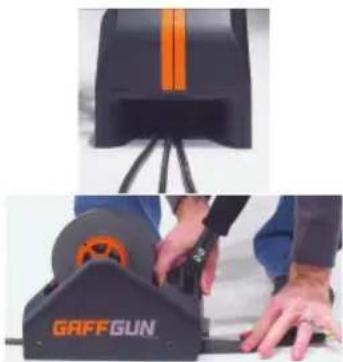
If taping cables, place the GaffGun over the cables.
-
Ensure the cables are fully within the CableGuide funnel.
-
Tack the initial few inches of tape behind the GaffGun using the tape that has been fed through the CableGuide.
natural_image
Two-panel image showing a person operating a GAFFGUN tool with orange stripes and a black base (no visible text or symbols)GAFFGUN
USING THE GAFFGUN:
- If using the extension handle, attach the handle and adjust its height. (pg 15)
- Push the GaffGun, applying forward pressure.
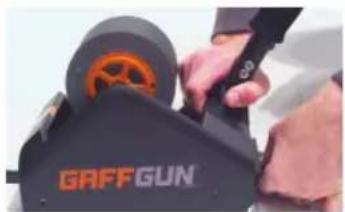
- When finished taping, use the back lip on the GaffGun to tear the tape.
natural_image
Close-up of hands operating a GAFFGUN electric shaver (no visible text or symbols on the device itself)It may help to bring the tape to the plastic lip rather than trying to rotate the GaffGun down to the floor for cutting.
- For safety, ensure the tape run is properly adhered to the ground.
For brief tutorials on using the GaffGun, please visit www.GaffGun.com
QUESTIONS AND ANSWERS
Where can I purchase more Corelok tape for the GaffGun?
You can find a list of distributors offering CoreLok tape at www.GaffGun.com.
Do I have to use CoreLok tape for the GaffGun?
No, although we think you will find tapes specifically designed to work on the GaffGun will perform best. This is due to the patent-pending CoreLok technology. If you do not use tape with CoreLok, you must use one of the Standard Tape Adapters available for purchase at www.GaffGun.com.
What is CoreLok Technology?
CoreLok is a patent-pending mechanism that locks tape to the GaffGun hub. This ensures your tape is always centered on the GaffGun and allows you to use the tape tensioning system.
Are GaffGun tape cores recyclable?
Yes. The core can be put in any standard plastic recycling bin.
What is the maximum quantity and diameter of cables that can be used with the GaffGun?
The number of cables that can be used will vary based on the gauge and shielding of the cables. A quick rule is: If your tape can't fit over the cables and safely adhere to the ground, you are using too many cables or too narrow a width of tape. The axle height of the GaffGun is 3/4", so cables larger than this diameter will not allow the GaffGun to work.
GaffTech will be releasing a larger GaffGun to handle these larger cable quantities and diameters. Follow us on Facebook or visit www.GaffGun.com for future product announcements.
QUESTIONS AND ANSWERS
On what surfaces can the GaffGun be used?
The GaffGun works on most surfaces. To ensure cables stay within the funnel of the GaffGun, a low ground clearance must be maintained. Because of this, the GaffGun may scrape on uneven surfaces like exposed aggregate.
Examine the flooring surface carefully before using the GaffGun. GaffTech is not responsible for damage to flooring or the GaffGun due to the improper use of the GaffGun or tapes used on the GaffGun.
What widths of tape fit on the GaffGun?
The GaffGun was designed to work with 1", 2", and 3" tape widths.
Do I have to go back after my tape run and press the tape to the floor?
The GaffGun was designed to apply even pressure to the floor, saving you from having to go back and press your tape down. However, the quality of tape, floor surface, floor cleanliness, and other factors can all play a part in the performance of the GaffGun. It is up to the GaffGun user to ensure the safety of each tape run.
What is the FloorGuide?
The FloorGuide is for applications that do not involve taping over cables. The FloorGuide is designed to apply tape directly to flooring.
WARRANTY
Warranty, Returns, and Refunds Policy
If you have a problem with your purchase, we're here to help.
Your purchase is warranted against manufacturer defects and can be returned within 90 days of the original receipt of the product, if the return is due to manufacturer defect or damage. If you receive a damaged product, please notify us immediately to initiate an exchange. Refunds will be issued in the same method of payment as the original payment.
Before you return a product, please contact us:
- By phone number: 1-844-423-3486
- By email: support@gaffgun.com
- By visiting our website www.GaffGun.com
Please make sure:
- The product was purchased or received in the last 90 days.
- The product is in its original packaging and includes all adapters and accessories.
Promotional and bundled items
When a promotional item included in the original transaction is not returned, the value of the promotional item will be deducted from the refund amount.
If you have any questions about our Warranty, Returns, and Refunds Policy, please contact us.
GAFFGUN
NOTES
GAFFGUN
NOTES