SW-SATA2X4 - Computer accessory Coolgear - Free user manual and instructions
Find the device manual for free SW-SATA2X4 Coolgear in PDF.


| Product Type | SATA Switch / Port Multiplier |
| Model | SW-SATA2X4 |
| Brand | Coolgear |
| Dimensions (approx.) | 10 x 6 x 2 cm |
| Weight (approx.) | 100 g |
| Power Supply | SATA bus powered or external 12V DC adapter (if provided) |
| Number of Input Ports | 2 |
| Number of Output Ports | 4 |
| Main Functions | Switch between two SATA input sources to four output drives; port selection via manual switch or automatic |
| Supported SATA Version | SATA I/II/III (up to 6 Gbps per port) |
| Compatibility | Desktops, servers, NAS systems with SATA interfaces |
| Hot Swap Support | Yes (when used with compatible controller) |
| Installation | Plug and play; no additional drivers required |
| Operating Temperature | 0°C to 50°C |
| Storage Temperature | -20°C to 60°C |
| Housing Material | Metal or durable plastic |
| Indicators | LEDs for power and port activity |
| Maintenance & Cleaning | Keep dry; clean with soft cloth; no harsh chemicals |
| Safety Precautions | Disconnect power before installation; avoid static discharge |
| Spare Parts & Repairability | No user-serviceable parts; contact support for issues |
| General Information | Designed for expanding SATA connectivity in enterprise or home setups |
Frequently Asked Questions - SW-SATA2X4 Coolgear
User questions about SW-SATA2X4 Coolgear
0 question about this device. Answer the ones you know or ask your own.
Ask a new question about this device
Download the instructions for your Computer accessory in PDF format for free! Find your manual SW-SATA2X4 - Coolgear and take your electronic device back in hand. On this page are published all the documents necessary for the use of your device. SW-SATA2X4 by Coolgear.
USER MANUAL SW-SATA2X4 Coolgear
SW-SATA2X4 SATA II 4-Port Switch with Key Lock User Manual
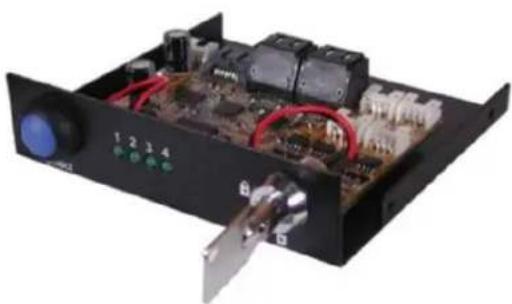
This SATA2/SAS Switch (SW-SATA2X4) is designed to be used as a SATA (or SAS) hard drive selector. It provides a high performance link between a single SATA 2 host port and 4 SATA device ports. It connects the host upstream port to one of the 4 downstream SATA devices (one device at the same time. It is done by simply pressing the push button switch.
With its Power Switching circuits, the SATA switch can switch the device's power according to the settings of the SATA2 signal switch. It only allows the selected device to be powered and cuts off the power of the other unselected devices. This will reduce
natural_image
Interior view of an electronic device with circuit board and indicator lights (no visible text or symbols)the power consumption and make sure those devices are truly off line to prevent from any accidental erasing data by virus or application software.
Moreover, it provides a key lock switch to prevent from any unauthorized changes to the settings. It helps home and school users to manage the devices easily.
The adapter can be fit into any standard 3.5-inch bay or 5.25-inch bay (by a 3.5 to 5.25 adapter frame kit), it provides the immediate upgrade of your PC storage system.
Features
• 1 to 4 SATA2 Switch for Selecting among 4 Devices
- Provides a SATA host to one of the 4 SATA Device Connectors
• Built-in High Speed SATA2 Signal Switch
- Select the drive simply by a push button switch
• SATA2 compliant at 1.5Gbps and 3.0Gbps
- Switch off power of the unused drives to save the power consumption and put them True Off-Line
• Save the current settings by Built-in EEPROM
• 3.5-inch Bay form factor, easy to fit in normal PC Systems
• Key lock to prevent from unauthorized changing
- Provides LEDs to indicate the active drive
• Transparent installation, no added driver required
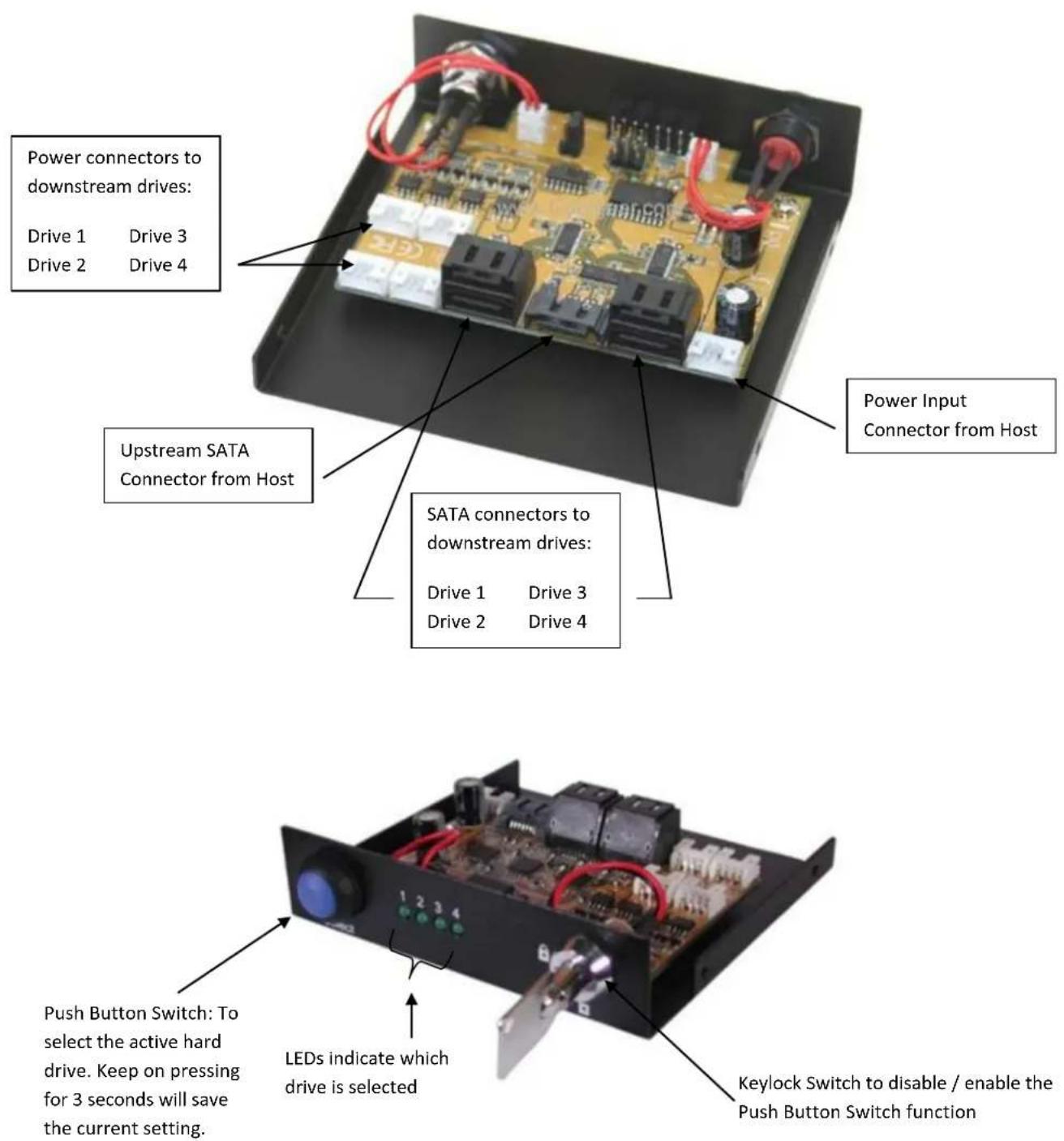
Front Panel and Board Layout
Installation
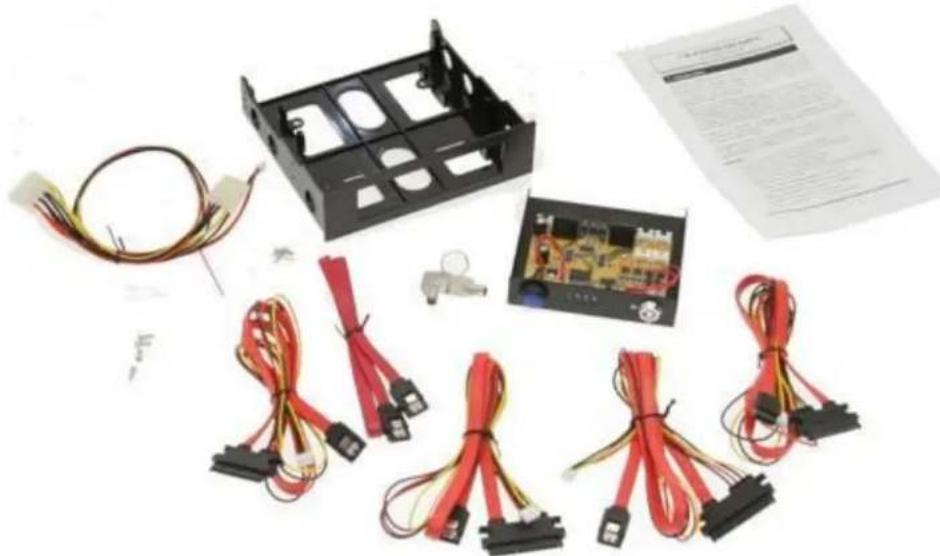
Before installing this product, please make sure the following accessories are well packed in the box:
• SATA Switch 3.5-inch Bay x 1
• 3.5-inch to 5.25-inch Converting Frame
• 7-pin to 7-pin Host SATA Cable x 1
• Mini 4-pin to Large 4-pin Host Power Cable x 4
• Installation Guide
natural_image
Assorted electronic components including a black multi-chamber device, red and yellow cables, and a circuit board (no visible text or symbols)- Plan the drive number (which drive is drive 1, drive 2,...) to be connected to SATA switch downstream ports.
- Install the host power cable and Host SATA cable to the connectors. Leave the other end (to Host) of the cables unconnected ted at the moment. You will connect them after installing the unit into the 3.5-inch bay.
- Install each 7+15 pin device cable(s) to the downstream connector(s) of the product.
- Remove the chassis cover from your computer; install the product into the 3.5-inch bay in your PC. If your drive bay is 5.25 inch instead, you may need the supplied 3.5-inch to 5.25-inch adapter frame kit,
- Install the host SATA cable to your SATA port in the motherboard or add-in cards. Install the power cable to your system power supply's large 4-pin connector. Put the chassis cover back on the computer.
Selecting the SATA Drive
When you are switching the drives, if the selected SATA drive does not appear automatically, then your SATA host port may not be hot-pluggable and hot-swappable, in this case you have to reboot your system to let the new selected drive to take effect. Most of add-in SATA cards support hot-swap features, but the motherboard's onboard ports usually don't.
coolgear®
There are 5 states that can be changed by the push button sequentially. The default setting is Drive 1. However, you can change the setting anytime by pressing the push button and hold for over 3 seconds.

flowchart
graph LR
    A["Drive 1"] --> B["Drive 2"]
    B --> C["Drive 3"]
    C --> D["Drive 4"]
    D --> E["All Off"]
    E --> F["End"]
When the push button switch is pressed and held for over 3 seconds, all 4 LEDs will light and flash 3 times, when this happens the current settings will be saved as the power-up default setting. This setting will be restored whenever the product is powered up.