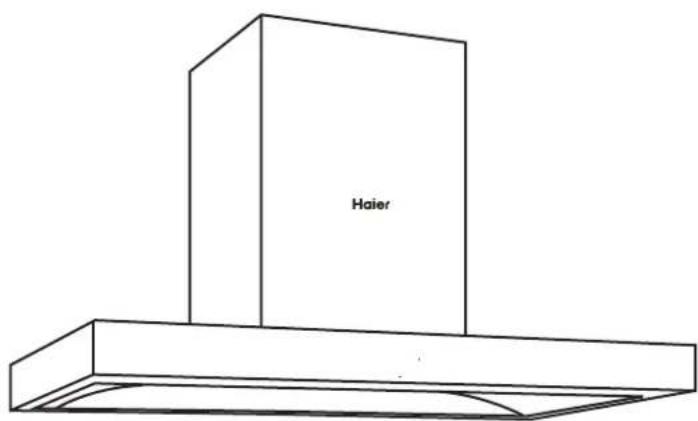
HH-T900GC - Range hood HAIER - Free user manual and instructions
Find the device manual for free HH-T900GC HAIER in PDF.


| Product Type | Chimney Range Hood |
| Brand | Haier |
| Model | HH-T900GC |
| Width | 90 cm |
| Depth | 50 cm |
| Height (min-max) | 60 - 110 cm |
| Weight | 15 kg |
| Power Supply | 220-240 V, 50 Hz |
| Motor Power | 150 W |
| Extraction Rate (Max) | 650 m³/h |
| Noise Level (Max) | 65 dB(A) |
| Number of Speeds | 3 + Boost |
| Controls | Touch Control Panel |
| Lighting | 2 x 2 W LED |
| Grease Filter | Aluminum, washable |
| Carbon Filter | Optional (for recirculation mode) |
| Energy Class | A |
| Installation Type | Wall Mounted (Chimney) |
| Duct Diameter | 150 mm |
| Auto Shut-Off Timer | Yes |
| Remote Control | Not included |
Frequently Asked Questions - HH-T900GC HAIER
User questions about HH-T900GC HAIER
0 question about this device. Answer the ones you know or ask your own.
Ask a new question about this device
Download the instructions for your Range hood in PDF format for free! Find your manual HH-T900GC - HAIER and take your electronic device back in hand. On this page are published all the documents necessary for the use of your device. HH-T900GC by HAIER.
USER MANUAL HH-T900GC HAIER
Safety and warnings 3
Installation instructions 4
About your rangehood 11
Operating instructions - Control panel 12
Cleaning and maintenance 14
Troubleshooting 16
Manufacturer's Warranty 18
IMPORTANT!
SAVE THESE INSTRUCTIONS
The models shown in this user guide may not be available in all markets and are subject to change at any time. For current details about model and specification availability in your country, please contact your local Haier dealer.
Thank-you for purchasing a Haier rangehood.
This user guide explains the features and functions, and will help you get the most out of your rangehood.
We hope you enjoy your new rangehood.

WARNING!

Electric Shock Hazard
Read and follow the safety and warnings outlined in this user guide before operating this appliance.
Never touch the power plug or electrical components, or manipulate the power switch with wet hands.
Altering of the internal wiring is strictly prohibited, unless performed by professional maintenance personnel.
When cleaning, never allow electrical components such as the motor, switch and connector to get wet.
Failure to do so can result in death, electric shock, fire or injury to persons.
Children should be supervised to ensure that they do not play with the appliance. Details for cleaning refer to part of ‘Cleaning and maintenance’.
IMPORTANT SAFETY INSTRUCTIONS
WARNING! When using this appliance always exercise basic safety precautions including the following:
- Disconnect the power supply when cleaning or inspecting the product.
- Do not damage or place heavy objects on the power cord.
- There must be adequate ventilation of the room when the range hood is used at the same time as appliances burning gas or other fuels. (A partial vacuum in the room could result in too high a concentration of gas in the air).
- Never expose the range hood to a burner or element that is turned on without a pot or pan covering it.
- If the hood is installed above the gas appliance, the minimum distance between the support surface of the cooking vessel on the cooktop and the lowest part of the range hood should be at least 650mm. If the gas stove installation instructions specify a larger installation distance, this should be considered.
- Never use aluminium foil on the cooktop.
- If using shared ducting, the air outlet must be well secured and sealed.
- Exhaust gases must not be discharged into a hot flue being used to vent appliances burning gas or other fuels.
- Do not flambe directly under the rangehood.
- Children and persons with reduced physical, sensory or mental capabilities shall not use the range hood without supervision.
- This appliance can be used by children aged from 8 years and above and persons with reduced physical, sensory or mental capabilities or lack of experience and knowledge if they have been given supervision or instruction concerning use of the appliance in a safe way and understand the hazards involved. Children shall not play with the appliance. Cleaning and user maintenance shall not be made by children without supervision.
- There is a fire risk if cleaning is not carried out in accordance with the instructions.
- If installation is performed by a qualified person, the product should be tested to confirm proper operation, and the correct use of the product explained to the user.
- If the power supply cord is damaged, it must only be replaced by your Haier trained and supported service technician or qualified person.
- Use a dedicated power outlet; the power cord must not be connected to an extension cord or multi-socket power board. Secure grounding is required, and the power cord should be 2000mm in length.
• Regulations regarding the discharge of air must be fulfilled. - This appliance is an external exhaust hood, air and smoke is discharged to the outside through the air duct. To properly exhaust air ensure the duct is straight.
- Do not clean the inside of the range hood. If you need to clean the inside, please contact your Haier trained and supported service technician.
- The appliance shall be able to work normally under the following environmental conditions: temperature -15°C \~ 40°C, relative humidity ≤ 90% (at 25°C), altitude ≤ 1000m.
- Remove all packaging, including protective wrappings, before use.
- CAUTION: Accessible parts may become hot when used with cooking appliances.
Contents of packaging
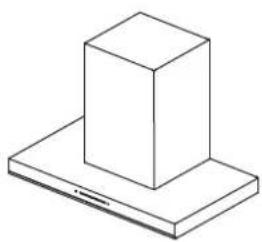
natural_image
Isometric line drawing of a 3D block mounted on a base plate (no text or symbols)Rangehood (1)

Installation instructions User guide manual (1)
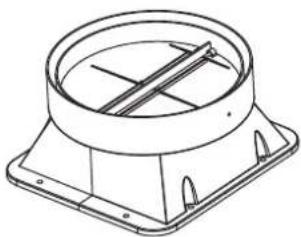
natural_image
Technical line drawing of a mechanical component with concentric circular and square features (no text or symbols)Check valve assembly (1)
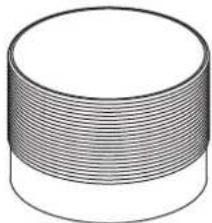
natural_image
3D illustration of a cylindrical object with horizontal grooves (no text or symbols)Universal ducting hose (180) (2)
natural_image
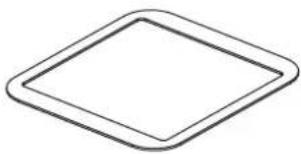
Simple geometric shape: a diamond outline with rounded corners (no text or symbols)Check valve gasket (1)
natural_image
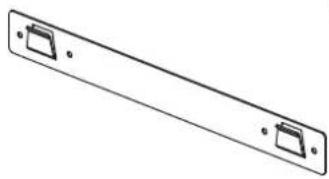
Simple line drawing of a rectangular electronic component with two side slots and mounting holes (no text or symbols)Wall plate (1)
natural_image
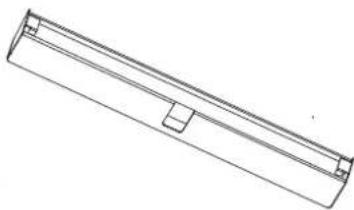
Pure technical line drawing of a rectangular mechanical component (no text or symbols)Oil receptacle (1)
natural_image
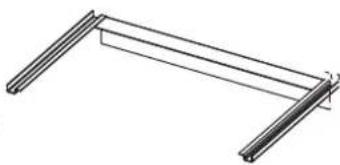
Pure technical line drawing of a structural frame or bracket (no text or symbols)Inner decorative cover holder (1)
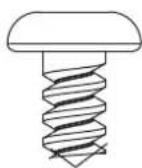
Self-tapping screw
ST4 x 12 (4)
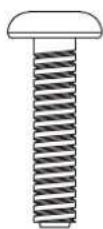
Cross recessed pan head screw M4 x 20 (8)

Mounting screw*
5 x 50 (7)
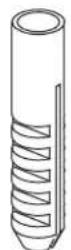
Expansion plug*
8 x 40 (7)
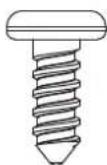
Self-tapping
screw ST3 x 8
(2)
natural_image
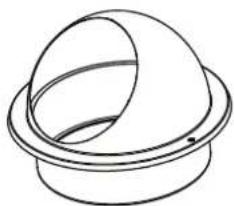
Simple line drawing of a dome-shaped object with a circular base (no text or symbols)End cap (1)
* The screws and plugs are to be used in concrete or brick walls only. Different fixings will be required for other types of wall construction.
INSTALLATOIN INSTRUCTIONS
Names of principal components
natural_image
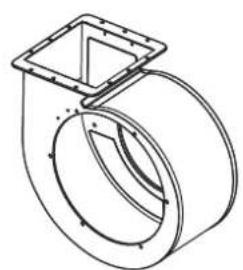
Technical line drawing of a mechanical component with no visible text or symbolsVolute
natural_image
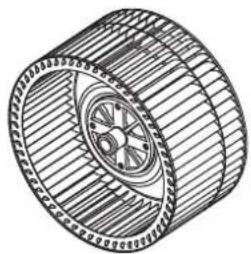
Technical line drawing of a mechanical component with concentric rings and a central hub (no text or symbols)Fan
natural_image
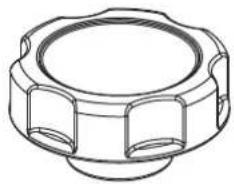
Technical line drawing of a mechanical component with flanged ends and a central circular feature (no text or symbols)Hand-tightened nut
natural_image
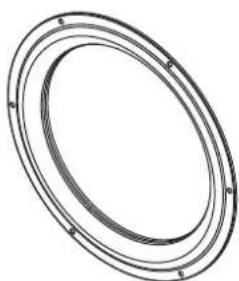
Pure diagram of concentric oval rings without any text, numbers, or symbolsIntake ring
natural_image
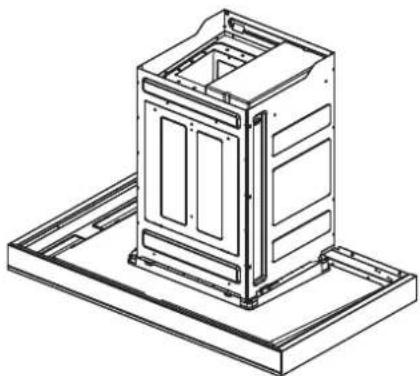
Technical line drawing of a mechanical housing or enclosure assembly (no text or symbols)Main housing
natural_image
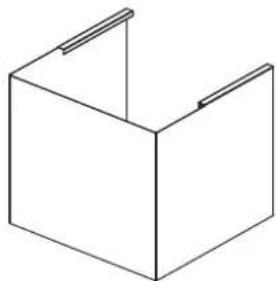
Simple line drawing of a 3D rectangular box with two side handles (no text or symbols)Inner decorative cover
natural_image
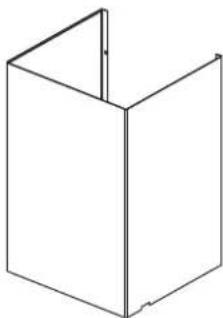
Simple line drawing of a 3D rectangular box with no text or symbolsOuter decorative cover
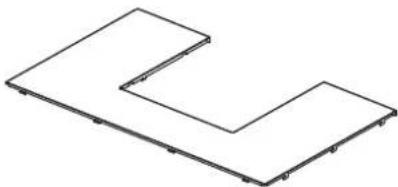
natural_image
Pure geometric line drawing of two L-shaped panels without any text, numbers, or symbolsTop cover
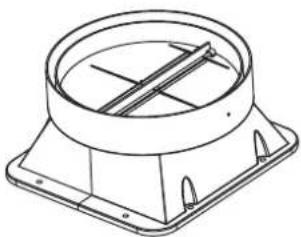
natural_image
Technical line drawing of a mechanical component with concentric circular and rectangular features (no text or symbols)Check valve assembly
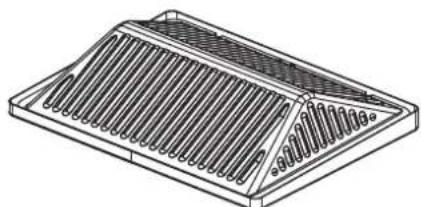
natural_image
Technical line drawing of a rectangular electronic component with internal slots and mounting holes (no text or symbols)Oil Cover
LED Light (1)
Please read the entire instructions before installing the rangehood.
Product dimensions
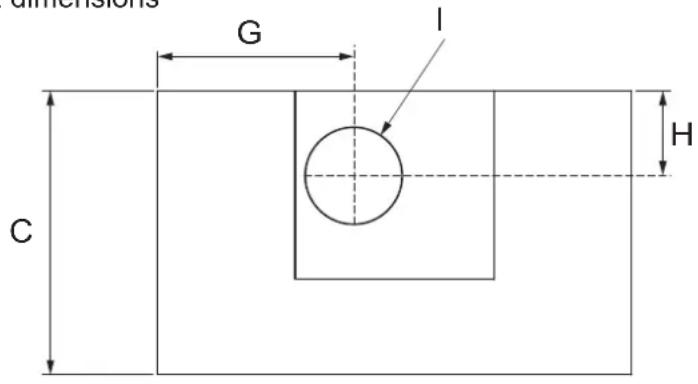
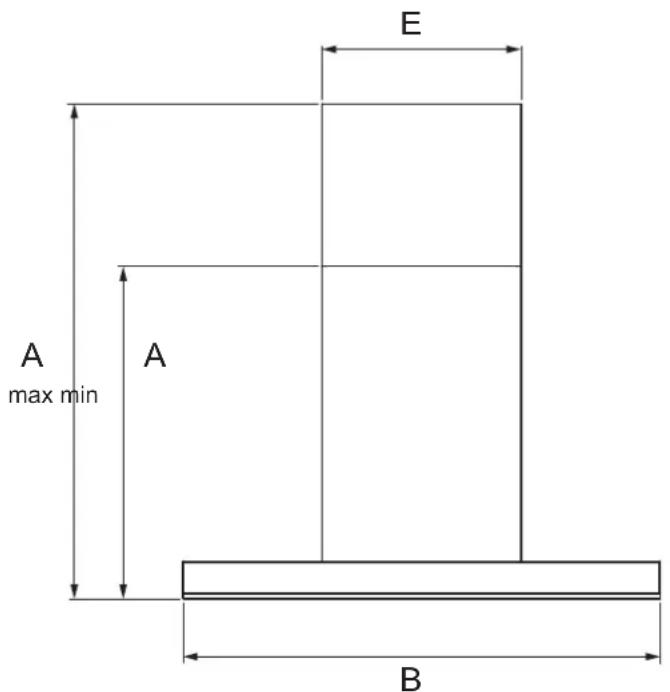
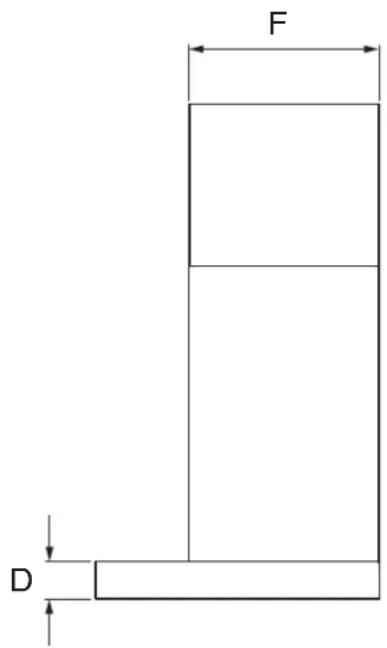
PRODUCT DIMENSIONS mm
| A | Overall height of product min. 610 – max. 990 |
| B | Overall width of product 895 |
| C | Overall depth of product 520 |
| D | Height of canopy 80 |
| E | Width of flue 375 |
| F | Depth of flue 320 |
| G | Centre of ducting to left edge of product 370 |
| H | Centre of ducting to back edge of product 170 |
| I | Outside diameter of check valve assembly 185 |
IMPORTANT!
Actual product dimensions may vary by ± 2 mm.
Height of rangehood
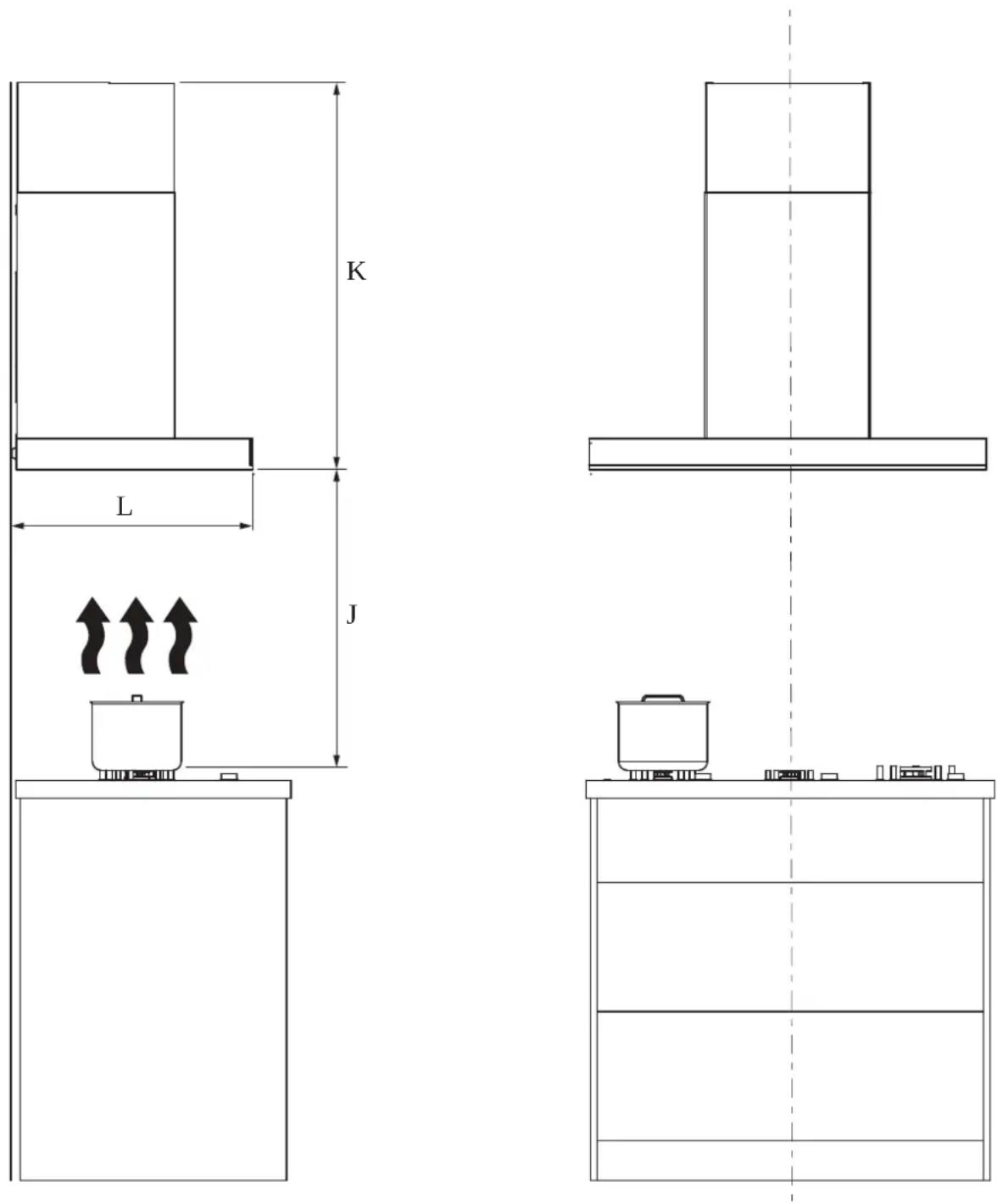
| MINIMUM CLEARANCES mm | ||
| J | Height top of gas cooktop to base of rangehood min. 650 – max. 700 | |
| K | Height of rangehood installationif ducted through the ceilingif ducted through the rear | min. 610min. 990 |
| L | Depth of rangehood installation 520 | |
Installation
WARNING!
This product is heavy and requires two persons for installation.
WARNING!
Failure to install the screws or fixing device in accordance with these instructions may result in electrical hazards.
The manufacturer is not liable for any damage caused by not following these instructions.
1 Prepare the rangehood for installation
- Before commencement, unpack the rangehood and check that it functions correctly.
- The room in which the rangehood is used should be well ventilated and contain no flammable, explosive or corrosive materials or articles.
- The wall used for mounting the rangehood should have sufficient strength and a flat surface.
- When drilling holes in the wall, do so away from water, electricity or gas lines to prevent hazards such as electric shocks or gas leaks.
- Temporarily mark the height of the bottom of the rangehood and the centre of the cooktop on the wall according to the information given on page 8.
2 Install the wall plate
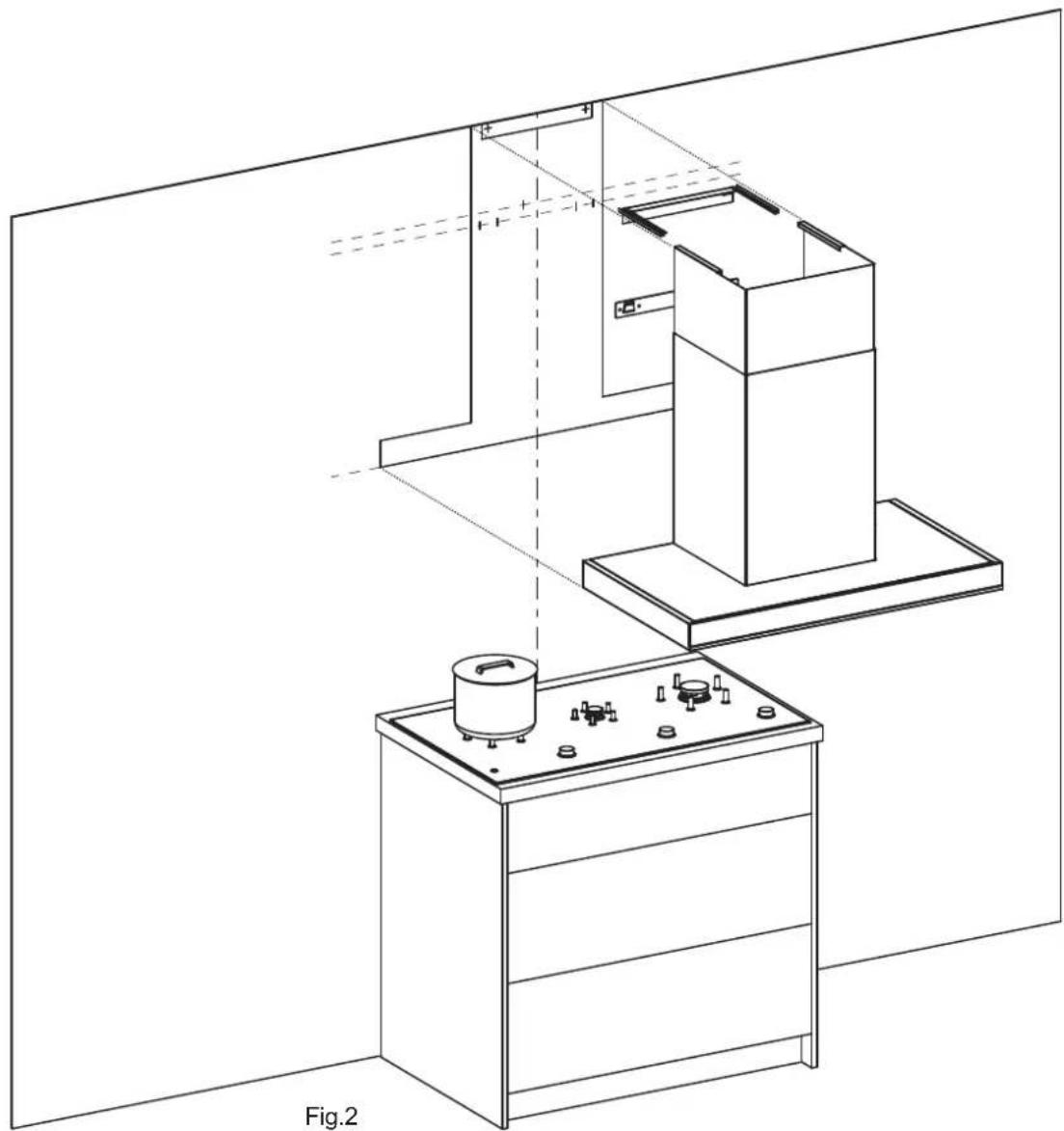
- Use an impact drill with a 10 mm masonry bit to drill 55mm deep holes in the wall in the locations of the wall plate holes and stopper screw holes as shown in Fig.1and 2.
• Fit the expansion plugs into the holes. - Secure the wall plate to the wall using the mounting screws.
3 Install the decorative cover holder (if inner decorative cover extension is to be used)
- Use an impact drill with a 10 mm masonry bit to drill 55mm deep holes in the wall in the locations of the decorative cover holes as shown in Fig.1 and 2.
• Fit the expansion plugs into the holes. - Secure the decorative cover holder to the wall using the mounting screws.
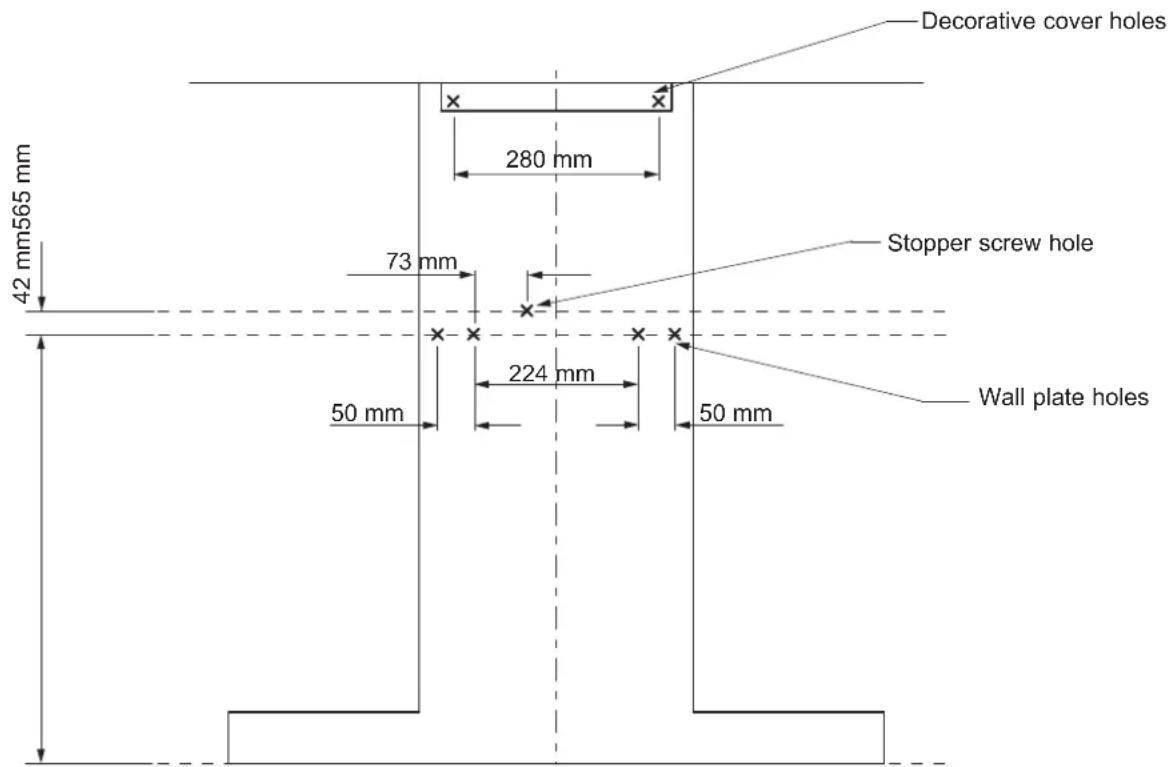
Fig.1
natural_image
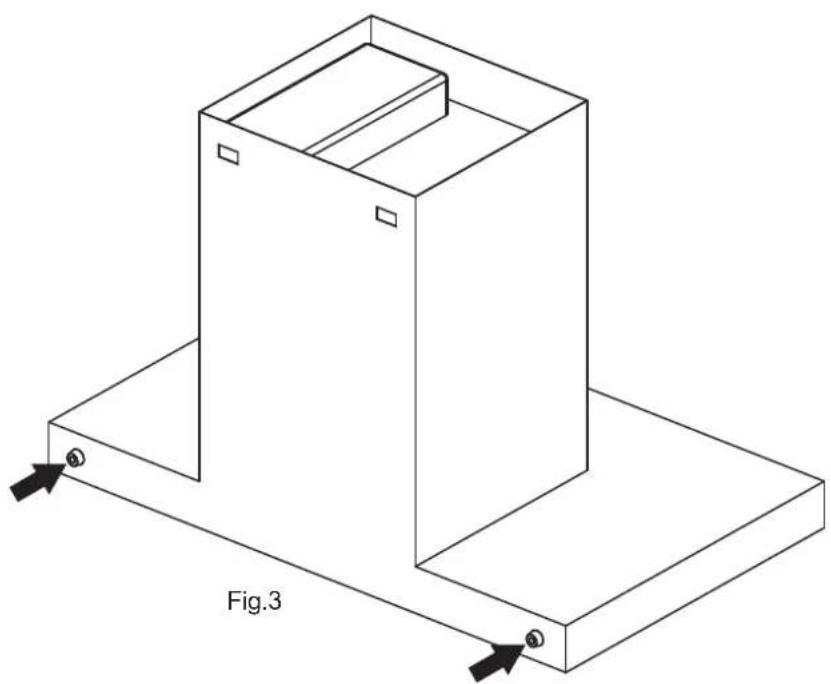
Technical line drawing of a mechanical assembly with labeled components, showing structural layout and alignment (no text or symbols)4 Install the supports Attach the supports to the back of the rangehood as shown in Fig.3.
natural_image
Isometric line drawing of a 3D rectangular box with base and top plate, labeled Fig.3 (no text or symbols on the diagram itself)INSTALLATION INSTRUCTIONS
5 Connect the check valve assembly
Place the check valve gasket and check valve assembly onto the air outlet on top of the main unit, and screw in place using the 8 cross recessed pan head screws.
6 Secure the main unit (this requires 2 persons)
Attach the main unit to the wall plate. Ensure the main unit and wall plate are firmly locked together.
7 Secure the stopper screw
Screw in the stopper screw at the top of the housing, ensuring that the screw is tightly secured against the main unit.
8 Connect the universal ducting hose
- Insert the unmarked end of the universal ducting hose into the recess of the check valve, and secure to the check valve assembly with the self-tapping screws.
- Connect the other end of the ducting hose to a shared flue or external wall hole.
- The length of the universal ducting hose should not exceed 3 metres to prevent impact on venting performance. The number of bends should be minimised. Flexible ducting should be stretched tight and trimmed to suit the installation.
9 Extend the inner decorative cover (if inner decorative cover extension is to be used)
Pull the inner decorative cover up and hook it onto the decorative cover holder.
10 Fit the oil receptacle
- Slide the oil receptacle into the slot on the oil cover.
• Make sure the oil receptacle is pushed all the way in.
11 Remove packaging
Remove all protective wrappings.
Technical Data
| LED Lamp | Input Power: 3 W ,Rated Voltage: 12 VCap Type: Buckle, Size: 220 mmX58 mm |
| Type of Power | Rated Voltage: 230V~ Rated Frequency: 50 Hz |
| Motor Rated Power Input | 219 W |
| Rated Power Input | 222 W |
| Air flow | 1140m3/hr |
| Unrestricted airflow 2000m3/hr | |
| Air pressure | Maximum air pressure: 520 PaAt Air Flow of 7 m3/min 280 Pa |
| Noise | ≥48 dB(A) |
| Universal Ducting Hose | Outer Diameter 180 mm, Length 1500 mm |
| Net Weight | 27 Kg |
| Odour Removal Efficiency | Nominal ≥ 95% Instantaneous ≥ 70% |
| Grease Separation | ≥ 85% |
| Off Power | / |
| Standby Power | ≤ 2 W |
| Total Pressure Efficiency | ≥ 25% |
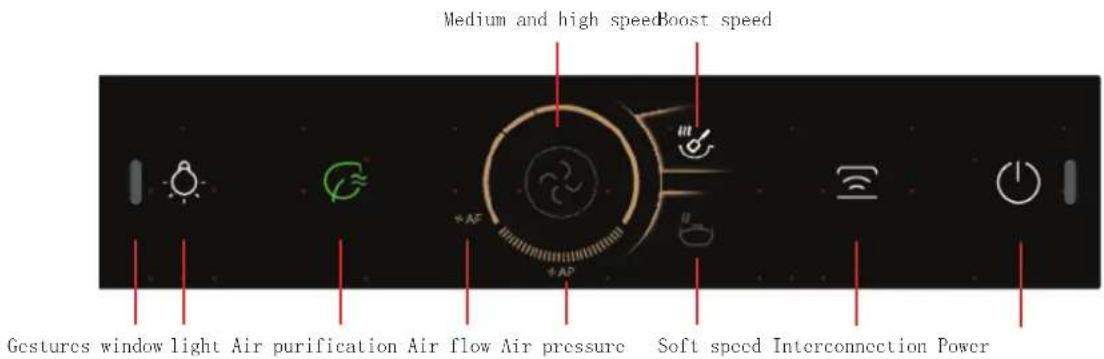
- Switch on and off range hood;
The device is powered on for the first time, " and " " are half bright;

natural_image
Dark background with three white icons: a light bulb, a power button, and a vertical bar (no text or symbols)Range hood is powered on, press the power button"; The range hood runs in medium speed;
-
Hand gestures: (When using the gesture function, ensure that there is no other infrared device in the environment) Wave quickly past the gesture window area on the left and right; Turn on/off the range hood; When the range hood is powered on, long press the button " for 5 seconds to open/close the gesture function
-
Lighting function;
Turns the light on or off. Lighting switch operates independently.

natural_image
Dark background with five white icons: sun, refresh, circular dial, Wi-Fi, and power button (no text or symbols)- Speed regulation function;
Press. "☐" to enter the soft speed.

Press. For the first time to enter the medium speed.
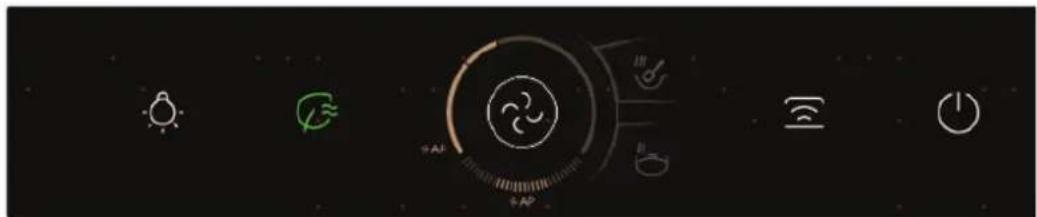
Press- ^2 for the second time to enter the high speed.
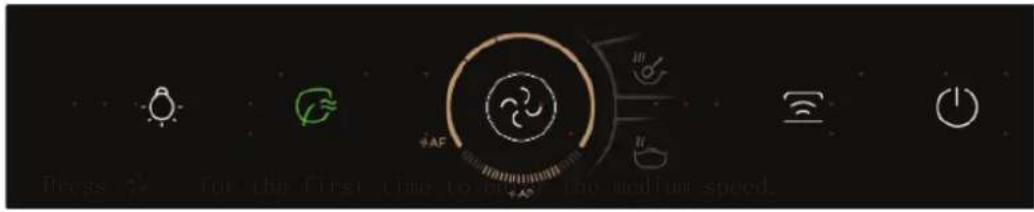
Press " √" for the second time to enter the high speed.
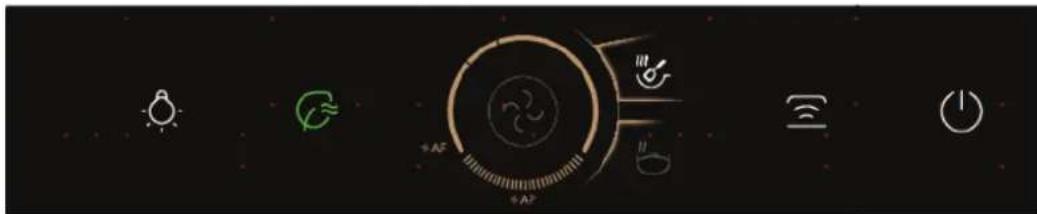
- Time delay;
When the machine is running, press this button to enter delay-off mode; unit will run soft speed for 3 minu and turn off automatically. During delay-off mode, press this button to turn the machine off.
- Air purification;
Press ≈ to start the air quality test;
When the air quality is good, is shown in green;
When the air quality is good, is shown in yellow, and at the same time open medium speed;
When the air quality is very poor, is shown in red, and at the same time turn on high speed;
The air purification function will automatically shut down after running for 2 hours;
- Interconnection (The linkage function must be paired when the device is powered on and cancelled when the device is powered on)
Pairing:
When connected to the electricity for the first time, keep the hood in wait, and "press" for 5 seconds. After a ring tone "≡" start to blink. Operate on the range. There will be another ring tone showing pairing success.
Depairing:
When hood is paired and on wait status, press " for 5 seconds. After a ring tone this button blinks for 3 seconds showing depairing success. 3 minutes after the cooktop is deactivated, this hood automatic turns off.
We recommend following ‘Cleaning and maintenance’ instructions for safety and optimal performance of your rangehood.
Preparation for cleaning and maintenance
- Be sure to unplug the power cord before commencing cleaning or servicing of the rangehood.
- Always wear rubber gloves during cleaning and maintenance to guard against injury from sharp metal parts.
• Always handle removed parts carefully to avoid damaging them. - Clean and service your rangehood regularly, depending on the frequency of use.
Cleaning the main housing (daily)
• The outer surface of the rangehood and filter should be wiped every day after use.
- To protect the stainless steel finish, use a neutral detergent and a soft cloth. Never use hard brushes.
- Never wipe surfaces with corrosive chemicals such as gasoline or alcohol, or abrasive cleaning agents.
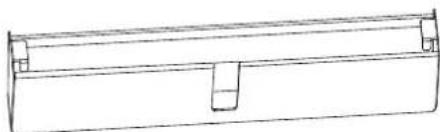
Cleaning the oil receptacle (as necessary)
- When the oil receptacle reaches the mark, it should be removed promptly to avoid overflow.
- Pull the oil receptacle straight out to detach it from the Oil Cover.
• Empty the oil receptacle. - The oil receptacle should be washed in warm water with detergent (do not use corrosive chemicals).
- To replace the oil receptacle slide it into the slot on the covered ensure it is pushed all the way in.
Cleaning the oil cover (weekly)
- Remove oil receptacle (refer to instructions above).
- Loosen the screw securing the oil cover.
- The oil cover should be washed in warm water with detergent and left to soak. Wipe clean with a rag and rinse with fresh water.
- The inner part of the cover and the cover recess in the main housing should be cleaned every week.
- To reassemble; align the tabs and angle the cover the recess as shown in Fig.5. Insert the screw and tighten it using a screwdriver.
- Slide oil receptacle into the slot on the covered ensure it is pushed all the way in.
natural_image
Pure technical line drawing of a mechanical part or bracket (no text or symbols)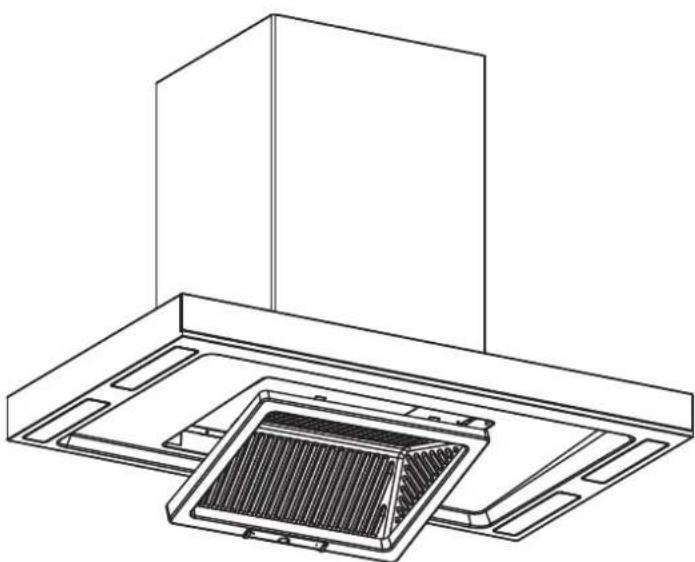
natural_image
Technical line drawing of a ceiling-mounted air duct system (no text or symbols)Fig.5
Cleaning the fan (every 3 months) (this requires 2 persons)
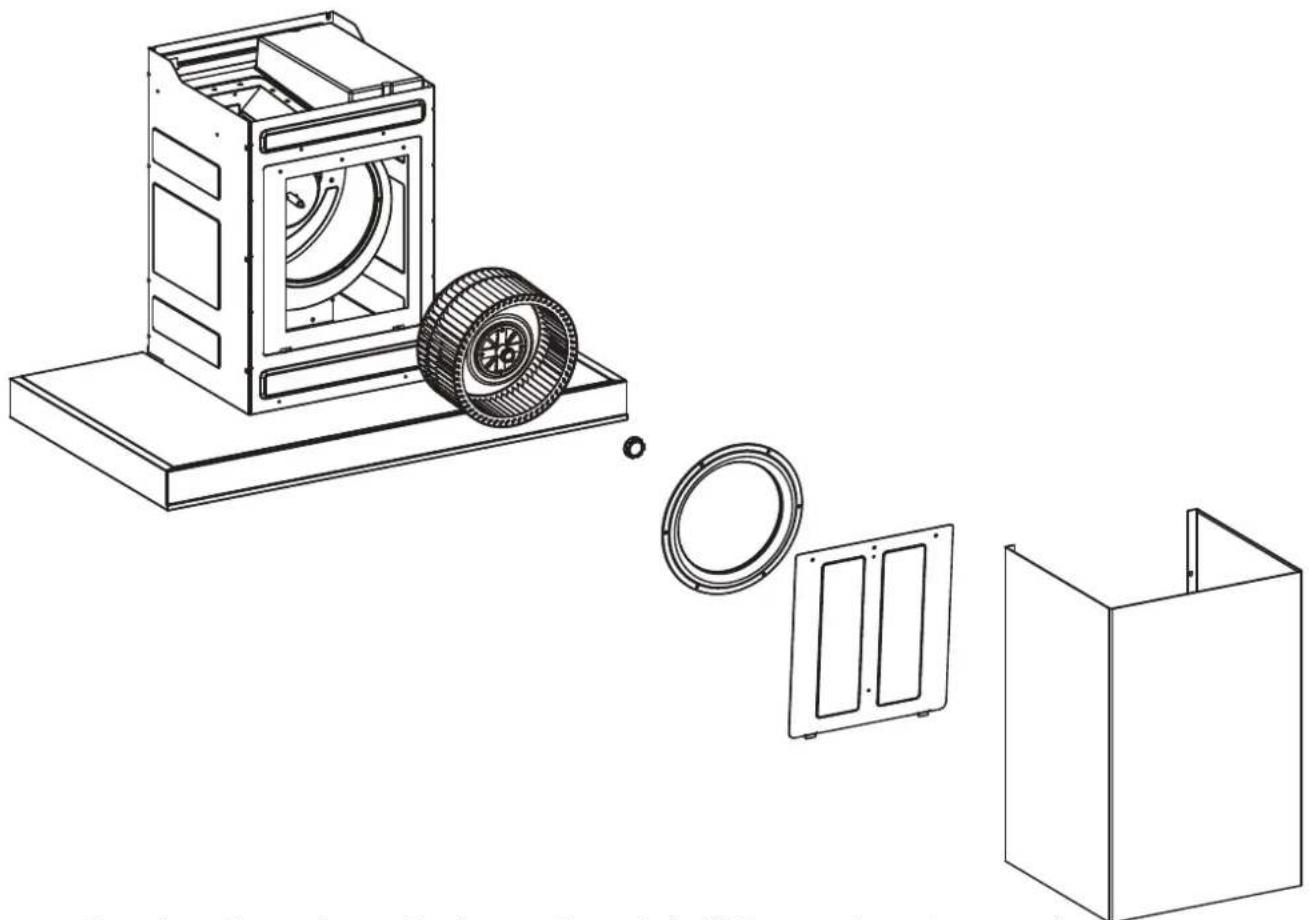
- Remove the oil receptacle. - If the inner decorative cover has been extended, unhook it from the decorative cover holder and slide it back down between the main housing and outer decorative cover.
- Loosen the screws attaching the ducting to the check valve assembly and remove the ducting from the check valve assembly.
- Loosen the stopper screw and detach the main unit from the wall plate.
- Remove the 4 screws that secure the outer decorative cover and remove the outer and inner decorative covers.
- Loosen the screws holding the main housing cover plate and remove the cover plate.
- Loosen the screws holding the intake ring and remove the intake ring.
- Twist the nut in a clockwise direction to remove the fan.
• Take particular care when cleaning the fan that the clips on the blades are not moved or lost, as this will imbalance the fan and cause vibration of the entire rangehood, leading to increased noise.
- To reassemble replace the parts in reverse order of disassembly.
• The fan should be cleaned once every 3 months.
natural_image
Technical line drawing of a washing machine with internal components and housing (no text or symbols)Cleaning the entire unit (every 6 months) (this requires 2 persons)
- The entire unit should be cleaned once every six months so as to maintain venting performance and ensure a long service life.
- Unplug the power cord if the rangehood will not be used for a prolonged period of time.
Solutions for common faults
In case of a fault, first try the suggestions below. If the problem cannot be fixed, please get touch with your local Haier after-sales service centre. Only professional technicians may dismantle and repair the rangehood.
| PROBLEM POSSIBLE | CAUSE WHAT TO DO | |
| No power. Power supply plug is not plugged in or not properly connected. | Connect the power plug. | |
| Product not working. | The power supply is not connected, or the voltage is incorrect. | Restore the power supply or contact an electrician for repair. |
| No fan speed has been selected. | Select a fan speed. | |
| Light not working. | Light button not pressed. Press | the light button. |
| Light has burned out. Replace the light (please contact the after-sales service centre). | ||
| Product vibrates. | Main unit is not securely fastened to wall. | Check that the main unit is fastened securely. |
| Fan is not well fitted. Fit | the fan properly. | |
| Fan is damaged. Replace the fan | (please contact the service centre). | |
| Hand-tightened nut is loose. Tighten the hand-tightened nut. | ||
| Poor suction. | Windows and doors are open too wide during use or are closed. | Open or close doors and windows as necessary to ensure venting performance. |
| Rangehood body is not installed at the correct height. | Re-install the appliance at the required height. | |
| Universal ducting hose is too long, has not been stretched tight, or has too many bends. | Reduce the length of the ducting hose or the number of bends. | |
| Shared flue aperture is too narrow or the air outlet is poorly sealed. | Widen the flue aperture or improve the outlet sealing. | |
| The check valve blade is stuck and cannot function properly. | Fix the blade and ensure the valve is working correctly. | |
| Rangehood has not been cleaned. | Clean the rangehood in accordance with the instructions. | |
| PROBLEM POSSIBLE CAUSE WHAT TO DO | ||
| Oil leak. Too much oil in the oil receptacle. | Remove waste oil in the oil receptacle. | |
| Oil Cover is difficult to remove. | Cover and cover recess have not been cleaned. | Clean the oil cover and cover recess weekly in accordance with the instructions. |
Note: if you are unable to fix the problem by following the above prompts, or one of the situations below occurs, please unplug the rangehood straight away and contact our after-sales service centre.
1 The rangehood runs unevenly when turned on;
2 The rangehood makes an unusual noise during operation;
3 Strange odours, heat or smoke are discovered, or other unusual circumstances not mentioned above occur.
The following phenomenon is not a malfunction
| PHENOMENON CAUSE | |
| The product makes a clicking noise after the power is switched off for a few seconds. | Air pressure causes the two blades of the check valve to open during operation. After the power supply is switched off, the fan gradually stops rotating and the blades fall back by themselves, emitting a clicking noise. |
You automatically receive a Manufacturer's Warranty (5 years for motor and 3 years for general) with the purchase of this range hood covering parts and labour.
Haier undertakes to:
Repair or, at its option, replace without cost to the owner either for material or labour any part of the product, the serial number of which appears on the product, which is found to be defective within THREE YEAR of the date of purchase.
Note: this Manufacturer's Warranty is an extra benefit and does not affect your legal rights.
This Manufacturer's Warranty DOES NOT cover
A Servie calls which are not related to any defect in the product. The cost of a service call will be charged if the problem is not found to be a product fault. For example:
1 Correcting the installation of the product.
2 Instructing you how to use the product.
3 Replacing house fuses or correcting house wiring or plumbing.
4 Correcting fault(s) caused by the user.
5 Noise or vibration that is considered normal, eg drain/fan sounds, refrigeration noises or user warning beeps.
6 Correcting damage caused by pests, eg rats, cockroaches, etc.
7 Replacement light bulbs.
B Defects caused by factors other than:
1 Normal domestic use; or
2 Use in accordance with the product's user guide.
C Defects to the product caused by accident, neglect, misuse or act of God.
D The cost of repairs carried out by non-authorised repairers or the cost of correcting such unauthorised repairs.
E Normal recommended maintenance as set out in the product's user guide.
F Repairs when the appliance has been dismantled, repaired or serviced by other than a Haier Authorised Repairer or the selling dealer.
G Pick -up and delivery.
H Transportation or travelling costs involved in the repair when the product is installed outside the Haier Authorised Repairer's normal service area.
This product has been designed for use in a normal domestic (residential) environment. This product is not designed for commercial use (whatsoever). Any commercial use by a customer will affect this product's Manufacturer's Warranty.
Service under this Manufacturer's Warranty must be provided by a Haier Authorised Repairer. Such service shall be provided during normal business hours. This Manufacturer's Warranty certificate should be shown when making any claim.
Please keep this user guide in a safe place.
Manufacturer:
Qingdao Haier Intelligent Cooking Appliances Co., Ltd No.7 Factory, No.236, Qianwangang Road, Huangdao District, Qingdao Qingdao, Shandong, 266000, CN