
FMK565 - Car accessory American International - Free user manual and instructions
Find the device manual for free FMK565 American International in PDF.


| Brand | American International |
| Model | FMK565 |
| Product Type | Digital Alarm Clock with FM Radio |
| Dimensions | 180 x 120 x 80 mm |
| Weight | 0.5 kg |
| Power Supply | AC 120V 60Hz, DC battery backup (2x AAA) |
| Display | LED digital display |
| Radio Frequency | FM 87.5 - 108 MHz |
| Alarm | Dual alarm with snooze function |
| Additional Functions | Sleep timer, adjustable brightness, 12/24 hour format |
| Material | ABS plastic |
| Color | Black |
| Maintenance | Wipe with dry cloth; keep away from moisture |
| Safety | UL listed, overheat protection |
| Spare Parts | Available via manufacturer customer service |
| Warranty | 1 year limited warranty |
| Included in Box | Clock, AC adapter, user manual |
Frequently Asked Questions - FMK565 American International
User questions about FMK565 American International
0 question about this device. Answer the ones you know or ask your own.
Ask a new question about this device
Download the instructions for your Car accessory in PDF format for free! Find your manual FMK565 - American International and take your electronic device back in hand. On this page are published all the documents necessary for the use of your device. FMK565 by American International.
USER MANUAL FMK565 American International
Mercury Cougar 1999/Ford Focus 2000 FMK-565 Installation Kit
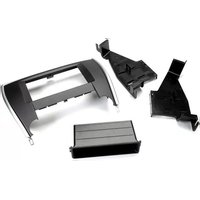
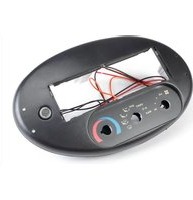
THIS KIT CONTAINS:

Ford Focus application:
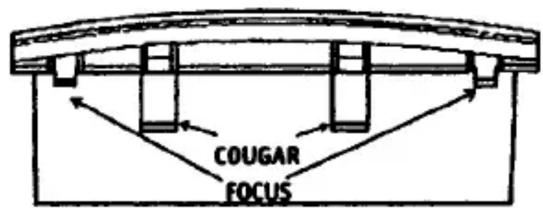
Remove the (2) top Cougar tabs. The tabs must be trimmed flush with the score line
Mercury Cougar application:
Trim off the (4) focus tabs for this application.
**DIN RADIO APPLICATIONS Installing the kit into the dash before putting the DIN sleeve in is recommended.
**POCKET MUST BE ON THE BOTTOM.
TOP VIEW


Brand : American International
Model : FMK565
Category : Car accessory