3BN67301AA - Phone ALCATEL-LUCENT - Free user manual and instructions
Find the device manual for free 3BN67301AA ALCATEL-LUCENT in PDF.


| Product Type | Desk Phone |
| Brand | Alcatel-Lucent |
| Model | 3BN67301AA |
| Color | Black |
| Dimensions (W x D x H) | 200 mm x 180 mm x 120 mm |
| Weight | 0.8 kg |
| Power Supply | PoE (Power over Ethernet) or AC adapter (5V DC) |
| Display | Monochrome LCD, 2 lines |
| Keypad | 12 numeric keys, 4 navigation keys, 6 function keys |
| Audio Features | Speakerphone, handset, headset support (RJ9) |
| Connectivity | 1x Ethernet port (10/100 Mbps), 1x RJ9 headset port |
| Compatibility | SIP-based PBX systems |
| Installation | Plug and play with automatic provisioning |
| Maintenance | Clean with dry cloth; avoid liquids |
| Security | Secure boot, encrypted communication (TLS/SRTP) |
| Spare Parts Availability | Replacement handsets and power adapters available |
| Repairability | Modular design; user-replaceable handset and base |
| Warranty | 1 year limited hardware warranty |
| Operating Temperature | 0°C to 40°C |
| Storage Temperature | -20°C to 60°C |
Frequently Asked Questions - 3BN67301AA ALCATEL-LUCENT
User questions about 3BN67301AA ALCATEL-LUCENT
0 question about this device. Answer the ones you know or ask your own.
Ask a new question about this device
Download the instructions for your Phone in PDF format for free! Find your manual 3BN67301AA - ALCATEL-LUCENT and take your electronic device back in hand. On this page are published all the documents necessary for the use of your device. 3BN67301AA by ALCATEL-LUCENT.
USER MANUAL 3BN67301AA ALCATEL-LUCENT
Alcatel-Lucent 400 DECT Handset Alcatel-Lucent 300 DECT Handset
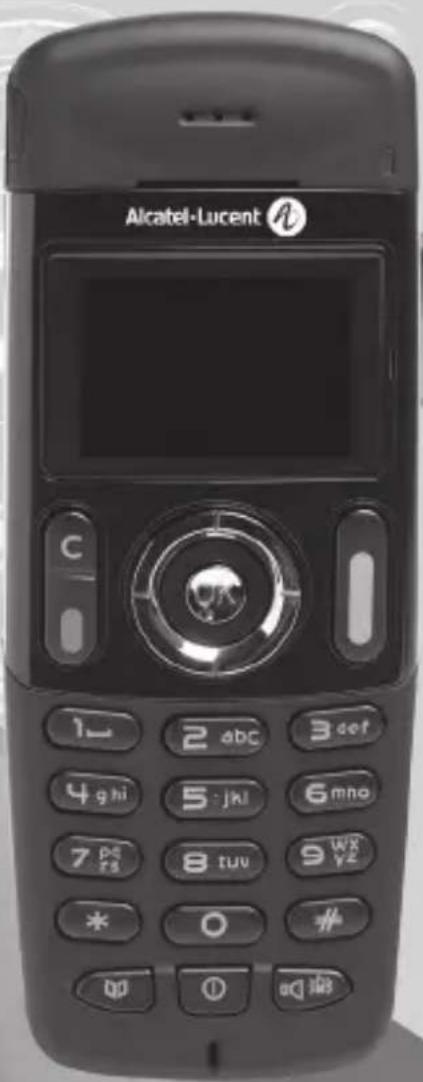
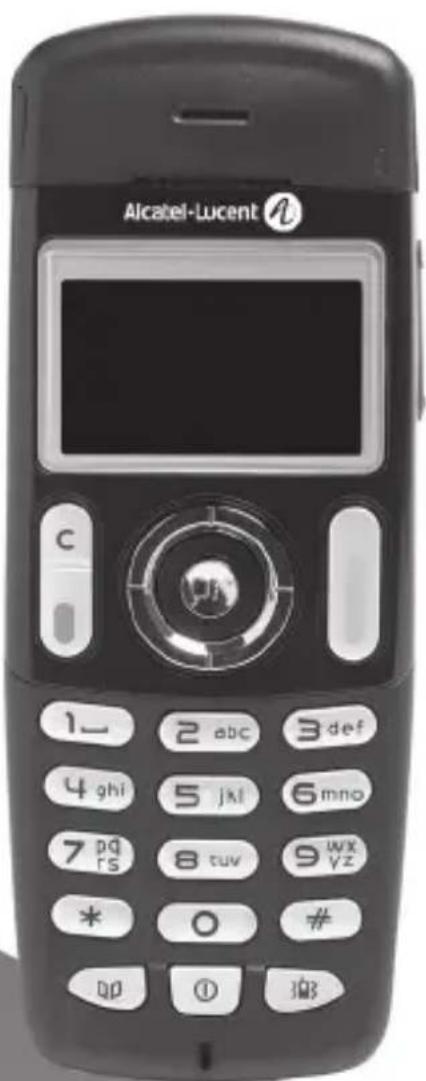
Your telephone
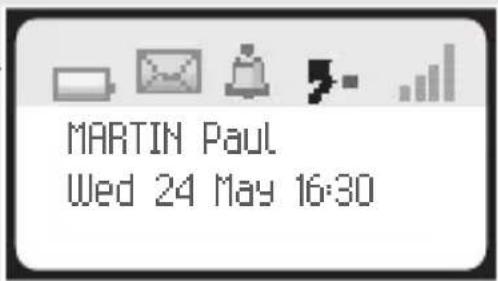
Status icons

Battery charge level:

Ringer active

Message(s) waiting (flashing)

Ringer deactivated

Programmed callback time

Radio reception quality:

Call forwarding activated Vibrator active
Call icons

Making a call

Answering a call

In conversation

Call on hold

Access the directory feature

Transferring a call

Switching to DTMF signals

Setting up a conference

Place a call on hold

Parking an external communication (I)

Additional options (I)
(1) if the system allows this
Switch the screen on again
Erase a character
Return to previous menu
Delete an entire field (long press)
Hang up
Return to first screen
Switch off ringer
Lock/unlock keypad (long press)
Company directory
Customizing your telephone (I) /
Telephone ID (I) (long press)
Switch on / off (long press)
Rapid access to ringer adjustment
Headset jack (400 DECT)
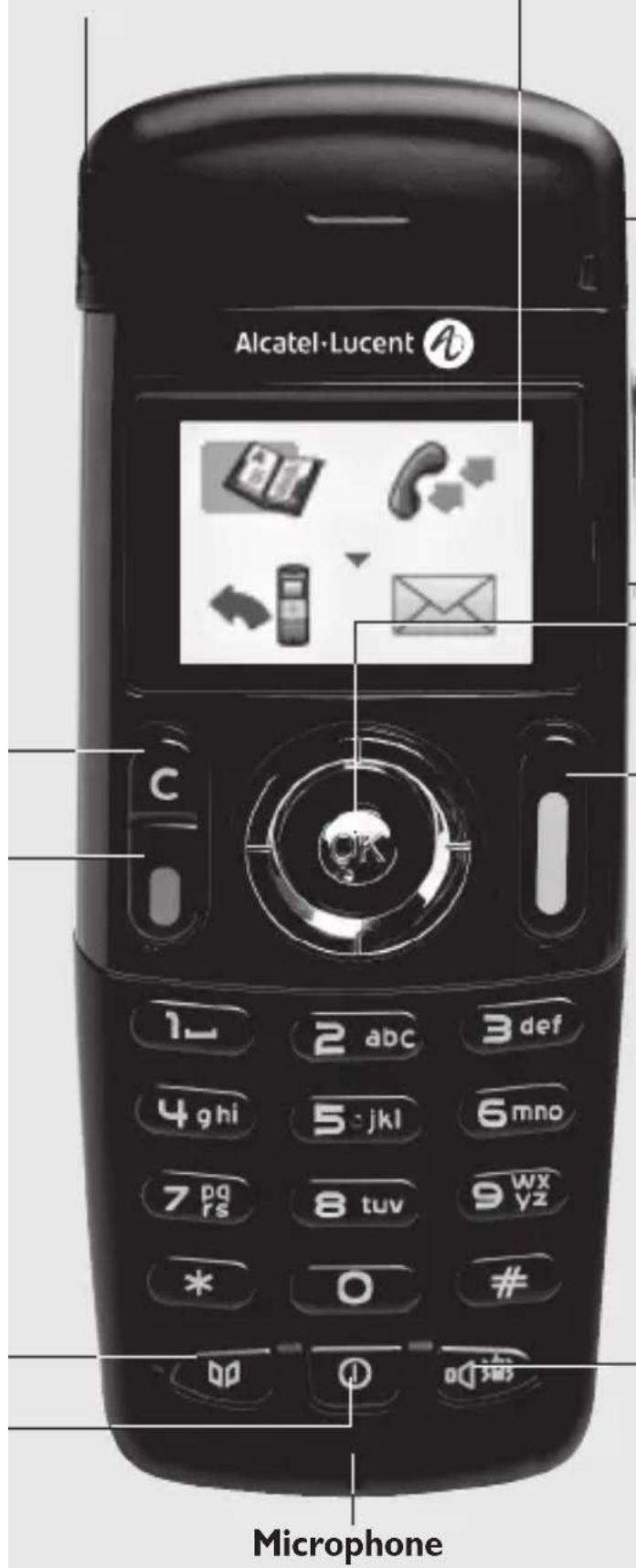
Back-lit screen (in colour for the 400 DECT)
The screen switches off automatically after a few seconds of inactivity.
To turn it back on, press the key
Light
- Green steady y
- Green fast flashing: outside the radio field
- Red slow flashing: message present
Adjust audio volume
Access MENU
Confirm
Display next selection of a list (up, down, left, right)
Lift the receiver
Redial (long press)
Broker call (during consultation call)
Activate/deactivate loudspeaker (400 DECT)
Activate/Deactivate the vibrating ringer (long press)
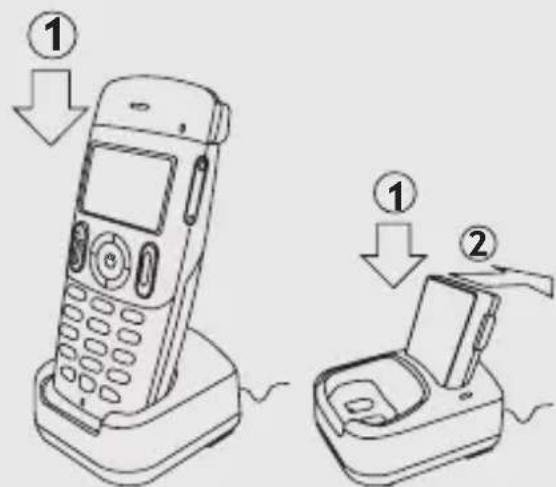
1
Using your telephone
Access MENU

All features described here below can be accessed by a long press on specific keys. It provides access to all the features available on your system.

Directories: manage your personal directory and access the company directory.

Redial: auto call back

Forward: forward your calls to another number.

Mailbox: consult and send voice and text messages.

Appointment: program a callback time.

System lock: prohibit outgoing calls and modification of the programming.

Adjustment: adjust the basic features of your telephone (preferences)

Language: selecting language (if the system allows this).
For the description of the other menu icons, please refer to your phone set manual.
Making a call

Dial the number required



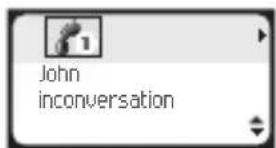

Send the call Speak Hang up

To make an external call, dial the outside line access code (9) before dialing your party's number.
Answering a call
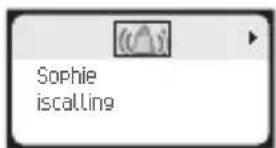


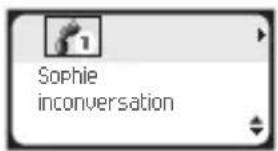


You are answering a call Lift the receiver Speak Hang up

Disabling the ringer: Press the hang up key when your telephone rings: it is still possible to answer by pressing the unhook key.
To call your personal directory (Individual number)
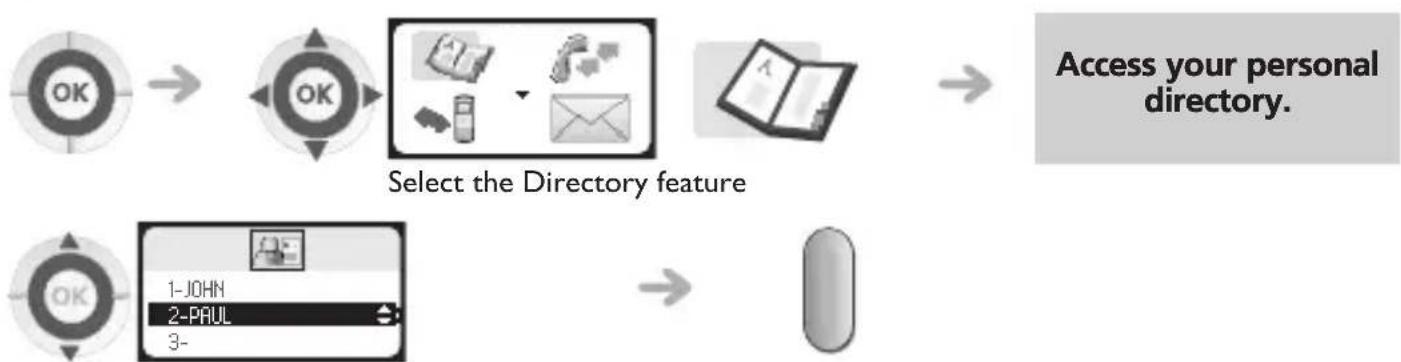
flowchart
graph LR
    A["OK"] --> B["OK"]
    B --> C["Select the Directory feature"]
    C --> D["Access your personal directory."]
    E["OK"] --> F["1-JOHN\n2-PAUL\n3-"]
    F --> G["Next Step"]
Select the party you wish to call Send the call

Refer to the user manual of your telephone to program an entry in the personal directory. Quick access (if the system allows this):

Calling your party by name (company directory)
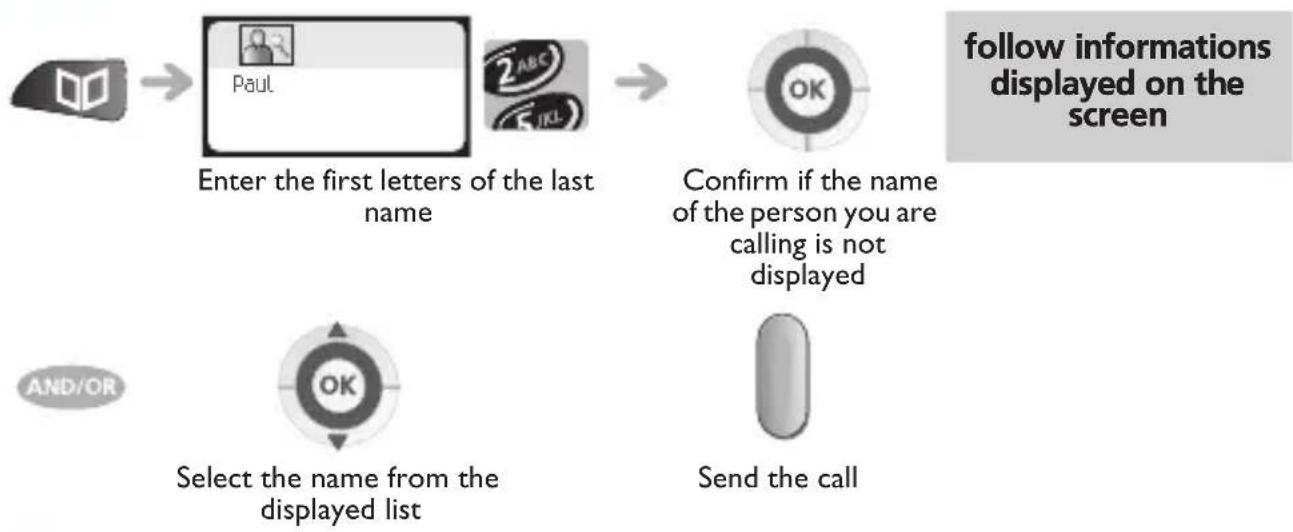
flowchart
graph TD
    A["User Input"] --> B["Enter the first letters of the last name"]
    B --> C["Confirm if the name of the person you are calling is not displayed"]
    C --> D["Send the call"]
    D --> E["Select the name from the displayed list"]
    style A fill:#f9f,stroke:#333
    style B fill:#ccf,stroke:#333
    style C fill:#cfc,stroke:#333
    style D fill:#fcc,stroke:#333
    style E fill:#cff,stroke:#333
Redial

flowchart
graph LR
    A["OK"] --> B["OK"]
    B --> C["Redial"]
    C --> D["Select a name or a number"]
    D --> E["Send the call"]

Quick access (if the system allows this): long press

Making a second call
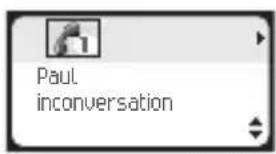
You are on a call with the destination number






person during a call
Send the call

You can also call a second party by selecting the icon or 2nd call text, or else by using your personal directory or the company directory.
Answering a second call
You are on call and a party is trying to contact you:
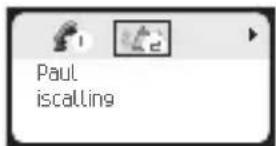
The caller's name is displayed for 3 seconds, and a beep is sent


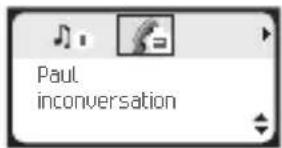
Lift the receiver The first call is placed on hold

Over 3 seconds, move with the navigate-left-right key to the receiving a second call icon, to see the identity of the second caller (and off-hook if necessary)
Switching between two calls (Broker call)
During a call, to recover the party on hold:
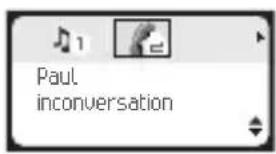



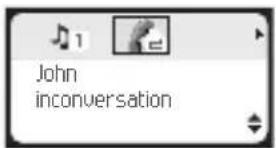
Switching between two calls (Broker call)-Single-line terminal only.

Hang up the ongoing call

your telephone rings



Press the line key with icon to recover the call on hold
Transferring a call
After dialing the destination number, you can transfer the call directly without waiting for your party's reply by validating the 'Transfer' option. You can initiate the transfer by using the icon or the Transfer' text. The transfer between two external parties and the transfer by pressing the hang-up key depend on the system configuration.


You can also transfer your call immediately, without waiting for your party to answer.
Three-way conference with internal and/or external parties (conference)
During a call, a second call is on hold.

To cancel the conference, press the OK key. This will put you back to the other party.
Formarding calls to another number (immediate forwarding)

flowchart
graph LR
    A["OK"] --> B["OK"]
    B --> C["Mobile Phone"]
    C --> D["Email"]
    D --> E["Mobile Phone"]
Select the 'Forward' feature

flowchart
graph LR
    A["OK"] --> B["←"]
    B --> C["OK"]
    C --> D["→"]
    style A fill:#f9f,stroke:#333
    style B fill:#ccf,stroke:#333
    style C fill:#cfc,stroke:#333
    style D fill:#fcc,stroke:#333
    note right of D Follow informations displayed on the screen
Select the feature associated with 'Immediate forwarding'
Immediate forwarding to your voice mailbox

flowchart
graph LR
    A["OK"] --> B["OK"]
    B --> C["手机"]
    C --> D["邮件"]
    D --> E["手机界面"]
    E --> F["OK"]
    F --> G["手机界面"]
    G --> H["OK"]
Select the 'Forward' feature
Select the 'Forwarding to your voice mailbox' icon
Cancelling all forwardings

flowchart
graph LR
    A["OK"] --> B["OK"]
    B --> C["← Mobile & Email"]
    C --> D["← Payment System"]
    D --> E["OK"]
    E --> F["← Sign"]
Select the 'Forward' feature
Select the 'Forward cancellation' icon

natural_image
Simple graphic with a right-pointing arrow and a target marked 'OK' (no text or symbols beyond the icon)Confirm
Precautions for use
This terminal and the supporting radio equipment have been designed for use with an Alcatel-Lucent OmniPCX Office system and have been officially approved for private use between wireless telephones via the associated private exchange. The following conditions must be respected, notably concerning the use of radioelectric frequencies:
- DECT equipment can only be used to establish links between fixed points if these links are temporary and the equivalent isotropically radiated power at the antenna is less than 250 mW.
- The conditions of access to a DECT equipment telepoint network shall be stipulated by contract with the attendant of the authorized telepoint network concerned.
- The power outlet used must be close to the charger/holder and easily accessible, so that it can be used as a way to turn power on or off.
- Switch off the telephone before changing the battery.
- Do not expose your telephone to severe conditions (rain, sea air, dust, etc.).
- Correct operation of your telephone is not guaranteed at temperatures outside the range - 10°C to +45°C.
• You must not switch on or use your telephone near gas or inflammable liquids. - A volume level that is too high can cause irreparable loss of hearing. Adjust the sound volume of your handset to a reasonable level.
Declaration of compliance
We, Alcatel-Lucent Enterprise, hereby declare that we assume the Alcatel-Lucent 300 DECT Handset and Alcatel-Lucent 400 DECT Handset to be compliant with the essential requirements of Directive 1999/5/CE of the European Parliament and Council.
This equipment uses the DECT harmonised frequency spectrum and can be used in all the countries of the European Community, Switzerland and Norway. No guarantee is given concerning possible interference affecting DECT equipment, due to other authorised utilisation of the radio frequencies concerned.
This device has been designed and manufactured not to exceed the SAR (Specific Absorption Rate) radio frequency power transmission limits established by the different countries concerned. The SAR value measured is equal to 0.061 W/kg (the globally accepted maximum limit being 1.6 W/kg). Consumption in standby: 20 mW.
The labels and icons presented in this document are not contractually binding and may be modified without prior warning.
The labels and icons displayed on your phone depend on the system to which you are connected and may differ from those specified in this document.
Any unauthorised modification to the product shall render this declaration of compliance null and void. A copy of the original of this declaration of compliance can be obtained by post from :
Alcatel-Lucent Enterprise - Technical Services - Approvals Manager
I, route du Dr. Albert Schweitzer
F 67408 Illkirch Cedex - France
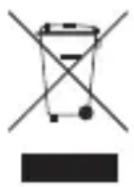
Information relative to the environment
This symbol indicates that at the end of its life, this product should be subject to special collection and disposal in member countries of the European Union, as well as in Norway and Switzerland. By ensuring this product is disposed of correctly, you will help to conserve natural resources and help prevent potential negative consequences to the environment and human health which could otherwise be caused by inappropriate disposal of this product. For further details about recycling this product, please contact the supplier who sold you the product.