
SL400A GO - Telephone GIGASET - Free user manual and instructions
Find the device manual for free SL400A GO GIGASET in PDF.


Pick your language and provide your email: we'll send you a specifically translated version.
| Product Type | Cordless Phone |
| Brand | Gigaset |
| Model | SL400A GO |
| Color | Graphite Black |
| Technology | DECT |
| Display | 1.8-inch color TFT |
| Keypad | Illuminated, backlit |
| Number of Handsets | 1 (expandable up to 6) |
| Range (indoor) | Up to 50 m |
| Range (outdoor) | Up to 300 m |
| Battery Type | Ni-MH AAA |
| Battery Life (talk time) | Approx. 18 hours |
| Battery Life (standby) | Approx. 300 hours |
| Charging Time | Approx. 7 hours |
| Power Supply | Mains adapter: 230 V AC, 50 Hz |
| Weight (handset) | 130 g |
| Dimensions (handset) | 170 x 55 x 29 mm |
| Caller ID | Yes |
| Phonebook | Up to 150 contacts |
| Speakerphone | Yes (hands-free) |
| Answering Machine | Not built-in |
| Maintenance | Clean with a soft, dry cloth |
| Safety | Use only approved power adapters; avoid liquids |
Frequently Asked Questions - SL400A GO GIGASET
How do I set up the Gigaset SL400A GO for the first time?
Plug the charger base into a power outlet and insert the rechargeable batteries into the handset. Place the handset on the base to charge for at least 7 hours. Then follow the on-screen instructions to set the date and time.
Can I register additional handsets to this base?
Yes, the SL400A GO supports up to 6 handsets. To register a new handset, press and hold the base's registration button for 5 seconds, then on the new handset go to Menu > Settings > Handset > Register and follow the prompts.
How do I adjust the ringer volume?
During standby, press the volume keys on the side of the handset. Alternatively, go to Menu > Settings > Audio Settings > Ringer Volume and adjust using the navigation keys.
Does this phone have a built-in answering machine?
No, the SL400A GO does not include a built-in answering machine. However, you can use a separate answering service or device if needed.
How do I store a contact in the phonebook?
Press the phonebook button, then select 'New Entry'. Enter the name and number using the keypad, and press save. The phonebook holds up to 150 contacts.
What type of batteries does the handset use?
It uses two Ni-MH AAA rechargeable batteries (typically 750 mAh). Use only the batteries supplied or recommended by Gigaset.
What is the wireless range of the SL400A GO?
Indoor range is up to 50 meters, outdoor range up to 300 meters. Actual range may vary due to obstacles like walls or electronic interference.
How do I reset the handset to factory settings?
Go to Menu > Settings > System > Reset. Choose 'Factory Reset' and confirm. Note: this erases all contacts and settings.
Can I use the phone during a power outage?
The handset operates on its rechargeable batteries, so it will work during a power outage as long as the batteries are charged. However, the base requires power, so the range may be limited if the base is off.
How do I clean the handset?
Use a soft, dry cloth to wipe the surface. Avoid using any liquids or cleaning agents as they may damage the device.
User questions about SL400A GO GIGASET
0 question about this device. Answer the ones you know or ask your own.
Ask a new question about this device
No questions yet. Be the first to ask one.
Download the instructions for your Telephone in PDF format for free! Find your manual SL400A GO - GIGASET and take your electronic device back in hand. On this page are published all the documents necessary for the use of your device. SL400A GO by GIGASET.
USER MANUAL SL400A GO GIGASET
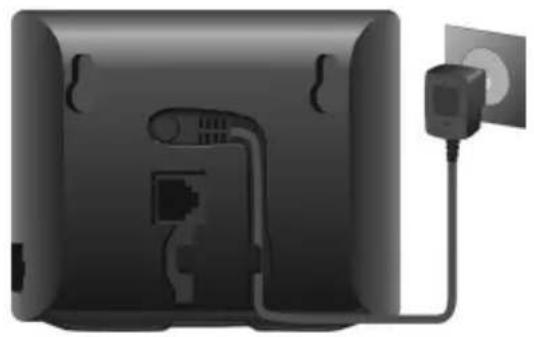
natural_image
Back view of a black electronic device with attached power outlet and cable (no text or symbols visible)Festnetz-Telefonie
natural_image
Back view of a black rectangular device with attached electrical connectors and power outlets (no visible text or symbols)natural_image
Back view of a network device showing two connected ports with Ethernet cables (no text or labels visible)IP-Konto einrichten
Mobilteil
natural_image
Close-up of a black electronic device with an open rear panel showing internal components and a labeled arrow pointing to the interior (no text or symbols on the device itself)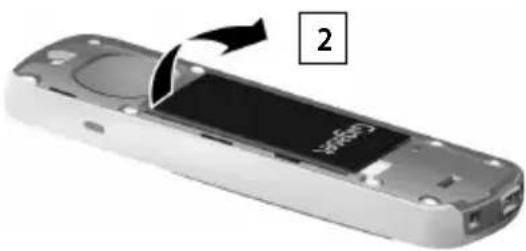
natural_image
Close-up of a remote control device with a labeled component (no readable text or symbols)Akku laden
natural_image
Close-up of a black and white electronic device with directional arrows indicating motion or movement (no text or symbols)
Table of contents
Click a title to access it
Manual assistant
Powered by Anthropic
Waiting for your message
Product information
Brand : GIGASET
Model : SL400A GO
Category : Telephone