
TT-918 - Turntable Clas Ohlson - Free user manual and instructions
Find the device manual for free TT-918 Clas Ohlson in PDF.


| Product Type | Turntable |
| Brand | Clas Ohlson |
| Model | TT-918 |
| Drive System | Belt drive |
| Speeds | 33 1/3, 45 RPM |
| Platter Material | Aluminum |
| Tonearm Type | Straight, static balance |
| Cartridge Type | Magnetic (MM) |
| Output | RCA line level (with built-in preamp) |
| Power Supply | AC 100–240V, 50/60 Hz |
| Dimensions (W x D x H) | 420 x 350 x 120 mm |
| Weight | 3.5 kg |
| Material | MDF base, plastic dust cover |
| Built-in Preamp | Yes, switchable |
| Auto Stop | Yes |
| Anti-Skate | Adjustable |
| Tracking Force | 1.5–2.5 g (adjustable) |
| Dust Cover | Included, hinged |
| Accessories | RCA cable, power adapter, 45 RPM adapter |
| Maintenance | Clean stylus with brush; dust cover with soft cloth |
| Safety | Do not expose to moisture; unplug when not in use |
| Spare Parts Availability | Contact Clas Ohlson support |
Frequently Asked Questions - TT-918 Clas Ohlson
User questions about TT-918 Clas Ohlson
0 question about this device. Answer the ones you know or ask your own.
Ask a new question about this device
Download the instructions for your Turntable in PDF format for free! Find your manual TT-918 - Clas Ohlson and take your electronic device back in hand. On this page are published all the documents necessary for the use of your device. TT-918 by Clas Ohlson.
USER MANUAL TT-918 Clas Ohlson
Record player with built-in speakers
natural_image
Line drawing of a portable electronic device with front panel, control panel, and scroll (no text or symbols)Art.no Model 38-4323 TT-918
Ver. 20131108
Record player with built-in speakers
Art.no 38-4323 Model TT-918
Please read the entire instruction manual before using the product and save it for future reference. We reserve the right for any errors in text or images and any necessary changes made to technical data. If you have any questions regarding technical problems please contact Customer Services.
Safety
- The product should only be repaired by qualified service personnel.
• The product should not be dismantled or modified. - Do not place the product where there is a risk of it falling into water or other liquid. Do not place any objects containing liquid on top of the product, e.g. flower vases or fizzy drinks.
- Shut off the standby function at night or before going on holiday.
- Do not cover the product. Adequate ventilation with a distance of at least 15 cm between ventilation holes and the surrounding area is necessary to prevent the device from becoming too warm.
- Do not place the record player in damp, dusty environments or where there are strong vibrations.
- Prolonged exposure to high volume can damage your hearing.
Product description
Record Player. Built-in amplifier and speakers. Switch for 33/45 rpm. Auto-stop when record finishes. Built-in RIAA amplifier. Line-out for connection to hi-fi, stereo system, etc. Stereo headphone socket.
Power-save mode
The record player automatically switches to power-save mode after 15 minutes when the last track on an LP has been played.
To start the record player when it is in power-save mode, turn the [ON/OFF] switch to OFF and then back to ON.
Buttons and functions
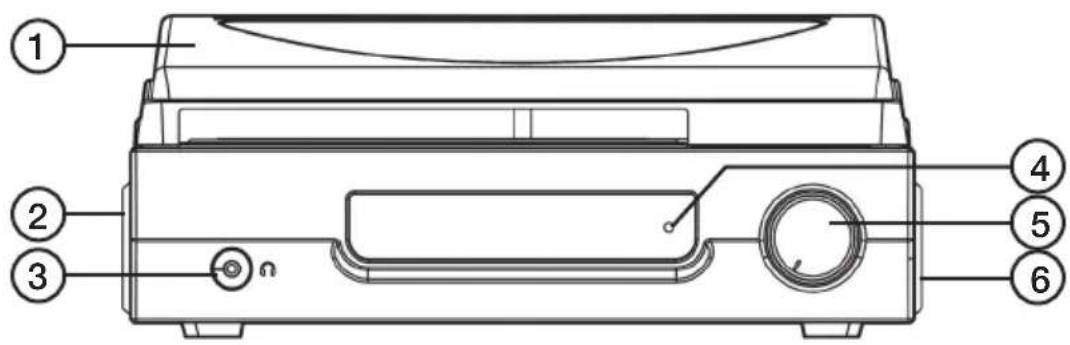
- Cover
- Left speaker
- 3.5 mm headphone socket
- Power indicator
- ON/OFF and volume control
- Right speaker
- Record adaptor
- RPM selector 33/45
- Auto stop switch
-
Tone arm holder
-
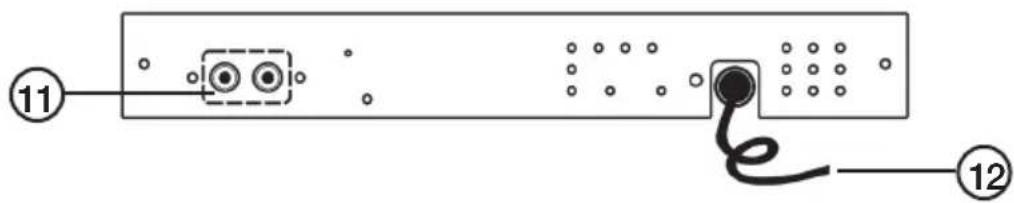
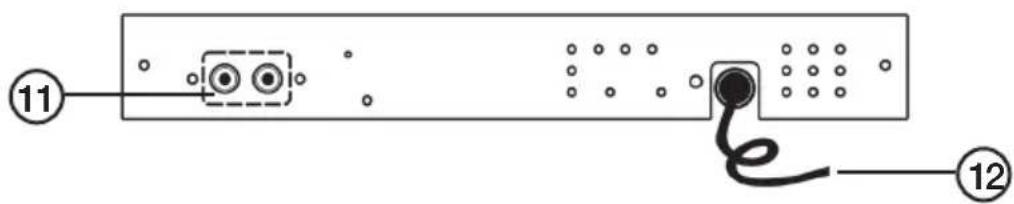
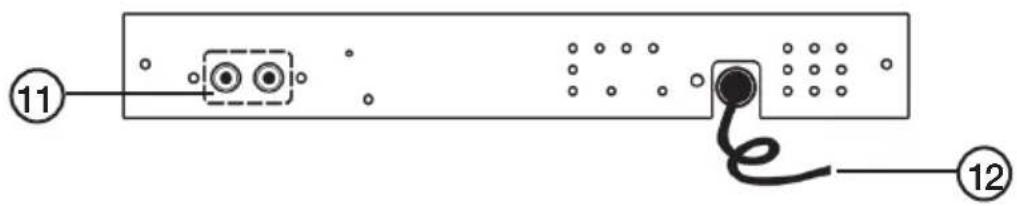
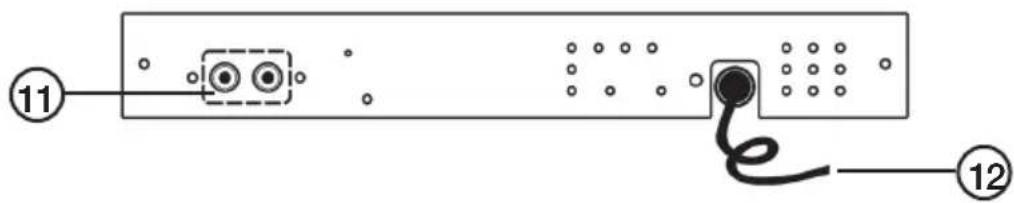
Line-out
-
Mains lead
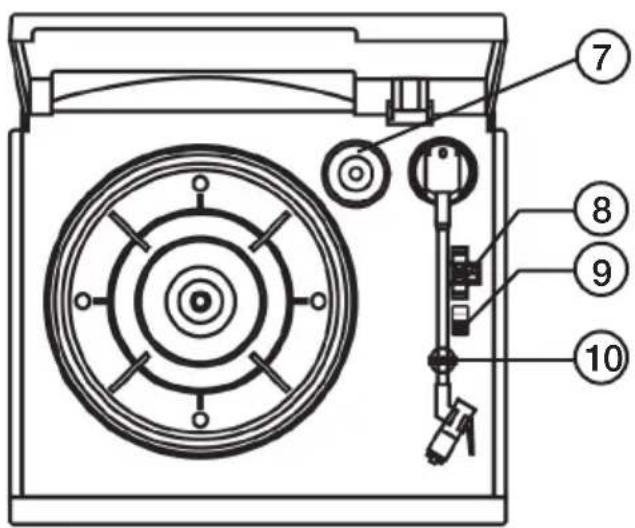

Connections
- Remove all protective packaging from the product.
- Make sure that none of the ventilation openings is blocked.
- Connect the mains lead to a wall socket.
Use
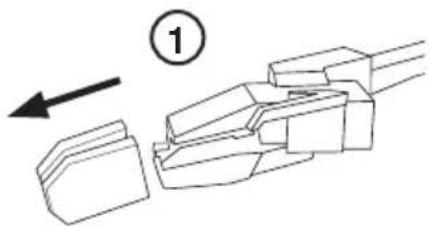
- Remove the cover from the stylus.
- Place a record on the turntable. Use the record adaptor if needed.
-
Set the RPM selector to the correct speed for the record to be played.
-
Start the player by turning the ON/OFF switch.
-
Lift the tone arm from its holder.
-
Place the stylus at the desired place on the record.
-
Adjust the volume as desired.
-
When the record has finished playing, the player will stop automatically. Lift the tone arm from the record and return it to its holder.
-
To stop the record manually, lift the tone arm from the record and return it to its holder.
natural_image
Diagram of a mechanical component with an arrow indicating direction (no text or symbols present)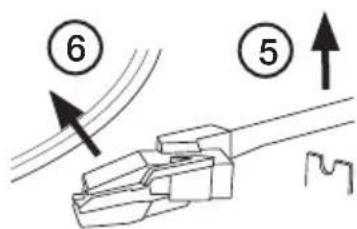
Note: On some records, the auto stop function is activated before the record has finished. If this happens, set the auto stop switch to the OFF position. The record will then play until the very end of the groove, but it will not shut off automatically and will continue to revolve. Switch the player of using the ON/OFF switch or set the auto stop switch to the ON position. Return the tone arm to its holder.
Line-out
It is possible to connect the player to a stereo system via the line-out socket using an RCA lead (not included).
Care and maintenance
Wipe the product using a dry cloth as and when required. Never use solvents or abrasive cleaning agents.
Disposal
Follow local ordinances when disposing of this product. If you are unsure of how to dispose of this product, please contact your local authority.
Specifications
Size 316 × 270 × 125 mm
Anslutning
natural_image
Diagram of a mechanical component with an arrow indicating direction, no text or symbols present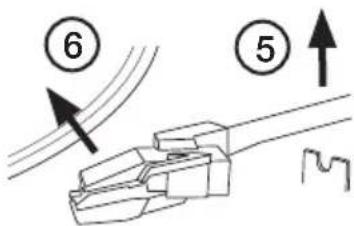
Klargjøring
natural_image
Diagram of a mechanical component with an arrow indicating direction, no text or symbols present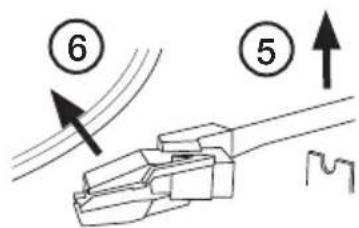
Liitäntä
natural_image
Diagram of a mechanical component with an arrow indicating direction, no text or symbols present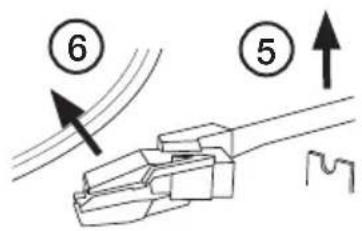
Inbetriebnahme
natural_image
Diagram of a mechanical component with an arrow indicating direction, no text or symbols present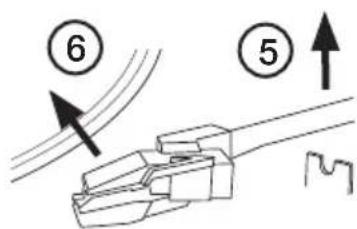
Postal 10 – 13 Market Place
Kingston Upon Thames
Surrey
KT1 1JZ
Deutschland
Brand : Clas Ohlson
Model : TT-918
Category : Turntable