
KDOCK-1/2/3-HOLDER - Audio Visual Accessory Kramer - Free user manual and instructions
Find the device manual for free KDOCK-1/2/3-HOLDER Kramer in PDF.


| Product Type | Holder for Kramer KDOCK-1/2/3 docking stations |
| Compatible Models | Kramer KDOCK-1, KDOCK-2, KDOCK-3 |
| Dimensions (H x W x D) | Approx. 120 x 100 x 80 mm (4.7 x 3.9 x 3.1 in) |
| Weight | Approx. 0.3 kg (0.66 lbs) |
| Material | High-strength ABS plastic with anti-slip base |
| Color | Black |
| Mounting Type | Desktop with adhesive pads or screw holes |
| Power Supply | None (passive holder) |
| Operating Temperature | 0°C to 40°C (32°F to 104°F) |
| Storage Temperature | -20°C to 60°C (-4°F to 140°F) |
| Relative Humidity | 10% to 90% (non-condensing) |
| Package Contents | Holder, mounting screws, adhesive pads, user manual |
| Warranty | 1 year limited warranty |
| Compliance | RoHS, CE |
| Intended Use | Secure placement of Kramer docking stations |
| Cleaning | Wipe with a dry or slightly damp cloth; no solvents |
| Installation | Screw or adhesive mount to a clean, flat surface |
| Device Retention | Snap-fit or slide-in mechanism with locking tab |
| Cable Management | Built-in cable channels to organize wires |
Frequently Asked Questions - KDOCK-1/2/3-HOLDER Kramer
User questions about KDOCK-1/2/3-HOLDER Kramer
0 question about this device. Answer the ones you know or ask your own.
Ask a new question about this device
Download the instructions for your Audio Visual Accessory in PDF format for free! Find your manual KDOCK-1/2/3-HOLDER - Kramer and take your electronic device back in hand. On this page are published all the documents necessary for the use of your device. KDOCK-1/2/3-HOLDER by Kramer.
USER MANUAL KDOCK-1/2/3-HOLDER Kramer
Installation Instructions
MODEL:
KDOCK-1/2/3-HOLDER KDOCK-4-HOLDER


P/N:

290 0 - 301 5 2 2 QS
Rev:

3

SAFETY WARNING
Disconnect the unit from the power supply before opening and servicing
For the latest information on our products and a list of Kramer distributors, visit our Web site where updates to these installation instructions may be found.
We welcome your questions, comments, and feedback.
KDOCK-1/2/3-HOLDER
Congratulations on purchasing your Kramer KDOCK-1/2/3-HOLDER / KDOCK-4-HOLDER for safely securing KDock USB-C Hub Multiport Adapters below or on a surface.
This document describes how to secure the KDOCK-1/2/3-HOLDER and the KDOCK-4-HOLDER to a surface.
Installing the KDOCK-1/2/3-HOLDER
KDOCK-1/2/3-HOLDER can be installed either under or above a surface. In this example, it is installed under a table.
To secure the KDOCK-1/2/3-HOLDER under a table:
- Insert the KDock device into the clamp, in-between the rubber pads.
- Insert a washer (supplied) and then a nut (supplied) onto each of the studs and tighten.

-
Check the location under the table where you want to install the device and mark the location for the two installation screws (supplied).
-
Use the two installation screws to secure the KDOCK-1/2/3-HOLDER under the table.

natural_image
Isometric line drawing of a device with an attached cable and internal components (no text or symbols)KDOCK-1/2/3-HOLDER is secured under a table.
Installing the KDOCK-4-HOLDER
KDOCK-4-HOLDER can be installed either under or above a surface. In this example, it is installed on a table. Note that when it is installed under, the flip-up device holder cannot be used.
To secure the KDOCK-4-HOLDER on a table:
- Place the KDock-4 device on the surface, at the correct location.
- Place the KDOCK-4-HOLDER over the device.
- Insert the four screws and secure the KDOCK-4-HOLDER to the table.

natural_image
Isometric technical diagram of a mechanical assembly with red arrows indicating force or movement (no text or symbols present)KDOCK-4-HOLDER is secured on a table.
Technical Specifications
| Environmental Conditions | Operating Temperature | 0° to +40°C (32° to 104°F). |
| Storage Temperature | -10° to +55°C (14° to 131°F). | |
| Humidity | 5% to 90%, RHL non-condensing. | |
| Regulatory Compliance | Safety | CE. |
| Environmental | RoHs | |
| Enclosure | Materials | Zinc-coated steel and rubber padding (for KDOCK-1/2/3-HOLDER only) |
| General | Net Dimensions (W, D, H) | KDOCK-1/2/3-HOLDER: 3cm x 6.5cm x 1.9 cm (1.2" x 2.6" x 0.75") Approx.KDOCK-4-HOLDER: 26.2cm x 7.1cm x 2.5cm (10.3" x 2.8" x 1") Approx. |
| Shipping Dimensions (W, D, H) | KDOCK-1/2/3-HOLDER: 12.1cm x 8.2cm x 4.1cm (4.8" x 3.2" x 1.6")KDOCK-4-HOLDER: 36.6cm x 21cm x 7.7 cm (14.4" x 8.27" x 3") | |
| Net Weight | KDOCK-1/2/3-HOLDER: 50g (0.11lbs) approx.KDOCK-4-HOLDER: 201g (0.44lbs) approx. | |
| Shipping Weight | KDOCK-1/2/3-HOLDER: 90g (0.2lbs) approx.KDOCK-4-HOLDER: 261g (0.6lbs) approx. |

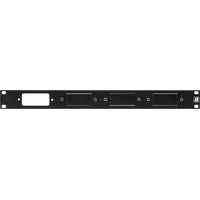
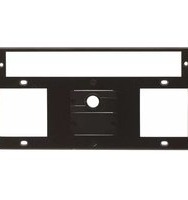
Brand : Kramer
Model : KDOCK-1/2/3-HOLDER
Category : Audio Visual Accessory