
IQ-312 - Battery charger AccuPower - Free user manual and instructions
Find the device manual for free IQ-312 AccuPower in PDF.


| Product Type | Battery charger |
| Brand | AccuPower |
| Model | IQ-312 |
| Dimensions (approx) | 12 x 7 x 3 cm |
| Weight | 200 g |
| Power Supply | AC 100-240V, 50/60Hz |
| Output Voltage | DC 12V |
| Output Current | 2A |
| Charging Slots | 4 independent slots |
| Battery Compatibility | NiMH, NiCd (AA/AAA) and Li-ion (18650, 14500) |
| Charging Mode | Intelligent CC/CV with peak detection |
| Protection Features | Overcharge, overheat, reverse polarity, short circuit |
| Display | LED status indicators per slot |
| Rapid Charge | Yes, with selectable charge rate |
| Compatible Adapters | Includes car adapter and AC adapter |
| Maintenance | Clean with dry cloth; avoid moisture |
| Safety Certifications | CE, RoHS |
| Spare Parts & Repairability | Not user-serviceable; contact AccuPower support |
| General Information | Portable design with folding plug |
| Warranty | 2 years limited |
Frequently Asked Questions - IQ-312 AccuPower
User questions about IQ-312 AccuPower
0 question about this device. Answer the ones you know or ask your own.
Ask a new question about this device
Download the instructions for your Battery charger in PDF format for free! Find your manual IQ-312 - AccuPower and take your electronic device back in hand. On this page are published all the documents necessary for the use of your device. IQ-312 by AccuPower.
USER MANUAL IQ-312 AccuPower
Please read the manual carefully before using this charger.
We thank you that you have decided to purchase our intelligent charger.
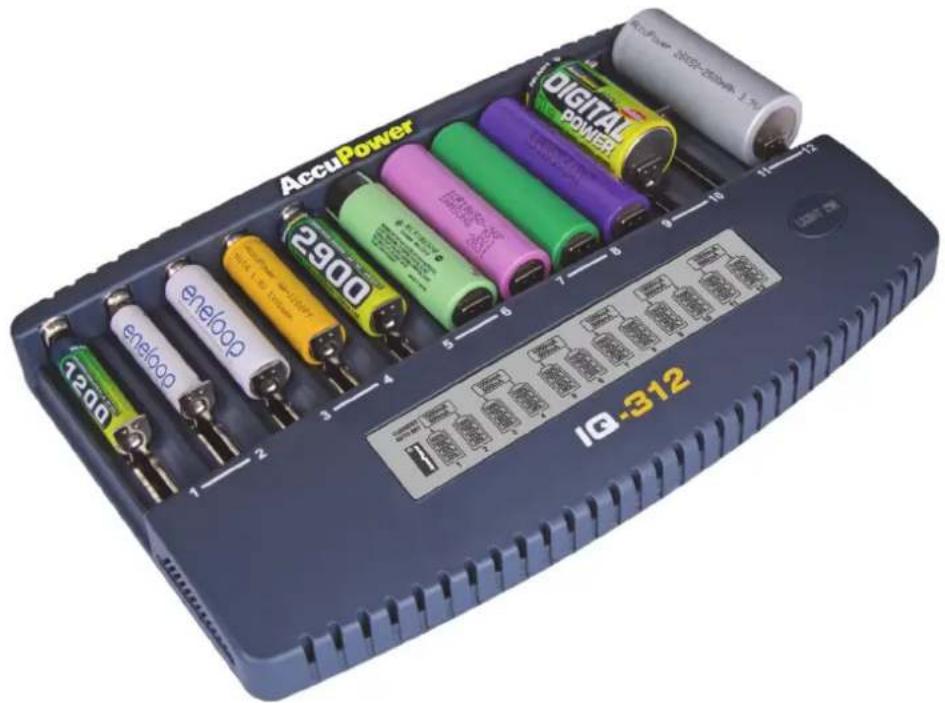
Please follow the safety and care instructions in this manual, to be able to use this device efficiently and safely.
Included Delivery:
- Charger IQ312
- Power supply
- User Manual




Important Notes:
- Use the IQ312 charger only with Li-Ion / LiMnO2 cells with 3.6V-3.7V and NiCd, NiMH cells with 1.2V rechargeable batteries.
-
With the IQ312 you can automatically charge the following types of cells:
Li-lon: 26700, 22650, 21700, 20700, 18650, 18500, 18490, 17670, 17500, 17355, 16340 (RCR123), 14500, 10440
NiMH/NiCd: AA, AAA, A, Sub-C, C -
Do not use the charger with other types of batteries (for example: Alkaline or other Systems).
- Use the charger only in dry and closed rooms with normal conditions.
- If the charger is not in use, we recommend disconnecting the power cable from the socket.
- During the charging process, you should not leave the charger unattended.
- Keep the batteries out of the reach of children.
- Always use the right charging current for each battery. You can find the right current in the manufacturers specification.
- When new batteries are in use for the first time, it might be required that the batteries need to be charged and discharged several times before they reach their optimum capacity.
- The charger must be used on a non-flammable base.
- Heat gets produced if batteries get charged. It is very important to ensure that the charger is placed in an incombustible area (pay attention to carpets, paper, flammable liquids, furniture and so on).
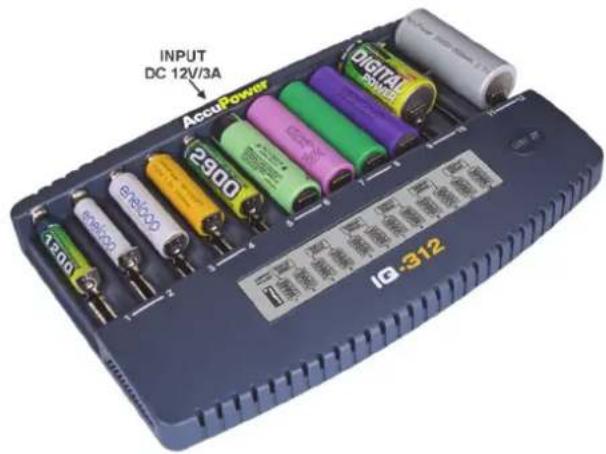
Input:
DC 12V / 3,2A
Output:
Twelve independent slots
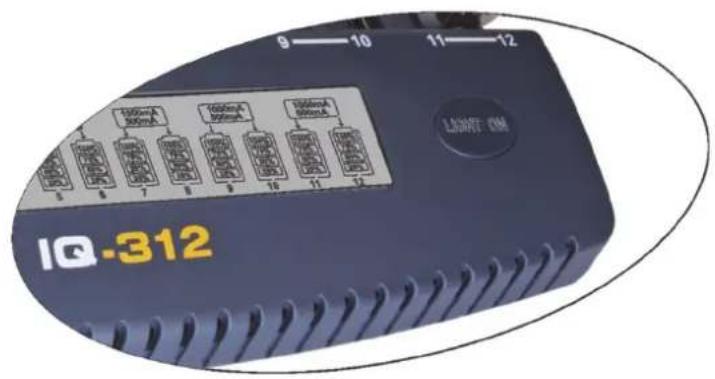
Button Functions:
- "Light On" Button
Display:
During the charging process, the following values are shown on the display:
- Battery symbol
- Slot number
- Charging current (mA)
• State of charge (25%, 50%, 75% und 100%)
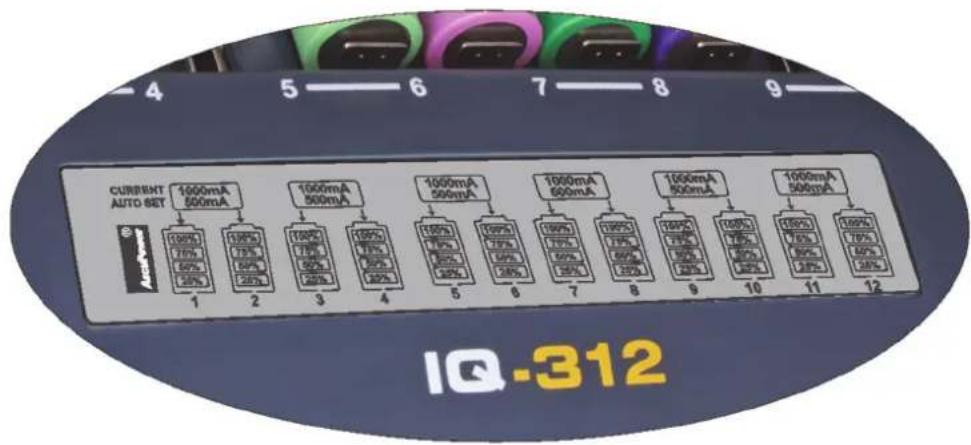
LC Display
Charging function:
The IQ312 works in a mode called „ Current Auto Set Mode “. This means, for every inserted battery, the current is set automatically. This feature allows a simple and safe use of the charger. The automatically chosen charging current depends on the chemistry the inserted battery has, regardless of its size or capacity. All twelve channels are independent, so every channel can be occupied by different batteries, that are distinguished as follows:

Type 1: NiMH, NiCd:
Please insert your batteries in your IQ312. The charger can be powered before or after inserting the batteries, it makes no difference for the functionality. After the charger recognizes the NiMH or NiCd cells, the charging process starts automatically. The current gets set to 500mA for each slot.
| Type of battery Charging current per slot | |
| - mA | |
| NiMH, NiCd 500 | |
Table 1: Charging current for NiMH and NiCd
After the charger has accepted the battery, the display lights up for 30s and signalizes hereby that the battery is alright and ready to charge. Also a charge-current-arrow of the according channel on the display shows that the battery is already charging.
Also visible on the display, there are bars that show the actual state of charge of each channel.
Type 2: Li-Ion:
Charging Li-Ion batteries works the same as charging NiMH or NiCd batteries. You can insert your batteries before or after powering the charger. That makes no difference in functionality. Now there are two options how to choose the charging current for each battery. It depends on which slots are used.
Every two adjacent slots (e.g. slot 1 and 2; slot 3 and 4; slot 5 and 6 and so on) are paired and share their power. If only one of two paired slots (e.g. slot 5 is empty and slot 6 is charging) are occupied by a Li-Ion battery, then the charging current is set to 1000mA.
Otherwise if both paired slots are occupied, the charging current gets shared and every slot is sourced with 500mA.
| Battery Type Charging current if one of two paired slots is occupied | Charging current if both of two paired slots are occupied |
| - mA mA | |
| Li-Ion 1000 500 |
Tabelle 2: Charging current for Li-Ion
Charging has finished:
If the charging process has finished, the charger signalizes it clearly with a flashing of the display backlight three times in a row. This procedure looks the same for any type of battery. Further, the charging bars on the display become stable, that also shows that the according battery is fully charged.
„Light On“ - Button:
With the aid of the "Light On" button you can turn on the display background light by pressing the button once. If the button gets pressed and held down for a few seconds, the display background light flashes once, that signalizes the background light is now turned on permanently. If you want to turn off the background light again, you must press and hold the button again for a few seconds until the display flashes again.

Maintenance:
The chargers are maintenance free but should be cleaned sometimes. The charger should be disconnected from the power supply before cleaning. Use only soft and dry tissues (like cotton textiles) do not use any liquid.
Disclaimer:
- The manufacturer and supplier are not responsible for incorrect or improper use and the resulting consequences.
- Any repair or modification that is not performed by the original supplier will void the warranty.
- The device may be used only by people who have read and understood such instructions.
• The information in this document are subject to change without previously pointed out.
• This product is not a toy. Keep out of reach of children.
- The reproduction of this manual or parts of it, is permitted only with written permission of the manufacturer.
Safety instructions:
Please observe the following safety instructions:
• Use as described in the instructions, only NiCd, NiMH or Li-Ion batteries!
- The device is not approved for outdoor use. Protect it from high humidity, water, rain or snow. Keep the device away from excessive heat and direct sunlight.
- Do not dispose batteries in a fire!
- Do not use other than the supplied accessories. In particular, attention is drawn to use the supplied original power adapter for the battery charger.
- Disconnect the power cord from the outlet when not in use.
- The device should not be used if it has received a blow or damaged in any other form.
- Don't use the charger for any other purposes than described in the instruction.
- Do not open or disassemble the unit, otherwise there is a risk for electric shock or fire.
Note on disposal:
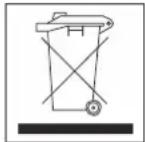
Please inform yourself about the local collection points for electronic devices.
Please check local environmental standards and do not dispose your old products with normal household waste. The charging unit may only be disposed of in waste management authorities set up collection points. The proper disposal of your old product will help the environment and health.
Rechargeable batteries may not be disposed in domestic waste. Return used batteries to your dealer or to an authorised battery collecting point.
TECHNICAL SPECIFICATIONS IQ312



| Input Voltage | AC Input: 100-240V (for AC Power supply);DC Input: 12V (11-14V) / 3,2A |
| Monitoring / Display | LC display live view with backlight:Shows the charge status, capacity, voltage, charge current, operating time and internal resistance. Size:70mm * 25mm |
| Display Backlight Yes | |
| Controls One Button „easy to use“ function (easy handling). | |
| Operating Modes Charge | |
| Charge Method | CC/CV for Li-Ion batteries,Delta-peak Sensitivity for NiMH / NiCd |
| Safety Temp. Control Charge C | Cutoff Max. Temperature (50°C) |
| Charge Voltage | NiCd / NiMH: Delta peak detectionLi-Ion: 4.2V/cell |
| Charge Current | 500mA, 1000mAAutomatically adjusted for each channel |
| Discharge Cut-off Voltage No discharge function available | |
| Battery Types/Size | NiCd / NiMH: AA, AAA, A, Sub-C, CLi-Ion: 26650, 22650, 21700, 20700, 18650, 18500, 18490, 17670, 17500, 17355, 16340 (RCR123), 14500, 10440 |
| Battery Capacity Range | NiCd / NiMH: Min. 300 - Max. 16,000mAhLi-Ion: Min. 300 - Max.20,000mAh |
| Case Material / Size | Plastic / L: 240mm; W: 158mm; H: 34mm |
| Weight | 425g for charger unit |
AC Power supply: AC Input: 100-240V; DC Output: 12V / 3,2A
Information and contents in this document are for reference purpose only. They do not constitute any warranty or representation and are subject to change without notice.

Brand : AccuPower
Model : IQ-312
Category : Battery charger