SC 131 HE - Water Cooler Scancool - Free user manual and instructions
Find the device manual for free SC 131 HE Scancool in PDF.


| Product Type | Water Cooler |
| Brand | Scancool |
| Model | SC 131 HE |
| Dimensions (H x W x D) | 1000 x 300 x 300 mm |
| Weight | 15 kg |
| Power Supply | 220-240 V, 50/60 Hz |
| Cooling Power | 100 W |
| Cooling Type | Compressor |
| Water Capacity | 5 L (bottle), 2 L (reservoir) |
| Functions | Cold water dispensing |
| Cleaning | Wipe exterior with damp cloth; descale every 3 months |
| Safety Features | Child lock, overheat protection, electrical insulation |
| Spare Parts Availability | Drip tray, taps, filters available from manufacturer |
| Repairability Index | 7.5/10 |
| Warranty | 2 years |
| Certifications | CE, RoHS |
Frequently Asked Questions - SC 131 HE Scancool
User questions about SC 131 HE Scancool
0 question about this device. Answer the ones you know or ask your own.
Ask a new question about this device
Download the instructions for your Water Cooler in PDF format for free! Find your manual SC 131 HE - Scancool and take your electronic device back in hand. On this page are published all the documents necessary for the use of your device. SC 131 HE by Scancool.
USER MANUAL SC 131 HE Scancool
Original user manual
Please read these instructions completely before operating the units.
SAFETY PRECAUTIONS
- To ensure proper use, please thoroughly study these SAFETY PRECAUTIONS before operating the Unit.
- The purpose of the safety precautions in this manual is to ensure safe and correct use of the unit to minimize risks that could cause serious damage and injury to you or other persons. The safety precautions are divided into WARNINGS and CAUTIONS. Cases where improper handling of the unit could lead to death or serious injury are listed under the "WARNING" heading. However, the cases listed under the "CAUTION" heading could also lead to serious results. To ensure the safety, adhere strictly to both types of safety precautions.
WARNING: Improper handling of the unit could lead to death or serious injury.
CAUTION: Improper handling of the unit could lead to serious results depending on the circums tance s.
- Text set off by the exclamation mark contains information that should be strictly adhered to.
- After reading the instruction manual, store it an easily accessible place where the user(s) of this product can easily find it.
PRECAUTIONS FOR INSTALLATION
WARNING
Installation should be performed only by the dealer or a qualified expert. Attempting to install the unit yourself could result in water leakage, refrigerant leakage, electrical shock, or fire.
PRECAUTIONS FOR USE
WARNING!
DONT TAMPER
- All repairs, disassembly and modifications should be performed only by qualified technicians. Attempting to perform these yourself could result in a fire, malfunction, and injury.
ELECTRICAL SHOCK HAZARDS
- Never splash water directly onto the product or wash with water as short circuit and electrical leakage could result.
DANGER OF EXPLOSION
- Never put flammable or volatile substances into the unit as explosion and fire could result.
PROHIBITED
- Do not damage, modify, excessively bend, strain, twist or bundle up the power cord.
Also, placing heavy objects the power cord or squeezing it in a tight place could damage it, possible resulting in electrical shock or fire.
PROHIBITED
- Use a dedicated wall outlet. Do not use extension cords or convenience receptacles as this could result in electrical shock, overheating and a fire.
FLAMMABLE
- Never use flammable spray cans or leave flammable substances near the unit. Sparks from electrical switches could result in explosion and fire.
WARNINGS
- The cooler is intended for storage and display of beverages for sale. Do not use for other purpose than intended as this could adversely affect items placed in the unit.
- For indoor use only. Using the unit in a location exposed to rain could result in electrical leakage and electrical shock.
- Install the unit in a location where the floor is sturdy enough to support the load of the unit. Li the lloor is not sturdy enough or installation is incorrectly performed, the unit could tip over and falling shelves and products could cause personal injury.
- Store the unit in a location where it is not exposed to rain. Using a unit that has been exposed to rain could result in electrical leakage and electrical shock.
- Leave disassembly and disposal of the unit to qualified experts.
- Never attempt to insert fingers, sticks, etc. into the cold air suction outlet as a circulation fan is rotating at high speed inside the outlet. Injury, electrical shock and improper operation could result.
- Never place heavy objects or items containing water on top of the unit. Objects could fall down and cause injury and spilled water could deteriorate the insulation of electrical components and result in electrical leakage.
- If you find gas leakage, please don't touch the chest freezer, and close gas and open the door for ventilation. Gas leakage could cause explosion, fire, and fire injury.
- Keep away from hot air sources
Cooling performance is reduced if the unit is placed near heat sources such as hot plates and staves and if it is exposed to direct sunlight.
- Should the unit need temporary storage, make sure not to store the unit in a location where children play and take precautions so that the door cannot be completely closed. This will minimize the risk that a child becomes trapped inside the compartment.
WELL VENTILATED PLACE
Please make sure there is more than 10cm space between upright cooler and the wall. If there is no space, cooling capacity can drop down.
DANGER OF ELECTRICAL SHOCK
If installation in a damp location is unavoidable, also install an electrical leakage circuit breaker. If no electrical leakage circuit breaker is installed, electrical shock could result.
PROHIBITED
Never hang from the door or climb onto the unit. The unit could tip over or fall and cause material damage or injury.
DO NOT PINCH FINGERS
Grasp the handle when closing the door. Holding at other positions could result in pinched fingers and injury.
- When disconnecting the power cord plug from the wall outlet, hold at the plug main body close to the outlet. Pulling the cord could cause wire breakage, possibly resulting in overhealing and fire.
- Do not throw items onto the shelves and do not place items totaling more !han 651bs on each shelf. The shelf could fall down, possibly ca using injury.
- Disconnect the power cord plug from the wall outlet before moving the unit and make sure that the power cord is not damaged during transport. A damaged power cord could result in electrical shock and/or fire.
- Do not push hand against or apply excessive force to glass surfaces as the glass could break and cause injury.
- Make sure that the unit does not tip over or fall when it is moved. A falling unit could cause serious injury.
- Be sure to attach and secure shelves correctly. An improperly attached shelf could fall down and cause injury.
BEFORE USE
Remove shipping package, tape, etc, and leave doors open ventilate fora while.
- The unit is cleaned before shipment. However, clean the compartment interior after delivery.
- Please insert power supply plug into the wall outlet, single-phase to cat voltage.
- Allow the unit to operate for about 1 hour to cool the compartment before placing items in the cooler.
WAIT 5 MINUTES OR MORE BEFORE RE- STARTING
- Restarting the unit immediately after it has been turned off may cause fuses to blow and activate the circuit-breaker, the compressor may be overloaded, and/or other damage may occur.
DRAIN TRAY
- Defrosting is performed automatically and drain water is collected in the drain tray.
- Water in the drain tray is evaporated automatically. In humidity, there is a large amount of water in the drain tray, so please throw away drain water once a day.
EFFICIENT USE
- To prevent cold air from escaping, open and close the door quickly and keep the door opened for as short a time as possible.
- Please install the unit in the place which is well-ventilated.
SHELF HEIGHT ADJUSTMENT
The shelf height can be adjusted.
Arrange the shelves in accordance with the dimensions of the items to be placed in the cooler.
4
PLACING ITEMS IN THE SHOWCASE
This showcase employs a forced circulation of cold air system. If circulation of cold air is obstructed, the items will not be adequately refrigerated. Pay attention to the following points:
- Do not let items obstruct the cold air inlet and suction outlet.
- Place items so that they do not protrude from the shelves. The gap between the shelves and the
• Door is used for circulation of cold air. - Place items evenly on all shelves.
WARNING
To prevent any electrical shock hazards or injury by rotating circulation fan, always' disconnect the power cord plug from the wall outlet before cleaning.
EXTERIOR AND COOLER COMPARTMENT
Wipe with a saft, drycloth. If very soiled, wipe with a cloth that has been moistened with a detergent Then wipe with a cloth that has been dipped in water.
WARNING: Do not splash water directly onto the cooler and do not wash with water. ] Short - circuit andelectrical shock could result.
- Clean the cooler regularly to keep it clean at all times.
- Never use polishing powder, soap powder, benzine, oil or hot water as these will damage the painting and plastic components.
CHECKS
To ensure the safety, perform the following checks after cleaning.
- Is the power cord plug firmly inserted into a dedicated wall outlet? Confirm that the plug is not abnormally hot.
- Check the power cord for cracks and damage. Should the slightest irregularity be observed, contact the dealer from whom you purchased this unit or our customer's service.
IN CASE OF THE FOLLOWING
POWER FAILURE
Keep opening and closing of the door to a minimum.
Avoid placing new items in the cooler as this will raise the temperature inside the compartment.
WHEN NOT USED FOR A LONG PERIOD
Remove all items from the compartment and disconnect the power cord plug from the wall outlet. Clean the compartment interior and wipe away all water.
To prevent mold formation and bad smell, leave the door open to dry the compartment completely.
TRANSPORTATION
Disconnect the power cord plug from the wall outlet.
When moving the cooler, make sure that the teet do not damage the power cord. Do not let the teet hit against floor steps, thresholds, etc.
TEMPORARY STORAGE
Affix a piece of wood, etc. Between the door and main unit to prevent complete closing of the door. Make sure not to store the unused cooler at a location where children play.
Should a child enter the compartment and the door is closed, the child may not be able to open the door from the inside.
BEFORE REQUESTING SERVICE
Please check the following items if you encounter problems with the unit. If the problem continues after taking the proper remedial actions, disconnect the power cord plug from the wall outlet.
Transfer the items stored in the cooler to a box or other container. Then contact the dealer from whom you purchased this unit and be ready to provide information as listed in "REQUIRED INFORMATION" below.
CAUTION
To prevent any electrical shock ha zards, do not disconnect the power cord plug from the wall outlet with wet hands.
Light source in this product is replaceable only by a professional.
BEFORE REQUESTING SERVICE
No refrigeration at all
• Is the power supply interrupted?
• Is the power cord plug disconnected from the wall outlet?
- Are the shop's power fuses blown and/or the circuit breaker activated?
Inadequate refrigeration
• Is the temperature setting appropriate?
- Are items obstructing the cold air inlet and suction outlet?
• Are stored items packed too tight?
• Is the door open or is it opened and closed frequently?
• Is the condenser clogged?
Excessive noise
• Are all teet in firm contact with the floor?
- Is the rear panel of the cooler contacting the wall or other objects?
• Are other objects in contact with the cooler?
Condensation on cooler exterior
Condensation may condense on the exterior and door during hot and humid days or depending on the place of installation. This occurs when the humidity is high and water particles in the air contact cold surfaces. This is normal.wipe away condensation with a dry cloth.
Showcase sometimes stop running when thermostat turns off.
Elitech ECS-16 Temperature Controller User Manual
General
The temperature controller is specially designed for beverage cabinet. It has user menu and administrator menu.
Control temperature could be set through user menu; and for administrator menu, it has password protection to avoid misoperation. It can switch between heating and refrigeration mode, and the relay capacity is 30A, which could directly drive a single phase 1.SHP compressor. Defrost output is optional and defrost mode could be either natural defrost or in electric defrost (defrost relay needs to be selected). Colorful LED display, and work status is displayed in symbols. It adopts plug-in quick connection terminal, which highly simplify the processing for manufacturers.
Operation and display panel

Specification
Mounting size: 71×29 (mm)
Product size: 78.5 × 34.5 × 82 mm
Technical parameters
Measuring rang: -50^ +90^
Resolution: 1°C
Accuracy: -50^50^,±1^, others, ±2^
Cabinet temperature control range: -50 °C\~85°C
Power supply: 220VAC±10% 50/60Hz
Refrigeration: 30A/240VAC, directly drive a single phase 1.5HP compressor;
Defrost: 5A/250VAC (optional)
Front panel protection level: IP65 9
Ambient temperature: 0°C\~55°C
Storage condition: ...... temperature -25 °C\~75°C
Storage humidity: 20%\~85% (non condensing)
Indicator light status description
| Indicator light | Symbol | Status | Meaning |
| Setting | SET | ON | Parameter setting |
| OFF | Status of temperature measuring and controlling | ||
| Control load | out | ON | Control load works |
| OFF | Control load stops | ||
| FLASH | Control load in time delay | ||
| Heating mode | H | ON | Start heating mode |
| Refrigeration mode | C | ON | Start refrigeration mode |
| Defrost | def | ON | Start defrosting |
Parameter list
| Menu | Menu function | Setting range | H1 | H2 | Unit |
| User Menu | |||||
| St | Set temperature | Min. set temperature C3~Max. settemperature C4 | 3 | 3 | °C |
| Po | Menu password | 0~99 (password is 55, irreversible) | 0 | 0 | / |
| Administrator Menu | |||||
| rd | Temperature hysteresis | 1~15 | 4 | 6 | °C |
| C1 | Temperature sensor calibration | -10 ~10 | 0 | -3 | °C |
| C2 | Control load start delay | 0~60 | 1 | 2 | min |
| C3 | Min. set temperature | -50 ~St | 0 | 0 | °C |
| C4 | Max. set temperature | St~85 | 10 | 6 | °C |
| A1 | Periodical open time after sensor failure | 1~60 | 45 | 45 | min |
| A2 | Periodical close time after sensor failure | 0~600:close control load after sensor failure | 15 | 15 | min |
| d1 | Defrost cycle | 0~900:Defrost forbidden | 6 | 12 | hour |
| d2 | Defrost time | 1~90 | 20 | 20 | min |
| d3 | Display during defrost | 0:Display cabinet temperature1:Display dF during defrost2:Display defrost start temperature during defrost | 2 | 2 | / |
| HC | Refrigeration/heating switch | 0:Refrigeration1:Heating | 0 | 0 | / |
Keys function
| Keys | Function |
| Set | Enter the status of parameter setting |
| Switch between menu and parameter | |
| Adjust menu and parameters | |
| Adjust menu and parameters ; | |
| Press 10s to execute parameter one-key recovery | |
| Exit from parameter setting status | |
| Exit from one-key recovery status | |
| Force to start defrost |
User parameter setting
In the status of temperature measuring and controlling, press Set key for three seconds to enter user parameter setting state, it displays menu St in the digital tube. At this time, press Set key to display the corresponding parameter value, and press on to adjust the set temperature, and then press Set key to return to menu item St.
Enter to the administrator menu setting
In the state of user menu setting, when it displays menu item St in the digital tube, press to switch to the menu item Po, press Set key to display 00, and press and to adjust it to 55, then press Set key again to return to menu item Po. At this time, press key to display rd, indicating that it has entered to the administrator parameter
setting status.
If it doesn't adjust to 55, press Set key to return to menu time Po, then press the key ▲it will exit from user parameter setting status and return to the temperature measuring and control status.
Administrator parameter setting
After enter to the administrator parameter setting, press and to select menu items (St, Po, rd.....);

After select the item, press Set key to enter to the current parameter setting, press ▲ and ▼ to adjust parameters, and then press Set key to return to the menu item.
Exit from parameter setting
Under the status of parameter setting, press key or no key operation within 30s, or if Po is not set as 55, press key when it displays menu item Po (i.e. password input error), it will save the current parameter value and exit from parameter setting.
Manual defrost
In the status of temperature measuring and controlling, Press .For three seconds to force the open or close of defrost(d1 is not 0, i.e. defrost is not forbidden).
Parameter recovery
In the status of temperature measuring and controlling, press key for 10S, display H0 in the digital tube, it will execute one key recovery operation. It could continue to select the parameter recovery items by pressing key, and the selection range is H0 \~ H7, press key to execute the parameter recovery and then exit, if there is no parameter recovery operation within 30S, it will automatically exit from the mode without recovery of parameters.
Note: During the operation of one key recovery, it needs a stable power supply. If the power supply is not stable, please electrify the controller again then execute one key recovery.
| H0 | Give up parameter recovery, no change of each parameter, no display of parameter recovery success code dr |
| H1 | Recovery parameter H1, recovery success display dr |
| H2 | Recovery parameter H2, recovery success display dr |
| H3 | Reserved |
| H4 | Reserved |
| H5 | Reserved |
| H6 | Reserved |
| H7 | Reserved |
Control output
Refrigeration/heating:
Normal status:
HC=0, refrigeration mode:
When the cabinet temperature is higher than the set temperature+ hysteresis temperature, and finish the control load start delay time, the refrigeration will start; When the cabinet temperature is lower than the set temperature, the refrigeration will close.
HC=1, heating mode:
When the cabinet temperature is lower than the set temperature, and finish the control load start delay time, the heating will start: When the cabinet temperature is higher than the set temperature + hysteresis temperature, the heating will close.
Note: For the initial use of controller, the control output start delay time is calculated as 3s, and in the future, it is calculated as C2(Control load start delay) In heating model, it needs to set d1 to 0 (Defrost forbidden)
Sensor failure:
A2=0, the function of "Run/stop in a proportional time" is canceled, the control output closes;
A2≠0, the function of "Run/stop in a proportional time" opens, the control output will run and stop periodically according to the set time after the sensor fails.
Defrost:
If the defrost cycle is not 0, the controller will start defrost when it finishes defrost cycle or it can be manually started. Defrost stops when finish defrost time or it could be manually stopped.
Display during defrost:
d3=0: Display real time cabinet temperature
d3=1: Display dF during defrost
d3=2: Display defrost start temperature during defrost
| Code | Reason | Control output | Remark |
| E1 | sensor failure | Run/stop control output in a proportional | / |
| dF | Defrost | With defrost relay: output defrost | / |
| Without defrost relay: off cycle defrost | |||
| dr | Parameter recovery | The original parameters will be overwritten by the selected parameters | Factory operation mode |
Wiring diagram

Danger:
Strictly distinguish the power wire, relay output, sensor down-lead and data line, and therelay could not be overloaded.
Prohibit connecting the wire terminals without electricity cut-off.
Warning:
Prohibit using this unit under the environment of over damp, high temp., strong electromagnetism interference or strong corrosion.
Notice:
- The power supply should conform to the voltage value indicated in the instruction, and make sure a steady power supply.
- To avoid the possible interference, the sensor down-lead/data line and power wire should be kept in a proper distance.
BRUKSANVISNING
BACK BAR-KYL
JUSTERING AV HYLLOR I HÖJDLED
Access to professional repair, such as internet webpages, addresses, contact details.
Model no: SC 131 HE
Aftersales service station list:
| Address | Scandomestic A/S |
| Contact Number | 7242 5571 |
| Website | Scandomestic.dk |
| QR code | 1105646 |
| Relevant information for ordering spare parts, directly or through other channels provided by the manufacturer, importer or authorised representative; | Scandomestic A/S |
| The minimum period during which spare parts, necessary for the repair of the appliance, are available; | 8 years |
| Instruction on how to find the model information in the product database, as defined in Regulation (EU) 2019/2019 by means of a weblink that links to the model information as stored in the product database or a link to the product database and information on how to find the model identifier on the product.) | www.scandomestic.dk |
Note: The address or contact phone number of the service site is subject to change without prior notice. Please confirm whether the service station is a directly affiliated one of our company when requiring services.
DE
Access to professional repair, such as internet webpages, addresses, contact details.
Model no: SC 141 HE
Aftersales service station list:
| Address | Scandomestic A/S |
| Contact Number | 7242 5571 |
| Website | Scandomestic.dk |
| QR code | 374731 |
| Relevant information for ordering spare parts, directly or through other channels provided by the manufacturer, importer or authorised representative; | Scandomestic A/S |
| The minimum period during which spare parts, necessary for the repair of the appliance, are available; | 8 years |
| Instruction on how to find the model information in the product database, as defined in Regulation (EU) 2019/2019 by means of a weblink that links to the model information as stored in the product database or a link to the product database and information on how to find the model identifier on the product.) | www.scandomestic.dk |
Note: The address or contact phone number of the service site is subject to change without prior notice. Please confirm whether the service station is a directly affiliated one of our company when requiring services.
DE
Access to professional repair, such as internet webpages, addresses, contact details.
Model no: SC 211 HDE
Aftersales service station list:
| Address | Scandomestic A/S |
| Contact Number | 7242 5571 |
| Website | Scandomestic.dk |
| QR code | 354888 |
| Relevant information for ordering spare parts, directly or through other channels provided by the manufacturer, importer or authorised representative; | Scandomestic A/S |
| The minimum period during which spare parts, necessary for the repair of the appliance, are available; | 8 years |
| Instruction on how to find the model information in the product database, as defined in Regulation (EU) 2019/2019 by means of a weblink that links to the model information as stored in the product database or a link to the product database and information on how to find the model identifier on the product.) | www.scandomestic.dk |
Note: The address or contact phone number of the service site is subject to change without prior notice. Please confirm whether the service station is a directly affiliated one of our company when requiring services.
DE
Access to professional repair, such as internet webpages, addresses, contact details.
Model no: SC 211 SLE
Aftersales service station list:
| Address | Scandomestic A/S |
| Contact Number | 7242 5571 |
| Website | Scandomestic.dk |
| QR code | 373018 |
| Relevant information for ordering spare parts, directly or through other channels provided by the manufacturer, importer or authorised representative; | Scandomestic A/S |
| The minimum period during which spare parts, necessary for the repair of the appliance, are available; | 8 years |
| Instruction on how to find the model information in the product database, as defined in Regulation (EU) 2019/2019 by means of a weblink that links to the model information as stored in the product database or a link to the product database and information on how to find the model identifier on the product.) | www.scandomestic.dk |
Note: The address or contact phone number of the service site is subject to change without prior notice. Please confirm whether the service station is a directly affiliated one of our company when requiring services.
DE
Access to professional repair, such as internet webpages, addresses, contact details.
Model no: SC 311 SLE
Aftersales service station list:
| Address | Scandomestic A/S |
| Contact Number | 7242 5571 |
| Website | Scandomestic.dk |
| QR code | 374733 |
| Relevant information for ordering spare parts, directly or through other channels provided by the manufacturer, importer or authorised representative; | Scandomestic A/S |
| The minimum period during which spare parts, necessary for the repair of the appliance, are available; | 8 years |
| Instruction on how to find the model information in the product database, as defined in Regulation (EU) 2019/2019 by means of a weblink that links to the model information as stored in the product database or a link to the product database and information on how to find the model identifier on the product.) | www.scandomestic.dk |
Note: The address or contact phone number of the service site is subject to change without prior notice. Please confirm whether the service station is a directly affiliated one of our company when requiring services.
DE
EU DECLARATION OF CONFORMITY
Ref. Ares In accordance with EN ISO 17050-1:2004
| Model number (unique identification of the product): | SC 131 HE |
| Name and address of the manufacturer or his authorised representative: | Scandomestic A/SLinåvej 208600 SilkeborgDenmark |
| This declaration of conformity is issued under the sole responsibility of the manufacturer (or installer): | Scandomestic A/SLinåvej 208600 SilkeborgDenmark |
| Object of the declaration (identification of product allowing traceability. It may include a colour image of sufficient clarity to enable the identification of the product, where appropriate.)Product: BackbarBrand: ScanCoolColour: Black/glassModel name: SC 131 HE | 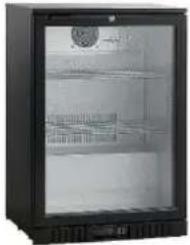 |
| The object of the declaration described in point 4 is in conformity with the relevant Union harmonisation legislation: | EN 61000-3-2 |
| References to the relevant harmonised standards used, or references to the specifications in relation to which conformity is declared: | EN 55014-1:2017, EN 55014-2:2015, EN IEC 6100-3-2:2019, EN 61000-3-3:2013+A1:2019, 2014/30/EU, EN 16902:2016, 2017/1369, 2019/2018, 2019/2024, EN 60335-2:89:2010+A1:2016+A2:2017, EN 60335-2:2012+A11:2014+A13:2017+A1:2019+A14:2019+A2:2019, EN 62233:2008, MD 2006/42/EC, IEC 60335-2-89:2019, IEC 60335-1:2010, COR1:2010, COR2:2010, AMD1:2013, COR1:2014, AMD2:2016, COR1:2016 |
| Where applicable: the notified body ... (name, number)... performed ... (description of intervention)... and issued the certificate: | 2011/65/EU + 2015/863 |
| Additional information: | The appliance is intended exclusively for storing beverages |

EU DECLARATION OF CONFORMITY
Ref. Ares In accordance with EN ISO 17050-1:2004
| Model number (unique identification of the product): | SC 141 HE |
| Name and address of the manufacturer or his authorised representative: | Scandomestic A/SLinåvej 208600 SilkeborgDenmark |
| This declaration of conformity is issued under the sole responsibility of the manufacturer (or installer): | Scandomestic A/SLinåvej 208600 SilkeborgDenmark |
| Object of the declaration (identification of product allowing traceability. It may include a colour image of sufficient clarity to enable the identification of the product, where appropriate.)Product: Display CoolerBrand: ScancoolColour: BlackModel name: SC 141 HE |  |
| The object of the declaration described in point 4 is in conformity with the relevant Union harmonisation legislation: | EN 61000-3-2 |
| References to the relevant harmonised standards used, or references to the specifications in relation to which conformity is declared: | 2011/65/EU, 2015/863, 1907/2006, (EU) No. 2019/2018, (EU) No. 2019/2024, 2017/1369, 2009/125/EC, EN 55014-1:2017, EN 55014-2:2015, EN IEC 61000-3-2:2019, EN 61000-3-3:2013+A1:2019, 2014/30/EU, EN60335-2-89:2010+A1:2016+A2:2017, EN 60335-1:2012+A11:2014+A13:2017+A1:2019+A14:2019+A2:2019, EN 62233:2008 MD 2006/42/EC |
| Where applicable: the notified body ... (name, number)... performed ... (description of intervention)... and issued the certificate: | 2011/65/EU, 2015/863 |
| Additional information: | The appliance is intended exclusively for storing beverages |

EU DECLARATION OF CONFORMITY
Ref. Ares In accordance with EN ISO 17050-1:2004
| Model number (unique identification of the product): | SC 211 HDE |
| Name and address of the manufacturer or his authorised representative: | Scandomestic A/SLinåvej 208600 SilkeborgDenmark |
| This declaration of conformity is issued under the sole responsibility of the manufacturer (or installer): | Scandomestic A/SLinåvej 208600 SilkeborgDenmark |
| Object of the declaration (identification of product allowing traceability. It may include a colour image of sufficient clarity to enable the identification of the product, where appropriate.)Product: BackbarBrand: ScanCoolColour: Black/glassModel name: SC 211 HDE |  |
| The object of the declaration described in point 4 is in conformity with the relevant Union harmonisation legislation: | EN 61000-3-2 |
| References to the relevant harmonised standards used, or references to the specifications in relation to which conformity is declared: | 2011/65/EU, 2015/863, 1907/2006, 2019/2018, 2017/1369, 2019/2024, 2009/125/EC, EN 60335-2-89:2010+A1:2016+A2:2017, EN 60335-1:2012+A11:2014+A13:2017+A1:2019+A14:2019+A2:2019, EN 62233:2008, MD 2006/42/EC, EN 55014-1:2017, EN 55014-2:2015, EN IEC 61000-3-2:2019, EN 61000-3-3:2013+A1:2019, 2014/30/EU, 16902:2016 |
| Where applicable: the notified body ... (name, number)... performed ... (description of intervention)... and issued the certificate: | 2011/65/EU + 2015/863 |
| Additional information: | The appliance is intended exclusively for storing beverages |

EU DECLARATION OF CONFORMITY
Ref. Ares In accordance with EN ISO 17050-1:2004
| Model number (unique identification of the product): | SC 211 SLE |
| Name and address of the manufacturer or his authorised representative: | Scandomestic A/SLinåvej 208600 SilkeborgDenmark |
| This declaration of conformity is issued under the sole responsibility of the manufacturer (or installer): | Scandomestic A/SLinåvej 208600 SilkeborgDenmark |
| Object of the declaration (identification of product allowing traceability. It may include a colour image of sufficient clarity to enable the identification of the product, where appropriate.)Product: BackbarBrand: ScanCoolColour: Black/glassModel name: SC 211 SLE |  |
| The object of the declaration described in point 4 is in conformity with the relevant Union harmonisation legislation: | EN 61000-3-2 |
| References to the relevant harmonised standards used, or references to the specifications in relation to which conformity is declared: | 2011/65/EU, 2015/863, 1907/2006, 2019/2018, 2017/1369, 2019/2024, 2009/125/EC, EN 60335-2-89:2010+A1:2016+A2:2017, EN 60335-1:2012+A11:2014+A13:2017+A1:2019+A14:2019+A2:2019, EN 62233:2008, MD 2006/42/EC, EN 55014-1:2017, EN 55014-2:2015, EN IEC 61000-3-2:2019, EN 61000-3-3:2013+A1:2019, 2014/30/EU, 16902:2016 |
| Where applicable: the notified body ... (name, number)... performed ... (description of intervention)... and issued the certificate: | 2011/65/EU + 2015/863, |
| Additional information: | The appliance is intended exclusively for storing beverages |

EU DECLARATION OF CONFORMITY
Ref. Ares In accordance with EN ISO 17050-1:2004
| Model number (unique identification of the product): | SC 311 SLE |
| Name and address of the manufacturer or his authorised representative: | Scandomestic A/SLinåvej 208600 SilkeborgDenmark |
| This declaration of conformity is issued under the sole responsibility of the manufacturer (or installer): | Scandomestic A/SLinåvej 208600 SilkeborgDenmark |
| Object of the declaration (identification of product allowing traceability. It may include a colour image of sufficient clarity to enable the identification of the product, where appropriate.)Product: BackbarBrand: ScanCoolColour: Black/glassModel name: SC 311 SLE | 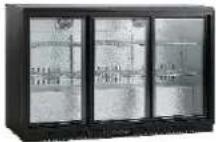 |
| The object of the declaration described in point 4 is in conformity with the relevant Union harmonisation legislation: | EN 61000-3-2 |
| References to the relevant harmonised standards used, or references to the specifications in relation to which conformity is declared: | 2011/65/EU, 2015/863, 1907/2006, EN16902:2016, Directive (EU) 2017/1369, Regulation (EU) No. 2019/2018 and Regulation (EU) No.2019/2024, EN 60335-2-89:2010+A1:2016+A2:2017, EN 60335-1:2012+A11:2014+A13:2017+A1:2019+A14:2019+A2:2019, EN 62233:2008, MD 2006/42/EC, EN 55014-1:2017, EN 55014-2:2015, EN IEC 61000-3-2:2019, EN 61000-3-3:2013+A1:2019, 2014/30/EU |
| Where applicable: the notified body ... (name, number)... performed ...(description of intervention)... and issued the certificate: | 2011/65/EU + 2015/863 |
| Additional information: | The appliance is intended exclusively for storing beverages |


- SAFETY PRECAUTIONS
- PRECAUTIONS FOR INSTALLATION
- PRECAUTIONS FOR USE
- DONT TAMPER
- ELECTRICAL SHOCK HAZARDS
- DANGER OF EXPLOSION
- PROHIBITED
- FLAMMABLE
- WARNINGS
- WELL VENTILATED PLACE
- DANGER OF ELECTRICAL SHOCK
- DO NOT PINCH FINGERS
- BEFORE USE
- WAIT 5 MINUTES OR MORE BEFORE RE- STARTING
- DRAIN TRAY
- EFFICIENT USE
- SHELF HEIGHT ADJUSTMENT
- PLACING ITEMS IN THE SHOWCASE
- WARNING
- EXTERIOR AND COOLER COMPARTMENT
- CHECKS
- IN CASE OF THE FOLLOWING
- POWER FAILURE
- WHEN NOT USED FOR A LONG PERIOD
- TRANSPORTATION
- TEMPORARY STORAGE
- BEFORE REQUESTING SERVICE
- CAUTION
- No refrigeration at all
- Inadequate refrigeration
- Excessive noise
- Condensation on cooler exterior
- Elitech ECS-16 Temperature Controller User Manual
- General
- Operation and display panel
- Specification
- Technical parameters
- Indicator light status description
- User parameter setting
- Enter to the administrator menu setting
- Administrator parameter setting
- Exit from parameter setting
- Manual defrost
- Parameter recovery
- Control output
- Refrigeration/heating:
- Normal status:
- HC=1, heating mode:
- Sensor failure:
- Defrost:
- Display during defrost:
- Wiring diagram
- Danger:
- Warning:
- Notice:
- BRUKSANVISNING
- BACK BAR-KYL
- JUSTERING AV HYLLOR I HÖJDLED
- DE
- EU DECLARATION OF CONFORMITY
Brand : Scancool
Model : SC 131 HE
Category : Water Cooler