
PMD 2303 - Microwave Philco - Free user manual and instructions
Find the device manual for free PMD 2303 Philco in PDF.


| Product Type | Microwave Oven |
| Brand | Philco |
| Model | PMD 2303 |
| Capacity | 20 liters |
| Dimensions (W x D x H) | 45 x 36 x 25 cm |
| Weight | 11 kg |
| Power Supply | 230 V, 50 Hz |
| Power Consumption | 1200 W |
| Microwave Power | 800 W |
| Functions | Auto defrost, auto cook, express cook, timer |
| Control Type | Digital display with push buttons and rotary dial |
| Child Lock | Yes |
| Interior Light | Yes |
| Turntable | Yes, 25 cm diameter |
| Cleaning & Maintenance | Wipe interior with damp cloth; do not use abrasive cleaners |
| Safety Features | Door interlock, overheat protection |
| Spare Parts Availability | Not specified by manufacturer |
| Repairability Index | Not rated |
| Included Accessories | Glass turntable, instruction manual |
| Energy Efficiency | Class A |
Frequently Asked Questions - PMD 2303 Philco
User questions about PMD 2303 Philco
0 question about this device. Answer the ones you know or ask your own.
Ask a new question about this device
Download the instructions for your Microwave in PDF format for free! Find your manual PMD 2303 - Philco and take your electronic device back in hand. On this page are published all the documents necessary for the use of your device. PMD 2303 by Philco.
USER MANUAL PMD 2303 Philco
Famous for Quality the World Over
Dear customer,
Thank you for buying a PHILCO brand product. So that your appliance serves you well, please read all the instructions in this user's manual.
CONTENTS
PART 1: SAFETY PRECAUTIONS ...... 2
- Important safety instructions....2
• Radio wave interference ....4 - Grounding instructions ....4
PART 2: DESCRIPTION OF THE APPLIANCE .... 5
PART 3: INSTALLATION....6
PART 4: THE BASICS OF COOKING IN A MICROWAVE OVEN ....7
• Guide to kitchen dishes....7
PART 5: CONTROL PANEL 8
PART 6: OPERATING INSTRUCTIONS FOR THE MICROWAVE OVEN....10
- General use .... 10
- Setting the digital clock....10
- Microwave cooking....10
- Express cook .... 11
• Automatic defrosting....11 - Fast defrosting....12
• Automatic cooking....12 - Soup / Sauce button....13
- Chilled Meal button 13
- Frozen Meal button....13
- Child safety lock .... 14
• Power saving mode....14 - Pausing the cooking process....14
PART 7: MAINTENANCE AND CLEANING....15
PART 8: BEFORE YOU CALL THE SERVICE CENTRE .... 16
PART 9: TECHNICAL SPECIFICATIONS....17
PART 1: SAFETY PRECAUTIONS
Recommendation:
Carefully read these instructions before installing and operating this microwave oven.
Write down the serial number found on the rating label of the oven in the space below. It is essential that you store this user's manual in a safe place so that you can use it in the future. If you intend to sell the appliance, give it to another owner, or if you move, always make sure that the user's manual is attached to the appliance, so that the new owner can find out about the operation of the appliance and the relevant warnings.
SERIAL NUMBER:
- Under no circumstances should you start the microwave oven with the door open as you could expose yourself to the effects of dangerous microwave energy radiation. It is important that you do not damage or modify the safety locks on the microwave oven door.
- Do not block the front part of the microwave oven and the door with any object and make sure that dirt or detergent residues do not accumulate on the oven seals.
- Do not use the microwave oven if it is damaged. It is especially important that the door is properly shut and also inspect the following for damage:
a. door (that it is not bent);
b. door hinges and locks (damaged or loose);
c. door seals and other seals.
The microwave oven may only be adjusted or repaired by an authorised service technician.
Important safety instructions
Adhere to all basic safety measures when using electrical appliances, including the following.

WARNING!
Adhere to the directives below to avoid the dangers of burns, injury by electrical shock, fire hazards, injuries or explosion caused by large amounts of microwave energy.
- This appliance may not be used by any persons (including children) with mental disabilities, weak strength or by inexperienced persons, unless they have been properly trained or schooled in the safe use of the product, or unless they are properly supervised by a qualified person who is responsible for their safety. Children must be supervised to ensure that they do not play with the product.

WARNING!
To limit the risk of a fire hazard, electric shock, injury or exposure to excessive amounts of microwave energy:
- Before using this appliance read all the instructions.
- Only use the appliance for the purposes for which it was designed and in the manner described in this user's manual. This oven is designed only to heat, cook or dry food. It is not designed for industrial or laboratory purposes. Do not use caustic chemicals on this appliance.
- Do not attempt to use the microwave oven with the door open. You could expose yourself to the effect of microwaves. Do not run the microwave oven when it is empty.
- Do not use this oven if the power cord or power plug is damaged, if it is not working correctly, if it is damaged or if it has been dropped on the floor. Any repair of the microwave oven or replacement of a damaged power cord may only be carried out by an authorised service centre or another similarly qualified person, as this will prevent a dangerous situation from occurring.
- WARNING: If the door or the door seal is damaged then the oven must not be used until repaired by an authorised service centre or qualified person.
- WARNING: It is dangerous for anybody other than an authorised service centre or qualified person to carry out any repairs or maintenance whatsoever that leads to the removal of any cover providing protection from microwave energy radiation.
- WARNING: The use of the oven by unsupervised children is only permitted when sufficient instructions were given, so that the child is able to use the oven in a safe manner and understands the danger resulting from incorrect use.
- To limit the risk of a fire hazard inside the oven, use only kitchen dishes suitable for use in microwave ovens. When heating a meal on plastic or paper dishes, regularly check the oven to prevent it catching on fire.
- If you notice smoke, turn off the appliance and disconnect the power plug from the socket. Leave the oven door closed to prevent potential fire from spreading.
- If you are not using the oven do not leave paper materials, kitchen dishes or food inside.
• WARNING: Liquids or other meals must not be heated in closed containers, because they could explode. - Heating of beverages in the microwave may cause a delayed boil and so you should be careful when handling containers and dishes.
- Do not fry food in the microwave oven. Hot oil may damage parts of the oven, dishes or may also cause skin burns.
- Eggs in their shells and whole hard boiled eggs must not be heated in the microwave oven because they could explode.
- Before cooking prick food with a thick peel, such as potatoes, pumpkins, apples and chestnuts.
- The content of baby bottles and baby food needs to be mixed or shaken before being served to the infant and the temperature needs to be checked to prevent burns.
- Kitchen dishes may become hot as a result of the heat transferred from the heated food. Sometimes it may be necessary to use protective gloves.
• IMPORTANT - kitchen dishes and utensils, which must not be used in the microwave oven: - metal pans and crockery with metal handles or with metal decorations;
- clamps on plastic bags;
- dishes with melamine surface treatment;
- standard thermometers, which are used for measuring the temperature of meat etc.
Radio wave interference
The use of the oven may cause interference to a radio, television or similar receivers. If interference occurs, it may be limited by the following measures:
- keeping the door and the surface of the oven seals clean;
- redirecting the radio or television signal reception antenna;
- moving the microwave oven further away from the receiver;
- connecting the microwave oven to a different power socket so that the microwave oven and the receiver do not share the same circuit.
Grounding instructions
This microwave oven must be grounded. The microwave oven is equipped with a power cord, which has a ground wire with a grounding power plug. The power plug must be connected to a mains socket outlet that is correctly installed and grounded. This reduces the risk of injury by electric shock if a short circuit occurs – in such a case the electric current goes through the earthing wire. We recommend that the microwave oven be connected to an independent electrical circuit. The use of high voltage is dangerous and may lead to a fire or another accident that can damage the microwave oven.

WARNING!
An incorrectly grounded power socket may present a danger of electric shock.
NOTE:
- If you are uncertain about the grounding of your mains power socket, contact an authorised service centre or a qualified electrician.
- Neither the manufacturer nor the vendor is responsible for damages to property and health if the microwave oven is connected incorrectly and not in accordance with the presented recommendations.
PART 2: DESCRIPTION OF DEVICE

- Safety door closing system – if the door is closed then the appliance will turn off automatically. If you open the door while the appliance is running, the appliance will turn off automatically, including the magnetron.
- Door seal – the door seal prevents microwaves from being emitted outside of the internal area of the oven.
- Internal area of the oven
- Lighting – The light will automatically turn on when the oven is running.
- Safety door closing system
- Control panel
- Waveguide cover – protects against soiling when food is heated.
- Rotating ring – must always be installed under the glass plate if you wish to use the oven.
- Coupler - it is located on the shaft mounted in the centre of the bottom part of the internal area of the oven and transfers the motion from the plate drive to the rotating plate. For this reason the coupler remains permanently in the oven irrespective of its operating mode.
- Rotating glass plate – made from special fire-resistant glass. Always ensure that the plate is correctly seated in the oven before operating it. Do not use the oven without the glass plate inserted.
- Microwave oven window – makes it possible to check progress during cooking. The window is equipped with a shield through which light can pass, but microwaves are blocked.
PART 3: INSTALLATION
- Make sure that you have removed all packaging materials and advertising labels from inside the appliance.
- WARNING: Check that the microwave oven is not damaged and that the door and the locks fit well, that the seal is not damaged, that the hinges and locks are not destroyed or loosened and that the inside area is in order. If you discover any damage, please contact an authorised service centre.
- This microwave oven must be placed on an even, stable surface, that can bear its weight even with the food inserted.
- Do not install the oven in the vicinity of heat sources, moisture or high humidity, or near flammable materials.
- For proper operation of the microwave oven it is necessary to provide sufficient air ventilation. Allow free space of 20cm above the top surface of the oven, 10cm from behind and 5cm on the sides. Do not cover or block the openings in the appliance. Do not remove the feet of the microwave oven.
- Do not use the microwave oven without the glass turning plate, drive assembly and the rotating ring installed.
- Make sure that the power cord is not damaged and is not lead under the oven or over a hot or sharp surface.
- The power socket must be freely accessible so that you can disconnect the microwave oven at any time if necessary.
- Do not use the microwave oven outdoors.
- The appliance is designed to be used in an open space, it is not designed to be built-in.
PART 4: THE BASICS OF COOKING IN A MICROWAVE OVEN
- Carefully organise the food. Place the largest food pieces towards the centre of the plate.
- Set the correct cooking time. Use short time periods for cooking, if necessary extend them. When cooking food at high temperatures smoke may be created or a fire may start.
- Cover food when heating or cooking it. Covering the food will prevent juices from squirting and will help to achieve even heating/cooking.
- To speed up the heating/cooking of food, such as chickens or hamburgers, turn them over once during heating/cooking. Large pieces of food such as roasts must be turned over at least once.
- Meals with sauces need to be stirred in the centre so that the sauce is heated evenly.
Guide to kitchen dishes
- The ideal type of dish for cooking in the microwave oven is a transparent container, which permits the penetration of microwaves inside for the heating of food.
- Microwaves do not travel through metal and so metal dishes or bowls with metal rims are not suitable for use in a microwave oven.
- Do not use recycled paper products that may contain small metal particles for cooking in the microwave.
- Round/oval containers are better than square/rectangular containers as food in the corners may overcook.
- You should use containers suitable for microwave ovens only in accordance with the instructions of the manufacturer.
This table will help you select the right type of dishes.
| Dishes Microwaves | |
| Heat resistant glass Yes | |
| Normal glass No | |
| Heat resistant ceramics Yes | |
| Plastic containers for microwave cooking Yes | |
| Kitchen paper Yes | |
| Metal platter/plate No | |
| Metal stand No | |
| Aluminium foil and containers from foil | No |
PART 5: CONTROL PANEL
Control panel

Display
• The display shows the cooking time, the set power level, cooking indicators and the set time.
Auto Cook button
- Press this button to set automatic cooking of your favourite food.
Auto Defrost button
- Press this button to defrost food based on the set weight.
Chilled Meal button
- Press this button to heat chilled food.
Micro Power button
- Press this button to set the power level.
Frozen Meal button
- Press this button to heat frozen food.
Soup / Sauce button
- Press this button to heat soups / sauces.
Quick Defrost Button
- Press this button to start the quick defrost function.
Clock Button
- Press this button to set the clock.
Turn dial
• Use this button to set the time and weight.
START / Express cook button
- Press this button to start the set program. When a program is not set, press this button to heat the inserted food at the maximum power level for 30 seconds.
STOP / Clear button
- Press this button to end the set program or to delete the entered data.
PART 6: OPERATING INSTRUCTIONS FOR THE MICROWAVE OVEN
A sound is made every time a button is pressed.
General use
- Connect the power plug to a power socket with a rating of 230 V \~ 50 Hz.
- Place the food into a container suitable for use in a microwave oven, open the door. Check that the guide and the rotating plate are correctly installed. Place the container on to the glass plate.
- Close the door. Check that it is closed properly.
- You can open the microwave oven door at any time and this will pause the operation of the oven. To continue, close the door and press the START button.
- If you do not set the power level, the microwave oven will heat at the maximum power level.
- ":0" will appear on the display after it is connected to a power socket.
- After the processes is finished the set time will return to the value of the preset time.
- If you press the STOP/CLEAR button during operation, the cooking process will stop. If you wish to cancel the cooking process and delete the entered data (excluding clock settings), press the STOP/CLEAR button again. If you open the door, the data will be kept.
- If you press the START button and the oven does not start, check the space between the door and the seal for any obstacles preventing it from closing. Check that the door is closed properly. The microwave oven will not start until the door is properly closed or the program will be reset.
NOTE:
Check that the microwave oven is properly installed and connected to the power socket.
Setting the digital clock
- When you turn on the oven for the first time, a flashing "0" will appear on the display and a sound will be made. If the electrical power supply is interrupted, the "0" will also start flashing and a sound will be made.
-
Press the CLOCK button once or twice to set the clock in the 12 or 24 hour mode.
• Example: If you wish to set 8:30. -
Press the CLOCK button once or twice.
- Turn the dial and set the hours - 8:00.
- Press the CLOCK button.
- Turn the dial and set the minutes - 08:30.
- Press the CLOCK button to confirm.
Cooking using a microwave
• To program microwave cooking, first repeatedly press the Micro Power button and select the power level.
- Then turn the dial to set the cooking time. You can set a cooking time from 10 seconds to 60 minutes.
- Press the START button to start cooking.
EN - 10
NOTE:
If you skip step 1, the microwave oven will heat at the maximum power level.
The lower the power level you set the longer the cooking time you need to set, especially when heating cheese, milk and meat. As soon as the cooking process is finished, three sounds will be made and the display will show "End" or the clock. The rotating plate will stop and the internal lighting will turn off. A sound will be made every minute until you press the STOP/CLEAR button or until you open the oven door. The microwave oven will show time in 10 second intervals (up to 5 minutes), then in 30 second intervals (up to 10 minutes) and finally in 1 minute intervals (up to 60 minutes).
Microwave cooking power table
| Number of presses Power level (shown on the display) Approximate value in % | ||
| 1x | P-HI | 100% |
| 2x P-90 90% | ||
| 3x P-80 80% | ||
| 4x P-70 70% | ||
| 5x P-60 60% | ||
| 6x P-50 50% | ||
| 7x P-40 40% | ||
| 8x P-30 30% | ||
| 9x P-20 20% | ||
| 10x P-10 10% | ||
| 11x P-00 00% | ||
Express cook
This function makes it possible to turn on the microwave oven at maximum power for 30 seconds.
Repeatedly press the START/Express Cook button and set the cooking time. The microwave oven will automatically start at the maximum power level.
The maximum time that can be set is 5 minutes and 30 seconds.
After cooking is finished three sounds will be made.
Automatic defrosting
You can defrost various types of food in the microwave oven. The defrosting time and power level is set automatically as soon as you set the food weight.
- Repeatedly press the AUTO DEFROST button and select the appropriate food type.
- Use the turn dial to set the food weight.
- Press the START button to start the defrosting process.
- About halfway through the defrosting process a sound will be made and it will be necessary to turn the food over or to move it. Open the door, turn over the food and press the START button to continue in the process.
Automatic defrost table
| Number of presses | Item Display Weight Dishes Note | ||||
| 1x Meat | Ad – 1 200 – 2000 g | Flat plate | Wrap the edges in aluminium foil. Turn over as soon as the sound is made. After completing the defrosting process leave it to sit for 20 – 60 minutes. | ||
| 2x Poultry | Ad – 2 200 – 2000 g | ||||
| 3x Fish | Ad – 3 200 – 2000 g | ||||
| 4x Bread | Ad – 4 100 – 500 g | Bread slices, bread rolls, baguettes, etc. Turn over as soon as the sound is made. After completing the defrosting process leave it to sit for 1 – 2 minutes. | |||
Fast defrosting
This function serves to quickly defrost 500 g of frozen meat. Nevertheless it will be necessary to leave the meat to sit for a while for it to fully defrost.
- Press the Quick Defrost button to set the quick defrost mode.
- Press the START button to start the process. The oven will countdown the defrost time. During the process a sound will be made indicating that it is necessary to turn over the food. Open the door, turn over the food and press the START button to continue in the defrosting process.
Automatic cooking
- Repeatedly press the AUTO COOK button to set the food heating program.
- Use the turn dial to set the food weight.
- Press the START button to start the automatic cooking program.
Automatic cooking table
| Number of presses | Item Display Weight Note | ||||||
| 1x Fresh vegetables | Ac - 1 200 - 400 g Clean and wash mixed vegetables. Place the vegetables on a round plate and add two tablespoons of water. Cover them. | ||||||
| 2x Frozen vegetables | Ac - 2 200 - 400 g Place the vegetables on a round plate. Add 2 tablespoons of water and cover them. | ||||||
| 3x Potatoes in skin | Ac - 3 1 - 3 pieces Select medium-sized potatoes - 200 - 250 g. Wash and then prick the skin several times using a fork or a knife. Place on a plate. | ||||||
| 4x Rice/Pasta Ac - 4 | 100 - 300 g Wash the rice, allow to drip. Place the rice, hot water and a teaspoon of salt into a large bowl. | ||||||
Soup / Sauce button
- Press the Soup/Sauce button. "A—3" will appear on the display.
- Use the turn dial to set the food weight. You can set the food weight in the range from 200 to 400 g, in 100 g increments.
- Press the START button to start the cooking process.
Chilled Meal button
- Press the Chilled Meal button. "A—1" will appear on the display.
- Use the turn dial to set the food weight. You can set the food weight in the range from 300 to 500 g, in 100 g increments.
- Press the START button to start the cooking process.
Frozen Meal button
- Press the Frozen Meal button. "A-2" will appear on the display.
- Use the turn dial to set the food weight. You can set the food weight in the range from 300 to 500 g, in 100 g increments.
- Press the START button to start the cooking process.
Cooking table
| Item Display Weight | Food | temperature | Note |
| Chilled food A | -1 300 – | 500 g From the refrigerator | Prick the surface with a fork. Place the food on a plate. After completing the cooking process leave it to sit for 2 – 3 minutes before serving. Stir: spaghetti bolognese, sauces.Do not stir: lasagne, baked foods.Note: For ready-meals it is necessary to prick both parts – meat and rice/pasta.Stir food that needs to be stirred only after the cooking process is fi nished.Do not stir food that does not need to be stirred. |
| Frozen food A | -2 300 – | 500 g From the freezer See above. | |
| Soup / Sauce A | -3 200 – | 400 g Room | Pour the soup / sauce into a bowl. Cover it. Stir after heating up. Allow to it to sit covered for about 2 minutes. Then stir again. |
Child Safety Lock
To prevent the microwave oven from being accidentally turned on by small children it is possible to set a child lock function.
Turning on: Press and hold the STOP / CLEAR button for approximately 3 seconds.
Turning off: Press and hold the STOP / CLEAR button for approximately 3 seconds.
Power saving mode
- After "0" is shown on the display, press the STOP/CLEAR button. The display will turn off and a sound will be made.
- To cancel the power saving mode press any button, open the door or turn the dial.
Pausing the cooking process
-
Press the STOP/CLEAR button
-
You can start the oven by pressing the START button.
-
Press the button again to delete the entered data. It will be necessary to enter new data.
-
Open the door.
- Close the door and press the START button to continue in the cooking process.
NOTE:
The cooking process will be stopped whenever you open the door.
PART 7: MAINTENANCE AND CLEANING
- Turn off the microwave oven and disconnect from the power socket before performing regular or exceptional maintenance.
- Keep the inside area clean. If the walls of the microwave oven are splattered with food juices then wipe them away using a damp cloth. If the microwave oven is heavily soiled, you can use a weak solution of a neutral cleaning agent. Do not use cleaning agents in a spray or other coarse agents as they could scratch, damage or degrade the surface of the microwave oven.
- Wipe the exterior surface with a damp cloth. To prevent damaging the operating parts of the oven, make sure that water does not enter the ventilation openings.
- Regularly clean both sides of the door and window, door seal and other parts using a damp cloth so as to remove drops or food remains. Do not use cleaning agents causing abrasion.
- Do not expose the control panel to moisture. Clean it using a fine damp cloth. Leave the door open when cleaning the control panel so as not to accidentally start the oven.
- If the inside of the oven or around the door fogs up with steam from food, wipe it off with a clean dry wiping cloth. This condition may arise if the oven is installed in a humid environment. This is a normal event.
- Regularly clean the glass plate. You can clean the plate in warm water or in a dishwasher.
- The rotating ring and the under side of the inside area of the oven should be regularly cleaned to prevent excessive noise. Simply clean out the under side of the inside area of the oven using a weak neutral detergent solution. You may wash the rotating ring in a weak neutral cleaning agent solution or in a dishwasher. Do not forget to correctly return the rotating ring back into the microwave oven after taking it out.
- To remove unpleasant odours from the oven place a glass (check that it is suitable for use in a microwave oven) of water with juice and peal from one lemon into the microwave oven and allow it to cook in the microwave mode for 5 minutes. Thoroughly wipe out the inside area of the oven until dry with a fine cloth.
- If the interior light needs to be replaced, please contact an authorised service centre.
- Regularly clean the oven and remove food remains. Otherwise, the surface of the oven may be damaged or its lifetime may be reduced or there may be a risk of a hazardous situation arising.
PART 8: BEFORE YOU CALL THE SERVICE CENTRE
If the oven is not working properly:
- Check that the microwave oven is correctly connected to the power socket. If not, take the power plug out of the power socket, wait 10 seconds and then reinsert it.
- Check whether a fuse has burned or a circuit breaker has been disconnected. If everything appears to be in order, try a different appliance in the same power socket.
- Check that you have set the proper values on the control panel.
- Check that the door is properly closed and that the door safety system is working properly. Otherwise microwaves will not be produced in the oven.
IF THE ABOVE MENTIONED STEPS DO NOT HELP, CONTACT AN AUTHORISED SERVICE CENTRE. DO NOT ATTEMPT TO MODIFY OR REPAIR THE MICROWAVE OVEN YOURSELF.
PART 9: TECHNICAL SPECIFICATIONS
| Nominal voltage range 230 V | |
| Nominal frequency 50 Hz | |
| Rated power input 1200 W | |
| Microwave power output 800 W | |
| Operating frequency 2,450 MHz | |
| Noise level 48 dB (A) (53 dB at start up) | |
| Diameter of the turning tray 255 mm | |
| Volume 23 l | |
| External dimensions (h x w x d) 287 x 465 x | 352 mm |
| Internal dimensions (h x w x d) 230 x 298 x | 330 mm |
| Weight 11.8 kg | |
| Timer | 60 min |
| Number of power levels | 10 |
NOTE:
All the here mentioned data is subject to change.
INSTRUCTIONS AND INFORMATION REGARDING THE DISPOSAL OF USED PACKAGING MATERIALS
Dispose of packaging material at a public waste disposal site.
DISPOSAL OF USED ELECTRICAL AND ELECTRONIC APPLIANCES
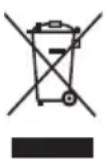
The meaning of the symbol on the product, its accessory or packaging indicates that this product shall not be treated as household waste. Please, dispose of this product at your applicable collection point for the recycling of electrical & electronic equipment waste. Alternatively in some states of the European Union or other European states you may return your products to your local retailer when buying an equivalent new product. The correct disposal of this product will help save valuable natural resources and help in preventing the potential negative impact on the environment and human health, which could be caused as a result of improper liquidation of waste. Please ask your local authorities or the nearest waste collection centre for further details. The improper disposal of this type of waste may fall subject to national regulations for fi nes.
For business entities in the European Union
If you wish to dispose of an electrical or electronic device, request the necessary information from your seller or supplier.
Disposal in other countries outside the European Union
If you wish to dispose of this product, request the necessary information about the correct disposal method from local government departments or from your seller.
This product meets all the basic EU regulation requirements that relate to it.
Changes to the text, design and technical specifications may occur without prior notice and we reserve the right to make these changes.
MIKROVLNNÁ TROUBA
NÁVOD K OBSLUZE
PHILCO

Famous for Quality the World Over
Vážený zákazníku
Displej
ČÁST 8: PŘEDTÍM NEŽ ZAVOLÁTE DO SERVISU
Famous for Quality the World Over
Vážený zákazník
Displej
- CONTENTS
- PART 1: SAFETY PRECAUTIONS ...... 2
- PART 2: DESCRIPTION OF THE APPLIANCE .... 5
- PART 3: INSTALLATION....6
- PART 4: THE BASICS OF COOKING IN A MICROWAVE OVEN ....7
- PART 5: CONTROL PANEL 8
- PART 6: OPERATING INSTRUCTIONS FOR THE MICROWAVE OVEN....10
- PART 7: MAINTENANCE AND CLEANING....15
- PART 8: BEFORE YOU CALL THE SERVICE CENTRE .... 16
- PART 9: TECHNICAL SPECIFICATIONS....17
- PART 1: SAFETY PRECAUTIONS
- Recommendation:
- SERIAL NUMBER:
- Important safety instructions
- WARNING!
- To limit the risk of a fire hazard, electric shock, injury or exposure to excessive amounts of microwave energy:
- Radio wave interference
- Grounding instructions
- NOTE:
- PART 2: DESCRIPTION OF DEVICE
- PART 3: INSTALLATION
- PART 4: THE BASICS OF COOKING IN A MICROWAVE OVEN
- Guide to kitchen dishes
- PART 5: CONTROL PANEL
- Display
- Auto Cook button
- Auto Defrost button
- Chilled Meal button
- Micro Power button
- Frozen Meal button
- Soup / Sauce button
- Quick Defrost Button
- Clock Button
- Turn dial
- START / Express cook button
- STOP / Clear button
- PART 6: OPERATING INSTRUCTIONS FOR THE MICROWAVE OVEN
- General use
- Setting the digital clock
- Cooking using a microwave
- Express cook
- Automatic defrosting
- Fast defrosting
- Automatic cooking
- Child Safety Lock
- Power saving mode
- Pausing the cooking process
- PART 7: MAINTENANCE AND CLEANING
- PART 8: BEFORE YOU CALL THE SERVICE CENTRE
- PART 9: TECHNICAL SPECIFICATIONS
- INSTRUCTIONS AND INFORMATION REGARDING THE DISPOSAL OF USED PACKAGING MATERIALS
- DISPOSAL OF USED ELECTRICAL AND ELECTRONIC APPLIANCES
- For business entities in the European Union
- Disposal in other countries outside the European Union
- MIKROVLNNÁ TROUBA
- NÁVOD K OBSLUZE
- PHILCO
- Displej
- ČÁST 8: PŘEDTÍM NEŽ ZAVOLÁTE DO SERVISU
Brand : Philco
Model : PMD 2303
Category : Microwave