
Find My Device - Beleuchtung PHILIPS - Kostenlose Bedienungsanleitung
Finden Sie kostenlos die Bedienungsanleitung des Geräts Find My Device PHILIPS als PDF.


| Produkttyp | Find My Device Zubehör |
| Marke | Philips |
| Kompatible Modelle | Xperion 6000 Slim, Xperion 6000 Pillar, Xperion 6000 UV Pillar |
| Reichweite | Bis zu 10 Meter |
| Stromversorgung | CR2032 Knopfzelle (im Lieferumfang enthalten) |
| Schutzart | IP20 |
| Gewicht | 107 g |
| Betriebstemperatur | -10 °C bis 40 °C |
| Lagertemperatur | -20 °C bis 50 °C |
| Funktion | Ermöglicht das Wiederfinden der Arbeitsleuchte über akustisches Signal (Summer) |
| Installation | Einsetzen der CR2032 Batterie, Montage am Leuchtengehäuse |
| Bedienung | Drücken der Taste am Modul: kurzer Druck (unter 1 s) = Signal, langer Druck (>2 s) = Kopplung/Reset |
| Kopplung | Taste länger als 2 Sekunden drücken bis 3 Signaltöne ertönen |
| Signalton | 3 Pieptöne bei Aktivierung |
| Batteriewechsel | Modul öffnen, CR2032 ersetzen, Polarität beachten |
| Reinigung | Mit trockenem Tuch reinigen, keine aggressiven Reinigungsmittel |
| Sicherheitshinweise | Nicht kurzschließen, nicht zerlegen, außerhalb der Reichweite von Kindern aufbewahren |
| Garantie | Siehe www.philips.com/support |
| Hersteller | Philips |
| Sprache der Bedienungsanleitung | Englisch (Original), Übersetzungen verfügbar |
Häufig gestellte Fragen - Find My Device PHILIPS
Benutzerfragen zu Find My Device PHILIPS
0 Frage zu diesem Gerät. Beantworten Sie die, die Sie kennen, oder stellen Sie Ihre eigene.
Eine neue Frage zu diesem Gerät stellen
Laden Sie die Anleitung für Ihr Beleuchtung kostenlos im PDF-Format! Finden Sie Ihr Handbuch Find My Device - PHILIPS und nehmen Sie Ihr elektronisches Gerät wieder in die Hand. Auf dieser Seite sind alle Dokumente veröffentlicht, die für die Verwendung Ihres Geräts notwendig sind. Find My Device von der Marke PHILIPS.
BEDIENUNGSANLEITUNG Find My Device PHILIPS
English
Before you start
Thank you for buying the Philips LED work lights. Its high-quality LED lighting offers a powerful wide-angle light output that will let you work in your workshop, garage or any other professional environment under the best lighting conditions.

The Philips LED work lights bears the official
Philips Automotive Grade Quality seal. Philips Automotive Grade Quality products are designed and developed following strict quality-control processes (including applicable ISO norms), leading to consistently high production standards.
⚠️ Important
Please read this user guide carefully before using your LED work lights. This guide contains important health and safety information.
If you need further assistance, please visit us: www.philips.com/support Or visit your local Philips Dealer For more information visit www.philips.com/xperion-6000
1

 |  |
 |  |
2 !

natural_image
Silhouette icon of a person reading a book (no text or symbols)



4
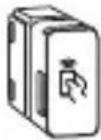
Upgrade your Xperion 6000 Slim with Philips Find My Device accessory
1)

flowchart
graph LR
    A["Start"] --> B["Push"]
    B --> C["Pull"]
    C --> D["Push"]
    D --> E["End"]
2)

4
3)

Upgrade your Xperion 6000 Pillar with Philips Find My Device accessory
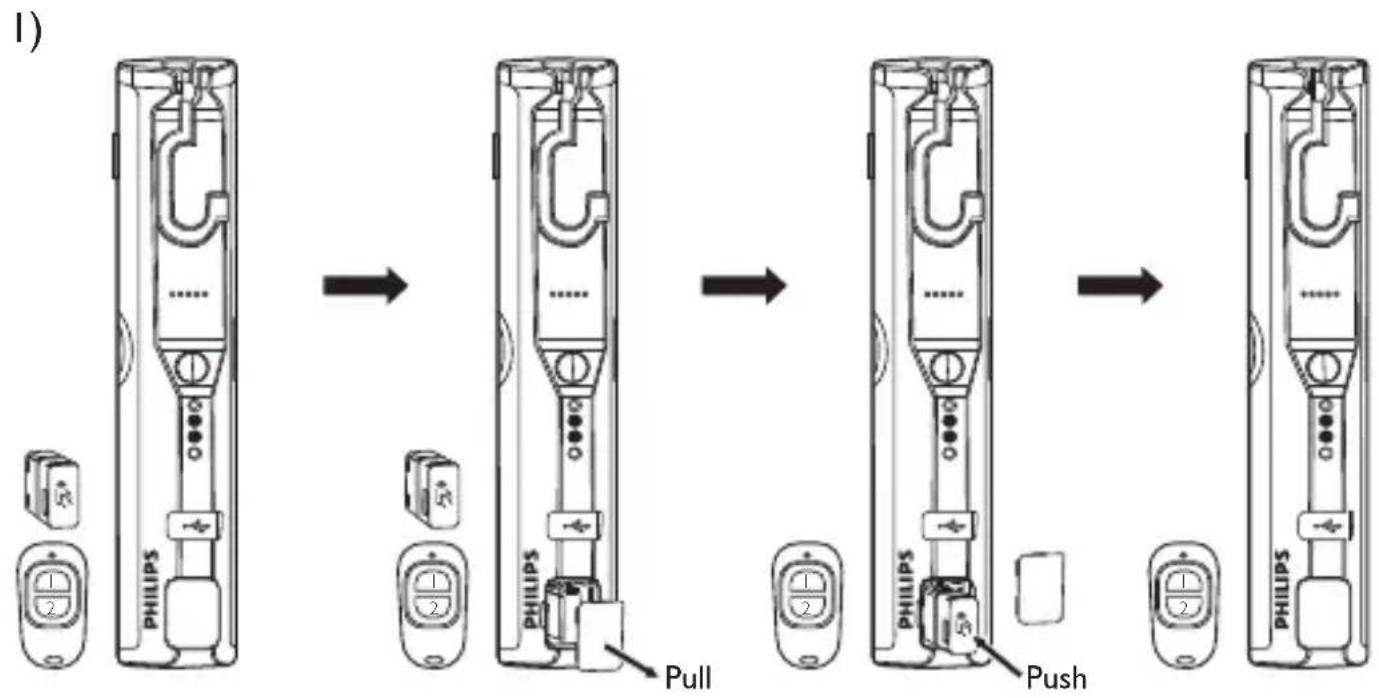
flowchart
graph LR
    A["Initial iPhone"] --> B["Add Philips to next port"]
    B --> C["Pulling to next port"]
    C --> D["Add Philips to next port"]
    D --> E["Pushing to next port"]
    E --> F["Final Assembly with Philips"]
2)
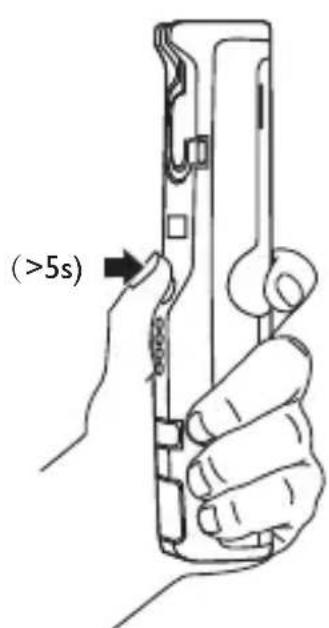

beep! beep! beep!
4


4

Way to take out the module
Xperion 6000 Pillar and Xperion 6000 UV Pillar

flowchart
graph LR
    A["Philips"] --> B["PHILIPS"]
    B --> C["Push"]
    B --> D["Pull"]
    C --> E["PHILIPS"]
    D --> F["Pull"]
Xperion 6000 Slim

5
Description

Battery Button battery(CR2032) included

Find my device Up to 10m+

IP IP20

Operating temperature -10°C to 40°C

Storage temperature -20°C to 50°C

Product weight 107g
WARRANTY
www.philips.com/support
Name: ____
Address:
Phone number: ____
Product name: ____
Purchasing date: ____


Marke : PHILIPS
Modell : Find My Device
Kategorie : Beleuchtung