
CAL 6075 - Uhr CITIZEN - Kostenlose Bedienungsanleitung
Finden Sie kostenlos die Bedienungsanleitung des Geräts CAL 6075 CITIZEN als PDF.


| Marke | Citizen |
| Modell | CAL 6075 |
| Produkttyp | Armbanduhr |
| Uhrwerk | Quarz (Kaliber 6075) |
| Funktionen | Zeitanzeige, Datum, Wecker |
| Alarm | Ja, mit Ein/Aus Schalter |
| Weckdauer | 15 Sekunden |
| Alarmwiederholung | Alle 3 Minuten (bis zu 10 Minuten) |
| Datumseinstellung | Manuell, nicht zwischen 23:00 und 2:00 |
| Krone | 2-stufig (1. Klick: Datum/Wecker, 2. Klick: Zeit) |
| Stromversorgung | Batterie (typisch SR626SW) |
| Gehäusematerial | Edelstahl |
| Bandmaterial | Leder |
| Lieferumfang | Uhr, Bedienungsanleitung |
| Garantie | 2 Jahre |
| Reparatur | Autorisierte Citizen Service Center |
| Herstellungsland | Japan |
Häufig gestellte Fragen - CAL 6075 CITIZEN
Benutzerfragen zu CAL 6075 CITIZEN
0 Frage zu diesem Gerät. Beantworten Sie die, die Sie kennen, oder stellen Sie Ihre eigene.
Eine neue Frage zu diesem Gerät stellen
Laden Sie die Anleitung für Ihr Uhr kostenlos im PDF-Format! Finden Sie Ihr Handbuch CAL 6075 - CITIZEN und nehmen Sie Ihr elektronisches Gerät wieder in die Hand. Auf dieser Seite sind alle Dokumente veröffentlicht, die für die Verwendung Ihres Geräts notwendig sind. CAL 6075 von der Marke CITIZEN.
BEDIENUNGSANLEITUNG CAL 6075 CITIZEN
Citizen Movement Calibers 6070 / 6075 Setting Instructions
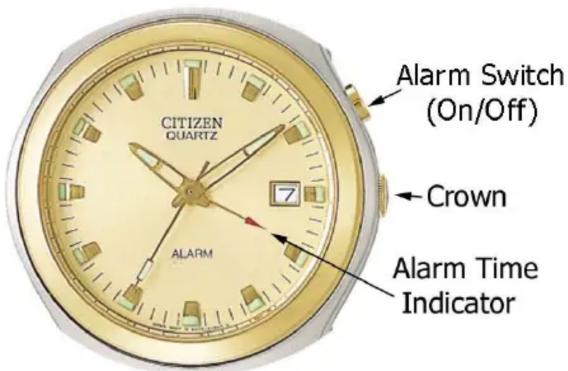
To Set the Time
If you have not yet set the date correctly:
1) Pull the crown out two clicks.
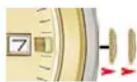
2) Turn the crown clockwise until you see the date start to change.
Take note of the time and note this as a “night time” reference. Example: If the date starts to change at 11:55, think of this as 11:55 pm. This will enable you to ensure the date will change at night, and not during the middle of the day.
3) Set the time to the current time, remembering that the watch now mechanically thinks the watch it is “night”.
4) Once the correct AM or PM time is set, push the crown in one click.
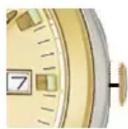
5) Rotate the crown counter-clockwise to set the date.
NOTE: Be sure not to change the date between 11:00 p.m. and 2:00 AM, otherwise the calendar mechanism could become damaged.
6) Return the crown to the normal (closed) position next to the case.
If the date has been set correctly
1) Pull the crown out two clicks.
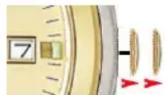
2) Rotate the crown in either direction to set the time.
3) Return the crown to the normal(closed) position next to the case.
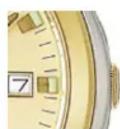
To Set the Date only to adjust for months less than 31 days.
The date on this feature must be manually adjusted for months shorter than 31 days. Be sure not to change the date between 11:00 p.m. and 2:00 AM, otherwise the calendar mechanism could become damaged.
1) Pull the crown out one click.
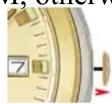
2) Turn the crown counter-clockwise to advance the date.
3) Return the crown to the normal (closed) position next to the case.
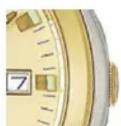
To set the Alarm Ring Time
1) Pull the crown out one click.
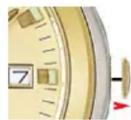
2) Turn the crown clockwise to set the desired time. Please note, the alarm may ring 5 minutes before or after the set time. Be sure to take this into consideration when setting the alarm time.
3) Return the crown to its normal (closed) position next to the case.
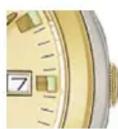
To Activate/Deactivate the Alarm
1) Pull the alarm switch out one click to the "ON" position.
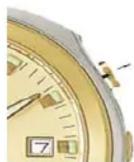
When the set alarm time is reached, the alarm will chime at the set time for 15 seconds. Remember, that the alarm may ring 5 minutes before or after the set time.
2) To deactivate the alarm, push the alarm switch to the normal (OFF) position.
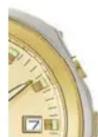
NOTE: IF the alarm switch is not returned to the “OFF” position after the alarm chimes, the alarm will sound every three minutes for up to 10 minutes after the alarm time.

Marke : CITIZEN
Modell : CAL 6075
Kategorie : Uhr