7971G-GE - Telefon CISCO - Kostenlose Bedienungsanleitung
Finden Sie kostenlos die Bedienungsanleitung des Geräts 7971G-GE CISCO als PDF.


| Produkttyp | IP-Telefon (VoIP) |
| Modell | Cisco 7971G-GE |
| Abmessungen (B x T x H) | 22,9 cm x 15,2 cm x 5,1 cm |
| Gewicht | 1,2 kg |
| Stromversorgung | Power over Ethernet (PoE) oder Netzteil (48V) |
| Display | Grafikdisplay 320 x 200 Pixel, hintergrundbeleuchtet |
| Netzwerkschnittstelle | Gigabit Ethernet (10/100/1000) |
| Unterstützte Protokolle | SCCP, SIP |
| Funktionen | Anruf halten, Weiterleitung, Konferenz, Makeln, Kurzwahl, Lautsprecher, Headset-Anschluss |
| Tasten | Programmierbare Funktionstasten, Navigationstaste, Hold, Transfer, Conference, Volume |
| Headset-Anschluss | RJ9 (4-polig) |
| Freisprecheinrichtung | Ja, integrierter Lautsprecher und Mikrofon |
| Sprachcodecs | G.711, G.729, G.722, iLBC |
| Sprachen | Deutsch, Englisch, Französisch, Spanisch u. a. |
| Betriebstemperatur | 0 °C bis 40 °C |
| Reinigung | Mit einem weichen, trockenen Tuch abwischen. Keine Flüssigkeiten oder Reinigungsmittel verwenden. |
| Sicherheit | Verwenden Sie nur das mitgelieferte Netzteil oder PoE-Schalter. Nicht in Feuchträumen betreiben. |
| Ersatzteile / Reparatur | Ersatzteile über autorisierte Cisco-Händler erhältlich. Reparatur nur durch Fachpersonal. |
| Allgemeine Informationen | Cisco IP-Telefon mit Gigabit-Ethernet, ideal für professionelle VoIP-Kommunikation. |
Häufig gestellte Fragen - 7971G-GE CISCO
Benutzerfragen zu 7971G-GE CISCO
0 Frage zu diesem Gerät. Beantworten Sie die, die Sie kennen, oder stellen Sie Ihre eigene.
Eine neue Frage zu diesem Gerät stellen
Laden Sie die Anleitung für Ihr Telefon kostenlos im PDF-Format! Finden Sie Ihr Handbuch 7971G-GE - CISCO und nehmen Sie Ihr elektronisches Gerät wieder in die Hand. Auf dieser Seite sind alle Dokumente veröffentlicht, die für die Verwendung Ihres Geräts notwendig sind. 7971G-GE von der Marke CISCO.
BEDIENUNGSANLEITUNG 7971G-GE CISCO
Cisco Unified IP Phone 7971G-GE and 7970G
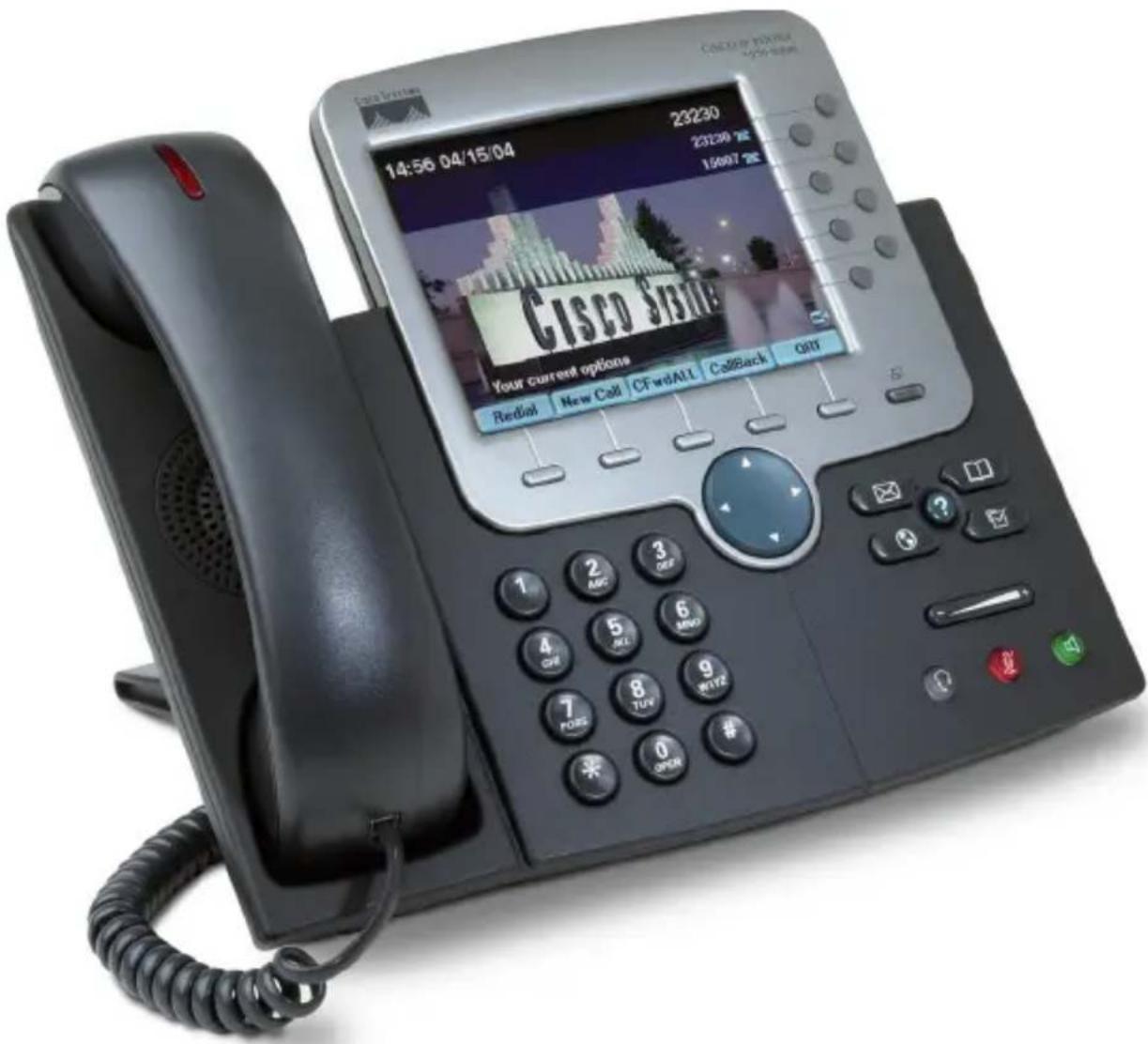
text_image
COSCO STATE 14:56 04/15/04 23230 23230 15007 Your current options Redial | New Call | CFwdALL | CallBack | QST S 1 2 AMC 3 QST 4 GPI 5 SCL 6 MWD 7 FOSS 8 TUV 9 MTVZ 0 OPDR #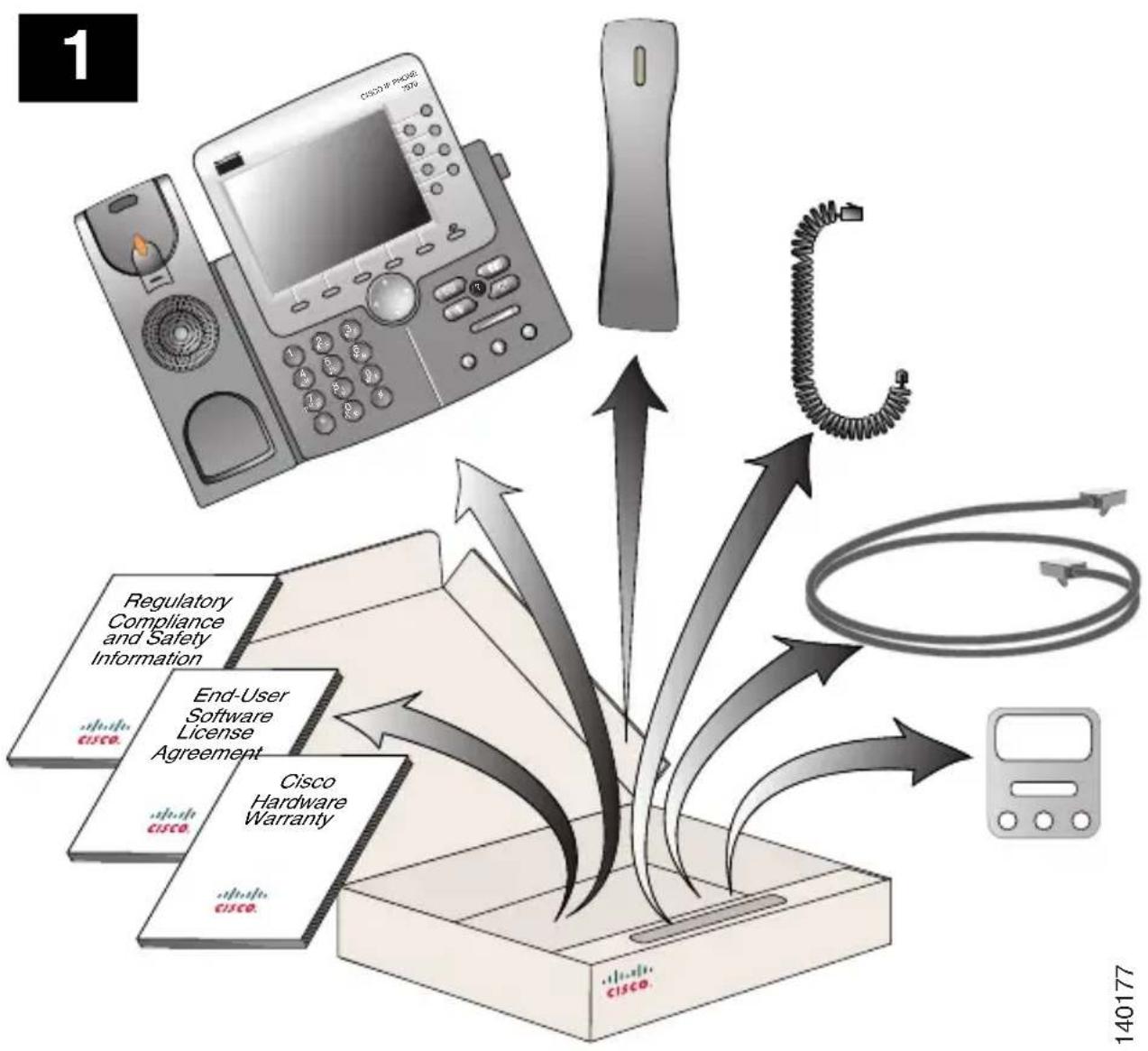
flowchart
graph TD
    A["Router"] --> B["Phone"]
    B --> C["Controller"]
    C --> D["Network Device"]
    D --> E["End-User Software License Agreement"]
    E --> F["Cisco Hardware Warranty"]
    F --> G["Regulatory Compliance and Safety Information"]
    style A fill:#f9f,stroke:#333
    style B fill:#ccf,stroke:#333
    style C fill:#cfc,stroke:#333
    style D fill:#fcc,stroke:#333
    style E fill:#cff,stroke:#333
    style F fill:#ffc,stroke:#333
    style G fill:#cfc,stroke:#333
2
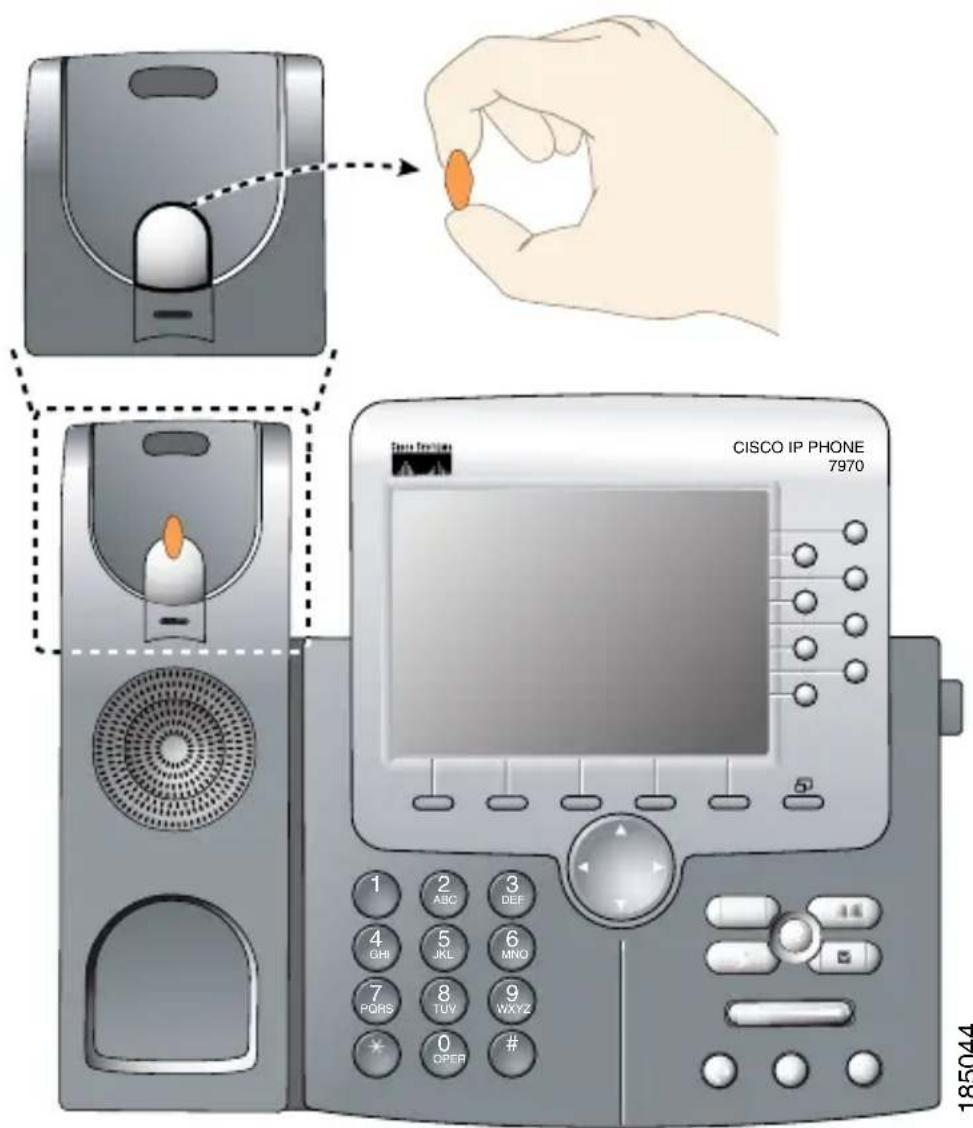
text_image
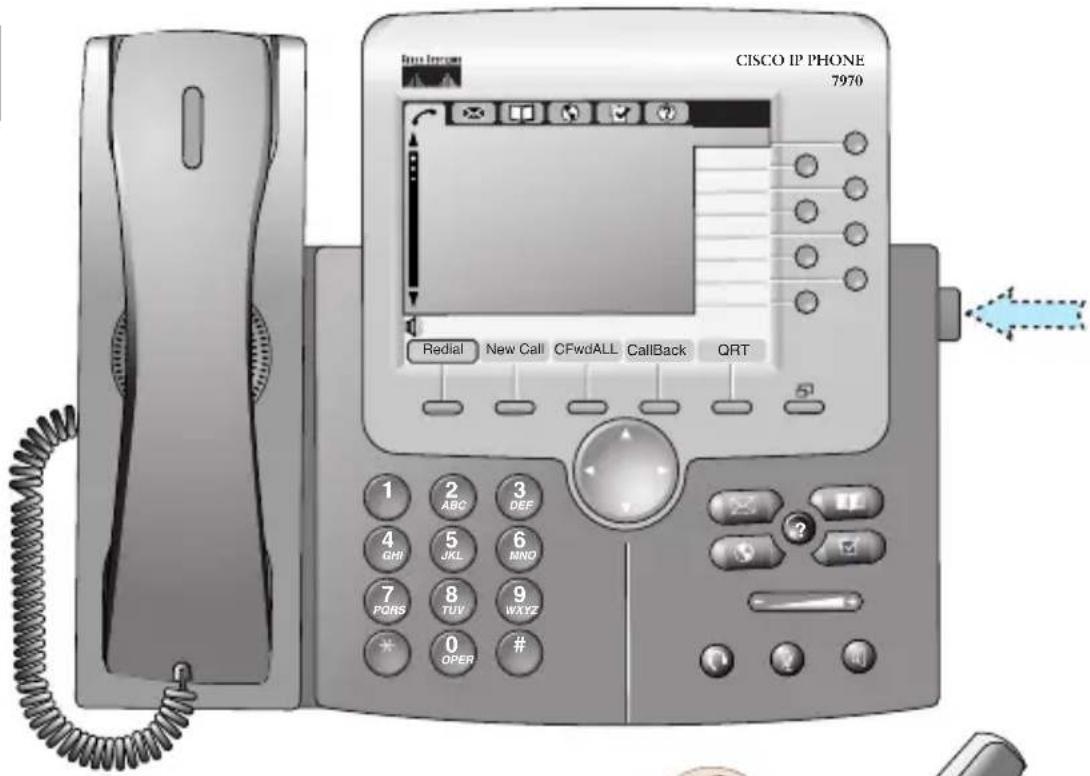
CISCO IP PHONE 7970 1 ABC 3 DEF 4 GHI 5 JKL 6 MNO 7 PQRS 8 TUV WXYZ * 0 OPER # 185044185044
3
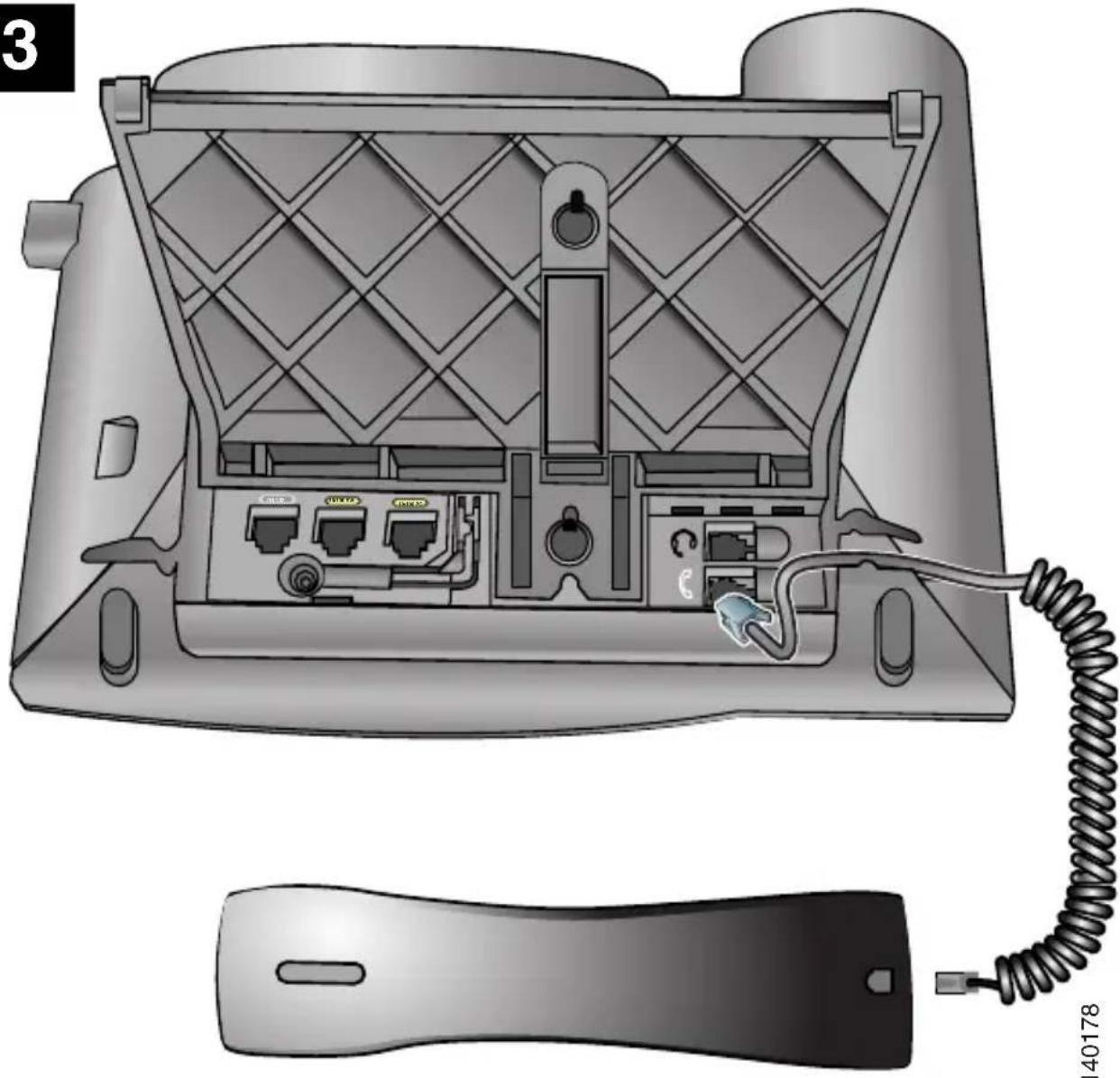
natural_image
Illustration of a device rear panel with internal ports and wiring, showing external casing and cable (no text or symbols)140178
text_image
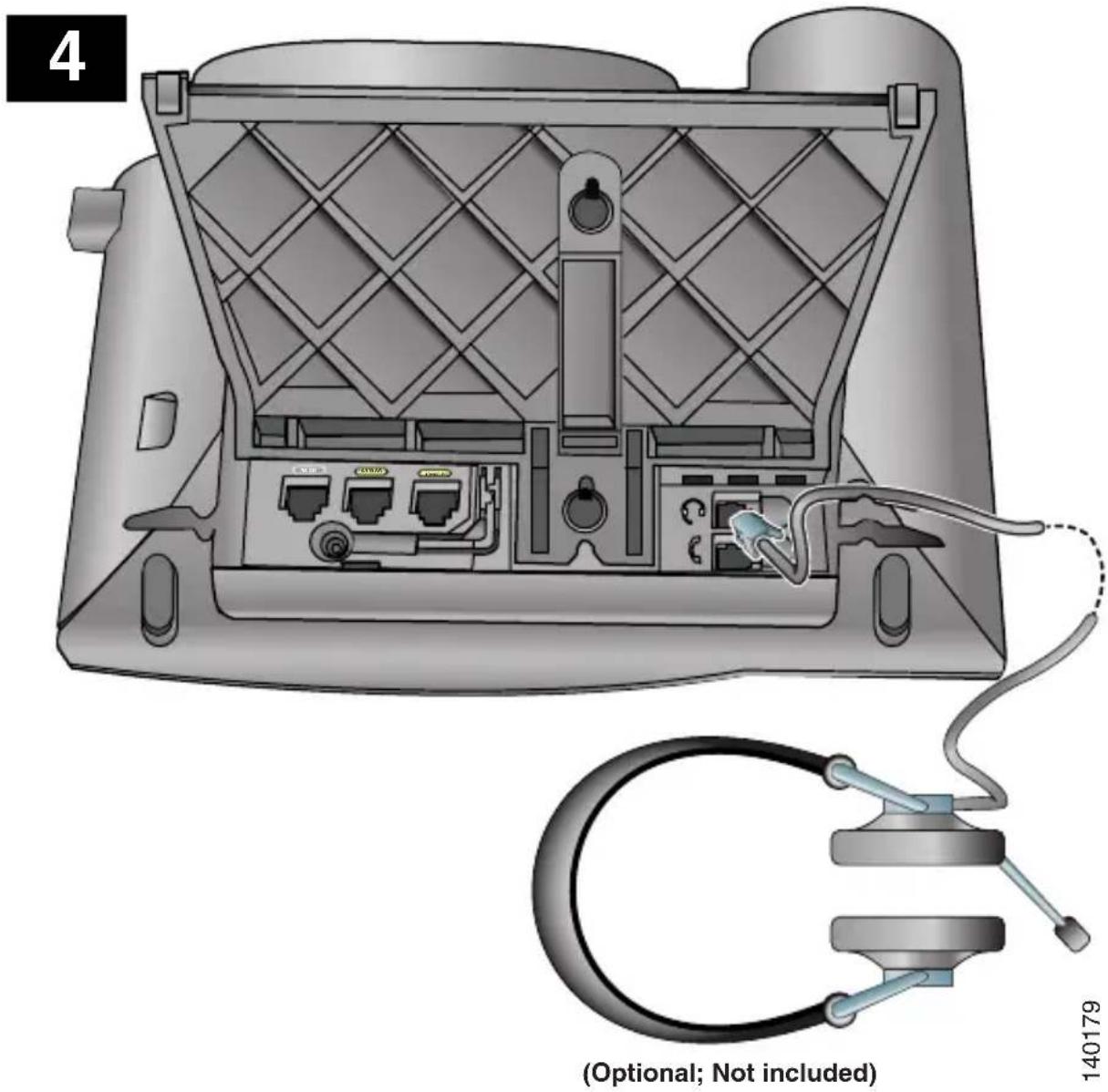
4 (Optional; Not included) 1401795
text_image
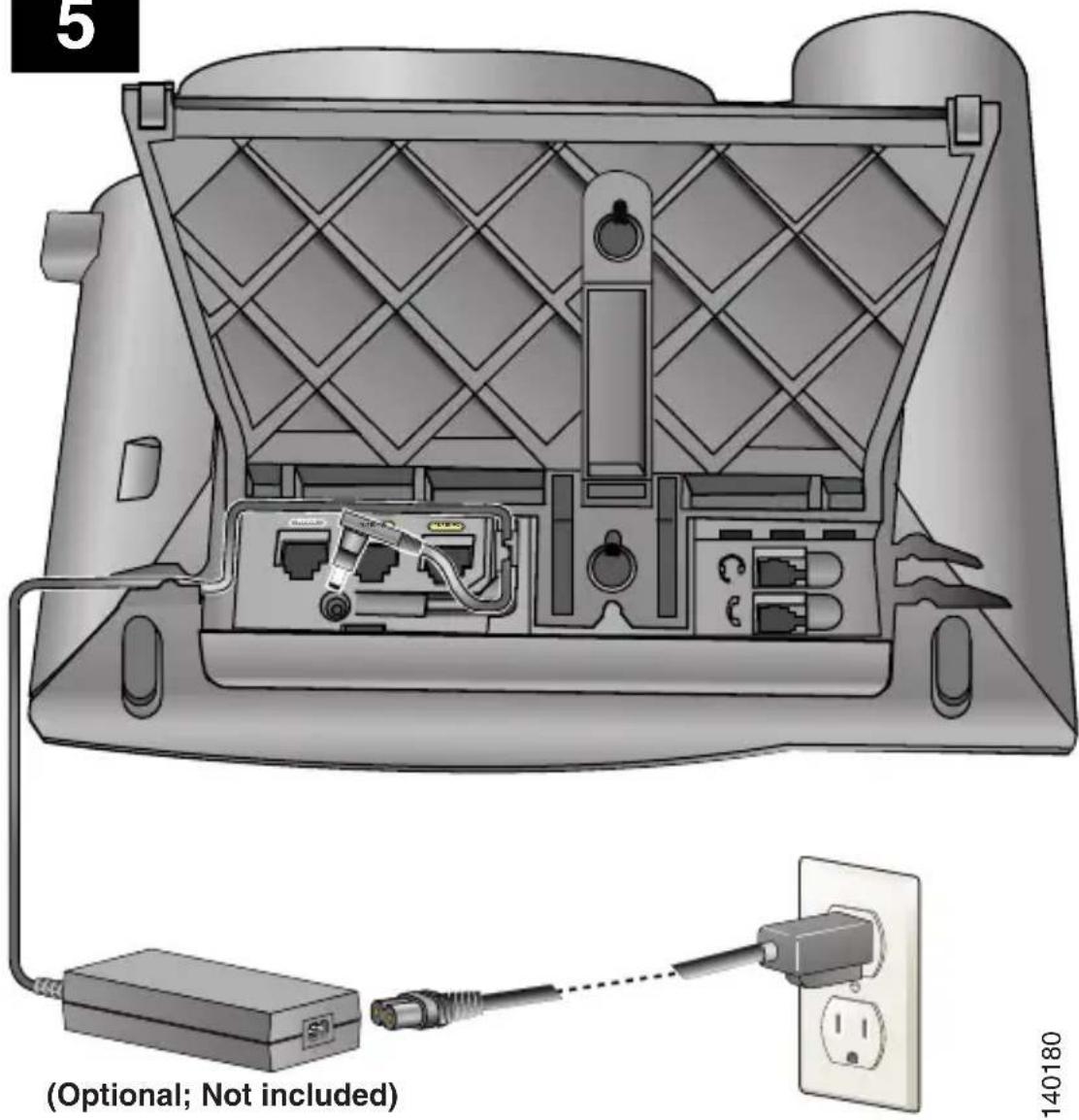
(5) (Optional; Not included)140180
text_image
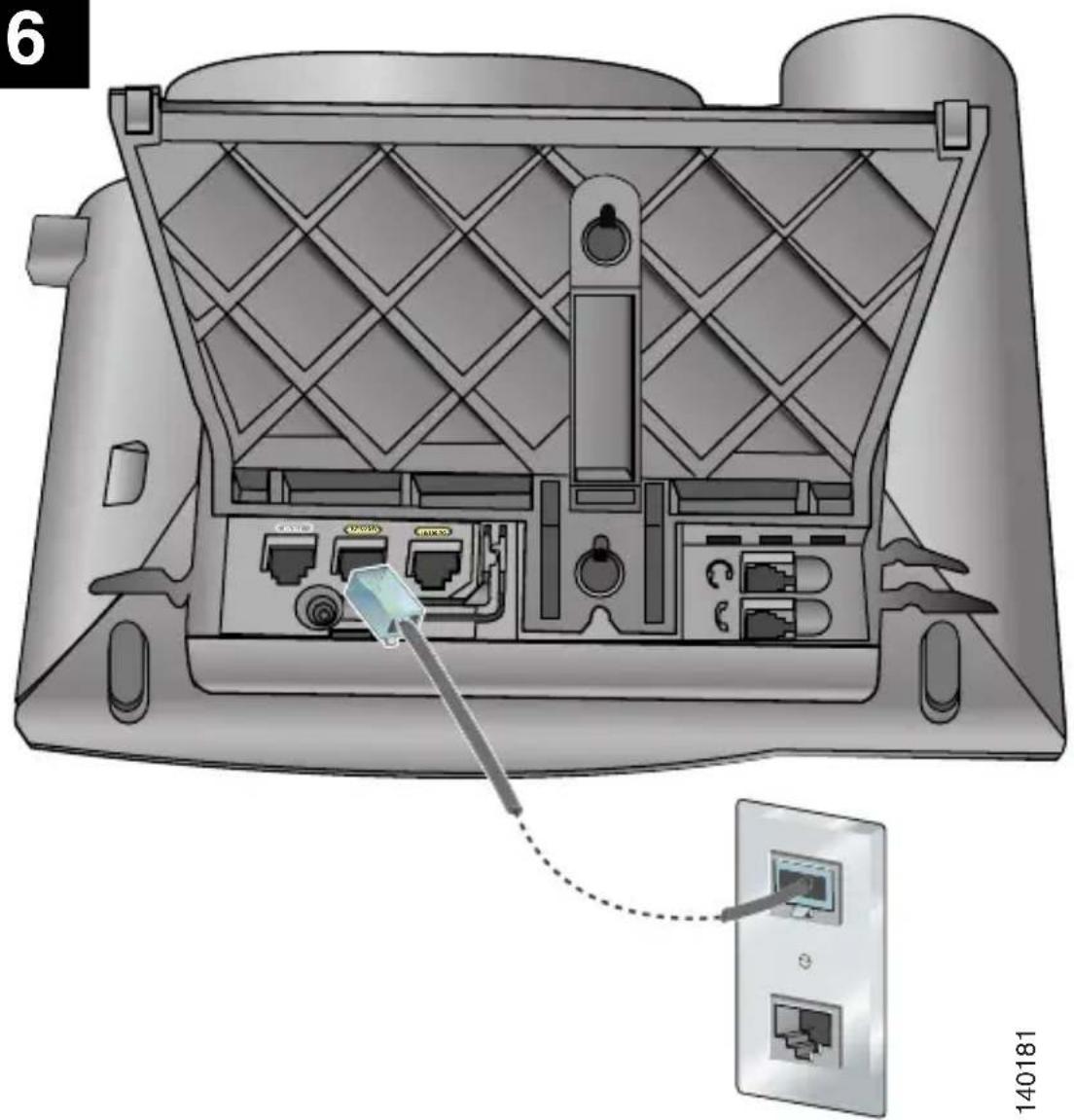
6 140181140181
7
text_image
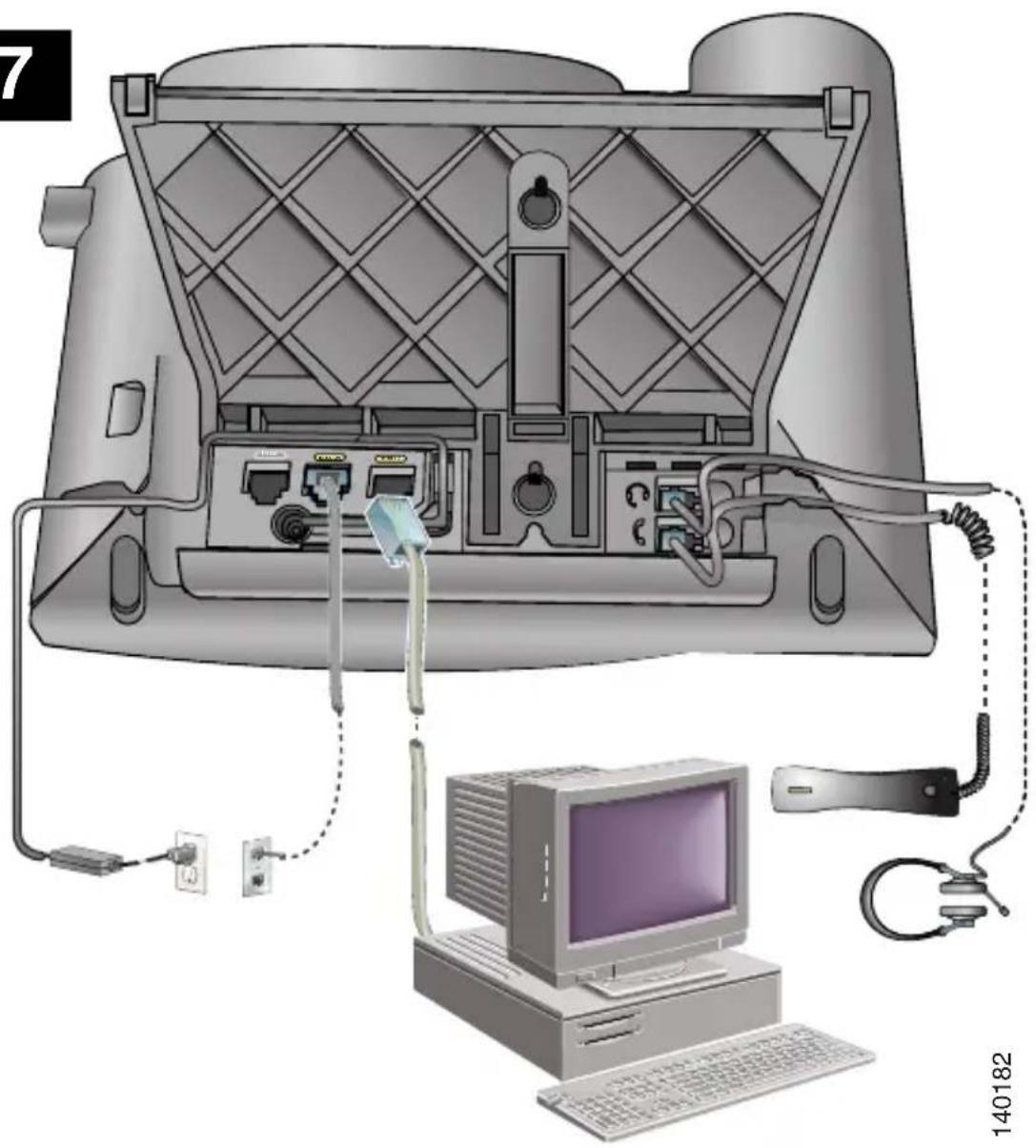
7 140182140182
8
text_image
CISCO IP PHONE 7970 Redial New Call CFwdALL CallBack QRT 1 2 3 ABC DEF 4 5 6 GHI JKL MNO 7 8 9 PQRS TUV WXYZ 0 # OPER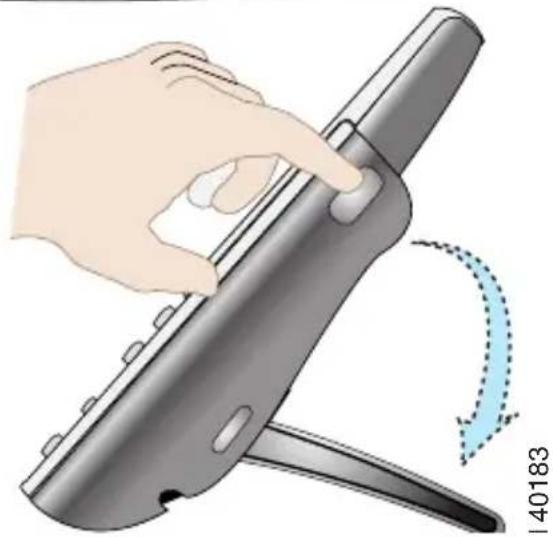
natural_image
Illustration of a hand holding a pen or tool with a curved arrow indicating rotation (no text or symbols)9
text_image
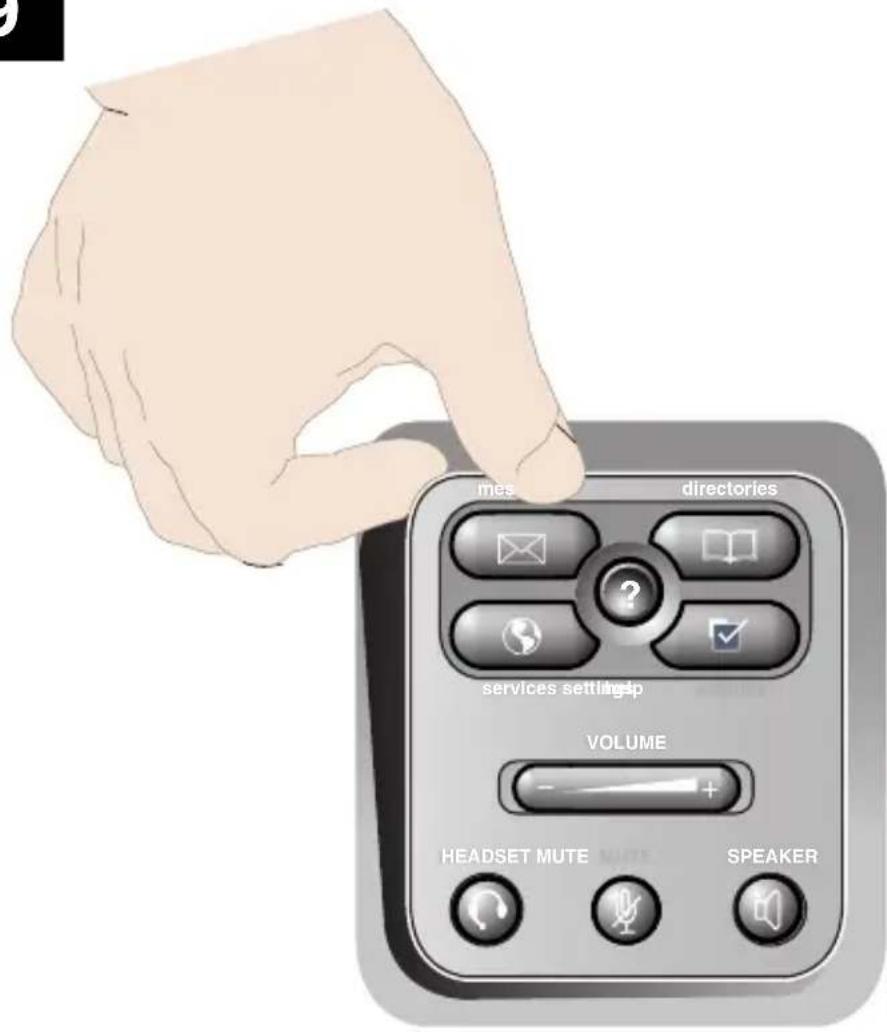
mes directories services setting VOLUME HEADSET MUTE SPEAKER140184
text_image
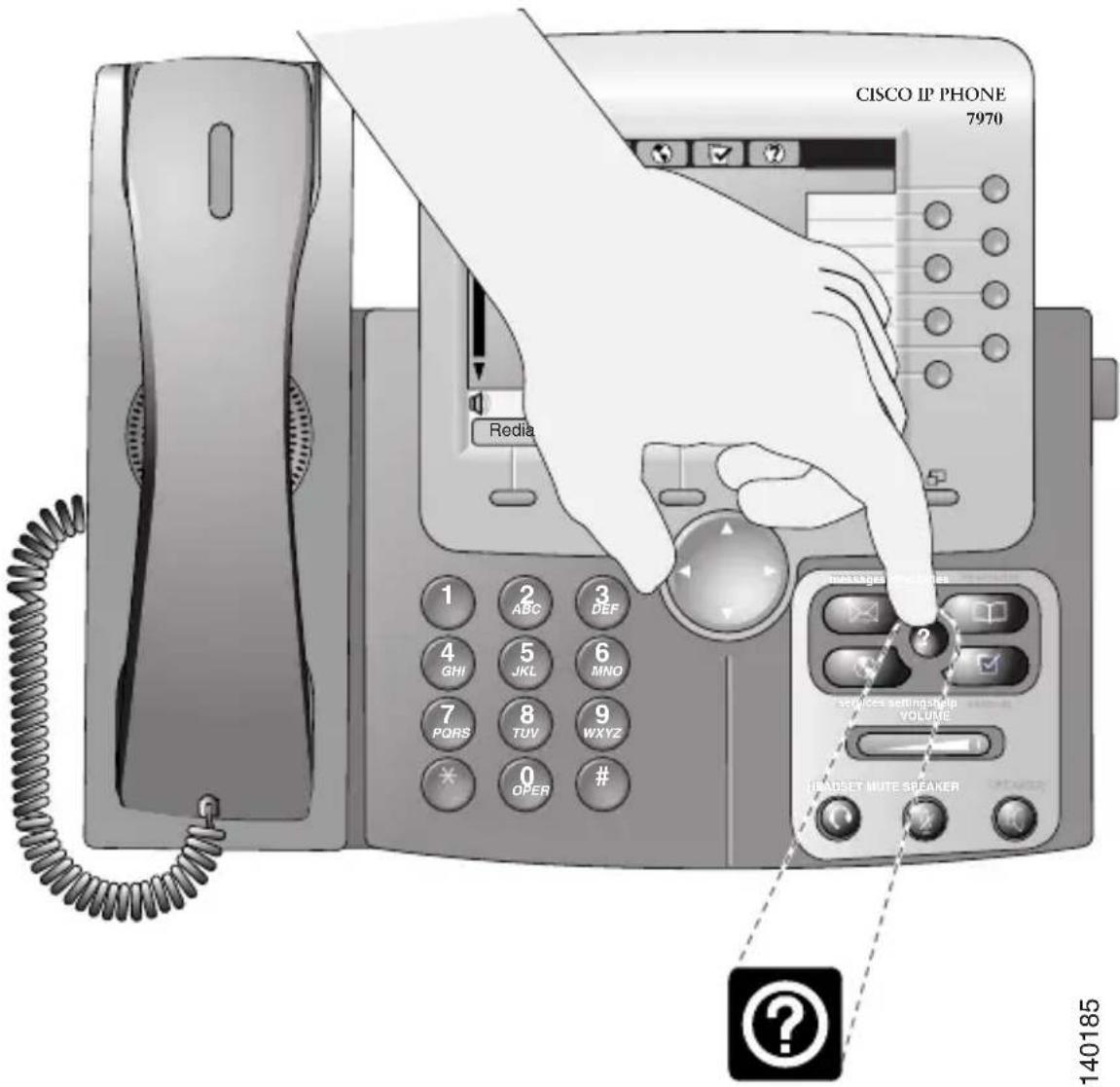
CISCO IP PHONE 7970 Redia 1 ABC 3 DEF 4 GHI 5 JKL 6 MNO 7 PORS 8 TUV 9 WXYZ * OPER # #
text_image
CISCO.www.cisco.com/en/US/products/hw/phones/ps379/products_user_guide_list.html
OL-14172-01