1U4600 - Server Thecus - Kostenlose Bedienungsanleitung
Finden Sie kostenlos die Bedienungsanleitung des Geräts 1U4600 Thecus als PDF.


Benutzerfragen zu 1U4600 Thecus
0 Frage zu diesem Gerät. Beantworten Sie die, die Sie kennen, oder stellen Sie Ihre eigene.
Eine neue Frage zu diesem Gerät stellen
Laden Sie die Anleitung für Ihr Server kostenlos im PDF-Format! Finden Sie Ihr Handbuch 1U4600 - Thecus und nehmen Sie Ihr elektronisches Gerät wieder in die Hand. Auf dieser Seite sind alle Dokumente veröffentlicht, die für die Verwendung Ihres Geräts notwendig sind. 1U4600 von der Marke Thecus.
BEDIENUNGSANLEITUNG 1U4600 Thecus
Thecus®
Thecus Technology Corporation
1U4600
Evolving 1U NAS Server with iSCSI & Dual DOM™
Quick Installation Guide
快速安裝指南
快速安装指南
クイックインストールガイド
빠른 설치 가이드

1
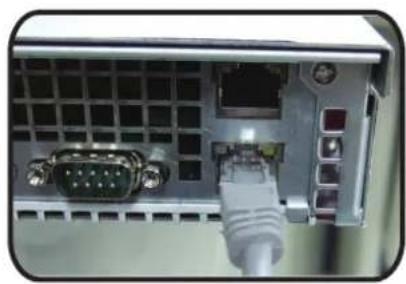
EN Hard disk drive installation, network cable connection. Connect Ethernet cable to the WAN port on 1U4600 and connect the other end to your switch/hub/router.
TC 安裝硬碟,安裝網路線
將您網路的乙太網路電纜連接到 Thecus 1U4600 後面板的 WAN 連接埠,另一端連接到您的網路交換器/集線器/路由器。
SC 安装硬盘,安装网络线
将您网络的以太网络电缆连接到 Thecus 1U4600 后面板的 WAN 连接埠,另一端连接到您的网络交换器/集线器/路由器。
JP ハードディスクの取り付け、ネットワークケーブルの接続
イーサーネットケーブルを1U4600のWANポートに接続し、
もう一端をスイッチ/ハブ/ルーターに接続します。
KR 하드 디스크 드라이브 설치, 네트워크 케이블 연결 이더넷 케이블을 1U4600 의 WAN 포트에 연결하고 다른 한쪽 끝은 스위치/허브/라우터에 연결합니다.
2
EN Connect power cord & power on
TC 電源線連接與電源啟動
sc 电源线连接与电源启动
JP 電源ケーブルの接続とパワーオン
KR 전연 케이블 연결 및 전원 스위치 켜기
natural_image
Close-up of a server rack with an VGA port and RJ4 connector (no visible text or symbols)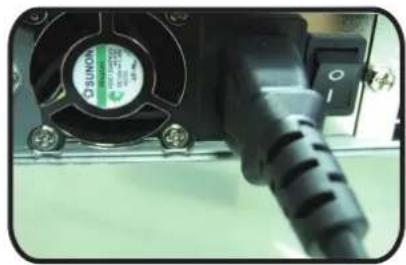
natural_image
Close-up of a black CPU socket connected to a power plug, showing fan and socket details (no readable text or symbols)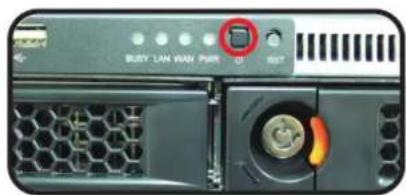
natural_image
Close-up of a server rack with ventilation grilles and a highlighted indicator (no readable text or symbols)3
EN Start web user interface
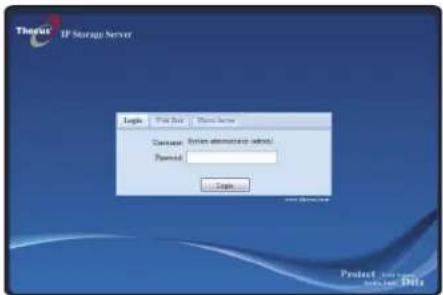
After 1U4600 boots up, the default IP address is 192.168.1.100. The default administrator's username/password is admin/admin.
TC 啟動網路使用者介面
1U4600 開機之後, 預設的 IP 位置是 192.168.1.100。預設的管理者名稱密碼是 admin/admin。
sc 启动网络使用者接口
1U4600 开机之后, 预设的 IP 位置是 192.168.1.100。预设的管理者名称密码是 admin/admin。
JP ウェブユーザーインターフェースの開始
1U4600を起動した後に、デフォルトのIPアドレスは192.168.1.100となっています。管理者(アドミニストレーター)のデフォルトのユーザーネーム/パスワードは両方とも“admin”です。
KR 웹 사용자 인터페이스→ 시작
1U4600 이 작동되면 기본 IP 주소가 192.168.1.100으로 설정됩니다. 기본으로 설정되는 관리자의 사용자 이름/패스워드는 admin/admin입니다.
4
EN Start the Thecus Setup Wizard
Insert the CD into your PC. If the Setup Wizard doesn't launch automatically, browse your CD-ROM drive and double-click on setup.exe (or .dmg for MAC users).
TC 啟動設定精靈
將 CD 放入您的個人電腦中。如果設定精靈沒有自動執行,請手動點選 CD-ROM 並執行 setup.exe (MAC OS X 使用者請執行 Thecus Setup Wizard.dmg)。
sc 启动设定精灵
将 CD 放入您的个人电脑中。如果设定精灵没有自动执行,请手动点选 CD-ROM 并执行 setup.exe (MAC OS X 使用者请执行 Thecus Setup Wizard.dmg)。
JP Thecusセットアップウィザードの実行
付属のCDをパソコンにセットします。※セットアップウィザードが自動的に起動しない場合は、CD内に収録されている「setup.exe」をダブルクリックしてください。
KR Thecus 설치 마법사를 시작합니다
제공된 CD를 자신의 PC에서 넣고 시작합니다. 만약에 설치 마법사가 자동으로 시작하지 않는다면 자신의 CD롬 드라이브를 찾아서 풀더를 열어서 setup.exe를 더블 클릭하면 설치 마법사가 시작됩니다.
5
EN Complete the Setup Wizard
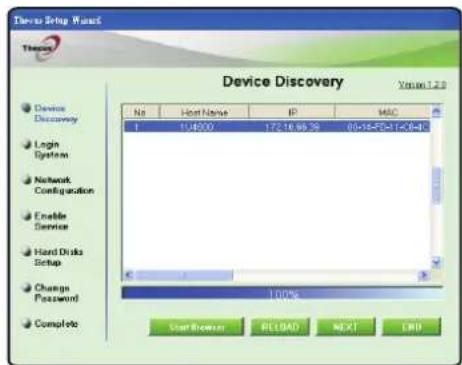
A. Device Discovery:
The Setup Wizard will detect all Thecus NAS devices on the network.
TC 完成設定精靈
A. 設備搜尋:
設定精靈會自動尋找網路上的 Thecus 網路儲存設備。
sc 完成设定精灵
A. 设备搜寻:
设定精灵会自动寻找网路上的 Thecus 网路储存设备。
JP セットアップウィザードの完了
A. デバイスの認識:
セットアップウィザードはネットワークにあるすべてのThecus NASデバイスを認識します。
KR 설치 마법사
A.장치 찾기:
설치 마법사는 자동으로 네트워크에서 Thecus 스토리지 장치를 자동으로 찾아 줍니다.
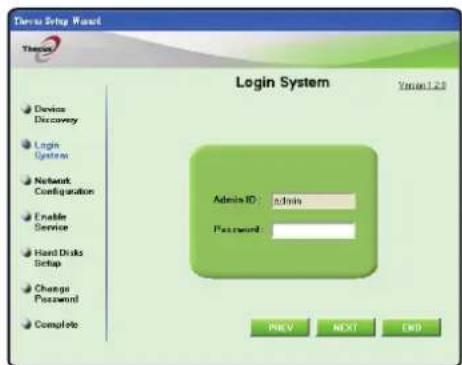
EN B. Login
Login 1U4600 with administrator's account and password.
TC B. 登入
用管理者的名稱密碼來登入1U4600。
sc B. 登入
用管理者的名称密码来登入 1U4600。
JP B. ログイン
管理者のアカウントとパスワードで 1U4600 にログインします。
KR B. 로그인
관리자의 사용자 이름 및 패스워드를 이용해서 1U4600 에 로그인합니다.
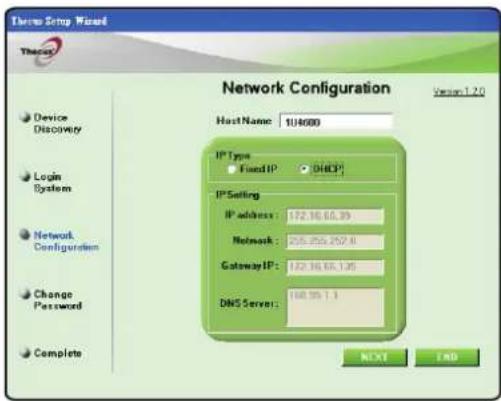
EN C. Network setting
Name your 1U4600 system and configure the network. You can choose either fixed IP or DHCP.
TC C. 網路設定
您可以為您的 1U4600 命名,並設定網路 IP 位置。您可以用固定 IP,或是用 DHCP 來取得 IP 位置。
SC C. 网络设定
您可以为您的 1U4600 命名,并设定网络 IP 位置。您可以用固定 IP,或是用 DHCP 来取得 IP 位置。
JP C. ネットワーク設定
1U4600システムに名前をつけ、ネットワークIPアドレスを設定します。固定IPやDHCPから選べます。
KR C. 네트워크 설정
1U4600 시스템 이름을 지정하고 네트워크 IP 주소를 구성합니다. 고정 IP를 사용하거나 DHCP를 이용할 수 있습니다.
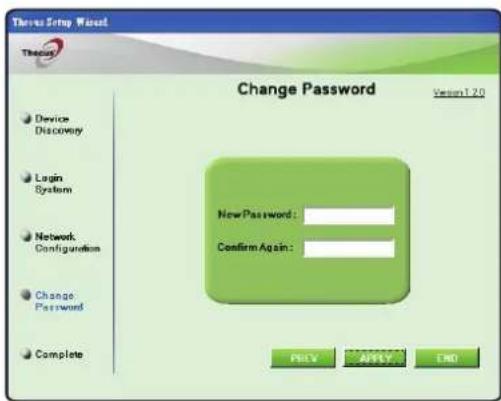
EN D. Change Admin Password
TC D. 變更管理者密碼
SC D. 变更管理者密码
JP D. 管理者パスワードの変更
KR D. 관리자 패스워드 변경
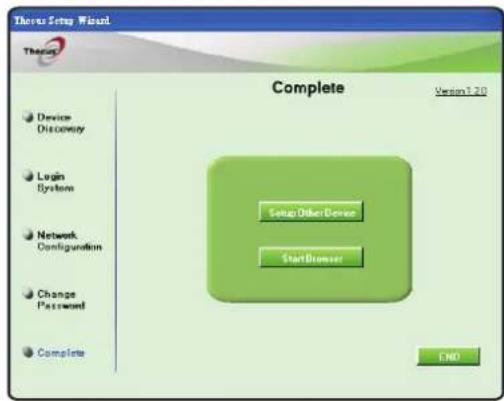
EN E. Start Browser
Finished! Access the current 1U4600 administrator web user interface by pressing the "Start Browser" button.
TC E.啟動瀏覽器
恭喜您,1U4600設定已經完成了。現在您可以按下“Start Browser”來啟動瀏覽器開始使用1U4600的網路使用者介面。
sc E. 启动浏览器
恭喜您,1U4600 设定已经完成了。现在您可以按下“Start Browser”来启动浏览器开始使用1U4600的网络使用者接口。
JP E. Start Browser
これで設定が完了です!“Start Browser”ボタンを押し、設定した現在の1U4600の管理者ウェブユーザーインターフェースにアクセスします。
KR E. 브라우저 시작
이제 모든 작업이 완료되었습니다. 현재1U4600관리자 웹 사용자 인터페이스에서 '브라우저 시작(Start Browser)' 단추를 클릭합니다.
Refer to user's manual in the CD for advanced settings and managements. For more information or on-line resources, please visit http://www.thecus.co
Copyright© 2009 Thecus Technology Corp. All rights reserved. Thecus and other names of Thecus products are trademarks or registered trademark of Thecus Technology Corp. Other products and company names mentioned herein are trademarks of their respective companies.