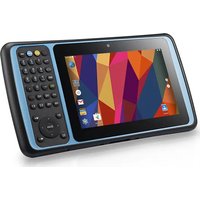
MS120 - Barcode-Scanner Unitech - Kostenlose Bedienungsanleitung
Finden Sie kostenlos die Bedienungsanleitung des Geräts MS120 Unitech als PDF.


| Produkttyp | Handscanner |
| Modell | MS120 |
| Marke | Unitech |
| Scantechnologie | CCD (Charge-Coupled Device) |
| Lichtquelle | Rote LED (630 nm) |
| Scanrate | 100 Scans pro Sekunde |
| Lesedistanz (1D) | 0–200 mm (je nach Barcodedichte) |
| Unterstützte Barcodes | EAN/UPC, Code 39, Code 128, Interleaved 2 of 5, Codabar, GS1 DataBar |
| Schnittstelle | USB (HID Keyboard oder virtueller COM-Port) |
| Kabel | 1,8 m, abnehmbar (USB-Typ A) |
| Abmessungen (B x H x T) | 165 x 65 x 95 mm |
| Gewicht | 120 g |
| Gehäusematerial | ABS-Kunststoff |
| Stromversorgung | Über USB (5 V, 200 mA) |
| Betriebstemperatur | 0 °C bis 40 °C |
| Lagertemperatur | -20 °C bis 60 °C |
| Luftfeuchtigkeit (Betrieb) | 20 % bis 85 % (nicht kondensierend) |
| Sturzfestigkeit | 1,2 m auf Beton |
| Schutzklasse | IP42 |
| Zertifizierungen | CE, FCC, RoHS |
| Garantie | 2 Jahre |
| Lieferumfang | Scanner, USB-Kabel, Kurzanleitung |
| Reinigung & Pflege | Lesefenster mit weichem, fusselfreiem Tuch und mildem Reinigungsmittel säubern. Keine aggressiven Chemikalien verwenden. |
| Sicherheitshinweise | Nicht in Flüssigkeiten tauchen. Vor Feuchtigkeit und extremer Hitze schützen. Keine eigenmächtigen Reparaturen. |
| Ersatzteile & Reparierbarkeit | Ersatzkabel und -gehäuse erhältlich. Reparatur durch autorisierten Fachhändler. |
| Allgemeine Informationen | Kompatibel mit Windows, macOS, Linux. Plug-and-Play über USB. |
Häufig gestellte Fragen - MS120 Unitech
Benutzerfragen zu MS120 Unitech
0 Frage zu diesem Gerät. Beantworten Sie die, die Sie kennen, oder stellen Sie Ihre eigene.
Eine neue Frage zu diesem Gerät stellen
Laden Sie die Anleitung für Ihr Barcode-Scanner kostenlos im PDF-Format! Finden Sie Ihr Handbuch MS120 - Unitech und nehmen Sie Ihr elektronisches Gerät wieder in die Hand. Auf dieser Seite sind alle Dokumente veröffentlicht, die für die Verwendung Ihres Geräts notwendig sind. MS120 von der Marke Unitech.
BEDIENUNGSANLEITUNG MS120 Unitech
Contents
Setup Procedures ...... 2
Batch Setup 3
Bar Code Setup Menu ...... 4
1 Device Selection and Default ...... 4
2 Beep and Delay 6
3 Keyboard Wedge ...... 8
4 RS232 Serial Setting .... 10
5 Scanner 12
6 Data Format 14
7 Symbologies(I): Code 39/I2 of 5/S2 of 5/Delta Distance Code/Code 32 ...... 16
8 Symbologies(II): Code 128 / MSI / Code 93 / Codabar /Label Code .... 18
9 Symbologies(III): UPC/EAN ...... 20
Function Code for PC .... 22
Function Code for MAC .... 24
Function Code for IBM Terminal 26
Full ASCII Table 28
Test Chart 34
Setup Procedures
1) Locate a group that contains the parameters to be changed.
2) Scan the “Enter Group” label. The Reader will sound 3 beeps to indicate that setup is in progress.
3) Scan the label representing the parameter to be changed.
4) Scan the labels representing the parameter values.
5) Repeat the above two steps, if necessary, to change the parameters in the same group.
6) Scan the “Exit” label to end the group currently selected. The Reader will sound 2 beeps.
7) Repeat the procedure for other groups, if needed, which include the parameters to be changed.
Batch Setup
Having configured a scanner, you may duplicate the settings of the scanner (master) to the others. You can do this by producing a set of custom setup labels derived from the master scanner and scanning these labels by other scanners.
The following label is called “dump settings” label. Scan that label, the settings of a scanner will dump to the screen as one or several ASCII string(s). Printing the string(s) into bar code labels in Code 39, you get the batch setup labels to duplicate other scanner.

text_image
Black and white barcode image with vertical lines and a central dotDump Settings
Bar Code Setup Menu
1 Device Selection and Default

text_image
Black and white barcode image with vertical bars on both sidesEnter Group 1

Group Default

0
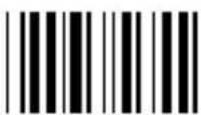
1

2

3
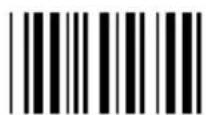
4
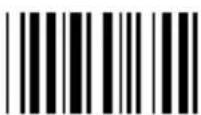
5
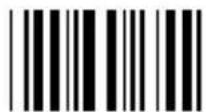
6

7
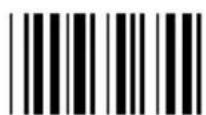
8
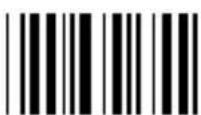
9

Factory Default
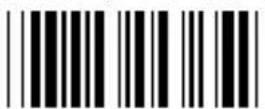
Exit
| Keyboard Wedge Reader | |
| Device ID | Device Type |
| 00 IBM PC/XT | |
| 01 IBM PC/AT, PS/2 mod 40, 60, 80 etc. | |
| 02 IBM PS/2 MOD 25, 56, 70, 90 | |
| 19 IBM 5550-5P | |
| 20 IBM 5550-6P | |
| 08 IBM 3196/3197 122 Keys | |
| 10 IBM 3476/3477 122 Keys | |
| 09 IBM 3179/3471/3472 | |
| 11 IBM 3486/3487 | |
| 06 Keyboardless Wedge | |
| 03 Macintosh ADB bus | |
| RS-232 Reader | |
| Device ID | Device Type |
| 04 | RS232 Serial Decoder |
| Wand Emulation Reader | |
| Device ID | Device Type |
| 05 Wand Emulation (Native Mode) | |
| 07 Wand Emulation (Code 39 Mode) | |
2 Beep and Delay

text_image
Black and white barcode image with vertical bars on both sidesEnter Group 2

Group Default
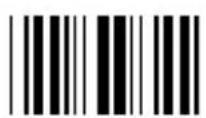
0

1
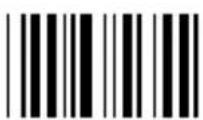
2

3

4
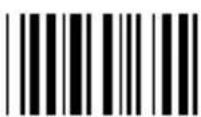
5

6
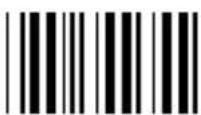
7
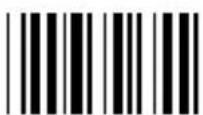
8

9

F5 (%VE)
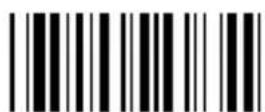
Exit
| Beep Tone (On Decoding): |  | |||
| 0 | None 3 High | |||
| 1 | Low | 4 | Low to High | |
| 2 | Medium | 5 | High to Low | |
| Beep Tone (On ACK): |  | |||
| 0 | None 3 High | |||
| 1 | Low | 4 | Low to High | |
| 2 | Medium | 5 | High to Low | |
| Inter-Character Delay: | 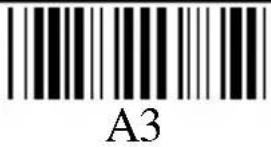 | ||
| 0 | 1 ms | 3 | 20 ms |
| 1 | 5 ms | 4 | 50 ms |
| 2 | 10 ms | 5 | 100 ms |
| Inter-Block Delay: | 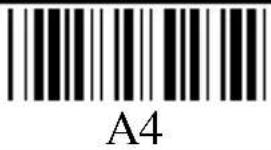 | ||
| 0 | 10 ms | 3 | 500 ms |
| 1 | 50 ms | 4 | 1 second |
| 2 | 100 ms | 5 | 5 seconds |
3 Keyboard Wedge

text_image
Black and white barcode image with vertical lines and a central dotEnter Group 3

Group Default

0

1
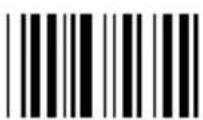
2

3

4

5
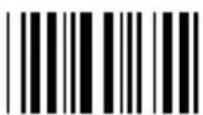
6

7
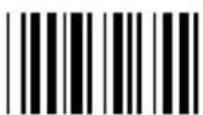
8

9

Review

Exit
| Function Code: |  B1 B1 | |||
| 0 | Off | 1 | On | |
| Upper/LowerCase: |  B2 B2 | |||
| 0 | Lower Case | 1 | Upper Case | |
| Function Code: |  B3 B3 | |
| 0 | US | |
| 1 | UK | |
| 2 | Swiss | |
| 3 | Swedish | |
| 4 | Spanish | |
| 5 | Norwegian | |
| 6 | Italian | |
| 7 | German | |
| 8 | French | |
| 9 | Alt Key Mode | |
4 RS232 Serial Setting
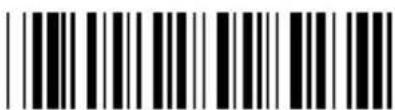
text_image
Black and white barcode image with vertical lines on both sidesEnter Group 4

Group Default

0
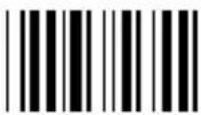
1

2
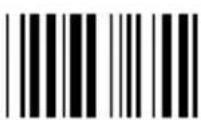
3

4
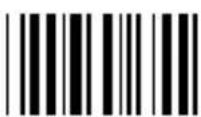
5

6

7

8

9
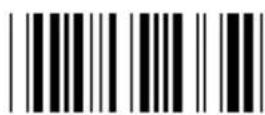
Review

Exit
| Baud Rate: |  C1 C1 | ||||
| 0 | 300 | 4 | 4800 | ||
| 1 | 600 | 5 | 9600 | ||
| 2 | 1200 | 6 | 19200 | ||
| 3 | 2400 | ||||
| Parity: |  C2 C2 | |||
| 0 | Even 3 Space | |||
| 1 | Odd | 4 | None | |
| 2 | Mark | |||
| Data Bit: | 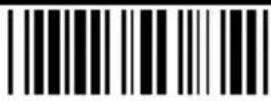 C3 C3 | |||
| 0 | 7 | 1 | 8 | |
| BCC character: |  C4 C4 | |||
| 0 | Off | 1 | On | |
| Time Out: |  C5 C5 | |||
| 0 | 1 second | 2 | 10 seconds | |
| 1 | 3 seconds | 3 | No limit | |
5 Scanner
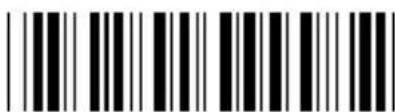
text_image
Black and white barcode image with vertical lines and a horizontal bar at the bottomEnter Group 5
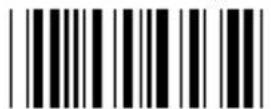
Group Default

0

1

2

3

4
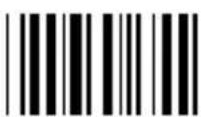
5

6

7
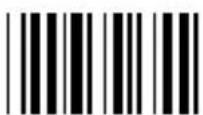
8

9

Review

Exit
| Double verification: | 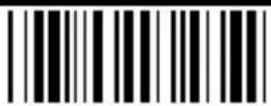 D1 D1 | |||
| 0 | Off | 1 | On | |
| Label Type: |  D4 D4 | |||
| 0 | Positive | 1 | Positive and Negative | |
| Output of Wand: |  D5 D5 | |
| 0 | Bar High / Space Low | |
| 1 | Bar Low / Space High | |
| Level Duration: | 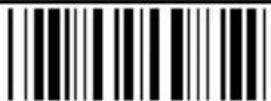 D6 D6 | |||
| 0 | 200 us | 1 | 600 us | |
6 Data Format
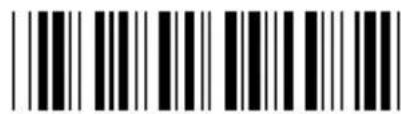
text_image
Barcode image with black and white vertical bars, no visible text or symbolsEnter Group 6

Group Default

Review
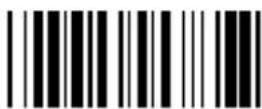
Exit
Default Code ID Table
| Sym-bology | Set1 | Set2 |
| UPC-A | A | A |
| UPC-E | E | C |
| EAN-13 | F | A |
| EAN-8 | FF | B |
| I 2 OF 5 I | I | |
| S 2 OF 5 H | H | |
| Code 39 M | Y | |
| Codabar | N | N |
| Code93 | L | L |
| Code 128 K | K | |
| MSI | O | M |
| Code 11 J | J |
If the "User Defined" option is selected, the default ID is Set1.
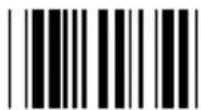
0

1
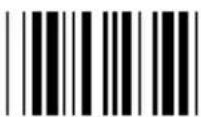
2

3

4

5

6

7

8

9
Data Format:
| Preamble | Code ID | Length | Data | ||
| Terminator | Postamble | BCC | |||
| Terminator: |  E1 E1 | |||
| 0 | Enter (CR/LF) | 2 | Return(LF) | |
| 1 | Field Exit(CR) | 3 | None | |
| Code ID: |  E2 E2 | |||
| 0 | None | 2 | Default Set I | |
| 1 | User Defined | 3 | Default Set II | |
| Define Code ID: |  E3 E3 | |||
| 00 | Code 39 Full ASCII | 07 | Codabar | |
| 01 | Code 39 Standard 08 | 8 | Code128 | |
| 02 | EAN-13 09 | Code 93 | ||
| 03 | UPC-A 10 | S 2 of 5 | ||
| 04 | EAN-8 11 | MSI | ||
| 05 | UPC-E 12 | Code 11 | ||
| 06 | I 2 of 5 13 | |||
| Data Length: | 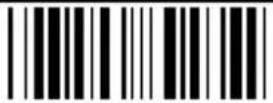 E4 E4 | |||
| 0 | Exclude | 1 | Include | |
 PPPreamble:Scan “PP” to program preamble. Scan characters from Full ASCII table to define preamble.Maximum 16 characters. Scan “PP” to end. PPPreamble:Scan “PP” to program preamble. Scan characters from Full ASCII table to define preamble.Maximum 16 characters. Scan “PP” to end. | 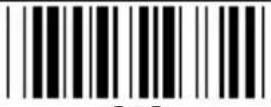 OOPostamble:Scan “OO” to program preamble. Scan characters from Full ASCII table to define preamble.Maximum 16 characters. Scan “OO” to end. OOPostamble:Scan “OO” to program preamble. Scan characters from Full ASCII table to define preamble.Maximum 16 characters. Scan “OO” to end. | |||
7 Symbologies(I): Code 39/I2 of 5/S2 of 5/Delta Distance Code/Code 32

text_image
Black and white barcode image with vertical lines and a horizontal bar at the bottomEnter Group 7

Group Default

0

2

4

6
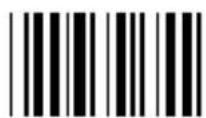
8
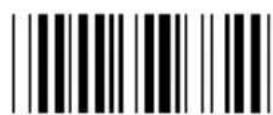
MM Minimum Length
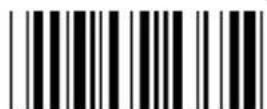
Review

1

3

5

7

9

NN Maximum Length

Exit
| Code 32: | F5 | |||
| 0/1 | Disable/Enable | |||
| 2/3 | Leading Character Send / No Send | |||
| 4/5 | Trailing Character Send /No Send | |||
| Code 39: |  F1 F1 | |||
| 0/1 | Disable/Enable | 2/3 | Full ASCII/Standard | |
| 4 | Check Digit Calculate and Send | |||
| 5 | Check Digit Calculate but Not Send | |||
| 6 | Check Digit Not Calculate | |||
| 7/8 | Send/Not Send Start & Stop | |||
| 0~48 | Min 0 / Max 48 | |||
| Interleaved2 of 5: |  F2 F2 | |||
| 0/1 | Disable/Enable | |||
| 2/3 | Fix Length On/Off (by first three reads) | |||
| 4 | Check Digit Calculate and Send | |||
| 5 | Check Digit Calculate but Not Send | |||
| 6 | Check Digit Not Calculate | |||
| 7 | First Digit Suppressed. | |||
| 8 | Last Digit Not Suppressed. | |||
| 9 | Not Suppressed. | |||
| 4~64 | Min 10 / Max 64 | |||
| Standard 2 of 5 /Toshiba: | 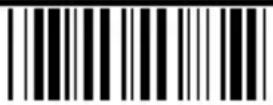 F3 F3 | |||
| 0/1 | Disable/Enable | |||
| 2/3 | Fix Length On/Off | |||
| 4 | Check Digit Calculate and Send | |||
| 5 | Check Digit Calculate but Not Send | |||
| 6 | Check Digit Not Calculate | |||
| 4~48 | Min 8 / Max 48 | |||
| Delta DistanceCode: |  F4 F4 | |||
| 0/1 | Disable/Enable | |||
| 2/3 | Check Digit Not Send / Send | |||
| 4/5 | Check Digit Calculate/Not Calculate | |||
8 Symbologies(II): Code 128 / MSI / Code 93 / Codabar /Label Code

text_image
Black and white barcode image with vertical lines and a horizontal bar at the bottomEnter Group 8

Group Default

0
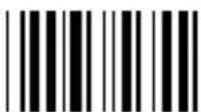
1

2

3
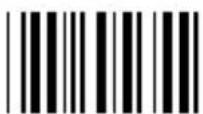
4
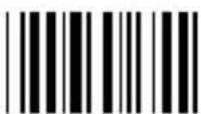
5
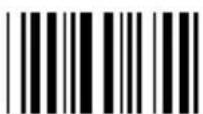
6
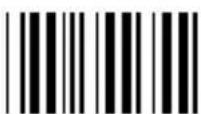
7
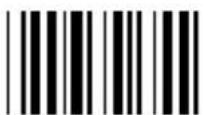
8

9

MM Minimum Length
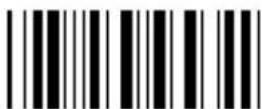
NN Maximum Length

Review

Exit
| Code 128 / Label Code: |  G1 G1 | ||
| 0/1 | Disable/Enable | 1~64 | Min 1 / Max 64 |
| MSI / PlesseyCode: |  G2 G2 | ||
| 0/1 | Disable/Enable | 2/3_ | CD Send / No Send |
| 4 | CD Double Module 10 | ||
| 5 | CD Double Module 11 Plus 10 | ||
| 6 | CD Module 10 or 11 | ||
| 1-16 | Min 1 / Max 16 | ||
| Code 93: |  G3 G3 | |||
| 0/1 | Disable/Enable | 1~48 | Min 1 / Max 48 | |
| Code 11: |  G4 G4 | ||
| 0/1 | Disable/Enable | 2/3 | One/Two CD |
| 4/5 | CD Send / No Send | ||
| 1-48 | Min 1 / Max 48 | ||
| Codabar: |  G5 G5 | |||
| 0/1 | Disable/Enable | 2/3 | S & S Send / No Send | |
| 4 | CD Check & Send | |||
| 5 | CD Check but not Send | |||
| 6 | CD not Check | |||
| 7/8 | CLSI Format On / Off | |||
| 3-48 | Min 3 / Max 48 | |||
9 Symbologies(III): UPC/EAN

text_image
Black and white barcode image with vertical lines and a horizontal bar at the bottomEnter Group 9

Group Default

0
1

2

3

4

5

6

7

8

9

Review

Exit
| UPC-A: |  H1 H1 | |
| 0/1 | Disable/Enable | |
| 2/3 | First DigitSend/No Send | |
| 4/5 | CDSend/No Send | |
| UPC-E: |  H2 H2 | |
| 0/1 | Disable/Enable | |
| 2/3 | First DigitSend/No Send | |
| 4/5 | CDSend/No Send | |
| 6/7 | Zero Expansion On /Off | |
| EAN-13: |  H3 H3 | |
| 0/1 | Disable/Enable | |
| 2/3 | First DigitSend/No Send | |
| 4/5 | CDSend/No Send | |
| 6/7 | ISBN Enable /Disable | |
| EAN-8: |  H4 H4 | |
| 0/1 | Disable/Enable | |
| 2/3 | First DigitSend/No Send | |
| 4/5 | CDSend/No Send | |
| Supplement Code: |  H5 H5 | |
| 0/1 | 2 Add-on Code Off / On | |
| 2/3 | 5 Add-on Code Off / On | |
| 4 | Transmitted if Present | |
| 5 | Must Present. | |
| 6/7 | Space Added / Not Added | |
Function Code for PC

F1 (\%VA)

F2 (\%VB)

F3 (%VC)

F4 (%VD)

F5 (\%VE)

F6 (\%VF)

F7 (%VG)

F8 (%VH)

F9 (%VI)

F10 (%VJ)
F11 (%VK)

F12 (%VL)
Cursor Right (/FC)

Cursor Left (/FD)

Cursor Up (/FE)

Cursor Down (/FF)

PgUp (/FG)

PgDn (/FH)

TAB (/FI)
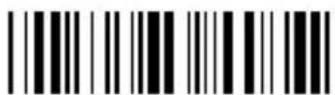
Back Tab (/FJ)

ESC (/FK)

Enter (/FL)

Right Ctrl (/FO)
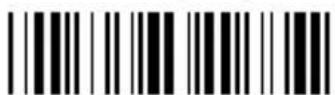
Right Enter(/FM)
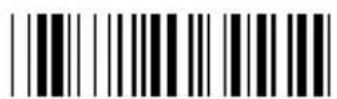
Del (/FX)
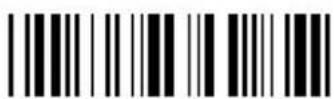
Ins (/FW)
Function Code for MAC

F1 (%VA)
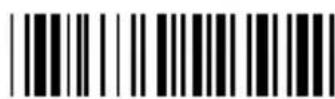
F2 (\%VB)

F3 (%VC)

F4 (\%VD)

F5 (\%VE)
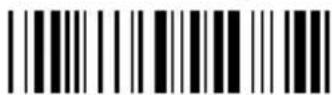
F6 (\%VF)

F7 (%VG)
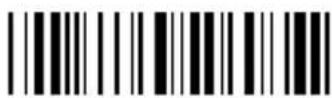
F8 (%VH)

F9 (%VI)
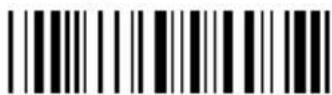
F10 (%VJ)
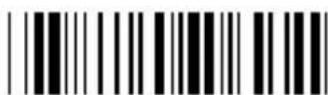
F11 (%VK)

F12 (%VL)

F13 (%VM)
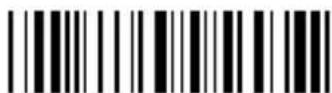
F14 (%VN)

F15 (%VO)

Cursor Left (/FD)
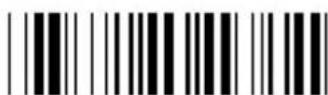
Cursor Right (/FC)
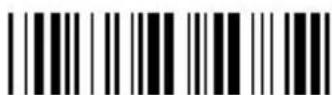
Cursor Down (/FF)

Cursor Up (/FE)

Page down (/FH)

page up (/FG)

ins (/FJ)

Ttab (/FI)

Enter (/FL)

text_image
Esc (/FK)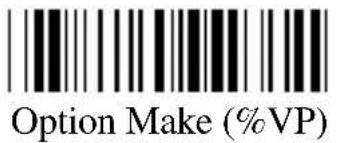
text_image
Option Make (%VP)
text_image
Control Make (%VR)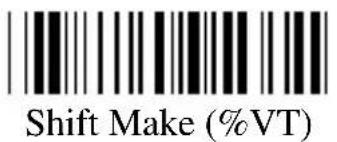
text_image
Shift Make (%VT)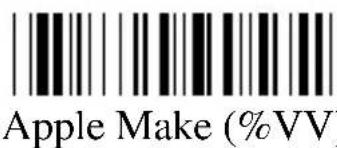
text_image
Apple Make (%VV)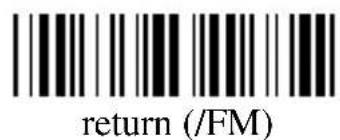
text_image
return (/FM)
text_image
Option Break (%VQ)
text_image
Control Break (%VS)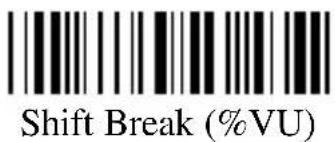
text_image
Shift Break (%VU)
text_image
Apple Break (%VW)Function Code for IBM Terminal

F1 (%VA)
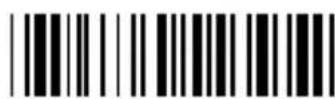
F2 (\%VB)

F3 (%VC)

F4 (%VD)
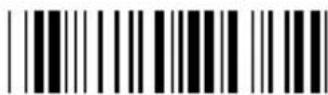
F5 (\%VE)

F6 (\%VF)

F7 (%VG)

F8 (%VH)
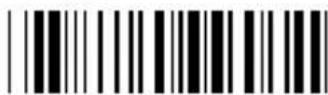
F9 (%VI)

F10 (%VJ)

F11 (%VK)

F12 (%VL)

F13 (\%VM)

F14 (%VN)
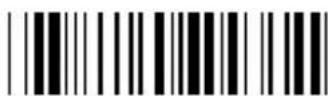
F15 (%VO)

F16 (\%VP)

F17 (%VQ)

F18 (%VR)

F19 (%VS)

F20 (%VT)

F21 (%VU)
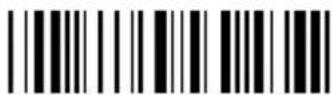
F22 (\%VV)

F23 (%VW)

F24 (\%VX)

Home (/FA)

End (/FB)

TAB (/FI)

Enter (/FL)

Return (/FM)

Field Exit (/FO)
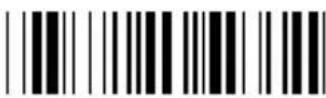
Field + (/FP)
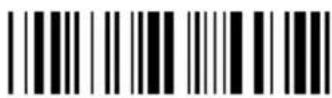
Field - (/FQ)
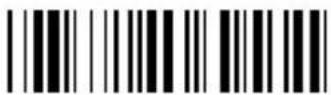
RESET (/FV)
Full ASCII Table
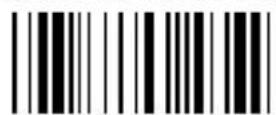
NUL (%U)

SOH (\$A)

STX (\$B)

ETX (\$C)
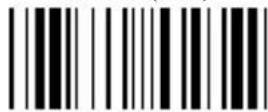
EOT (\$D)

ENQ (\$E)

ACK (\$F)
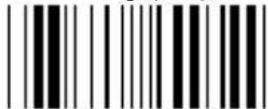
BEL (\$G)

BS (\$H)

HT (\$I)

LF (\$J)

VT (\$K)

FF (\$L)

CR (\$M)

SO (\$N)
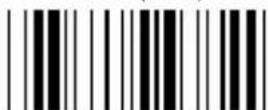
SI (\$O)

DLE (\$P)

DC1 (\$Q)
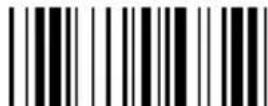
DC2 (\$R)

DC3 (\$S)

DC4 (\$T)

NAK (\$U)

SYN (\$V)

ETB (\$W)

text_image
CAN ($X)
text_image
SUB ($Z)
text_image
FS (%B)
text_image
RS (%D)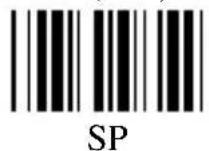

text_image
" (/B)

text_image
& (/F)
text_image
( (/H)
text_image
* (/J)
text_image
, (/L)

text_image
EM ($Y)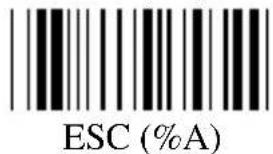
text_image
ESC (%A)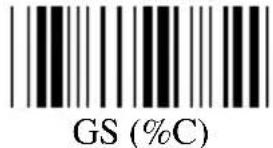
text_image
GS (%C)
text_image
US (%E)
text_image
! (/A)
text_image
(/C)
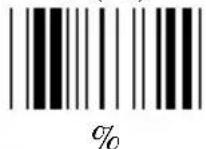
text_image
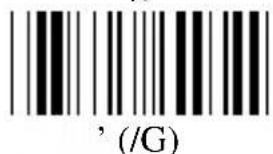
' ( /G )
text_image
) (/I)


text_image
^(W)
text_image
b (+B)
text_image
d (+D)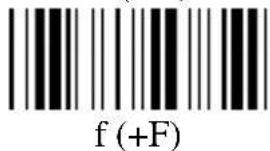
text_image
f (+F)
text_image
h (+H)
text_image
j (+J)
text_image
1 (+L)
text_image
n (+N)
text_image
p (+P)
text_image
r (+R)
text_image
t (+T)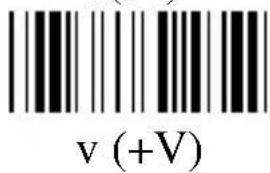
text_image
v (+V)
text_image
a (+A)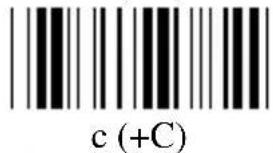
text_image
c (+C)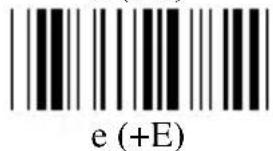
text_image
e (+E)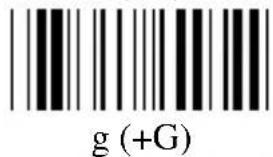
text_image
g (+G)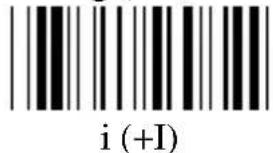
text_image
i (+I)
text_image
k (+K)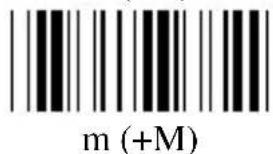
text_image
m (+M)
text_image
o (+O)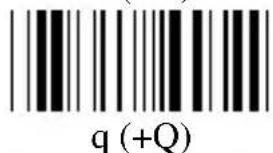
text_image
q (+Q)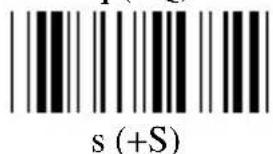
text_image
s (+S)
text_image
u (+U)
text_image
w (+W)

text_image
y (+Y)
text_image
{(%P)
text_image
%R)
text_image
DEL (%T)Test Chart

text_image
EAN-13 3045214834123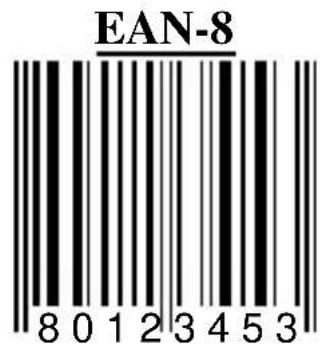
text_image
EAN-8 80123453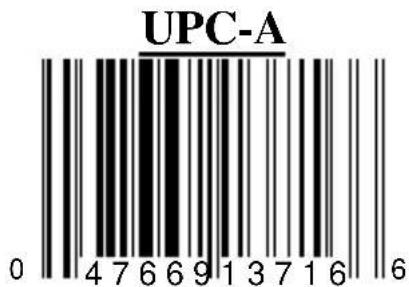
text_image
UPC-A 0 47669137166
text_image
UPC-E 0 21 2 3 4 5 7 9 9ISBN 957-630-239-0

text_image
9789576302398 07200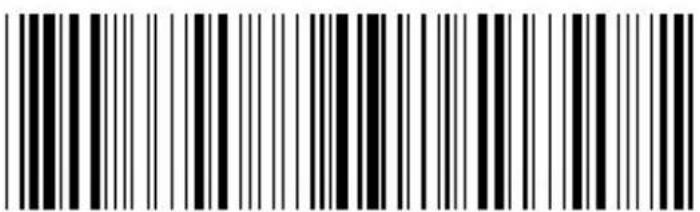
text_image
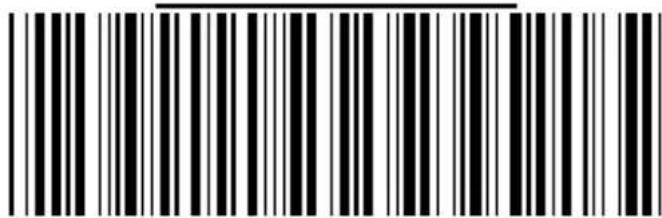
Black and white barcode image with vertical lines on both sidesW + E + D + G + E
Code 39 with C/D
text_image
Black and white barcode image with vertical lines above and below the barsUNI TECH-E
Interleaved 2 of 5

text_image
Black and white barcode image with vertical lines and a horizontal bar at the top0987654321
Codabar

text_image
Black and white barcode image with vertical lines and a horizontal bar at the topA22357000599876B
MSI
text_image
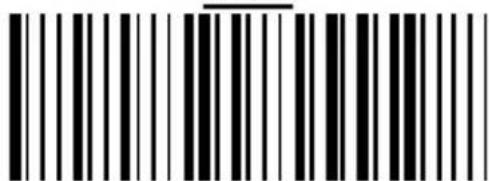
Black and white barcode image with vertical lines and a horizontal bar at the center12345-5