
APCRBC131 - Okategoriserad APC - Gratis bruksanvisning och manual
Hitta enhetens manual gratis APCRBC131 APC i PDF-format.


Användarfrågor om APCRBC131 APC
0 fråga om denna apparat. Svara på dem du kan eller ställ din egen.
Ställ en ny fråga om denna apparat
Ladda ner instruktionerna för din Okategoriserad i PDF-format gratis! Hitta din manual APCRBC131 - APC och ta tillbaka ditt elektroniska enhet i hand. På denna sida publiceras alla dokument som behövs för att använda din enhet. APCRBC131 av märket APC.
BRUKSANVISNING APCRBC131 APC
Battery Cartridge Replacement
Back-UPS or BK (200 - 500 VA) and
Back-UPS Pro, BK Pro or SU (280 - 420 VA)
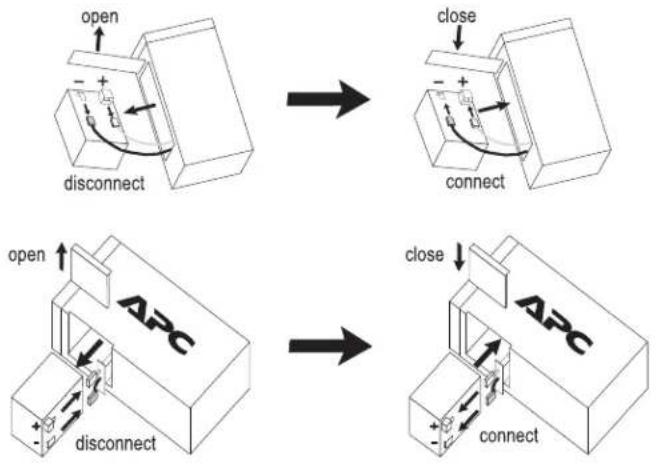
flowchart
graph TD
    A["open"] --> B["disconnect"]
    B --> C["close"]
    C --> D["connect"]
    D --> E["open"]
    E --> F["disconnect"]
    F --> G["close"]
    G --> H["connect"]
    H --> I["ABC"]
Back-UPS Pro USB (350, 500, and 650 VA)
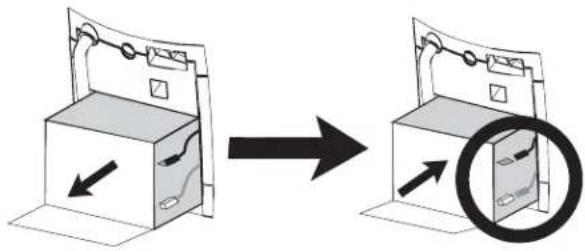
natural_image
Diagram showing a device being opened into a box, with an arrow indicating direction and a magnified inset showing internal components (no text or symbols)Back-UPS (1000 and 1400 VA)
Smart-UPS (450 - 1500 VA) and Smart-UPS XLBP
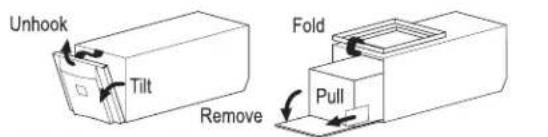
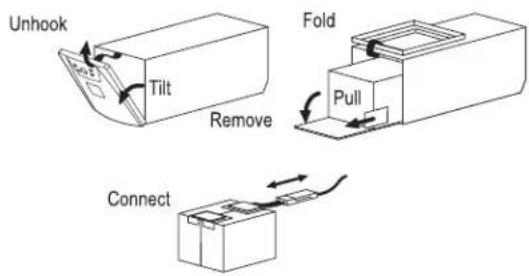

Back-UPS Office (250 - 500 VA)
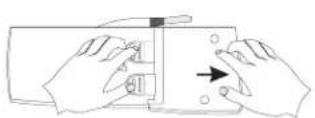
Press and Slide
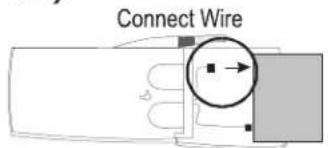
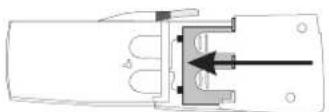
Close Cover
Back-UPS ES 350 and ES 500 and ES 550
remove screw
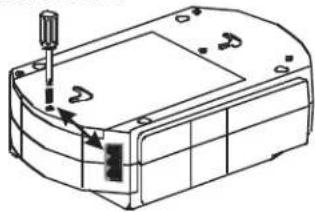
natural_image
Technical line drawing of a mechanical housing or enclosure with a screwdriver inserted (no text or symbols)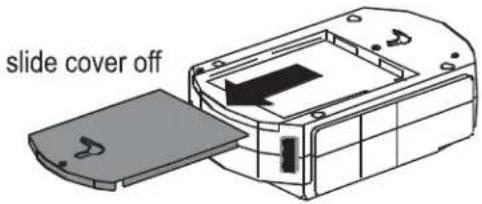
disconnect wires, replace with new battery and reconnect wires.
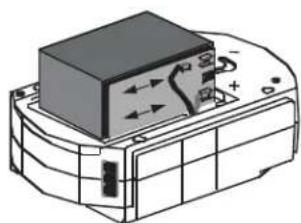
natural_image
Technical line drawing of a mechanical component with no visible text or symbolsBack-UPS ES 500
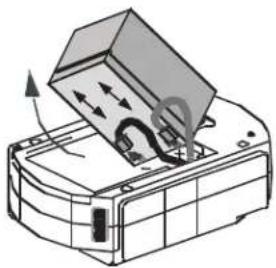
natural_image
Diagram of a printer or scanner with an open lid and internal components, showing directional arrows (no text or symbols)Back-UPS ES 350
Close cover and reinstall screw
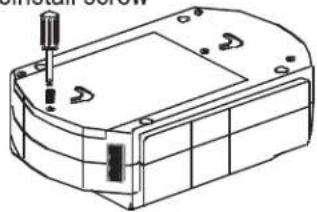
natural_image
Technical line drawing of a mechanical housing or enclosure with mounting holes and internal components (no text or symbols)Back-UPS ES 725
press release tabs and slide off cover
release tabs
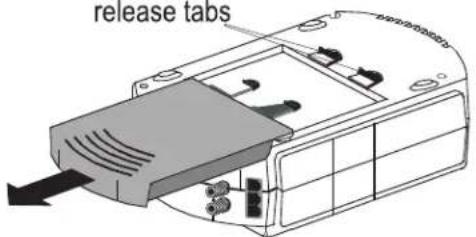
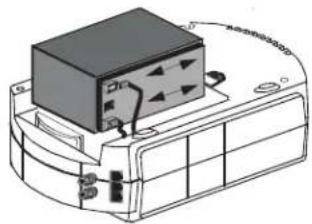
disconnect wires, replace with new battery and reconnect wires.
natural_image
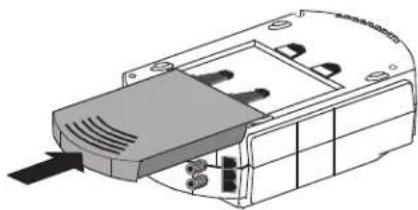
Diagram of a device with a black box and cable, no visible text or symbolsclose cover
natural_image
Technical line drawing of a mechanical component with no visible text or symbolsBack-UPS 120V ES 350/450/550 and 220V ES 400/550/700
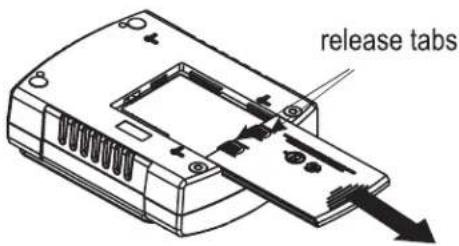
press release tabs and slide off cover
disconnect wires, replace with new battery and reconnect wires.
close cover
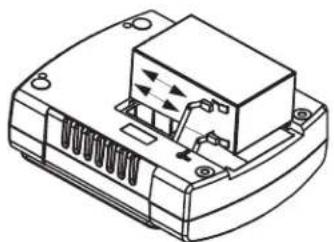
natural_image
Technical line drawing of a mechanical component with no visible text or symbols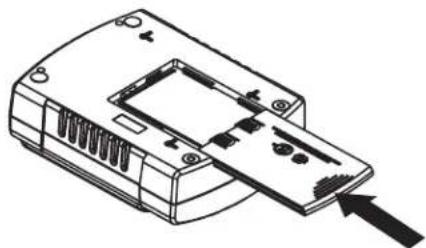
natural_image
Line drawing of a device casing with internal components and an arrow pointing to one end (no text or symbols)Smart-UPS Rackmount (all 5.25" tall models)
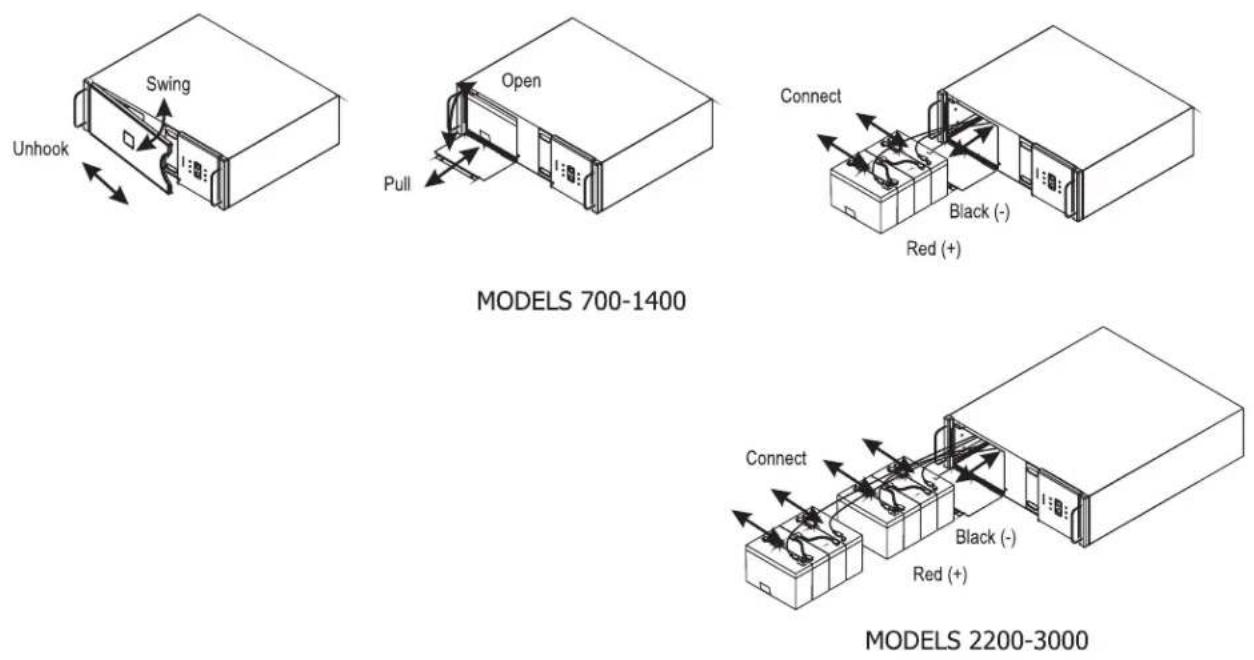
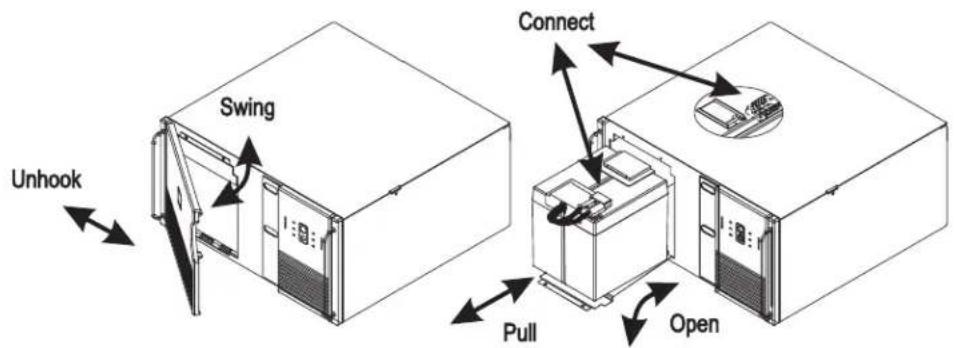
Smart-UPS Rackmount (all 8.75" tall models)
Smart-UPS Rackmount XL Battery Packs
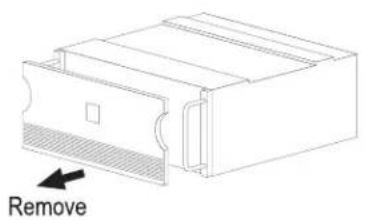
natural_image
Technical line drawing of a mechanical component with a labeled 'Remove' arrow (no other text or symbols)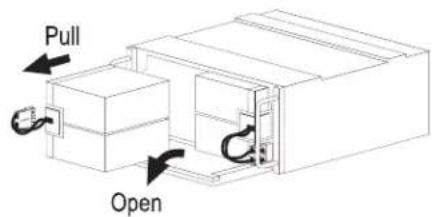
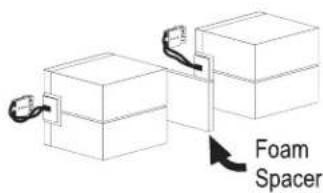
Smart-UPS (2200 and 3000 VA)
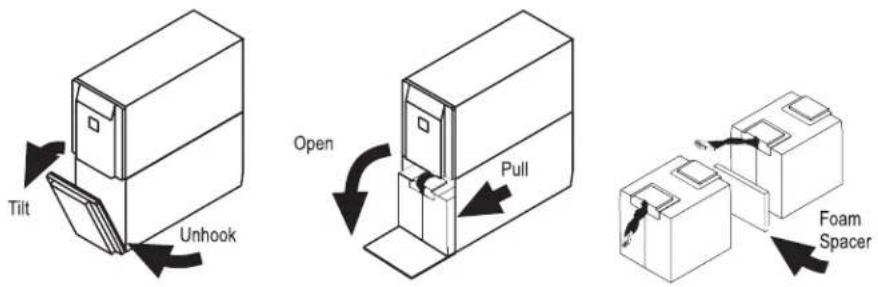
UXBP (24, 48, 48M)
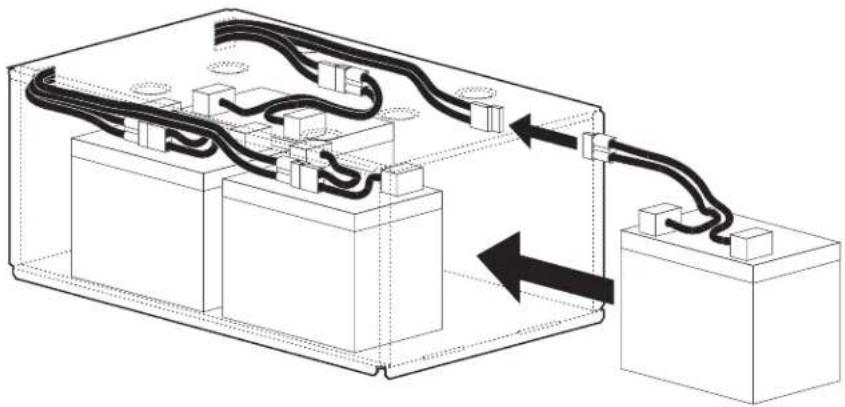
natural_image
Technical diagram of an electrical enclosure with wiring and components, no visible text or symbolsSmartCell XR
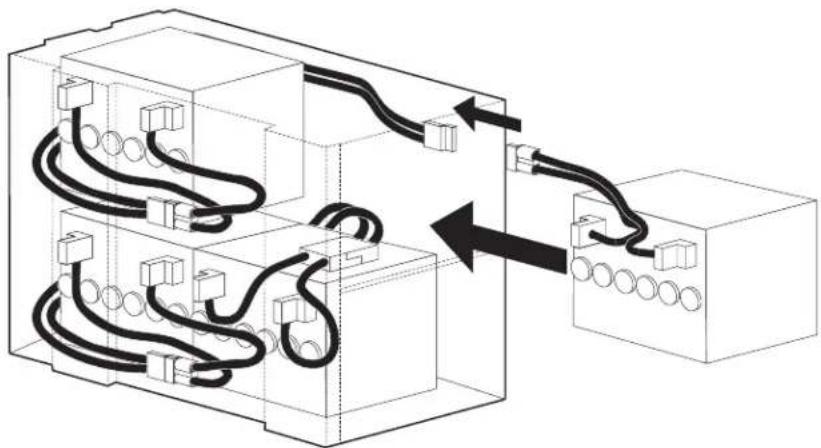
natural_image
Diagram of electrical wiring connections between two blocks, showing cable routing and terminal connections (no text or labels)Dispose

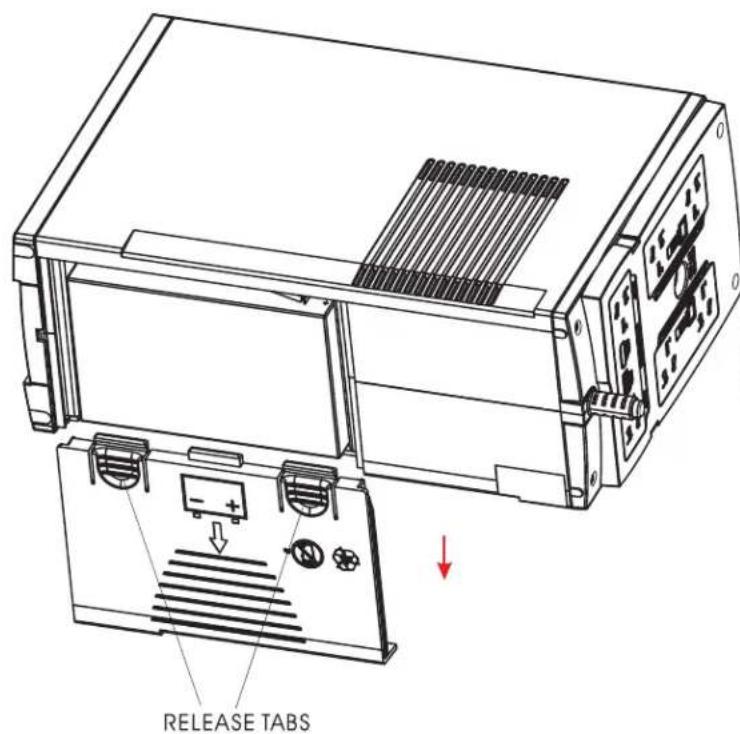
Back-UPS BR1000-CH
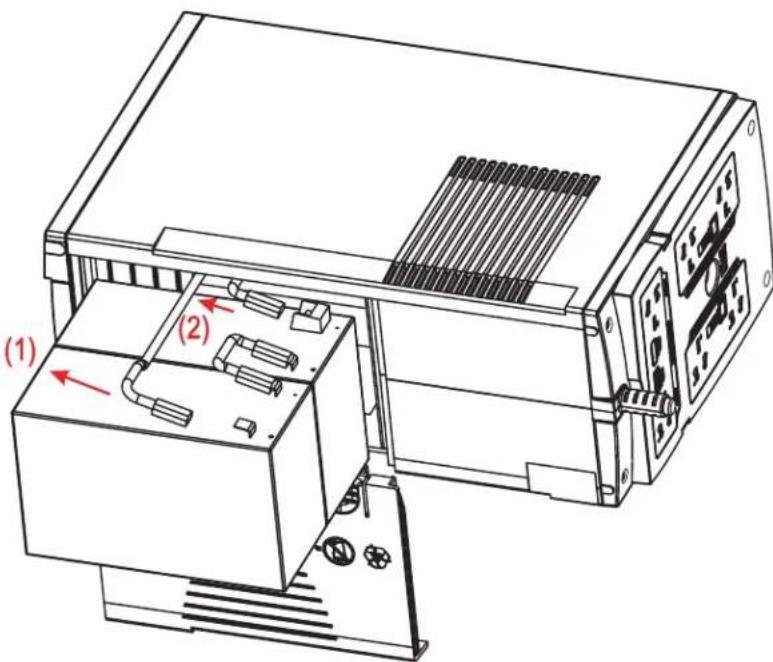
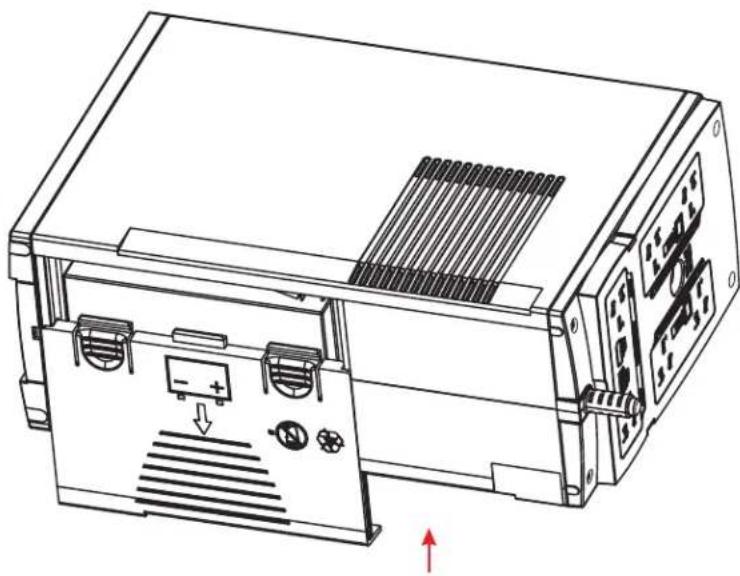
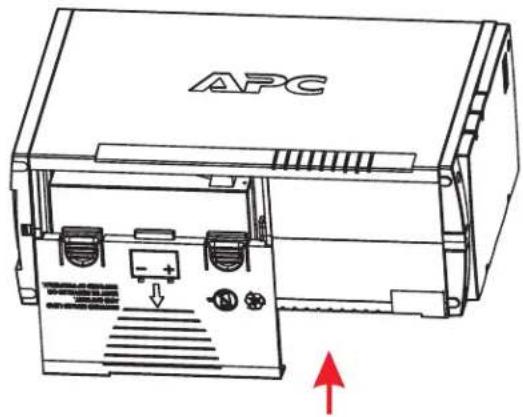
1 PRESS RELEASE TABS AND SLIDE OFF BATTERY DOOR.
3 REPLACE THE NEW BATTERY AND CONNECT THE WIRES.
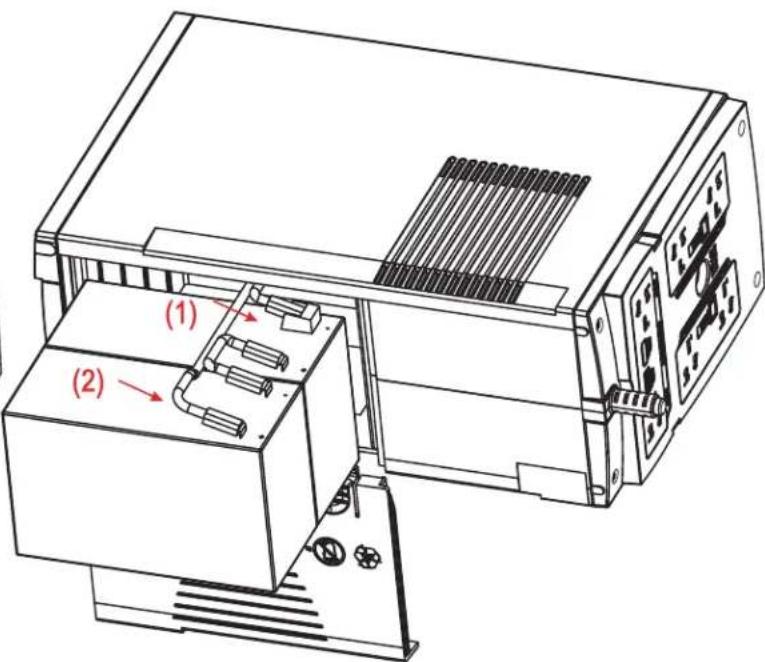
2 DISCONNECT THE BATTERY WIRES.
4 CLOSE THE BATTERY DOOR.
natural_image
Technical line drawing of an electronic device with ports and a panel, showing internal components and directional arrows (no text or symbols)990-0179J
Back-UPS BX900R/BX1200R/DL1000VNT BR1100CI/BR1100CI-RS/BR1100CI-AS/BR1100CI-IN BX1300LCD/BX1500LCD/BN1250LCD
1 PRESS RELEASE TABS AND SLIDE OFF BATTERY DOOR.
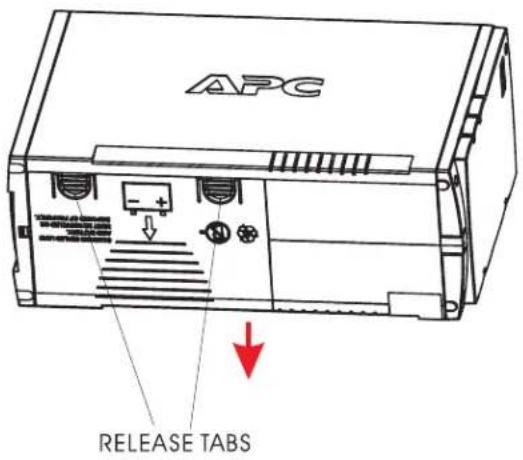
3 REPLACE THE NEW BATTERY AND CONNECT THE WIRES.
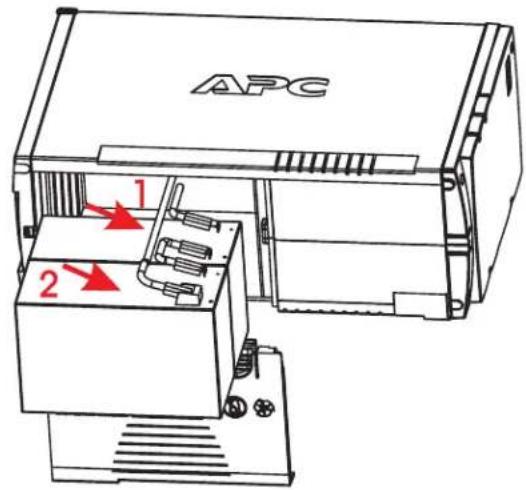
2 DISCONNECT THE BATTERY WIRES.
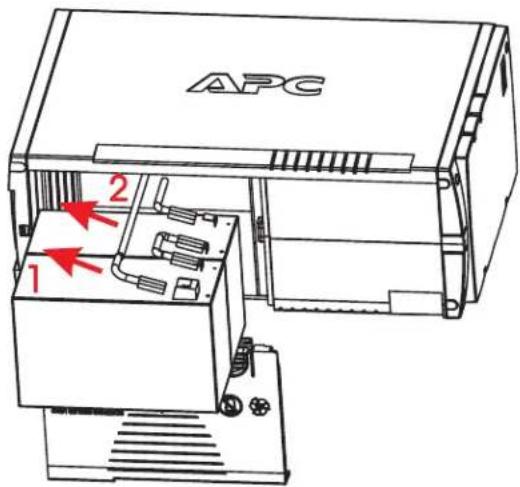
4 CLOSE THE BATTERY DOOR.


Märke : APC
Modell : APCRBC131
Kategori : Okategoriserad