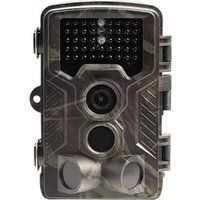
Action Cams 4K WiFi - Videokamera DENVER - Gratis bruksanvisning och manual
Hitta enhetens manual gratis Action Cams 4K WiFi DENVER i PDF-format.


Användarfrågor om Action Cams 4K WiFi DENVER
0 fråga om denna apparat. Svara på dem du kan eller ställ din egen.
Ställ en ny fråga om denna apparat
Ladda ner instruktionerna för din Videokamera i PDF-format gratis! Hitta din manual Action Cams 4K WiFi - DENVER och ta tillbaka ditt elektroniska enhet i hand. På denna sida publiceras alla dokument som behövs för att använda din enhet. Action Cams 4K WiFi av märket DENVER.
BRUKSANVISNING Action Cams 4K WiFi DENVER
DENVER®
Instruction Manual
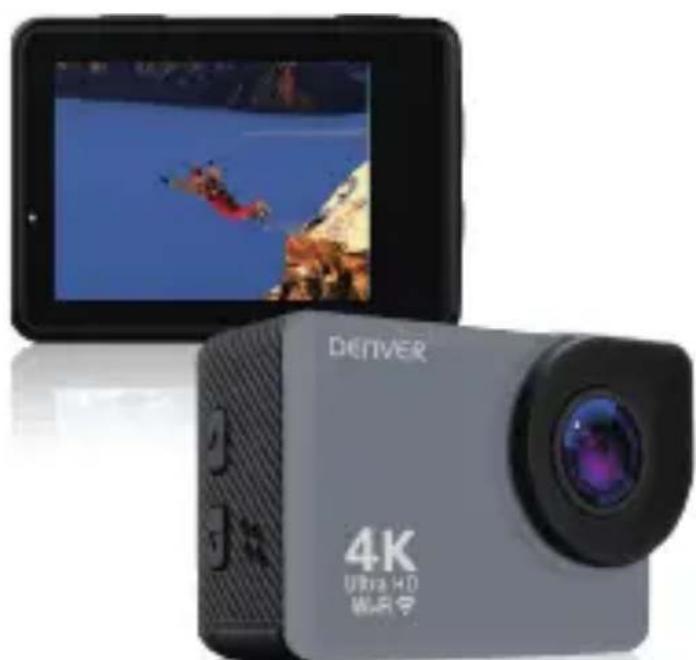
4K Action Camera
ACK-8062W
natural_image
Exterior view of a Denver 4K Ultra HD war drone device (no signage or text on device body)www.denver-electronics.com
Before operating this product, please read this instruction manual carefully and completely.
Instruction
Product features
- With a water proof casing, this product allows you to fill meters under water.
- HD screen display for convenient videos and image playba
- Detachable battery for easy replacement and help extend battery life
- Record videos while charging
● 20 Megapixel wide angle lens - HDOUT function to connect the camera to a TV
- Web Camera function
● Supports TF card Storage up to 64GB
● Supports multiple video recording formats: 4K/2.7K/1080P/720P/
● Supports multiple photo shooting modes: Single shot /Burst photo/ Time-lapse photo
● Supports multiple video shooting modes: Normal video/Time-lapse video/Slow-Motion video
● Light weight, small size for you to record everyday life I movie.
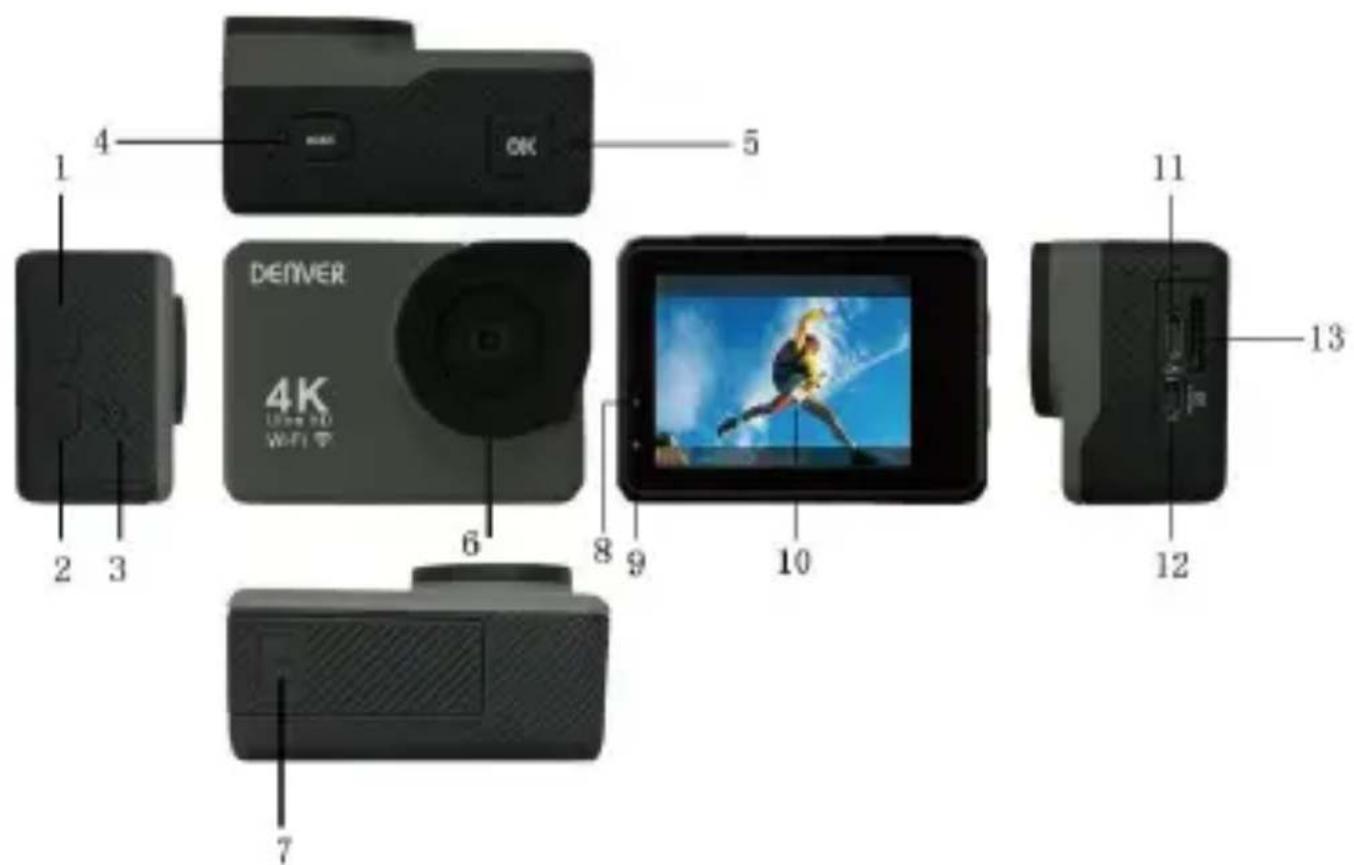
Product structure
text_image
1 2 3 4 OK 5 DENVER 4K Use VR WiFi 6 8 9 10 11 12 13- Up (WIFI)
- Down (Mute)
- Speaker
- Mode (Power)
- OK
- Lens
- Battery Door
- Charge Indicator
- Function Indicator
- Screen
-
USB
-
HDOUT (TV Output)
-
Micro SD card Slot
Operation Instruction
1. Turn ON/OFF camera
Long press the Mode/Power button to turn on the camera. the Mode/Power button again to turn off the camera.
2. Switch camera mode
After the camera is turned on, it will get into video mode. the Mode/Power button, you can switch the camera to differ Video Mode--Photo Mode--Video Playback Mode--Photo Playback Mode--Menu Mode.
3. Video record
Please insert the SD card before recording a video. Then the camera. It will get into video mode directly. Press the OK the camera will start recording. Press the OK button again recording.
4. Time-lapse video recording
After turning on the camera, switch to video menu setup pa the "Time-lapse" menu. Then choose the time from: 1s, 5s, 60s. After you select the time, exit the menu to video mod will see the red circle icon at the upper-right corner of the means the camera is in Time-lapse video mode.
5. Slow-Motion video recording
After turning on the camera, switch to video menu setup pa the "Slow-Motion" menu. You can select 720P/120FPS mode or 1080P/60FPS mode. Then switch to the video page. It will video resolution you choose at the upper-left corner. Usually, 720P/120FPS will produce better slow motion effect.
6. Photo mode
Switch the camera to photo mode. Press the OK button to photo.
7. Time-lapse photo mode
In menu setup mode, switch to photo menu page. Select the "Time Lapse Phôtand choose a time from: 2sec, 10sec, as Then exit menu setup page. Switch the camera to photo my you will see the icon at the upper-left side of the screen. the camera is in timed-photo mode. When you take a photo count 2s or 10s and then take a photo.
8. Burst Photo mode
In menu setup mode, switch to photo menu page. Select the "Burst Photo" and choose a time from: 3 Photos, 5 Photos a Then exit menu setup page. Switch the camera to photo may you will see the icon at the upper-left side of screen. This camera is in burst photo mode. In this mode, when you please button, the camera will take 3 photos or 5 photos.
9. Playback mode
After turning on the camera, repeatedly press the Mode/Power button to switch to video Playback mode. Then you can press the or Down button to select the video. Press the OK button review the video. Press the Mode/Power button again to switch photo playback mode. Select the photo and press the OK button review. Press the Mode/Power button to stop photo review.
10. WIFI (APP) Connection
To control the camera with a mobile, please take the follow First, download the APP “Denver ACK-8062W” from Google P Apple Store.
Then press the Up button of the camera to turn on the V see the information welcome screen:
WIFI SSID: ACK-8062W
WIFI Password: 12345678
Use your mobile to connect to this WIFI. Then you can start "Denver ACK-8062W" to control the camera with your mobile.
11. Charge camera
Connect the camera to the charger. Then the charge indicated. When the camera is fully charged, the red indicator will
Specifications
| Video Resolution | 4K@30FPS/2.7K@30FPS/1080P@60FPS/1080P@30FPS/720P@120FPS/720P@60FPS |
| Photo Size 20M/16M/12M/8M/5M | |
| Format MOV, JPG | |
| Codec Format | H.264 |
| Time-lapse Video | OFF/1s, 5s, 10s,30s, 60s |
| Slow-Motion Video 1080P@60FPS; 720P@120FPS | |
| Time-lapse Photo 2S/10S/OFF | |
| Burst Photo | 3P/S, 5P/S, 10P/S, OFF |
| Loop Recording OFF/1min/3min/5min | |
| Memory | Micro SD Maximum 64GB |
| WIFI Function | Support |
| USB | USB2.0 |
| Battery | 1050 mAh |
Please notice - All products are subject to change without a We take reservations for errors and omissions in the manual
ALL RIGHTS RESERVED, COPYRIGHT DENVER ELECTRONIC A/S
DENVER®
www.denver-electronics.com

text_image
CE -Electric and electronic equipment and included batteries contain materials, components and substances that can be hazardous health and the environment, if the waste material (discarded and electronic equipment and batteries) is not handled correct
Electric and electronic equipment and batteries is marked with crossed out trash can symbol, seen above. This symbol sign electric and electronic equipment and batteries should not be disposed of with other household waste, but should be dispo separately.
As the end user it is important that you submit your used the appropriate and designated facility. In this manner you met that the batteries are recycled in accordance with legislature not harm the environment.
All cities have established collection points, where electric and electronic equipment and batteries can either be submitted free charge at recycling stations and other collection sites, or be from the households. Additional information is available at the technical department of your city.
Hereby, Inter Sales A/S declares that the radio equipment ty ACK-8062W is in compliance with Directive 2014/53/EU. The of the EU declaration of conformity is available at the follow internet address: www.denver-electronics.com and then click the search ICON on topline of website. Write model number: AC Now enter product page, and RED directive is found under downloads/other downloads.
Operating Frequency Range:412-2.472GHz
Max Output Power6dbm
DENVER ELECTRONICS A/S
Omega 5A, Soeften
DK-8382 Hinnerup
Denmark
www.facebook.com/denverelectronics
Warning: Lithium battery inside