Angel 20266 - Klocka INVICTA - Gratis bruksanvisning och manual
Hitta enhetens manual gratis Angel 20266 INVICTA i PDF-format.


Användarfrågor om Angel 20266 INVICTA
0 fråga om denna apparat. Svara på dem du kan eller ställ din egen.
Ställ en ny fråga om denna apparat
Ladda ner instruktionerna för din Klocka i PDF-format gratis! Hitta din manual Angel 20266 - INVICTA och ta tillbaka ditt elektroniska enhet i hand. På denna sida publiceras alla dokument som behövs för att använda din enhet. Angel 20266 av märket INVICTA.
BRUKSANVISNING Angel 20266 INVICTA
PRESENTATION
Display Elements
Minutes Hand
Hour Hand
Stopwatch Minute Hand
(Move in minute increments)
Second Hand
Stopwatch Second Hand
(Move in second increments)
24-Hour Hand
(Indicates the time on a
24-Hour basis)
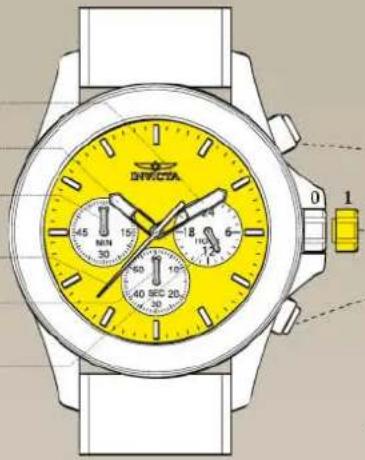
Control Buttons
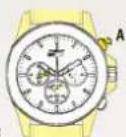
Push Button A:
In stopwatch function:
Start/Stop
Crown: Time setting
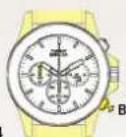
Push Button B:
In stopwatch function:
Split/Split release/Reset
* The measurement time indicated by the stopwatch hands move independently of the center hands.
SETTINGS
Adjusting the Stopwatch Hand Position
Before setting the time, check if all the chronograph hands - second, minute - are at the "O"(12 o'clock) position.
* If the stopwatch is in use, press the buttons in the following order to reset it, and then, check if the hands return to "0" position. (For details, see "HOW TO USE THE STOPWATCH")
*If the chronograph is counting: A → B
*If the stopwatch is stopped: B
*If the split time is displayed: B → A → B
If either of the stopwatch hands are not in the "0" position, reset them following the procedure below.
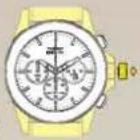
1.1
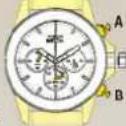
1.2
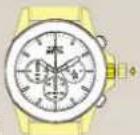
Pull the crown out to position 1.
Press button A or B to reset all stopwatch hands to "0" position.
*The stopwatch minute hand moves correspondingly with the stopwatch second hand.
*The hands move quickly if the respective buttons are kept pressed.
Push the crown back to the normal position.
Time Setting
* Before setting the time, check that the chronograph measurement is stopped.
2.1
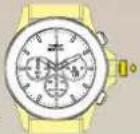
Pull out the crown when the second hand is at the 12 o'clock position. The second hand will stop on the spot.
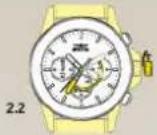
Set the hands to the desired time of the day by turning the crown, make sure AM/PM is set correctly
* Do not press any button, otherwise the chronograph hands will move.
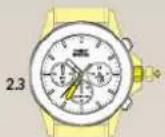
Push the crown back to the normal position in accordance with a time signal.
FUNCTIONS
How to Use the Stopwatch
• The measurement time is indicated by the stopwatch hands that move independently of the center hands (and 24-hour hand where applicable).
• The stopwatch can measure up to 60 minutes.
Standard Measurement
E.g. 100m race (Press the buttons in the following order A → A → B)
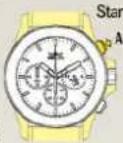
3.2
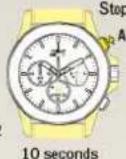
3.3
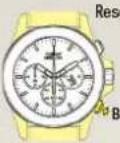
Reset (Reset to "0'00")
Accumulated Elapsed Time Measurement
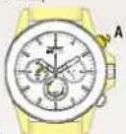
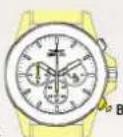
E.g. basketball game (Press the buttons in the following order
A→A/A……→A→B)
Start → Stop (Start of game) (Time out)
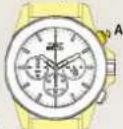
Restart (Restart of game)
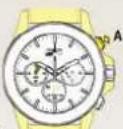
5 minutes 10 seconds
Stop (Game over)
4.3
20 minutes 00 seconds
Reset
Split Time Measurement
E.g. 5,000m race (Press the buttons in the following order A → B / B · · · → A → B)
Start
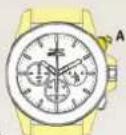
Split / Split release
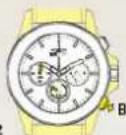
Stop
Reset
* Measurement and release of the split time can be repeated as many times as necessary by pressing button B.