Speedway 31391 - Klocka INVICTA - Gratis bruksanvisning och manual
Hitta enhetens manual gratis Speedway 31391 INVICTA i PDF-format.


Användarfrågor om Speedway 31391 INVICTA
0 fråga om denna apparat. Svara på dem du kan eller ställ din egen.
Ställ en ny fråga om denna apparat
Ladda ner instruktionerna för din Klocka i PDF-format gratis! Hitta din manual Speedway 31391 - INVICTA och ta tillbaka ditt elektroniska enhet i hand. På denna sida publiceras alla dokument som behövs för att använda din enhet. Speedway 31391 av märket INVICTA.
BRUKSANVISNING Speedway 31391 INVICTA
PRESENTATION
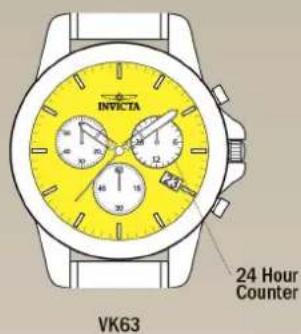
Display Elements
Minutes Hand
60 Minutes Counter
Hour Hand
12 Hour Counter
1/5 Chronograph
Second Hand
Small Second Hand
Date Indicator
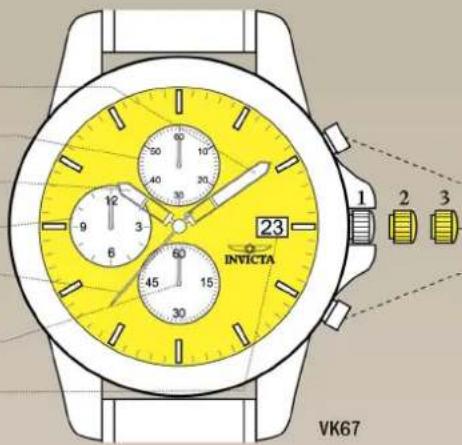
Control Buttons
Push Button A: Start / Stop
Crown
Push Button B : Reset
SETTINGS
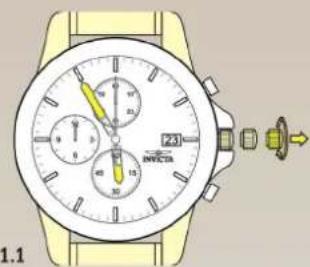
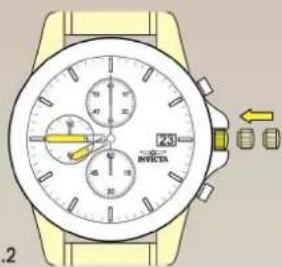
Setting The Time
1.1 Pull out the crown to position 3
1.2 Turn the crown to set hour and minute hand (Check that AM / PM is set correctly)
1.3 Push the crown back into position 1. The watch will begin running *
Note
* If the crown is pulled to the second position while the chronograph is started, the chronograph hands with continue to move. This is not a malfunction.
1.2
Setting the Date
2.1 Pull out the crown to position 2
2.2 Turn the crown clockwise for date setting*
2.3 Push the crown back into position 1
Note
Do not set the date between 9:00PM and 3:00AM, otherwise the day may not change properly. If it is necessary to set the date during that time period, first change the time to any time outside it, set the date and then reset the correct time.
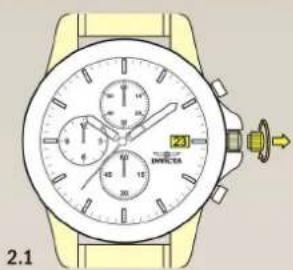
natural_image
Illustration of a wristwatch with dual dials and a dial indicator (no text or symbols on the watch face)2.2
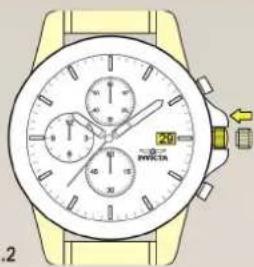
natural_image
Illustration of a wristwatch with dual dials and wrist strap (no text or symbols)Reset after Battery change
- Pull out the crown to position 3
- Press the button B for two seconds and release the button
- Push the crown back into position 1
- The small second hand with move at two-second interval for 10 seconds as a demonstration
Note
* If the crown is operated within the 10 seconds, the two-second interval movement will not be activated.
* It is not necessary to set the chronograph hands after the battery is exchanged. If the chronograph hand positions are incorrect, please see "Simple Timing Function" to reset to "0" position
FUNCTIONS
Simple Timing Function
Set crown in position 1
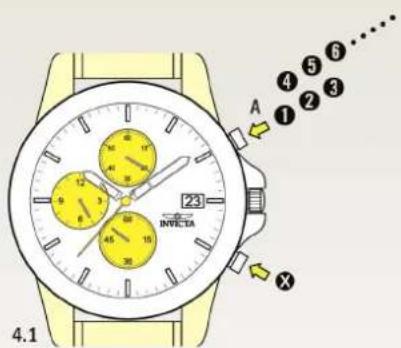
① to ③ order of functions
① START
② STOP : Read time
- 2 hours, 10 minutes, 8 seconds
③ Reset to zero
Note
The chronograph can measure up to 60 minutes (VK63) and 12 hours (VK67) and chronograph stops after a measurement for 60 minutes (VK63) and 12 hours (VK67).
After the maximum measurement time finished, press button A to reset the chronograph.
During the chronograph operation, button B (reset) can be pushed. It will not cause any problem.
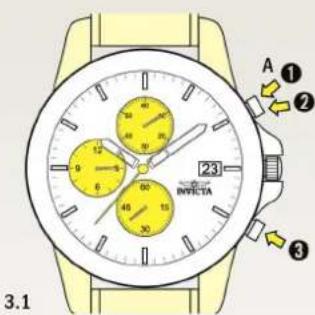
ADD Function
Setting crown in position 1
① to ✗ order of functions
1 START
② STOP Read
③ RESTART
4 STOP Read
⑤ RESTART
6 STOP Read
:
.
X Reset to zero