Specialty 30701 - Сат INVICTA - Besplatni korisnički priručnik
Pronađite besplatno priručnik za uređaj Specialty 30701 INVICTA u PDF formatu.


Pitanja korisnika o Specialty 30701 INVICTA
0 питање о овом уређају. Одговорите на оне које знате или поставите своје.
Постави ново питање о овом уређају
Preuzmite uputstvo za vaš Сат u PDF formatu besplatno! Pronađite svoj priručnik Specialty 30701 - INVICTA i uzmite svoju elektronsku napravu nazad u ruke. Na ovoj stranici su objavljeni svi dokumenti potrebni za korišćenje vaše naprave. Specialty 30701 marke INVICTA.
KORISNIČKI PRIRUČNIK Specialty 30701 INVICTA
PRESENTATION
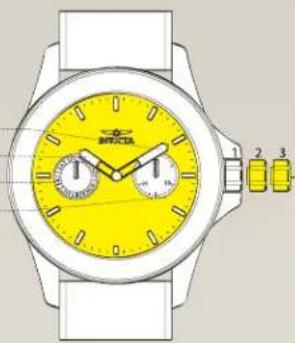
Display Elements
Minute Hand
Hour Hand
Day
Date
natural_image
Illustration of a wristwatch with yellow dials and black buttons, no text or symbols presentControl Buttons
Crown Positions:
- Normal position
- Setting of hour, minute
- Setting of date & day
INSTRUCTIONS
MANUAL
VD79
SETTINGS
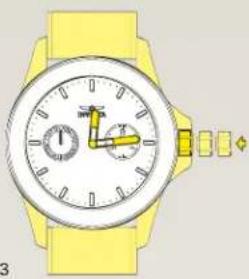
Setting the Time
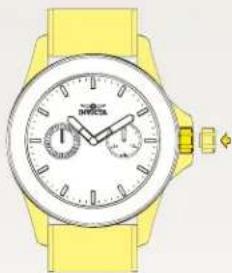
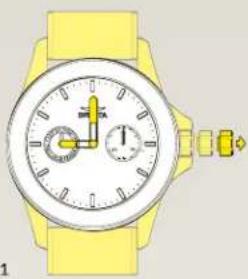
1.1 Pull out the crown to position 3.
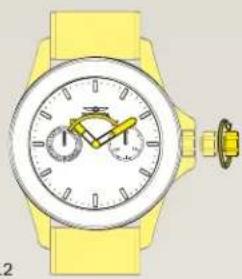
1.2 Advance the hour and minute hands by turning the crown.
1.3 Push the crown back to position 1.
1.1
natural_image
Illustration of a yellow wristwatch with dual dials and a small connector (no text or symbols)1.2
natural_image
Illustration of a yellow wristwatch with dual dials and a small mechanical connector (no text or symbols)1.3
natural_image
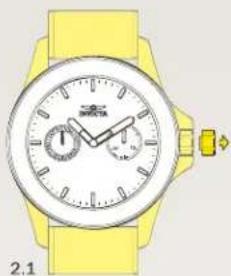
Illustration of a yellow wristwatch with dual dials and a small watch (no text or symbols)Setting the Day
2.1 Pull out the crown to position 2.
2.2 Turn the crown clockwise to set the day.
2.3 Push the crown back to position 1.
natural_image
Yellow wristwatch with dual dials and a wrist strap, no visible text or symbols on the watch face.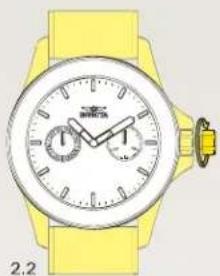
natural_image
Yellow wristwatch with dual dials and a yellow strap (no visible text or symbols)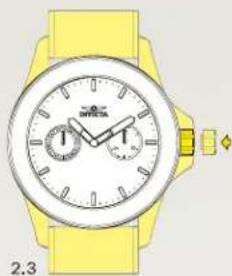
natural_image
Yellow wristwatch with analog dials and strap, no visible text or symbols on the watch faceSetting the Date
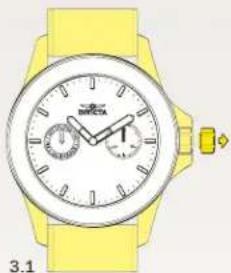
3.1 Pull out the crown to position 2.
3.2 Turn the crown counter-clockwise to set the date.
3.3 Push the crown back to position 1.
Please note:
Do not set the date between 10:00PM and 1:00AM. Otherwise, the day may not change properly. If it is necessary to set the date during theat time period, first change the time to any time outside it, set the date and then reset the correct time.
natural_image
Yellow wristwatch with analog dials and wrist strap, no visible text or symbols on the watch face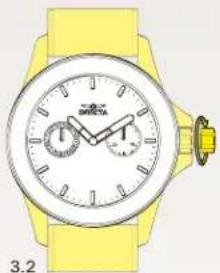
natural_image
Yellow wristwatch with dual dials and a yellow strap (no visible text or symbols)