CMS320S - Mikrofon Vonyx - Bezpłatna instrukcja obsługi
Znajdź bezpłatnie instrukcję urządzenia CMS320S Vonyx w formacie PDF.


Pytania użytkowników dotyczące CMS320S Vonyx
0 pytanie dotyczące tego urządzenia. Odpowiedz na te, które znasz, lub zadaj własne.
Zadaj nowe pytanie dotyczące tego urządzenia
Pobierz instrukcję dla swojego Mikrofon w formacie PDF za darmo! Znajdź swoją instrukcję CMS320S - Vonyx i weź swoje urządzenie elektroniczne z powrotem w ręce. Na tej stronie opublikowane są wszystkie dokumenty niezbędne do korzystania z urządzenia. CMS320S marki Vonyx.
INSTRUKCJA OBSŁUGI CMS320S Vonyx
VONYX
CMS320 Series Studio MicroSet USB
Ref. nr.: 173.556; 173.558; 173.560
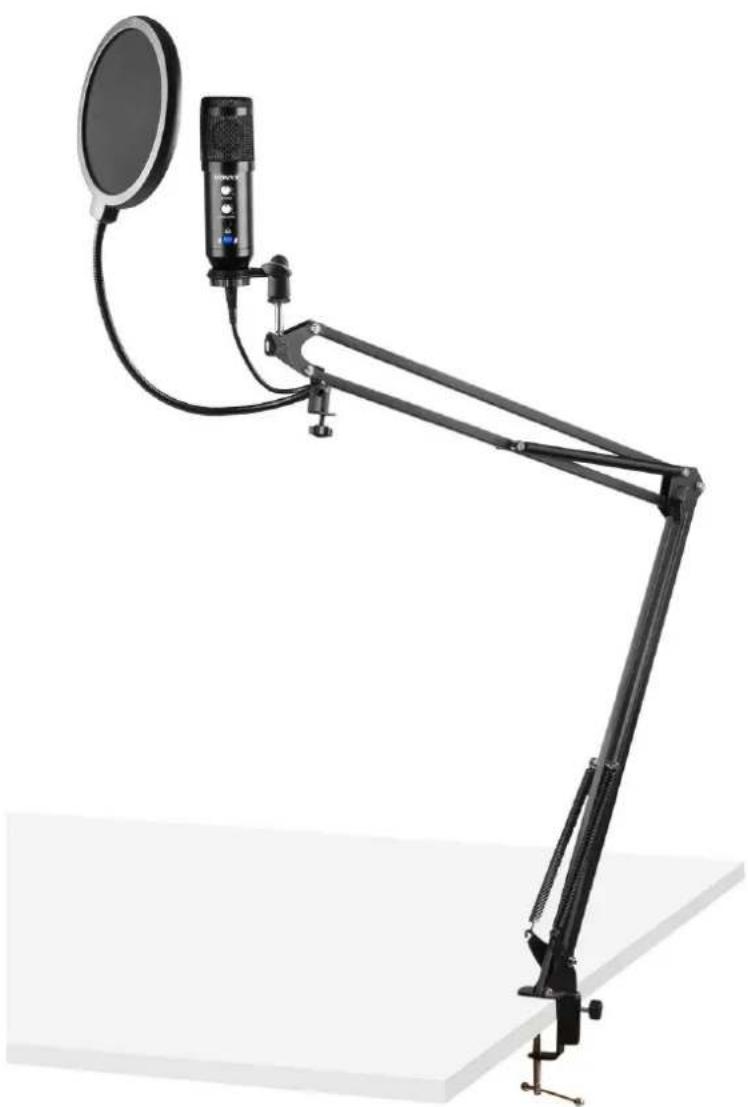
natural_image
Studio setup with a desktop microphone and adjustable arm (no text or symbols visible)INSTRUCTION MANUAL
Congratulations to the purchase of this Vonyx product. Please read this manual thoroughly prior to using the product in order to benefit fully from all features. Follow the instructions in order not to invalidate the warranty. Take all precautions to avoid fire and/or electrical shock. Keep the manual for future reference.
UNPACKING INSTRUCTION
CAUTION! Immediately upon receiving the product, carefully unpack the carton, check the contents to ensure that all parts are present, and have been received in good condition. Notify the shipper immediately and retain packing material for inspection if any parts appear damage from shipping or the package itself shows signs of mishandling. Save the package and all packing materials. In the event that the product must be returned to the factory, it is important that the product be returned in the original factory box and packing.
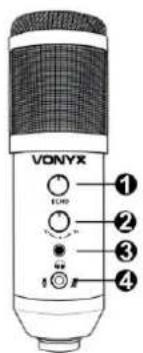
MICROPHONE CONTROLS
- ECHO CONTROL
Turn to adjust the echo function
- GAIN CONTROL
Turn to adjust the volume of microphone and headphones
- HEADPHONE INPUT JACK
3.5mm headphone jack for connecting headphones
- MUTE
Press to (un)mute the microphone
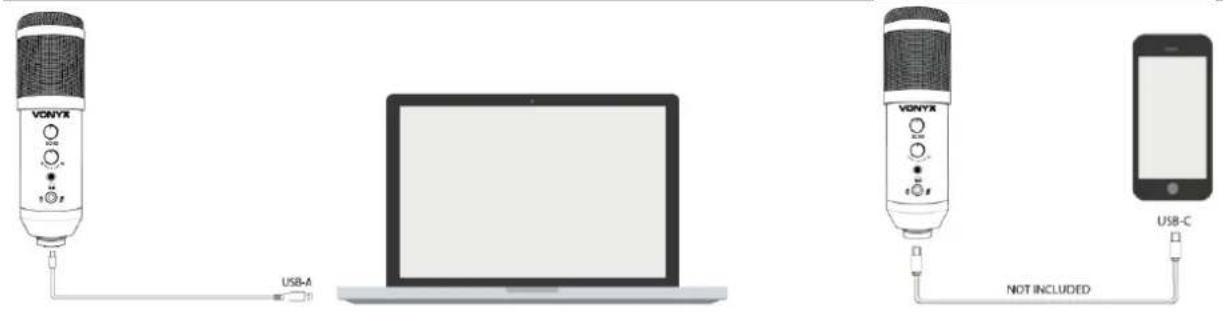
MICROPHONE CONNECTION
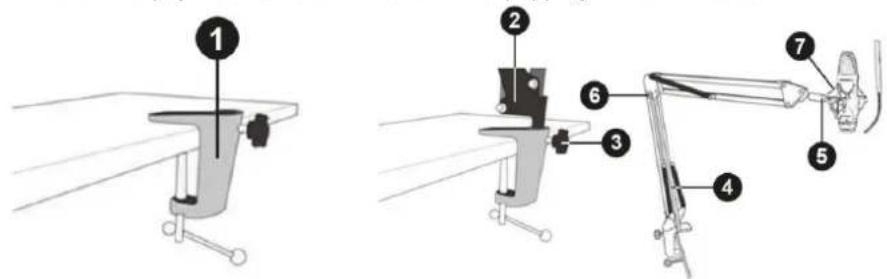
STAND ASSEMBLY INSTRUCTIONS
- Install the base of the stand on to, for example, a table top
- Attach the suspension arm link to the base stand
- Tighten the nut once your preferred suspension arm direction has been determined
- Attach the arm to the suspension arm link
- Attach the microphone mount to the suspension arm
- Adjust the height of the arm to your preferred height
- Put the microphone into the locking ring of the microphone mount and turn to secure.
- Optional: attach the pop filter to the stand to eliminate popping and sibilance sound
European Union
Tronios B.V.,
Bedrijvenpark Twente Noord 18,
7602KR Almelo, The Netherlands
2014/35/EU
2014/30/EU
2011/65/EC

United Kingdom
Tronios Ltd.,
130 Harley Street,
London W1G 7JU, United Kingdom
S.I. 2016:1101
S.I. 2016:1091
S.I. 2012:3032

Specifications and design are subject to change without prior notice.
www.tronios.com