POE-GSH822-120 - Ukategorisert AIRLIVE - Gratis bruksanvisning og manual
Finn enhetens veiledning gratis POE-GSH822-120 AIRLIVE i PDF-format.


Brukerspørsmål om POE-GSH822-120 AIRLIVE
0 spørsmål om dette apparatet. Svar på dem du kjenner, eller still ditt eget.
Still et nytt spørsmål om dette apparatet
Last ned instruksjonene for din Ukategorisert i PDF-format gratis! Finn veiledningen din POE-GSH822-120 - AIRLIVE og ta den elektroniske enheten tilbake i hendene. På denne siden er alle dokumenter som er nødvendige for bruken av enheten din publisert. POE-GSH822-120 av merket AIRLIVE.
BRUKSANVISNING POE-GSH822-120 AIRLIVE
www.airlive.com
Quick Setup Guide

Declaration of Conformity
We, Manufacturer/Importer
AirLive Technology Corporation
4F, No.132, Lane 235, Baoqian Rd., Xindian Dist.,
New Taipei City 23145, Taiwan
Declare that the product
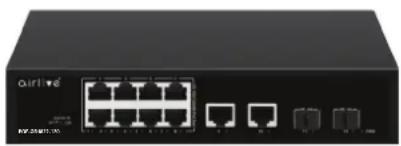
12-Port Gigabit PoE+ Switch
Including 2 x SFP port, 2 x 1000T port, 120W
POE-GSH822-120
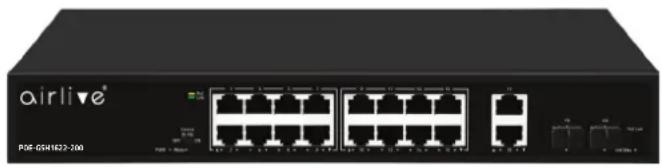
20-Port Gigabit PoE+ Switch
Including 2 x SFP port, 2 x 1000T port, 200W
POE-GSH1622-200
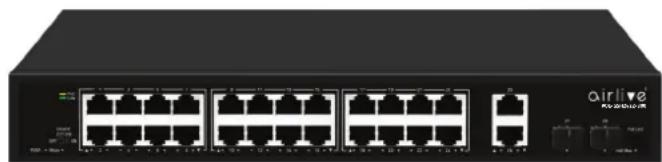
28-Port Gigabit PoE+ Switch
Including 2 x SFP port, 2 x 1000T port, 300W
POE-GSH2422-200
is in conformity with
In accordance with 2014/30/EU and 2014/35/EU Directive
Clause
■ EN 55032:2015+A11:2020
Description
Electromagnetic compatibility (EMC)
■ EN 62368-1:2014+A11:2017
Electromagnetic compatibility (LVD)
■ CE marking

Manufacturer/Importer
Name : A van Rossem Position/ Title : Product Manager
Date : May 2024 Place : Republic of China (Taiwan)
natural_image
Front view of a black networking device with four Ethernet ports and indicator lights (no visible text or labels)POE-GSH822-120
natural_image
Front view of an airline network switch device (no visible text or labels on the device body)POE-GSH1622-200
natural_image
Front view of a black networking device with multiple Ethernet ports and indicator lights (no visible text or symbols)POE-GSH2422-300
Regulatory Approvals
- CE Statement
This product complies with the 2014/30/EU and 2014/35/EU directives, including the following safety and EMC standards:
■ EN 55032:2015+A11:2020
Electromagnetic compatibility (EMC)
■ EN IEC 61000-3-2:2019
Electromagnetic compatibility (EMC)
■ EN 61000-3-3:2013+A1:2019
Electromagnetic compatibility (EMC)
■ EN 55035:2017+A11:2020
Electromagnetic compatibility (EMC)
■ EN 62368-1:2014+A11:2017
Electromagnetic compatibility (LVD) - Safety
- RoHS Statement
This product complies with RoHS directive 2011/65/EU and amendment Commission Delegated Directive (EU)2015/863.
■IEC 62321-3-1:2013
■IEC 62321-5:2013
■IEC 62321-4:2013+AMD1:2017
■IEC 62321-7-1:2015
■IEC 62321-7-2:2017
■IEC 62321-6:2015
■IEC 62321-8:2017
- CE Marking Warning
This is a Class A product. In a domestic environment this product may cause radio interference in which case the user may be required to take adequate measures.

AirLive Technology Corporation declares that this device is in compliance with the essential requirements and other relevant provisions of directive 2014/30/EU.


▼ Installation Steps
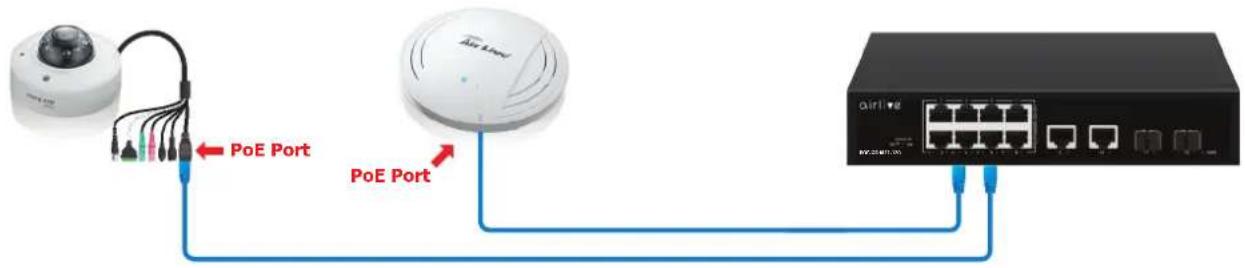
Figure A
LED DEFINITIONS
| Power | Red ON | Power is on and normal. |
| Red Off | The switch is not receiving power. | |
| Link/Act | Green ON | The port Status LEDs ON Link Connection, LEDs Blinking Data transmission. |
| POE (GSH-1622/2422) | Yellow ON The port Status LEDs ON PoE Power is connected. | |
| Mode (DIP Indicator)(GSH-1622/2422) | Green ON | Extend Mode On. |
| Green OFF | Extend Mode Off. | |
| POE Max LED(GSH-1622/2422) | Green OFF | Indicates PoE power usage is less than 90%. |
| Green Flashing | Indicates PoE power usage of 90% ≤ P ≤ 95%. | |
| Green ON | Indicates that PoE power is used at 95% <P <100%. | |
Mode Extend Switch Control
| OFF | Normal mode. |
| ON | Extension mode. PoE power supply and data transmission distance can be extended to 250meter at the transmission rate of 10Mbps Port (7~8 GSH822), (9~16 GSH1622) and (17~24 GSH2422) only.PoE Watchdog mode is enabled. |
EN English
Installation Step:
- Remove the switch and accessories from the package.
- Connect power to the switch. Make sure that "Power" LED is on.
- Connect your IEEE802.3af/at compliant Power Devices (PD) to Ports 1\~8 (GSH822), 1\~16 (GSH1622), 1\~24 (GSH2422) and the Switch will automatically supply power through these ports (see Figure A).
- Check the Port LED indicator status. When a PoE device is connected and the port is supplying power, it light on.
- For more product information visit www.airlive.com.