Live-8GT - NAS AIRLIVE - Gratis bruksanvisning og manual
Finn enhetens veiledning gratis Live-8GT AIRLIVE i PDF-format.


Brukerspørsmål om Live-8GT AIRLIVE
0 spørsmål om dette apparatet. Svar på dem du kjenner, eller still ditt eget.
Still et nytt spørsmål om dette apparatet
Last ned instruksjonene for din NAS i PDF-format gratis! Finn veiledningen din Live-8GT - AIRLIVE og ta den elektroniske enheten tilbake i hendene. På denne siden er alle dokumenter som er nødvendige for bruken av enheten din publisert. Live-8GT av merket AIRLIVE.
BRUKSANVISNING Live-8GT AIRLIVE
EN
Quick Setup Guide
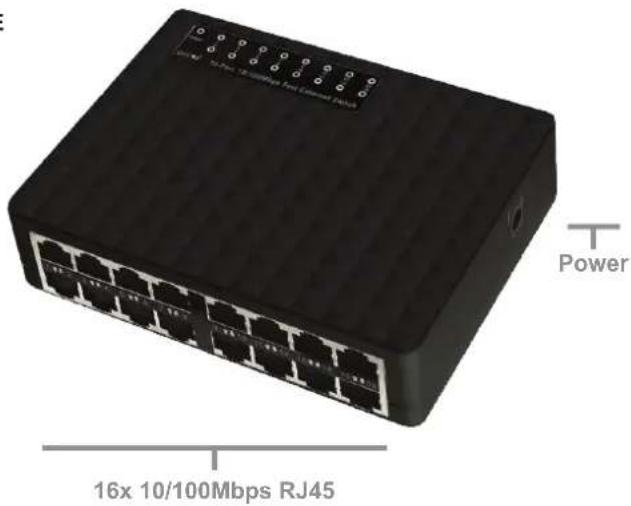
Live-16E
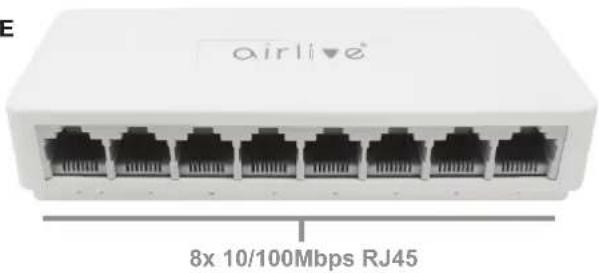
Live-8E
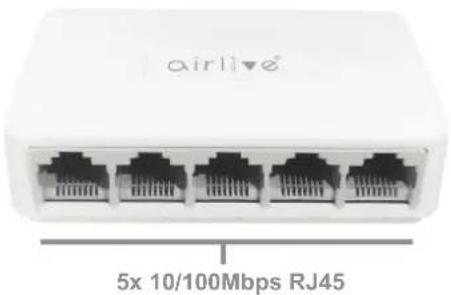
Live-5E

▼ Installation Steps
Figure A
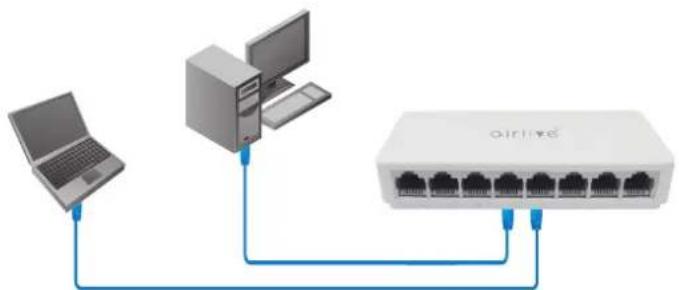
natural_image
Diagram showing connections between a laptop, tower, and network switch (no text or labels)LED DEFINITIONS
| Power | Green ON | Power is on and normal. |
| Green OFF | The switch is not receiving power. | |
| Link/Act | Green ON | Link connected. |
| Green OFF Link disconnect | ||
Installation Step:
- Remove the switch and accessories from the package.
- Connect power to the switch. Make sure that "Power" LED is on.
- Check the Port LED indicator status. When a device is connected the port will light up.
- For more product information visit www.airlive.com.
Declaration of Conformity
We, Manufacturer/Importer
AirLive Technology Corporation
4F, No.132, Lane 235, Baoqian Rd., Xindian Dist.,
New Taipei City 23145, Taiwan
Declare that the product
SOHO Live Series Switch
Live-5E, Live-8E, Live-16E, Live-5GT, Live-8GT is in conformity with
In accordance with 2014/30/EU and 2014/35/EU Directive
Clause
(EMC)
■ EN 55032:2015+A11:2020
■ EN 55035:2017+A11:2020
■ EN 61000-3-3:2013+A2:2021+AC:2022-01
■ EN IEC 61000-3-2:2019+A1:2021
(LVD)
■ EN IEC 62368-1:2020/A11:2020
Conformity with
In accordance with RoHS Directive 2011/65/EU Annex II amending
Annex (EU)2015/863 and amending Annex (EU)2017/2102
■ CE marking

Manufacturer/Importer
Name : A van Rossem Position/ Title : Product Manager
Date: October 2023Place: Taiwan
www.airlive.com

AirLive Technology Corporation declares that this device is in compliance with the essential requirements and other relevant provisions of directive 2014/30/EU, 2014/35/EU


EN
Quick Setup Guide
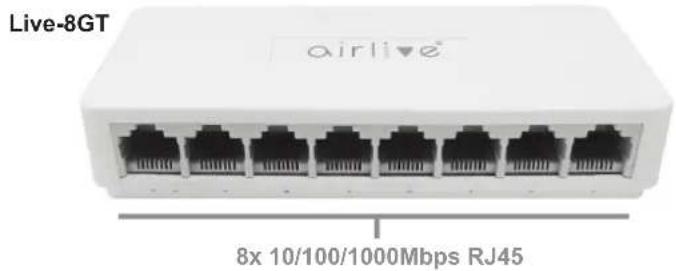
Live-5GT
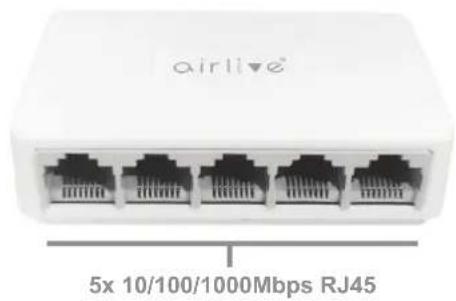
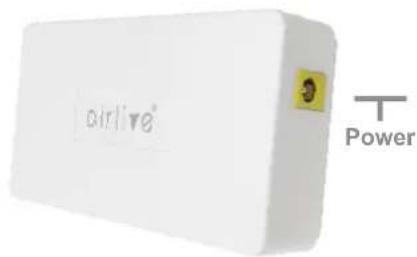
▼ Installation Steps
Figure A
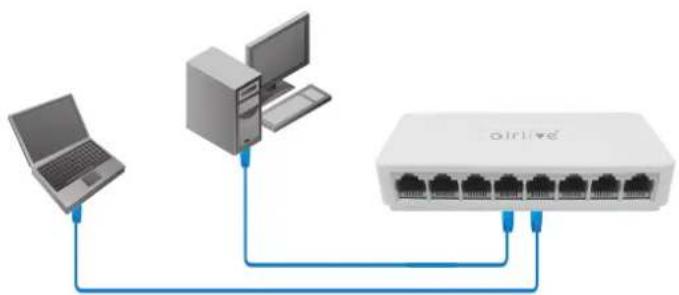
flowchart
graph TD
    A["Laptop"] --> B["Desktop Computer"]
    B --> C["airline"]
    C --> D["Router 1"]
    C --> E["Router 2"]
    C --> F["Router 3"]
    C --> G["Router 4"]
LED DEFINITIONS
| Power | Green ON | Power is on and normal. |
| Green OFF | The switch is not receiving power. | |
| Link/Act | Green ON | Link connected. |
| Green OFF Link disconnect | ||
Installation Step:
- Remove the switch and accessories from the package.
- Connect power to the switch. Make sure that "Power" LED is on.
- Check the Port LED indicator status. When a device is connected the port will light up.
- For more product information visit www.airlive.com.
Declaration of Conformity
We, Manufacturer/Importer
AirLive Technology Corporation
4F, No.132, Lane 235, Baoqian Rd., Xindian Dist., New Taipei City 23145, Taiwan
Declare that the product
SOHO Live Series Switch
Live-5E, Live-8E, Live-16E, Live-5GT, Live-8GT is in conformity with
In accordance with 2014/30/EU and 2014/35/EU Directive
Clause
(EMC)
■ EN 55032:2015+A11:2020
■ EN 55035:2017+A11:2020
■ EN 61000-3-3:2013+A2:2021+AC:2022-01
■ EN IEC 61000-3-2:2019+A1:2021
(LVD)
■ EN IEC 62368-1:2020/A11:2020
Conformity with
In accordance with RoHS Directive 2011/65/EU Annex II amending Annex (EU)2015/863 and amending Annex (EU)2017/2102
■ CE marking

Manufacturer/Importer
Name : A van Rossem Position/ Title : Product Manager
Date : October 2023Place : Taiwan
www.airlive.com

AirLive Technology Corporation declares that this device is in compliance with the essential requirements and other relevant provisions of directive 2014/30/EU, 2014/35/EU


