440-W619 - Muis Kondator - Gratis gebruiksaanwijzing en handleiding
Vind de handleiding van het apparaat gratis 440-W619 Kondator in PDF-formaat.


Gebruikersvragen over 440-W619 Kondator
0 vraag over dit apparaat. Beantwoord die u kent of stel uw eigen vraag.
Stel een nieuwe vraag over dit apparaat
Download de handleiding voor uw Muis in PDF-formaat gratis! Vind uw handleiding 440-W619 - Kondator en neem uw elektronisch apparaat weer in handen. Op deze pagina staan alle documenten die nodig zijn voor het gebruik van uw apparaat. 440-W619 van het merk Kondator.
GEBRUIKSAANWIJZING 440-W619 Kondator
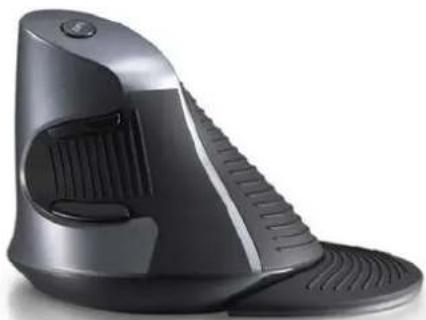
Wow GripMouse Deluxe
User Manual
natural_image
Black handheld vacuum cleaner with adjustable arm and ventilation slots (no text or symbols visible)Wow
GRIPMOUSE
INTRODUCTION
Wow GripMouse Deluxe is an ergonomic grip mouse designed to reduce pain from extended computer usage.
INSTALLATION
WiRE
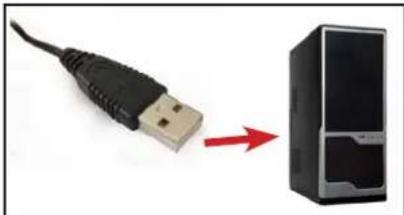
- Connect the USB cable to your computer.
- It's fully plug-and-play so it should be ready for use.
WiRELESS
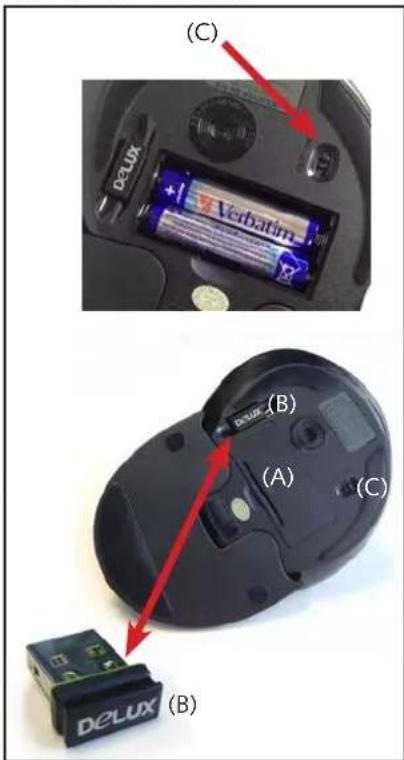
- Remove battery lid (A) from bottom of mouse. Put the batteries in position. Mount back the lid.
- Remove the USB tranciever (B) from the slot, under the mouse, see photo. Put the USB in available port on computer.
- Switch the on/off button (C) on the mouse.
- Wait for the computer to recognize the unit.
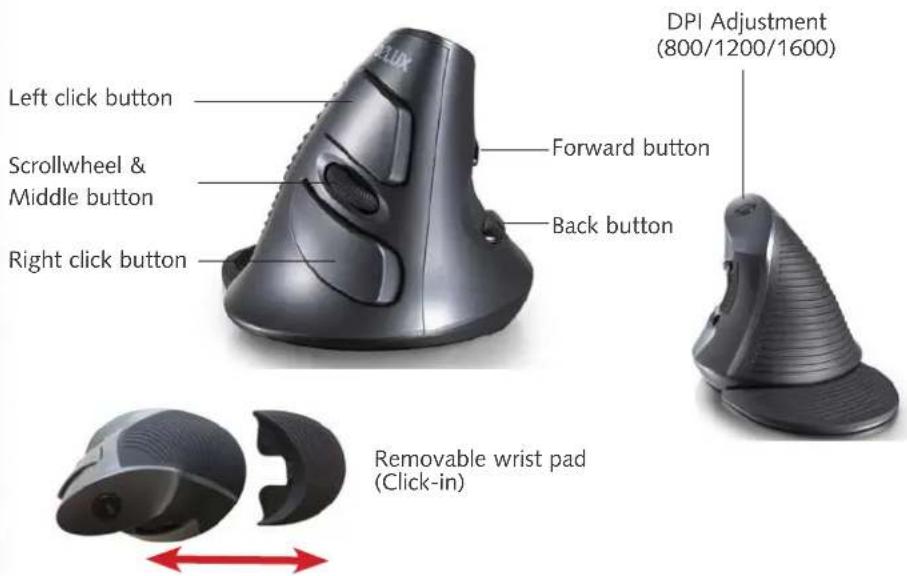
WOW GRIP MOUSE USAGE
Operation:
QUESTIONS? CONTACT US.
Kondator AB, Sweden. tel +46-8-556 595 00. e-mail info@kondator.se
by Kondator
• Resolution: 800/1200/1600 dpi
- 5 button mouse (1 scroll wheel)
• Dimensions: Wide 135 mm x Length 95 mm x Height 87 mm
• Weight 115 g
- Wire:
- Cable length 1.5 m.
- Power via USB
- Part no 440-W618
- Wireless:
- 2.4 GHz: 10 m range
- Power: 2 pcs AAA type batteries. Included in package.
- Part no 440-W619 Wireless
440-W618 Wire
natural_image
USB port connector with USB cable pointing to a server tower (no text or symbols visible)440-W619 Wireless