NVS-PWSTRIPF-W - Stekkerdoos Nivian - Gratis gebruiksaanwijzing en handleiding
Vind de handleiding van het apparaat gratis NVS-PWSTRIPF-W Nivian in PDF-formaat.


| Type product | Stekkerdoos |
| Merk | Nivian |
| Model | NVS-PWSTRIPF-W |
| Afmetingen (bxdxh) | 30 x 5 x 3 cm |
| Gewicht | 250 gram |
| Voedingsspanning | 230V ~ 50 Hz |
| Maximale belasting | 3680 W (16 A) |
| Aantal stopcontacten | 5 |
| Schakelaar | Ja, aan/uit per stopcontact |
| Overspanningsbeveiliging | Ja |
| Kinderveiligheid | Geïntegreerde kindersloten |
| Materiaal | Vlamvertragend ABS |
| Kabellengte | 1,5 meter |
| Kleur | Wit |
| Montage | Losstaand of muurbevestiging |
| Werktemperatuur | -10 °C tot 40 °C |
| Garantie | 2 jaar |
Veelgestelde vragen - NVS-PWSTRIPF-W Nivian
Gebruikersvragen over NVS-PWSTRIPF-W Nivian
0 vraag over dit apparaat. Beantwoord die u kent of stel uw eigen vraag.
Stel een nieuwe vraag over dit apparaat
Download de handleiding voor uw Stekkerdoos in PDF-formaat gratis! Vind uw handleiding NVS-PWSTRIPF-W - Nivian en neem uw elektronisch apparaat weer in handen. Op deze pagina staan alle documenten die nodig zijn voor het gebruik van uw apparaat. NVS-PWSTRIPF-W van het merk Nivian.
GEBRUIKSAANWIJZING NVS-PWSTRIPF-W Nivian

NIVIAN
Smart Power Strip
User manual | Manual usuario
natural_image
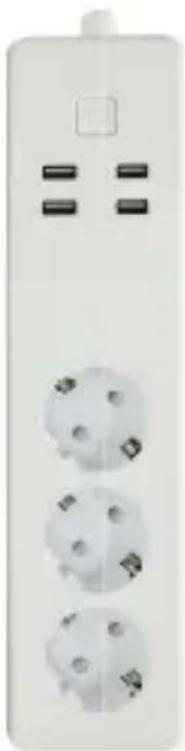
White electrical outlet with three white plastic outlets and two black buttons, no visible text or symbols
Smart
App Installation
EN
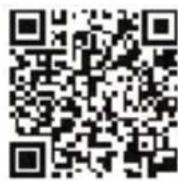
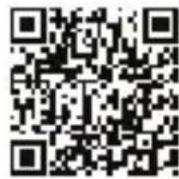
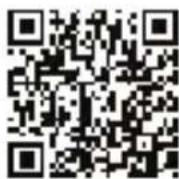
Visit the Apple App Store or Google Play and install a compatible app such as "Tuya Smart" App or Scan below QR code. Open the app after installation, then register your phone number or email and input verification code received via SMS or email. You can enter the operation window of app after your registration.
Add Device to App Account
Note: Please make sure the device has an active WiFi connection. Open the app and tab the button add device. Follow the steps to add the device:
- Tap to confirm if the indicator flashes rapidly. If the indicator light is not flashing rapidly, hold pressing the on/off button for 5 seconds until the indicator light quick flashing.
- Enter the WiFi password and confirm. Only 2.4GHz WiFi is supported.
- The app will now search for the device and register it to your account.
- Assign a name to the device and tap Save to Confirm.
- Allocate the device to a room (optional).
- Tap Done to complete connecting the device.
- After adding the device you can enjoy all the functionality.
Connect with virtual assistant
EN
Amazon Alexa
- Start the Alexa app, and go to the configuration menu
- Click Skills & Games, search for the skill of the app you are using, for example Tuya Smart, and enter your app account and password.
- Now your account is linked to amazon Alexa. Tap Discover devices yo link your devices to Alexa.
- Now, you can say "Alexa, turn on Socket 1"
Google Assistant
- Start the Google Home App, and press the Add button.
- Click Configure device and works with Google. Search for the app you are using, for example Tuya Smart, and enter your app account and password.
- Now your account is linked to Google Assistant
- Now, you can say "OK Google, turn on Socket 1"
Connect to IFTTT
- Start IFTTT app and search for the app you are using, for example Tuya Smart, and enter your app account and password
- You can now use IFTTT with your devices
Precautions
Do not open the device. It does not contain any parts that can be maintained by the user. There is a risk of electric shock if the device is opened.
Do not use the device if there are signs of damage. If you have any doubt have the device checked by an expert.
The device is for indoor use only and is intended for private use only. The device is not a toy; do not allow children to play with it. Do not exceed the capacity specified for the device.
Danger of electrocution! Any work on device regarding electrical connections may be performed only after the power supply has been disconnected
Do not connect to devices which could cause fire or other types of damage in unattended operation (e.g. irons).
Using the device for any purpose other than that described in this operating manual does not fall within the scope of intended use and shall invalidate any warranty or liability.
This also applies to any conversion or modification work.
EN
Main Specifications
Model number: NVS-PWSTRIPF-W
Input voltage: AC90\~264V, 50/60Hz
Nominal voltage: 230V AC
Current: 3x10A (max. 16A total)
Switching power: 3680 W max.
USB: 5V 2.4A / port (max. 4A total)
Weight: 470 g
Dimensions: 365 x 66 x 40 mm
Operating temperature: -30°C \~ 65°C
Operating humidity: <80%RH
WLAN-Standard: 802.11 b/g/n
Encryption: WEP/WPA/WPA2
Instalación de la App
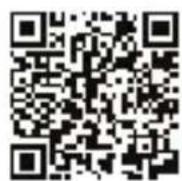
Visite la tienda Apple App Store o Google Play e instale una aplicación compatible como "Tuya Smart" o escanee el código QR debajo. Abra la aplicación después de la instalación, después registrese con el número de teléfono o email e introduzca el código de verificación recibido por SMS o por correo. Una vez registrado podrá acceder a la pestaña principal de la aplicación.
Añadir el dispositivo a la cuenta de la App
Aviso: Por favor asegúrese que el dispositivo está dentro del alcance para su configuración
Abra la aplicación y pulse en el botón de añadir dispositivo. Siga los pasos indicados para añadir el dispositivo:
- Presione para confirmar que el indicador está flasheando rápidamente. Si el indicador no está flasheando, presione el botón de On/Off por 5 segundos hasta que el indicador parpadee.
- Introduzca la contraseña WiFi y confirme. Solo es válido las redes WiFi de 2.4GHz.
- La aplicación ahora entrará en modo búsqueda del dispositivo y registrarlo en su cuenta.
- Asigne un nombre al dispositivo y pulse en continuar
- Dele una ubicación al dispositivo (opcional).
- Pulse hecho para completar la conexión del dispositivo
- Después de añadir el dispositivo puede empezar a usar todas sus funcionalidades
Conexión con asistentes virtuales
ES
Amazon Alexa
- Abra la aplicación de Alexa, y vaya al menú de configuración
- Click en Skills y juegos, busque la skill de la aplicación que este usando, por ejemplo, Tuya Smart, e ingrese su usuario y contraseña de la app.
- Ahora su cuenta está unida a amazon Alexa. Pinche en Encontrar dispositivos para unir sus dispositivos con Alexa.
- Ahora ya podrá decir "Alexa, enciende el enchufe 1"
Google Assistant
- Abra la aplicación Google Home, y pulse el botón Añadir.
- Click en Configurar dispositivo y luego en Funciona con Google. Busque la aplicación que está usando, por ejemplo, Tuya Smart, e introduzca su usuario y contraseña.
- Ahora si cuenta está única al asistente de Google.
- Ahora podrá decir "OK Google, enciende el enchufe 1"
Conexión con IFTTT
- Abra la aplicación IFTTT y busque la aplicación que está usando, por ejemplo, Tuya Smart. Introduzca su usuario y contraseña.
- Ahora puede usar IFTTT con sus dispositivos.
Precauciones
No abra el dispositivo. No contiene ninguna parte que deba ser mantenida por el usuario. Hay riesgo de electrocutarse si el dispositivo se abre.
No use el dispositivo si hay signos de daño. Si tiene alguna duda, por favor contacte con un profesional para que lo revise. El dispositivo es solo para uso interior y para hacer un uso privado de él.
Este dispositivo no es un juguete, no permita a los niños que jueguen con él.
No exceda la capacidad máxima especificada para el dispositivo. Cualquier acción que se vaya a realizar con el dispositivo debe hacerse desconectado de la red eléctrica ya que de lo contrario puede haber riesgo de electrocutarse.
No conectar a dispositivos que pueden provocar un incendio u otro tipo de daños, como puede ser por ejemplo una plancha.
Usar el dispositivo para cualquier otro uso que no sea para lo que se describe en este manual o no está dentro del alcance del uso previsto invalidará cualquier garantía o responsabilidad. Esto también se aplica a cualquier trabajo de conversión o modificación del dispositivo.
Especificaciones principales
Nombre del modelo: NVS-PWSTRIPF-W
Tensión de entrada: AC90\~264V, 50/60Hz
Tensión nominal: 230V AC
Corriente: 3x10A (max. 16A total)
Potencia máxima: 3680 W max.
USB: 5V 2.4A / puerto (max. 4A total)
Peso: 470 g
Dimensiones: 365 x 66 x 40 mm
Temperatura de funcionamiento: -30°C \~ 65°C
Humedad de funcionamiento: <80%RH
WLAN-Standard: 802.11 b/g/n
Encriptación: WEP/WPA/WPA2