NetShelter AR109 - Computeraccessoires APC - Gratis gebruiksaanwijzing en handleiding
Vind de handleiding van het apparaat gratis NetShelter AR109 APC in PDF-formaat.


Gebruikersvragen over NetShelter AR109 APC
0 vraag over dit apparaat. Beantwoord die u kent of stel uw eigen vraag.
Stel een nieuwe vraag over dit apparaat
Download de handleiding voor uw Computeraccessoires in PDF-formaat gratis! Vind uw handleiding NetShelter AR109 - APC en neem uw elektronisch apparaat weer in handen. Op deze pagina staan alle documenten die nodig zijn voor het gebruik van uw apparaat. NetShelter AR109 van het merk APC.
GEBRUIKSAANWIJZING NetShelter AR109 APC
Schneider
Electric
Assembly and Installation
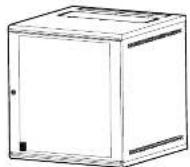
NetShelter WX Cabinet
AR106, AR109, AR112
990-9652B
4/2016
Model Height
Width
m
Depth
mm
Weight
lb/kg
Shipping Weight
lb/kg
AR106 6/355 600 400 20.7/9.4 32.1/14.6
AR109 9/485 600 400 28.0/12.7 35.3/16.0
AR112 12/620 600 600 40.3/18.3 51.0/23.1
For all three Models: Loading rate, (lb/kg) 200:90.7
Unpacking
Inspection
Move the product to a firm, level surface. Inspect the packaging for signs of damage.
Contact the shipping company to report any damage and then contact
your local distributor or Schneider Electric Customer Support at www.schneider.electric.com
www.schneider-electric.com.

Please Recycle.
Dispose of all packaging in a responsible manner.
Inventory
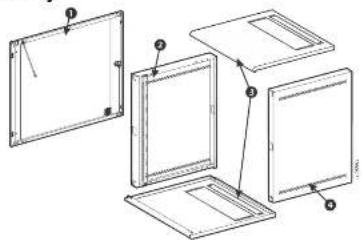
Item Description Quantity
Door
2 Left side panel
3 Top/bottom cover
Right side panel
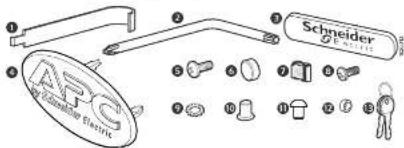
Item Description
Cage nut tool
2 Wrench, T30/#2 Phillips
Schneider Electric badge
4 APC badge
Screw. Phillips/Slot, M6 x 16
Cup, M6, black plastic
7 Caged nut M6
Screw, Phillips, M6 x 12
Washer, serrated, M6
Bushing, door, plastic
Hole plug, door, 4mm, plastic
Washer, plastic
Keys
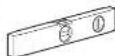
Tools Required (Not Provided)
Level
Assembly
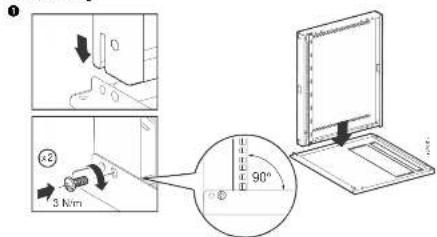
2
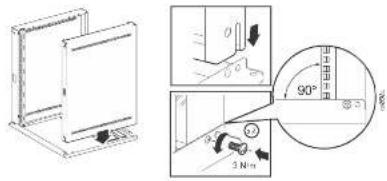
4.2016
990-96528
© 2016 Schneider Electric. All rights reserved.
Contact waw.schneider-electric.com for more information.
Worldwide Customer Support
3
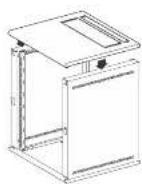
4
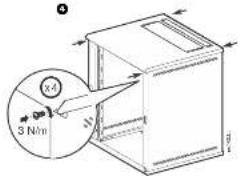
5
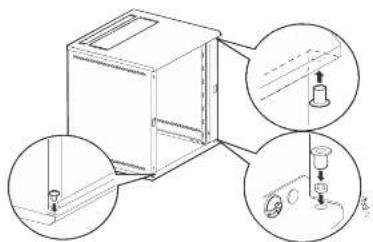
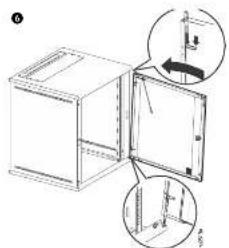
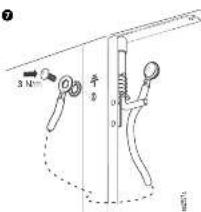
7
Select a badge
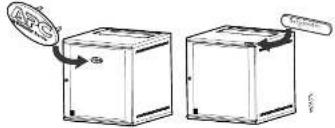
Installation
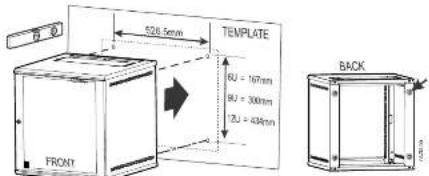
Use the template to mark the location of mounting hardware to your wall. Install the appropriate hardware (not included) to the wall, following all local regulations. There are four (4) keyhole cutouts on the back of the side panels that will accommodate up to a M6 or 1/4 in. bolt.
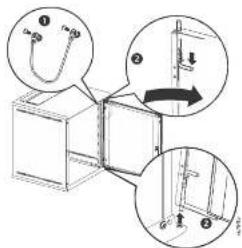
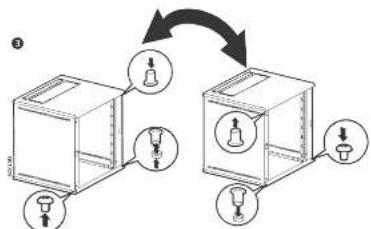
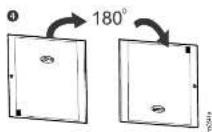
Reverse the door
flowchart
graph TD
    A["Box with two light bulb symbols"] --> B["Container with two light bulb symbols"]
    B --> C["Arrow indicating transformation from left to right"]
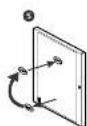
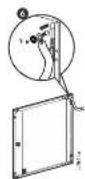
7
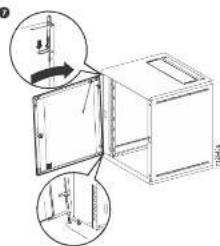
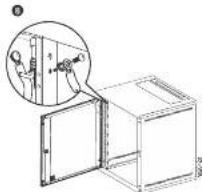
Rail Adjustment
The rails can be adjusted to 6 positions using the square holes ^2 with cage nuts installed. The forward most position includes a threaded PEM nut ^1 for rapid installation. The other 5 mounting locations use a cage nut to mount the vertical mounting rail into position. The slotted hole ^3 in the vertical mounting rail allows for 0 to 23mm (0.9 in.) adjustment at each position.
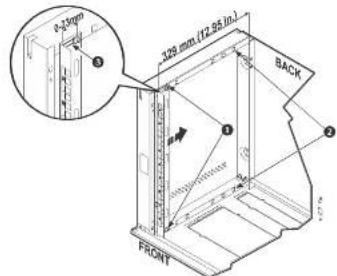
NOTE: AR109 is shown in the cutaway illustration. The door and top panel have been removed for clarity.
NOTE: Position dimensions in the table below are listed from the front (maximum) of the cabinet to the back (minimum).
| AR106 / AR109 | AR112 | AR108 / AR109 | AR112 | ||||||
| Position | mm | in. | mm | in. | Position | mm | in. | mm | in. |
| 1 | 329 | 13.0 | 529 | 20.8 | 4 | 153 | 6.0 | 153 | 6.0 |
| 2 | 289 | 11.4 | 489 | 19.3 | 5 | 113 | 4.4 | 113 | 4.4 |
| 3 | 249 | 9.8 | 449 | 17.7 | 6 | 73 | 2.9 | 73 | 2.9 |