GTr 135 A - 4693 BLAUPUNKT - Panduan pengguna gratis
Temukan panduan perangkat secara gratis GTr 135 A BLAUPUNKT dalam format PDF.


Pertanyaan pengguna tentang GTr 135 A BLAUPUNKT
0 pertanyaan tentang perangkat ini. Jawab yang Anda tahu atau ajukan milik Anda sendiri.
Ajukan pertanyaan baru tentang perangkat ini
Unduh instruksi untuk 4693 dalam format PDF gratis! Temukan panduan Anda GTr 135 A - BLAUPUNKT dan ambil kembali perangkat elektronik Anda. Di halaman ini diterbitkan semua dokumen yang diperlukan untuk penggunaan perangkat Anda. GTr 135 A merek BLAUPUNKT.
PANDUAN PENGGUNA GTr 135 A BLAUPUNKT

BLAUPUNKT

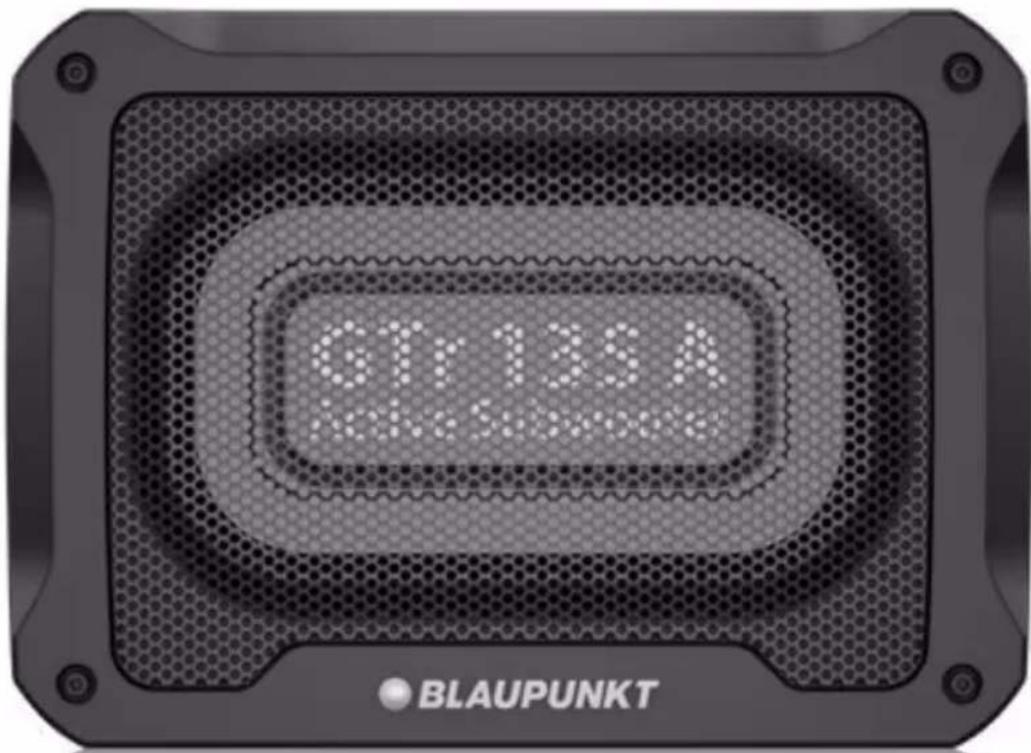
ACTIVE SUBWOOFER GTr 135 A
Enjoy it.
Proper system planning is vital in order to maximize the device's performance and road safety. Plan your installation carefully to avoid compromising performance reliability of the system. Consult an authorized Blaupunkt dealer for installation or preparation. Read the manual carefully before operating the device for the first time.
Safety Notes
Ensure to follow below safety notes during installation and wiring connection: -
- Disconnect the negative terminal of the battery. Refer to the safety notes of the vehicle manufacturer.
- Ensure positions of the holes are nowhere near the vehicle component to avoid any damage during drilling.
- Ensure cross section of the cable is no less than 2.5mm^2 if the positive and negative cables are too long.
- Incorrect installation may result in malfunction of the device or the car sound system.
Installation and Connection Instructions
- Select a dry and well-ventilated location to install the device.
- The device must not be installed in overly exposed location such on the rear shelf, rear seat etc.
- The installation location must be suitable for screw holes and have stable ground support.
Intergrated Fuse
- The integrated fuse in the device protects the output voltage and the entire electrical system in case of malfunction. Do not replace damaged fuse with higher current.
Switching On/Off
- This device will automatically turn on if audio signal is detected. The device will also automatically turn off if audio signal is received.
Disclaimer
In no event shall Blaupunkt be liable for any direct, indirect, punitive, incidental, special consequential damages to property or life and whatsoever arising out of or connected with the use or misuse of our products.
USA & CANADA: This product is not intended for sale in the United States and Canada. If purchased in the U.S. or Canada, this product is purchased on as-is basis. No warranty, whether expressed or implied is provided in the U.S. or Canada.
Remote Control
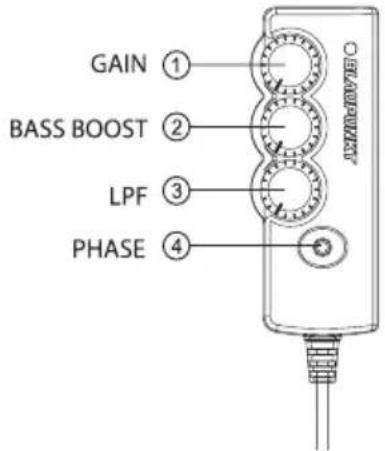
- Set the GAIN to 200mV (Min), PHASE to NORM., LOW PASS FILTER to Center before turning on the device.
- Set the Bass/Treble of head unit to zero. Set volume to lower level.
- Gradually increase GAIN until the desired sound effect is achieved or until the sound distribution in the vehicle is even.
- Avoid setting volume of the head unit and GAIN too high to prevent sound distortion. Ensure speakers are functioning well to avoid sound distortion too. Then adjust the LOW PASS FILTER (L.P.F.) to the desired frequency.
- Changing the LPF will change the sound output of the subwoofer. Continue to adjust GAIN, LPF and volume until the desired setting is found.
- Play the music from the head unit while sitting at the driver and switch between NORM and REV to select the desired sound output setting. The ideal PHASE is subjective and varies from one vehicle to another, depending on the location of the device and the acoustic characteristics of the vehicle interior.
Disposal Notes
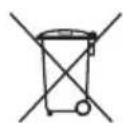
Do not dispose of your old unit in the household trash! Use the return and collection systems available to dispose of the old device.
This manual may be updated from time to time without any notice. Visit www.blaupunkt.com for more info.
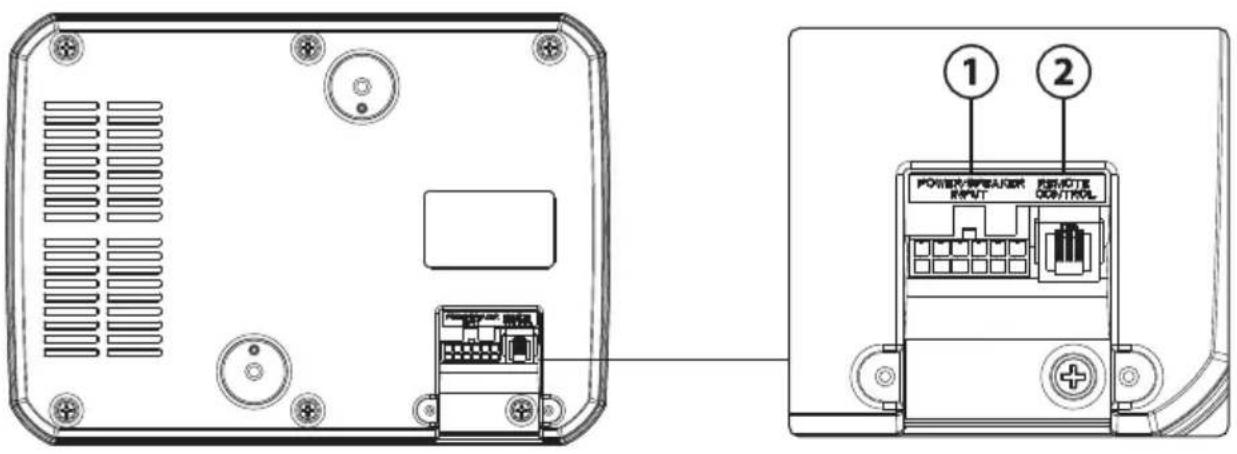
- Power / Speaker Input
- Remote Control Input
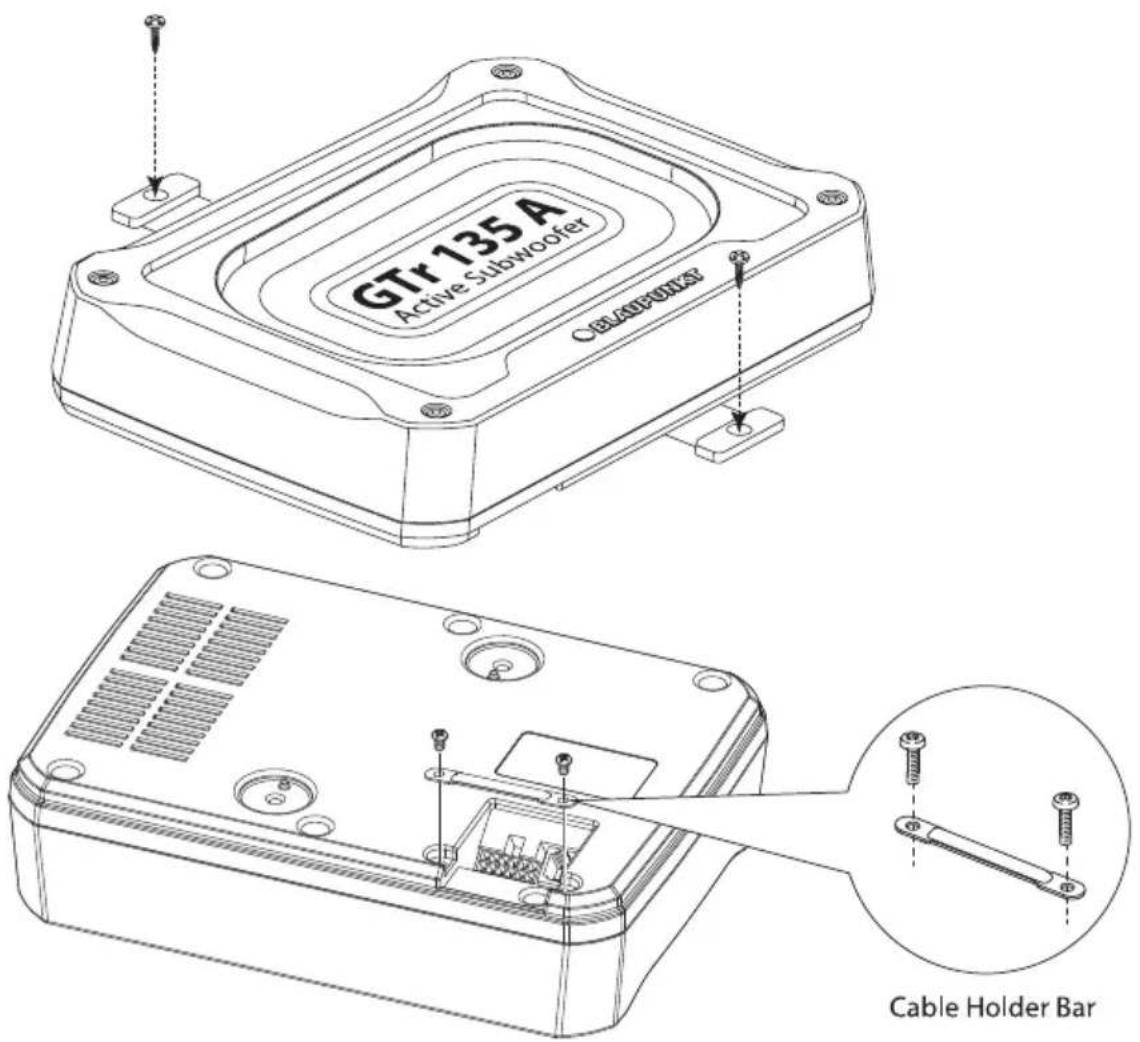
INSTALLATION
natural_image
Technical line drawing of a rectangular electronic component with a 72mm dimension label (no other text or symbols)Subwoofer
• Speaker Size : 214.5mm x 135.0mm
• Cone Composition : Aluminium
• Magnet Type : Ferrite
• Wired Remoted: Included
• Enclosure Housing Material : Plastic & Aluminium
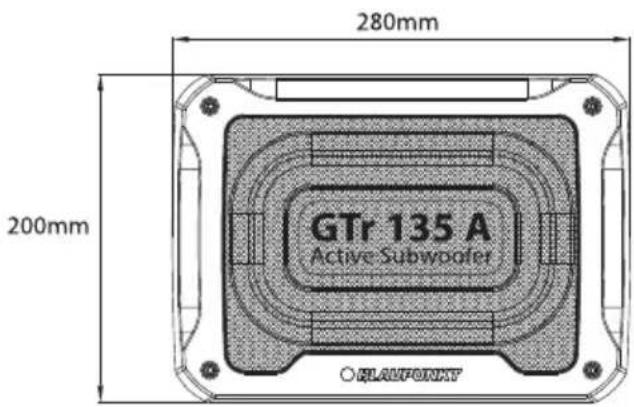
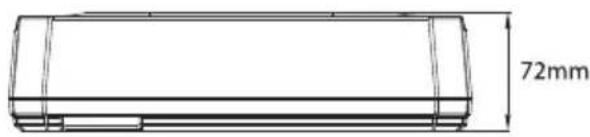
• Enclosure Dimension (LxWxH) : 280 x 200 x 72mm
• Enclosure Net Weight : 3.62kg
Amplifier
• Amplifier Technology : Class AB
• Normal Output Power (RMS) : 130W
• Max. Output Power : 300W
• Sensitivity (In Car/1W) : 92dB
• Signal / Noise Ratio (dB) : 91dB
• Impedance: 4 ohms
• Frequency Response : 40Hz - 150Hz
• Low Pass Filter (LPF) : 50Hz - 100Hz
• Voltage: 14.4 (10V - 16V)
• Phase Switch: 0 deg / 180 deg
• Automatic On/Off (Hi & Lo) : High Level Only
- Fuse Rating : 10A
- Gain: 200mV - 6V
• Audio in Sensitivity : Speaker Input (0.8V)/RCA Input (82mV) Subwoofer
Accessories

2x Screws (M3x6)

2x Screws (M6x8)

2x Screws (M4x20)
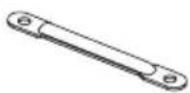
1x Cable Holder Bar
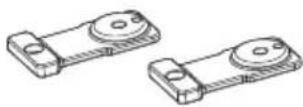
2x Mounting Brackets (71 x 39.5 x 7mm)
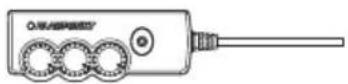
1x 4.5m Remote Controller

1x 4.5m DC Cord

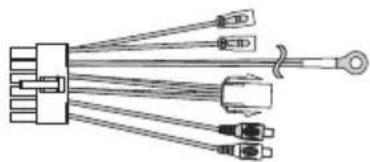
High level Input Speaker Extension

Low level Input Speaker Extension
natural_image
Pure electrical connector diagram without any text, numbers, or symbolsInput Plug Extension
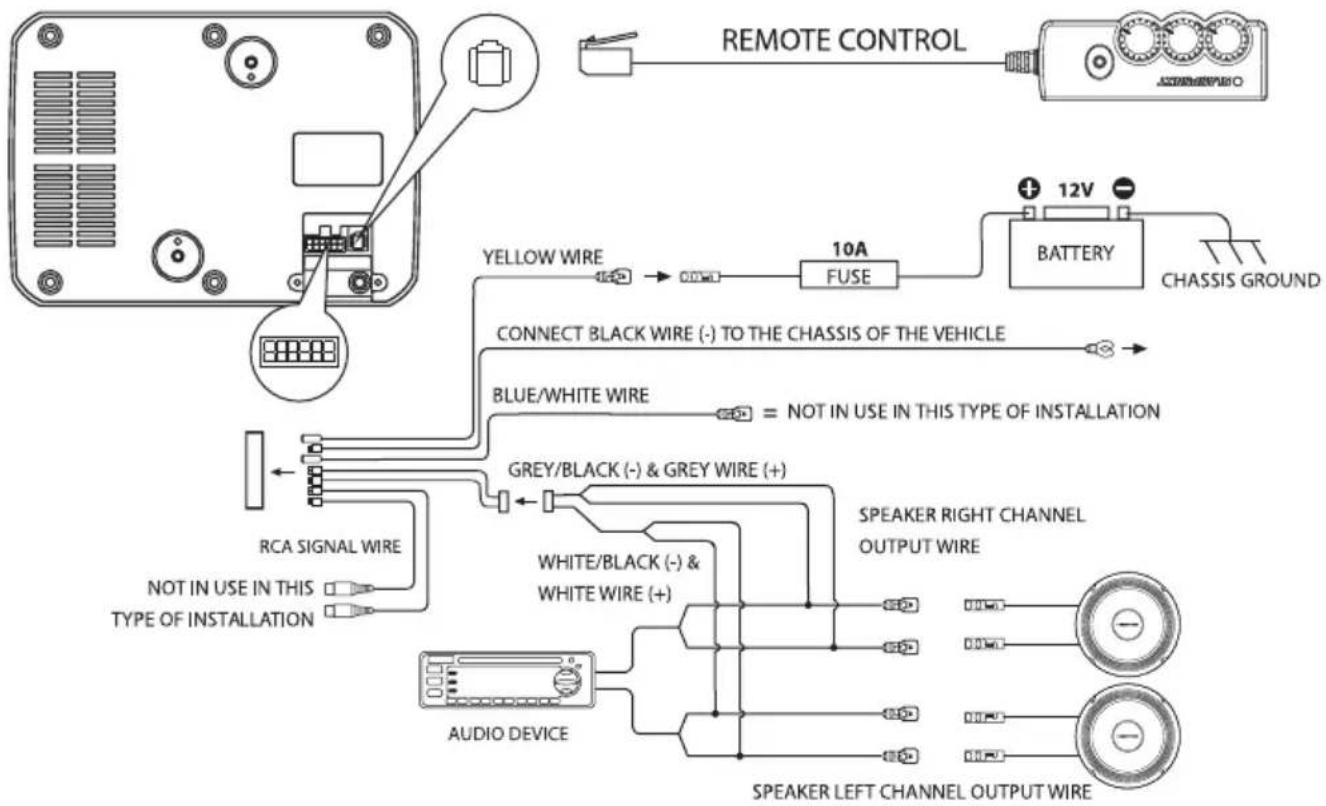
Use the supplied cable and wire harness to connect the outputs correctly by referring to Diagram 1 & Diagram 2.
Diagram 1 (High Level Input -Speaker Input)
flowchart
graph TD
    A["Remote Control"] --> B["Chassis Ground"]
    B --> C["BATTERY"]
    C --> D["12V"]
    D --> E["FUSE"]
    E --> F["10A"]
    F --> G["YELLOW WIRE"]
    G --> H["CONNECT BLACK WIRE (-) TO THE CHASSIS OF THE VEHICLE"]
    H --> I["BLUE/WHITE WIRE"]
    I --> J["= NOT IN USE IN THIS TYPE OF INSTALLATION"]
    J --> K["GREY/BLACK (-) & GREY WIRE (+)"]
    K --> L["RCA SIGNAL WIRE"]
    L --> M["NOT IN USE IN THIS TYPE OF INSTALLATION"]
    M --> N["AUDIO DEVICE"]
    N --> O["SPEAKER LEFT CHANNEL OUTPUT WIRE"]
    O --> P["SPEAKER RIGHT CHANNEL OUTPUT WIRE"]
    P --> Q["Speaker Left Channel Output Wire"]
    Q --> R["Speaker Right Channel Output Wire"]
Diagram 2 (Low Level Input -RCA Input)
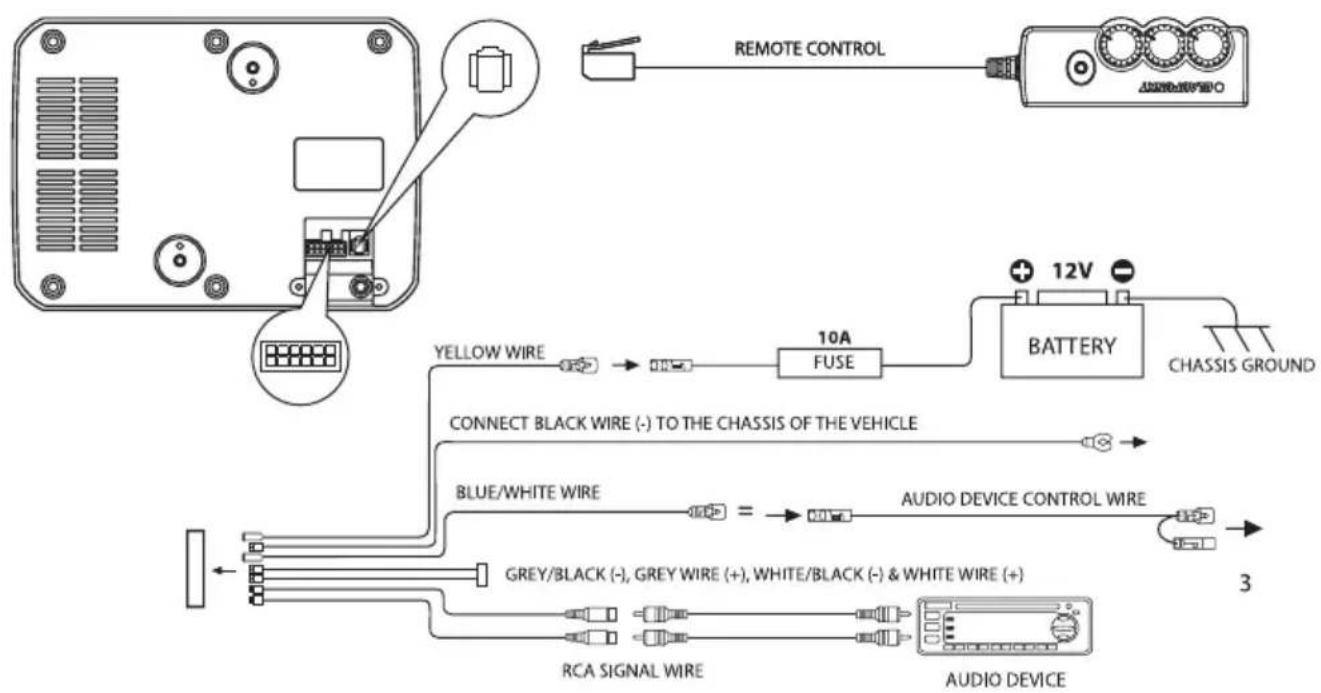
flowchart
graph TD
    A["Remote Control"] --> B["BATTERY"]
    B --> C["CHASSIS GROUND"]
    C --> D["AUDIO DEVICE"]
    D --> E["3"]
    A --> F["YELLOW WIRE"]
    F --> G["FUSE"]
    G --> H["10A"]
    H --> I["CONNECT BLACK WIRE (-) TO THE CHASSIS OF THE VEHICLE"]
    I --> J["BLUE/WHITE WIRE"]
    J --> K["="]
    K --> L["AUDIO DEVICE CONTROL WIRE"]
    L --> M["3"]
    N["GREY/BLACK (-), GREY WIRE (+), WHITE/BLACK (-) & WHITE WIRE (+)"] --> O["RCA SIGNAL WIRE"]
    O --> P["AUDIO DEVICE"]
If any of the following problem occur, please resort to Troubleshooting for the possible solutions. Consult Blaupunkt authorized dealer if problem persist.
| Problem | Solution |
| Amplifier power up failure | Examine if the ground connection is intact. |
| Examine if remote input has at least 5V DC. | |
| Examine if battery power is connected correctly to the + terminal. | |
| Ensure supplied voltage is minimum 12V. | |
| Examine if fuse is broken and replace if necessary. | |
| Restart the device if protection LED light is on. | |
| Protection LED lights on when turn on | Examine if speaker wire had short-circuit. |
| Turn volume down from head unit to prevent overdriving the device. | |
| Device might need service or repair, if protection LED light is still on after resetting the device. | |
| No sound output | Examine fuses and replace if necessary. |
| Examine if ground connection is intact. | |
| Examine if remote input has at least 5V DC. | |
| Examine if RCA audio cables are connected to the right inputs. | |
| Examine if speaker wiring is intact. | |
| Low sound output | Reset Level Control |
| Examine the Crossover Control setting. | |
| Buzzing noise | Observe if the device is still producing noise after turning on and off the amplifier. If yes, examine if the cables are correctly connected and if the cables and radio are in good condition. Repair or replace if the cables or the radio are not in good condition. |
| Squealing noise interference | Ensure RCA connections are properly connected. |
| Distorted sound output | Ensure input level of the device matches the signal level of the head unit. |
| Always set the input level to the lowest. | |
| Examine if crossover frequency is set correctly. | |
| Examine if speaker wire had short-circuit. | |
| Amplifier temperature increased | Examine if the minimum speaker impedance for the amp models is correct. |
| Ensure good air ventilation around the device. Add external cooling fan if necessary. | |
| Engine noise (static sound) interference | Usually caused by poor RCA cable quality, which release noise. Use only the best quality cables, and route them away from power cables. |
| Engine noise (alternator whine) interference | Examine if RCA cable are nowhere near or attached to the vehicle chassis. |
| Examine if head unit is properly connected to the wires. |

Designed and engineered by Blaupunkt Competence Centre