SLSBXN500GY - Páncélszekrény SereneLife - Ingyenes használati útmutató
Találja meg az eszköz kézikönyvét ingyenesen SLSBXN500GY SereneLife PDF formátumban.


Felhasználói kérdések a következőről SLSBXN500GY SereneLife
0 kérdés erről a készülékről. Válaszolj azokra, amiket ismersz, vagy tedd fel a sajátod.
Tegyél fel egy új kérdést erről a készülékről
Töltse le az útmutatót a következőhöz Páncélszekrény PDF formátumban ingyenesen! Találja meg kézikönyvét SLSBXN500GY - SereneLife és vegye vissza elektronikus eszközét a kezébe. Ezen az oldalon közzé van téve az eszköze használatához szükséges összes dokumentum. SLSBXN500GY márka SereneLife.
HASZNÁLATI ÚTMUTATÓ SLSBXN500GY SereneLife
* * * * * X * * * * * * * * * * * * * * * * * * * * * * * * *
* * * * * * XX * * * * * * * * XX * * * * * * * * XX * *

with Combination Lock
serenelife™
USER GUIDE
Features:
• Made of High-Quality ABS Material
- Sturdy and Durable
- Convenient Storage Box Solution
- Stackable Storage for Efficient Use of Space
• Integrated Combination Lock for Security
- User-Defined Number Passcode Setting
- Safe, Rugged, Reliable Construction
• Heavy-Duty Impact Resistance
• Anti-Scratch & Stain-Resistant Housing
- Easy Access Lift-Top Hinges
- Clean & Streamline Modern Style
• Perfect for Home, Office, School, Business & Mobile Use
natural_image
Line drawing of a rectangular electronic device with ventilation grilles and a control panel (no text or symbols)What's in the Box:
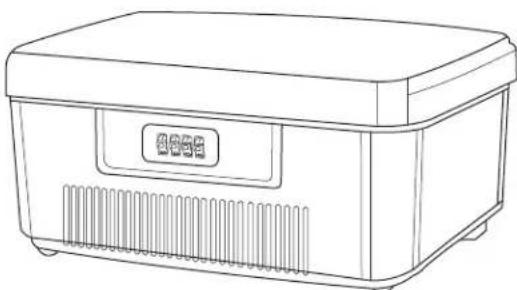
• Commercial Storage Container Bin
Technical Specs:
• Construction Material: Reinforced Engineered ABS
• PassCode Type: Manual 4-Digit, Numerical
SLSBXN500GY - SLSBXN500BL - SLSBXN500GN
• Internal Storage Capacity: 6 Liters
• Maximum Support Weight: 55 lbs.
- Product Dimensions (L x W x H): 9.84" x 7.87" x 4.33"-in.
SLSBXN750GY - SLSBXN750BL - SLSBXN750GN
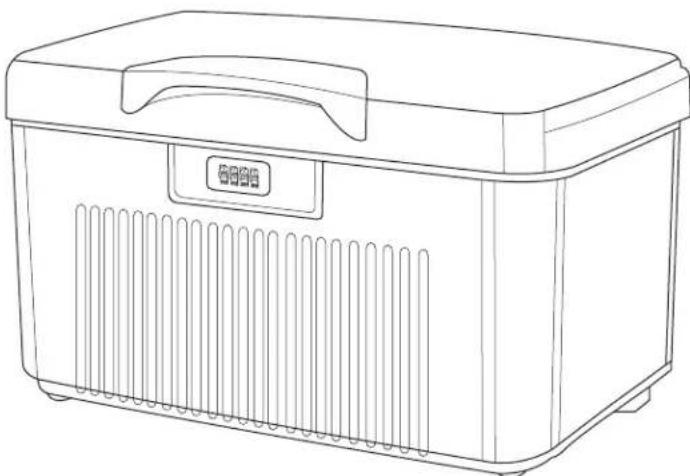
• Internal Storage Capacity: 32 Liters
• Maximum Support Weight: 110 lbs.
- Product Dimensions (L x W x H): 17.7" x 11" x 9.84"-in.
natural_image
Line drawing of a rectangular kitchen appliance with ventilation slots and a lid (no text or symbols)SLSBXN750GY - SLSBXN750BL - SLSBXN750GNSLSBXN500GY
HOW TO SET A CUSTOM PASS CODE:
- Adjust the pin to your current pass code (By default, the lock pin is set to "0000").
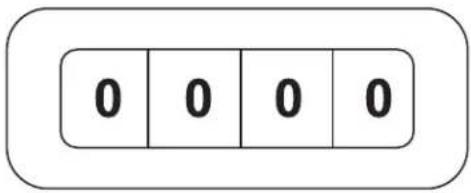
- Completely remove the top drawer from the cabinet and on the inside of the cabinet switch the lever located on the lock from the B to A position.

- While lever is in A position - set the desired new code. Make sure the 4 dials you set are exactly parallel and lined up - you don't want to set to the wrong number by mistake. (Sample below).
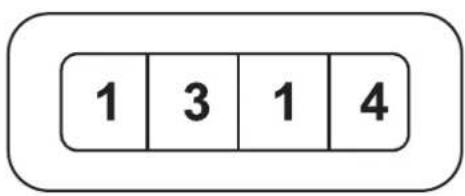
- Once your new pass code is entered, change the lever back from A to the B position.

- Make sure to write down & remember your code. There is no way to recover it once it is set.
WARNING:
This product contains Phthalates which is known to the state of California to cause cancer birth defects and other reproductive harm. Do not ingest.
For more info go to: www.P65warnings.ca.gov
Questions? Comments?
We are here to help!
Phone: (1) 718-535-1800
Email: support@pyleusa.com