ICA-TB TPM-4 - Asztal Techly - Ingyenes használati útmutató
Találja meg az eszköz kézikönyvét ingyenesen ICA-TB TPM-4 Techly PDF formátumban.


Felhasználói kérdések a következőről ICA-TB TPM-4 Techly
0 kérdés erről a készülékről. Válaszolj azokra, amiket ismersz, vagy tedd fel a sajátod.
Tegyél fel egy új kérdést erről a készülékről
Töltse le az útmutatót a következőhöz Asztal PDF formátumban ingyenesen! Találja meg kézikönyvét ICA-TB TPM-4 - Techly és vegye vissza elektronikus eszközét a kezébe. Ezen az oldalon közzé van téve az eszköze használatához szükséges összes dokumentum. ICA-TB TPM-4 márka Techly.
HASZNÁLATI ÚTMUTATÓ ICA-TB TPM-4 Techly
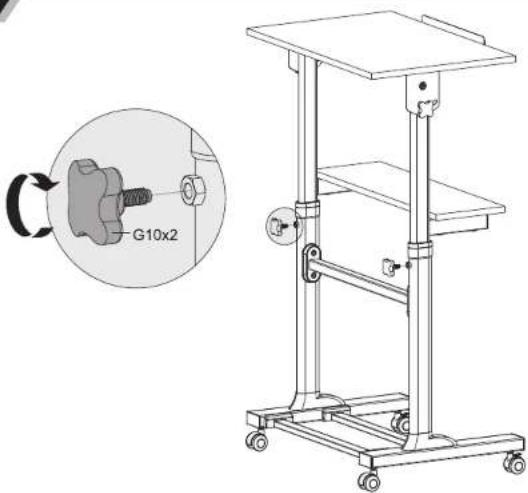
15
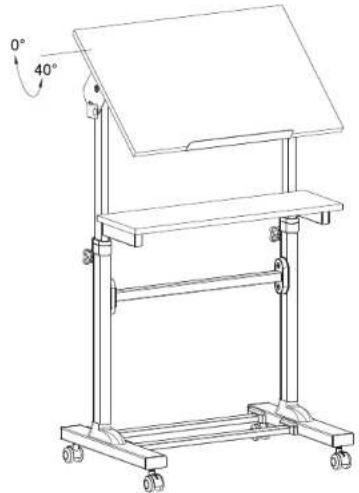
natural_image
Line drawing of a mechanical stand with wheels and a flat top, showing angular measurement (0° and 40°) indicated by arrows.16
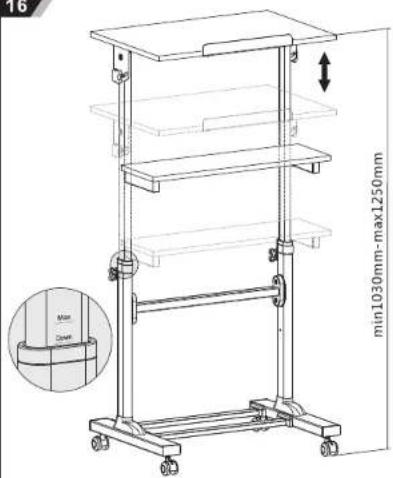
HOW TO ADJUST HEIGHT
Worktable can be adjusted to the
desired height by pinning up, until you bear sound "KA" from both legs of
worktable. Then the worktable is fixed
on this height.
HOW TO LOWER HEIGHT
Pull up worktable directly to the top, until
you see mark down on the leg of
workable, then lower it slowly to the most bottom, until you hear sound."
from both legs of worktable. Then pull up
to the right height.
NOTE:
1. Loosen the knobs to adjust the
worktable to the desired height, then
tighten the knobs to secure.
2. Please do not put anything on the
worktable when adjusting the worktable
height
3. Make sure both legs of worktable are
at same height while finished he
adjustment
4. Make sure you hear sound "KA" while
you adjust worktable to your desire
height. This means the workable is fixed at the height if without this way
fixed at the height, if without this sound, it means the worktable is not fired at this
height
5. "MAX" mark on the long means the max
height which worktable can be fixed
natural_image
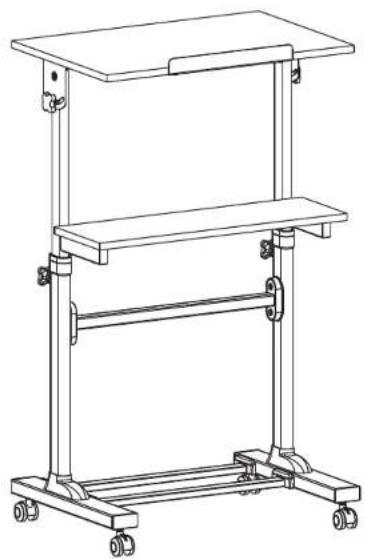
Line drawing of a two-tiered mechanical stand with wheels and a flat top (no text or symbols)Mobile Stand Up Workstation
ASSEMBLY INSTRUCTIONS
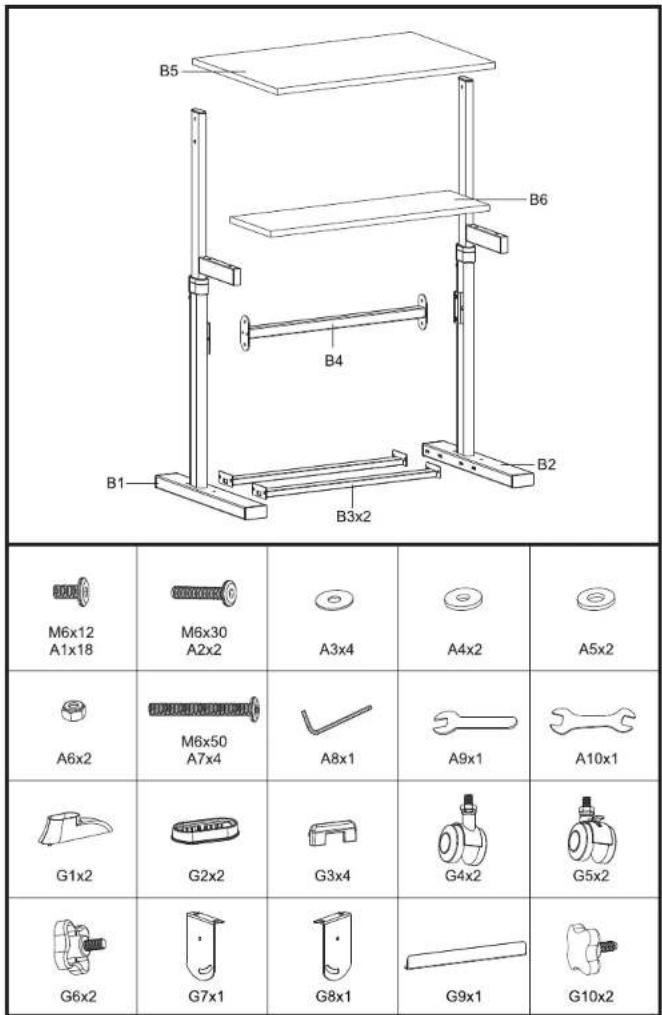
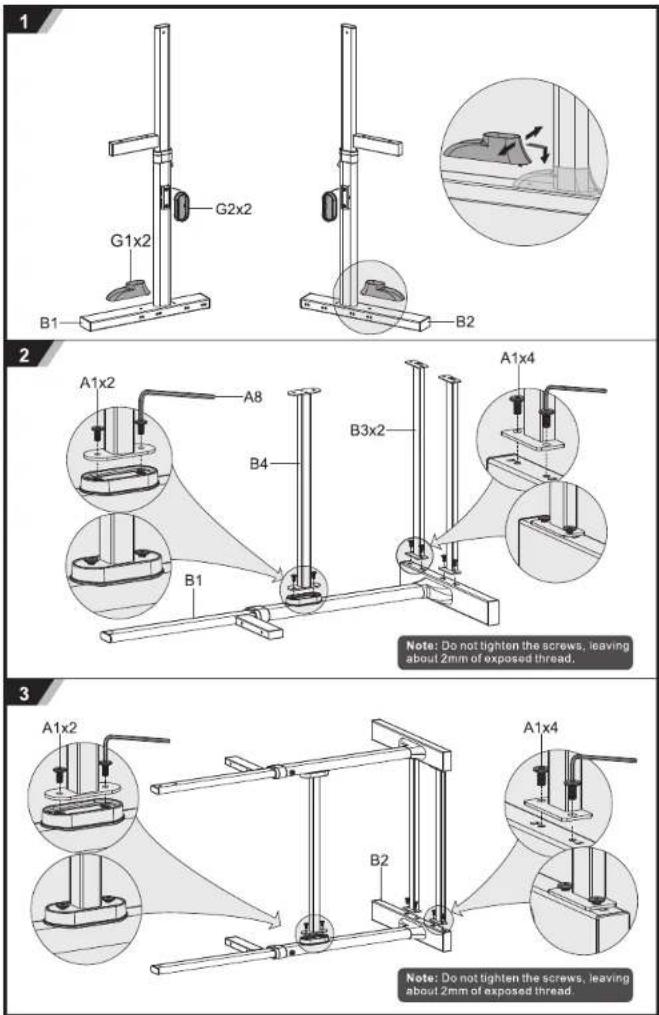
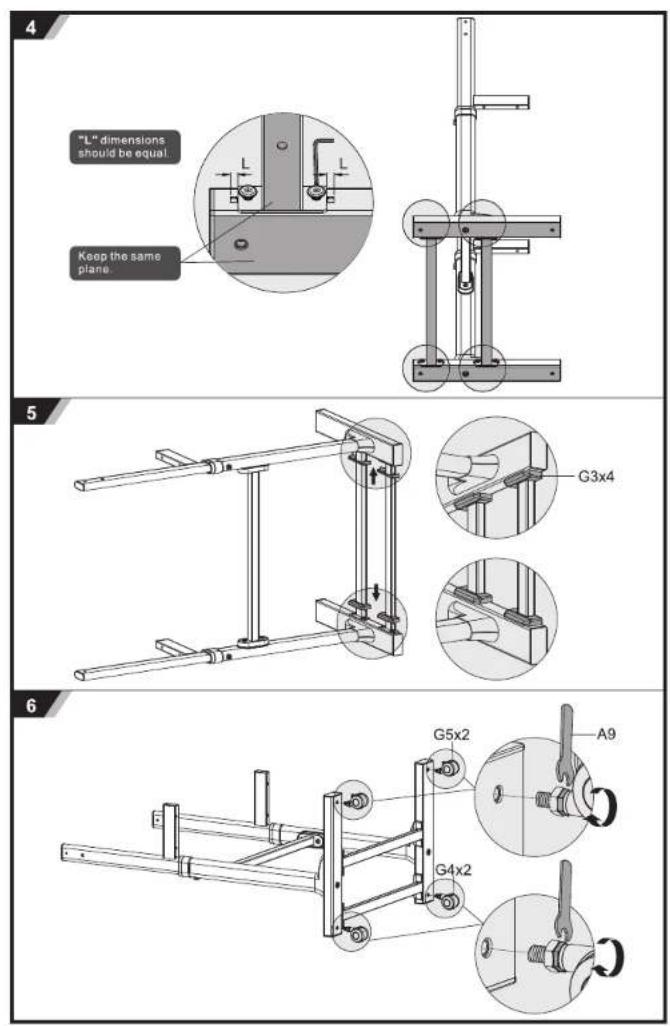
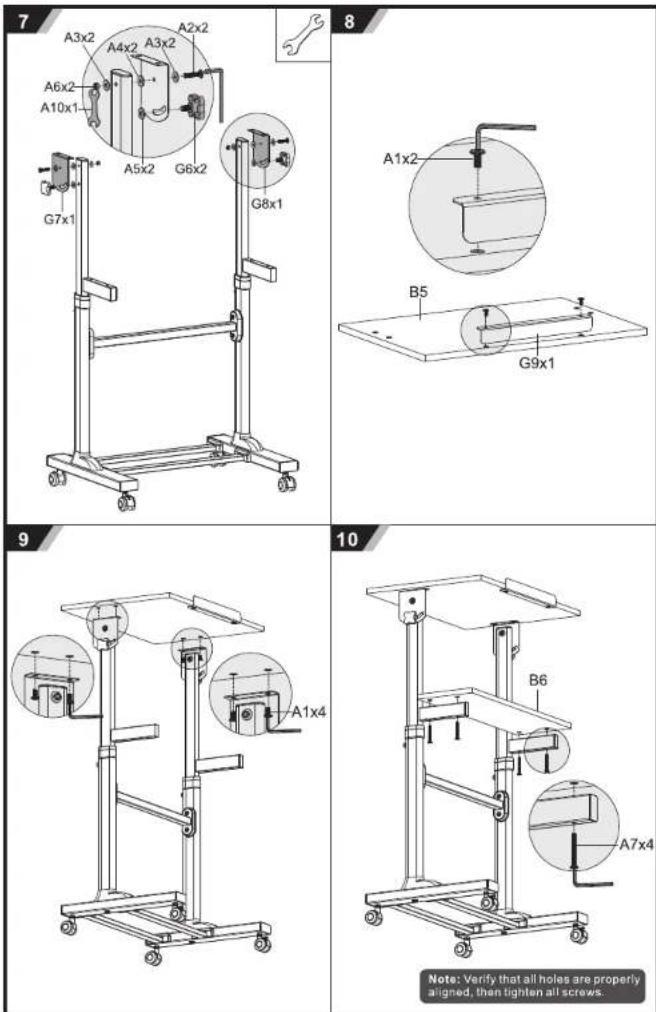
11
natural_image
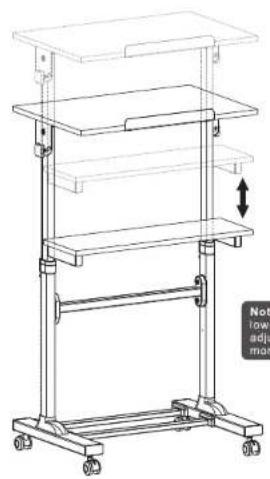
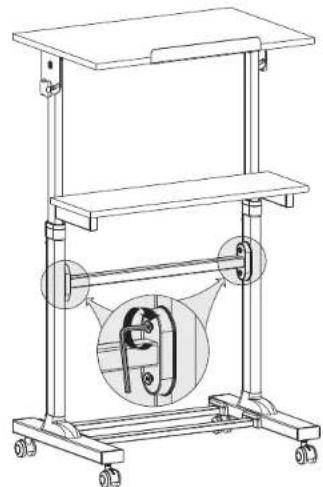
Line drawing of a multi-tiered mechanical stand with wheels and a vertical arrow indicating upward motion (no text or symbols)Note: Pull up the worktable to max height and lower it slowly to the most bottom. The worktable adjustment should be repeated several times more.
12
natural_image
Technical line drawing of a mechanical lifting device with a magnified inset showing internal components (no text or symbols)13
natural_image
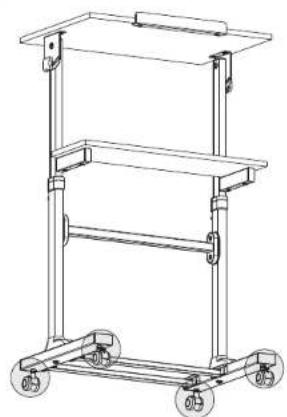
Line drawing of a multi-tiered mechanical cart with wheels and handle (no text or symbols)Note: Make sure all casters are at the same height if the casters are not at the same height, one or two of casters can be adjusted as shown in figure 1, 2 and 3.
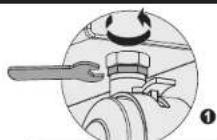
Turn the bottom nut COUNTER-CLOCKWISE to loosen,
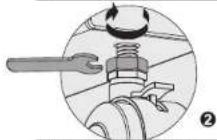
Turn the top nut CLOCKWISE to tighten.
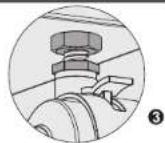
14