Darwin 2 - Telk COLEMAN - Tasuta kasutusjuhend
Leidke seadme juhend tasuta Darwin 2 COLEMAN PDF-formaadis.


Pick your language and provide your email: we'll send you a specifically translated version.
Kasutajate küsimused teemal Darwin 2 COLEMAN
0 küsimus selle seadme kohta. Vastake nendele, mida teate, või esitage oma.
Esita uus küsimus selle seadme kohta
Veel pole küsimusi. Olge esimene, kes küsib.
Laadige alla juhend oma Telk PDF-formaadis tasuta! Leidke oma juhend Darwin 2 - COLEMAN ja võtke oma elektrooniline seade uuesti kätte. Sellel lehel on avaldatud kõik teie seadme kasutamiseks vajalikud dokumendid. Darwin 2 kaubamärgi COLEMAN.
KASUTUSJUHEND Darwin 2 COLEMAN
0 - CHECK LIST
Coleman
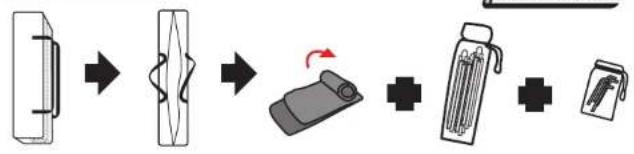
flowchart
graph LR
    A["Device Insert"] --> B["Reassembly"]
    B --> C["Packaging & Reassembly"]
    C --> D["Product Packaging & Reassembly"]
    D --> E["Product Packaging & Reassembly"]
1 - SET UP

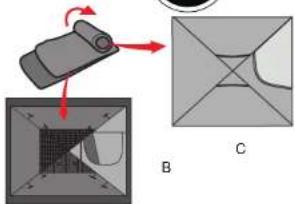
natural_image
Diagram showing a mechanical component being processed into a 3D model, with no visible text or symbols.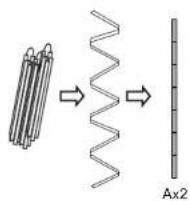
2 - SET UP
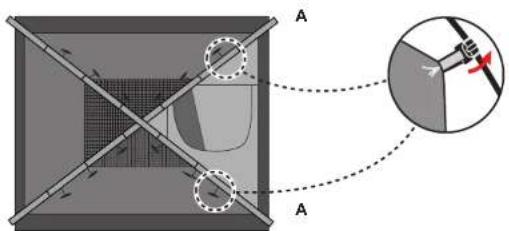
natural_image
Diagram of a mechanical or optical setup with labeled components and an inset showing a rotating component (no text or symbols present)3 - SET UP
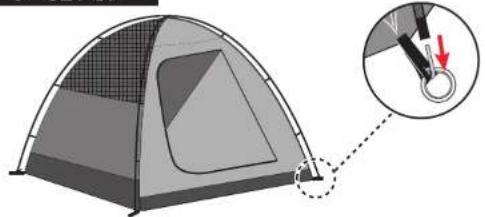
natural_image
Diagram of a tent with a magnified inset showing a rope knot (no text or symbols present)4 - SET UP
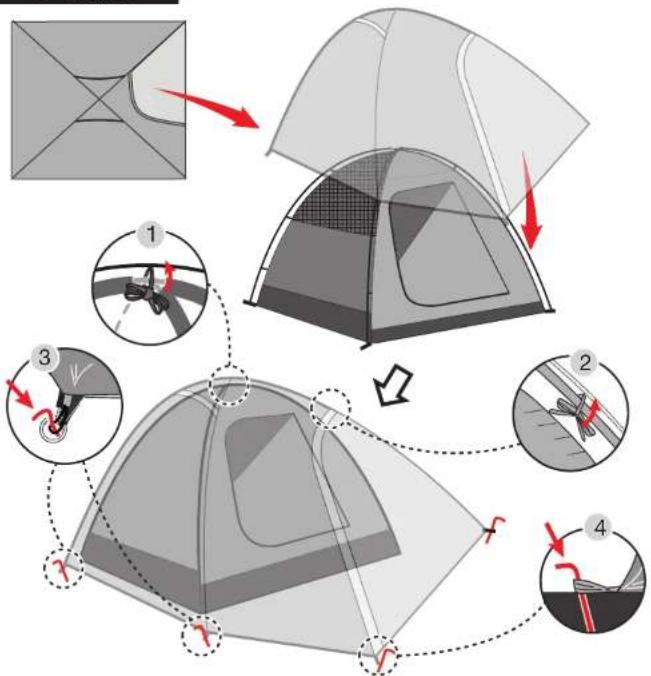
flowchart
graph TD
    A["Opening tent structure"] --> B["Step 1: Insert roof"]
    B --> C["Step 2: Remove roof"]
    C --> D["Step 3: Insert roof with anchor"]
    D --> E["Step 4: Exit roof with anchor"]
5 - SET UP
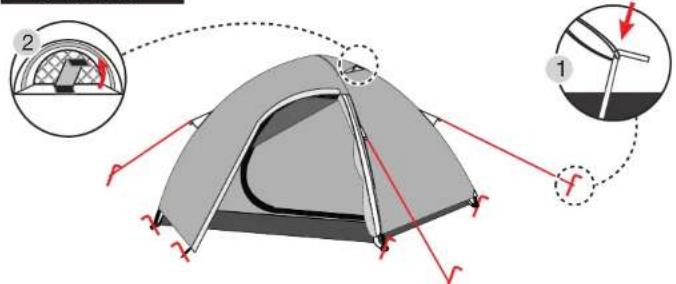
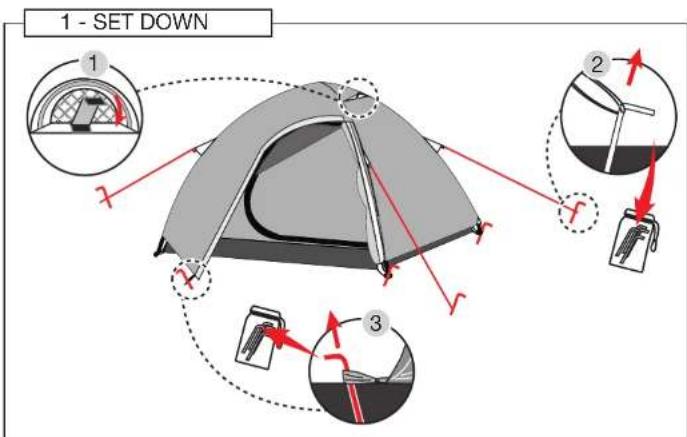
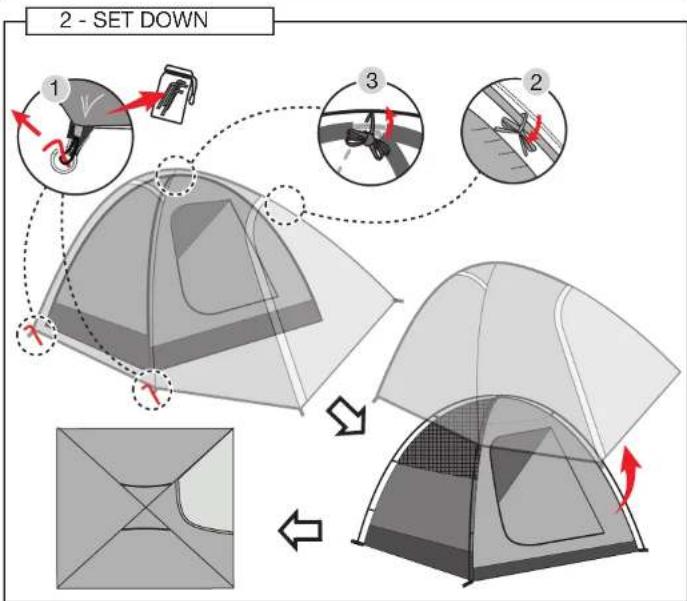
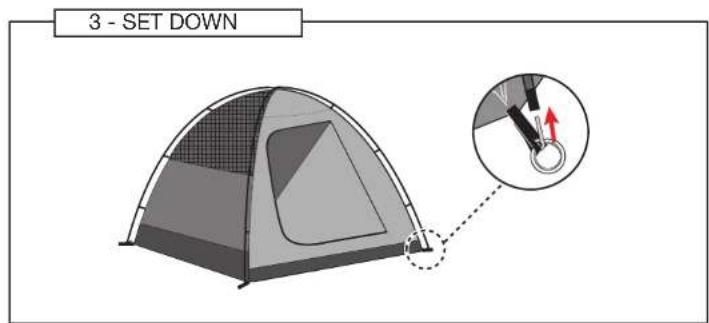
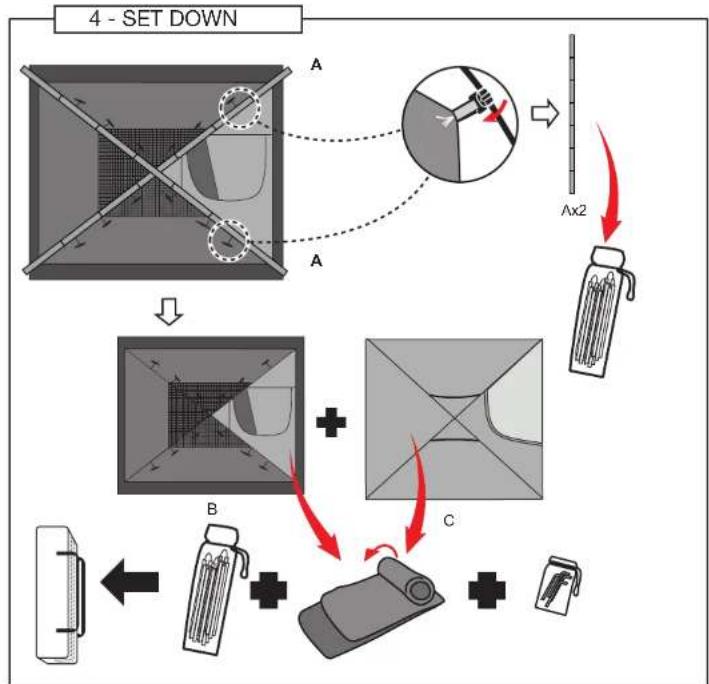
flowchart
graph TD
    A["Preoperative View"] --> B{Ax2}
    B --> C["Packaging"]
    C --> D["Add Box"]
    D --> E["Final Package"]
    style A fill:#f9f,stroke:#333
    style B fill:#ccf,stroke:#333
    style C fill:#cfc,stroke:#333
    style D fill:#fcc,stroke:#333
    style E fill:#ffc,stroke:#333
NWL0001291021 (ECN00035072-A)