Pro Diver 19244 - Kell INVICTA - Tasuta kasutusjuhend
Leidke seadme juhend tasuta Pro Diver 19244 INVICTA PDF-formaadis.


Kasutajate küsimused teemal Pro Diver 19244 INVICTA
0 küsimus selle seadme kohta. Vastake nendele, mida teate, või esitage oma.
Esita uus küsimus selle seadme kohta
Laadige alla juhend oma Kell PDF-formaadis tasuta! Leidke oma juhend Pro Diver 19244 - INVICTA ja võtke oma elektrooniline seade uuesti kätte. Sellel lehel on avaldatud kõik teie seadme kasutamiseks vajalikud dokumendid. Pro Diver 19244 kaubamärgi INVICTA.
KASUTUSJUHEND Pro Diver 19244 INVICTA
PRESENTATION
Display Elements
Stopwatch 1/10 Second Hand (Move in 1/10 second increments)
Minutes Hand
Hour Hand
Stopwatch Minute Hand — (Move in minute increments)
Second Hand
Stopwatch Second Hand — (Move in second increments)
Date Window
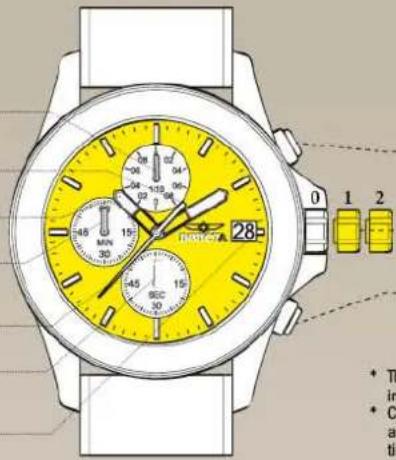
Control Buttons
Push Button A: In stopwatch function: Start / Stop
Crown: 1: Date setting
2: Time setting
Push Button B: In stopwatch function: Split / Split release / Reset
* The measurement time indicated by the stopwatch hands move independently of the center hands.
* Chino 1/10 sec: The stopwatch 1/10 second hand moves for a first minute. After one minute, it indicates the measurement time when it is stopped.
SETTINGS
Adjusting the Stopwatch Hand Position
Before setting the time, check if all the chronograph hands - 1/10 second, second, minute - are at the "0"(12 o'clock) position.
* If the stopwatch is in use, press the buttons in the following order to reset it, and then, check if the hands return to "0" position. (For details, see "HOW TO USE THE STOPWATCH")
*If the chronograph is counting: A → B
*If the stopwatch is stopped: B
*If the split time is displayed: B → A → B
If either of the stopwatch hands are not in the "0" position, reset them following the procedure below.
1.1
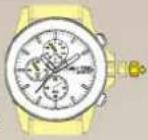
Pull the crown out to position 2.
1.2
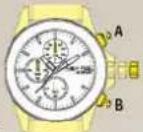
Press button A or B to reset all stopwatch hands to "D" position.
*The stopwatch minute hand moves correspondingly with the stopwatch second hand.
*The hands move quickly if the respective buttons are kept pressed.
1.3
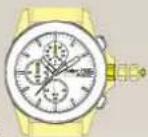
Push the crown back to the normal position.
Time Setting
* Before setting the time, check that the chronograph measurement is stopped.
* Do not set the date between 9:00 PM. and 1:00 A.M, otherwise the day may not change properly. If it is necessary to set the date during the time period, firstly change the time to any time outside it, set the date and then reset the correct time.
2.1
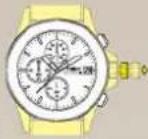
Pull out the crown to the position 1
2.2
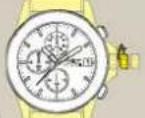
Turn the crown clockwise until the preview day's date appears.
2.3
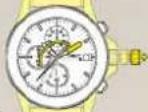
Pull out the crown to the position 2 when the second hand is at the 12 o'clock position. It will stop on the spot. Set the hands to the desired time of the day (make sure AM/PM is set correctly) by turning the crown.
2.4
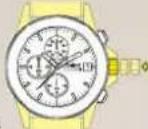
Push the crown back in the normal position in accordance with a time signal.
FUNCTIONS
How to Use the Stopwatch
• The measurement time is indicated by the stopwatch hands that move independently of the center hands (and 24-hour hand where applicable).
• The stopwatch can measure up to 60 minutes.
• The stopwatch measures in 1/10 second increments.
Standard Measurement
E.g. 100m race (Press the buttons in the following order A → A → B)
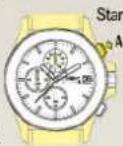
3.2
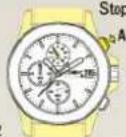
9.8/10 second
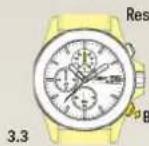
Reset (Reset to "0'00")
Accumulated Elapsed Time Measurement
E.g. basketball game (Press the buttons in the following order
A→A/A……→A→B)
Start → Stop
(Start of game) (Time out)
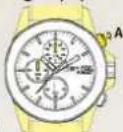
Restart (Restart of game)
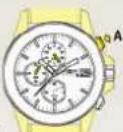
5 minutes
10,8/10 seconds
top
Game over)
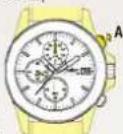
20 minutes
00 seconds
Reset
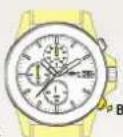
Split Time Measurement
E.g. 5,000m race (Press the buttons in the following order
A→B/B……→A→B)
Start
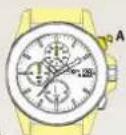
Split / Split release
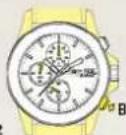
Stop
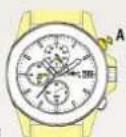
Reset
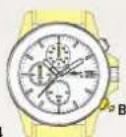
* Measurement and release of the split time can be repeated as many times as necessary by pressing button B.
15 minutes 10 seconds