Reserve 29559 - Kell INVICTA - Tasuta kasutusjuhend
Leidke seadme juhend tasuta Reserve 29559 INVICTA PDF-formaadis.


Kasutajate küsimused teemal Reserve 29559 INVICTA
0 küsimus selle seadme kohta. Vastake nendele, mida teate, või esitage oma.
Esita uus küsimus selle seadme kohta
Laadige alla juhend oma Kell PDF-formaadis tasuta! Leidke oma juhend Reserve 29559 - INVICTA ja võtke oma elektrooniline seade uuesti kätte. Sellel lehel on avaldatud kõik teie seadme kasutamiseks vajalikud dokumendid. Reserve 29559 kaubamärgi INVICTA.
KASUTUSJUHEND Reserve 29559 INVICTA
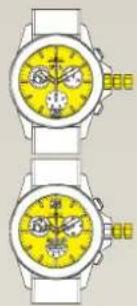
PRESENTATION
5050C
5051C
natural_image
Two identical wristwatches showing yellow dials with black and white patterns, no text or symbols visible.Display Elements
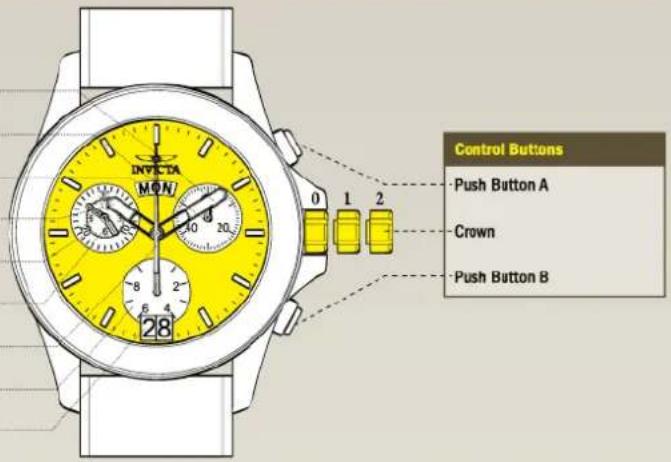
Minutes Hand
Second Hand
Weekday
Hour Hand
Minute Counter
Hour Counter
Centre Stop-Second
1/10 Second Counter
Date Window
Control Buttons
Push Button A
Crown
Push Button B
SETTINGS
Setting the Time
① Pull out the crown to position 2 (the watch stops).*
② Turn the crown until you reach the correct time 8:45.
③ Push the crown back into position 0.*
Please note:
In order to set the time to the exact second, ① must be pulled out when the second hand is in position «60» (1).
Once the hour and minute hands have been set,
③ must be pushed back into position 0 at the exact second.
Setting the Date, Weekday and Time
Example:
-Date / time on the watch: 17/ 1:25 / MON
-Present date / time: 23/20:30/THU
Please note:
• To set your watch to the exact second, please refer to the chapter entitled «setting the time». ** Please observe the AM/PM clock rhythm.
The setting of the weekday can be accelerated by turning the crown backwards (4.5 h) after a week day change, followed by turning the crown in forward direction.
1.1

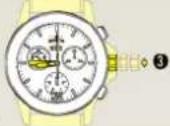
3.1
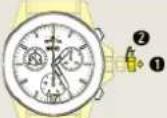
① Pull out the crown to position 1 (the watch continues to run).
Turn the crown until yesterday's weekday WED appears.
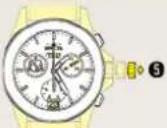
⑤ Pull out the crown to position 2 (the watch stcps).*
Setting the Date (Quick Mode)
① Pull out the crown to position 1 (the watch continues to run).
② Turn the crown until the correct date 1 appears.
3 Push the crown back into position 0.
Please note:
During the date changing phase between 9 PM and 12 PM; the date must be set to the date of the following day.
An extreme acceleration in setting the date with quick mode can induce a false date indication. The synchronization is re-established by setting the date from 01 till 31 (crown in position 1).
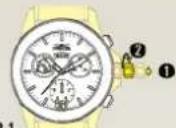
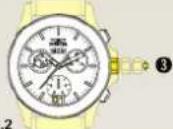
3.2
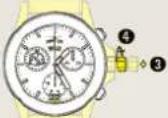
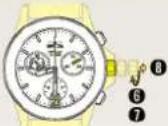
③ Push the crown to position 1.
4 Turn the crown until yesterday's date appears 72.
8 Turn the crown until the correct date 23 and weekday THU appears.
⑦ Continue to turn the crown until the correct time 8:30 PM appears.**
8 Push the crown back into position 0.
FUNCTIONS
Chronograph: Basic Function
(Start / Stop / Reset)
Example:
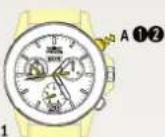
① Start:
Press push button A.
② Stop:
To stop the timing, press push button A once more and read the 4 chronograph counters: 4h / 20 min 4.1 / 5 sec / 7/10 sec
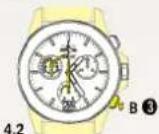
② Zero positioning:
Press push button B. (The 4 chronograph hands will be reset to their zero position).
Chronograph: Accumulated Timing
Example:
① Start: (start timing)
② Stop: (e.g. 15 min 5 sec following ①)
③ Restart (timing is resumed)
*④ Stop: (e.g. 10 min 5 sec following ③) = 25 min 10 sec (The accumulated measured time is shown)*
⑤ Reset: The 4 chronograph hands are returned to their zero position.
Please note:
* Following ④, the accumulation of the timing can be continued by pressing push button A (Restart / Stop, Restart / Stop, ...)
5.1
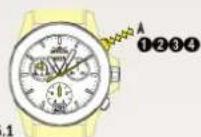
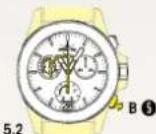
Chronograph: Intermediate or Interval Timing
Example:
① Start: (start timing)
② Display interval: e.g. 10 minutes 10 seconds (timing continues in the background)
③ Making up the measured time: (the 4 chronograph hands are quickly advanced to the ongoing measured time).
4 Stop: (Final time is displayed)
⑤ Reset: The 4 chronograph hands are returned to their zero position
Please note:
- Following ③, further intervals or intermediates can be displayed by pressing push button B (display interval / make up measured time, ...)
6.1
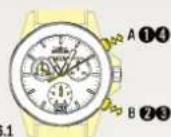
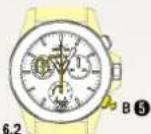
CALIBRATION
Adjusting the Chronograph Hands to Zero Position
Example:
One or several chronograph hands are not in their correct zero position and have to be adjusted (e.g. following a battery change).
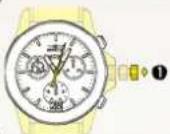
① Pull out the crown to position 2 (all 4 chronograph hands are in their correct or incorrect zero position).
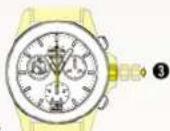
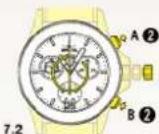
② Keep push-buttons A and B depressed simultaneously for at least 2 seconds (the centre stop-second rotates by 360°→corrective mode is activated).
Adjusting the centre stop second
Single step A 1 x short
Continuous A long
Adjusting the next hand B
Adjusting the 1/10 second counter hand (position 6h) Single step A 1 x short Continuous A long
Adjusting the next hand B
Adjusting the minute counter hand and the hour counter hand (mechanical coupled)
Single step A 1 x short
Continuous A long