
GFR209A - Memory reader IOGEAR - Free user manual and instructions
Find the device manual for free GFR209A IOGEAR in PDF.


Pick your language and provide your email: we'll send you a specifically translated version.
| Product Type | Memory Card Reader |
| Brand | IOGEAR |
| Model | GFR209A |
| Dimensions (Approx.) | 2.8 x 1.0 x 0.6 inches (7.1 x 2.5 x 1.5 cm) |
| Weight | 1.6 oz (45 g) |
| Power Source | USB bus-powered |
| Interface | USB 2.0 (backward compatible with USB 1.1) |
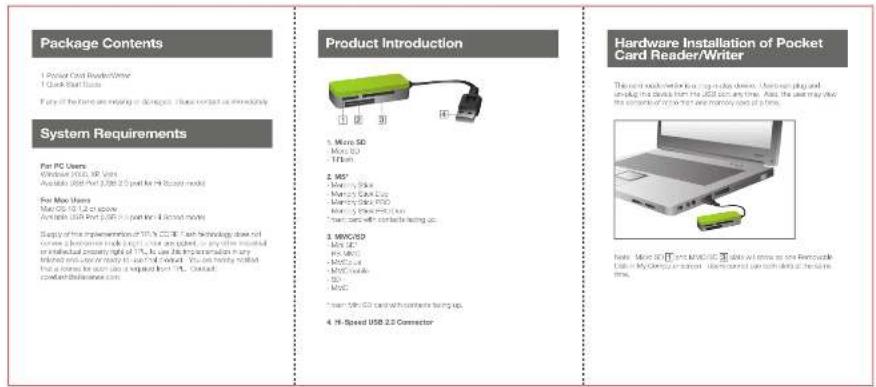
| Supported Memory Cards | SD, SDHC, SDXC, microSD, microSDHC, microSDXC, MMC, RS-MMC, MS, MS Pro, MS Duo, MS Pro Duo, CF (CompactFlash Type I/II), MD (Microdrive) |
| Number of Slots | 3 (SD/MMC, MS, CF) |
| Compatible Operating Systems | Windows XP/Vista/7/8/10, Mac OS X 10.4 and later, Linux 2.4 and later |
| LED Indicator | Yes (power/activity) |
| Hot-swappable | Yes |
| Plug and Play | Yes (no driver needed for most systems) |
| Cable Length | 6 inches (15 cm) integrated cable |
| Material | Plastic casing |
| Operating Temperature | 32°F to 104°F (0°C to 40°C) |
| Storage Temperature | -4°F to 140°F (-20°C to 60°C) |
| Humidity | 20% to 80% (non-condensing) |
| Cleaning | Wipe with a dry cloth. Do not use liquids or solvents. |
| Safety Instructions | Avoid exposing to water, extreme temperatures, or dropping. Disconnect when not in use for extended periods. |
| Spare Parts / Repairability | Not user-serviceable. Contact IOGEAR support for replacement under warranty. |
| Warranty | 1 year limited warranty |
Frequently Asked Questions - GFR209A IOGEAR
What types of memory cards does the IOGEAR GFR209A support?
The GFR209A supports SD, SDHC, SDXC, microSD, microSDHC, microSDXC, MMC, RS-MMC, Memory Stick (MS) variants, and CompactFlash (CF) cards.
Is the GFR209A compatible with USB 3.0 ports?
Yes, it is backward compatible with USB 3.0 ports, but it operates at USB 2.0 speeds (up to 480 Mbps).
Do I need to install drivers for the GFR209A?
No, the device is plug-and-play and works without additional drivers on Windows, Mac, and most Linux distributions.
Can the GFR209A read SDXC cards (over 32GB)?
Yes, it supports SDXC cards up to 2TB capacity, provided the host system supports exFAT or the card is formatted accordingly.
Why is my memory card not detected by the reader?
Ensure the card is properly inserted in the correct slot. Try reconnecting the reader to a different USB port. If still not detected, test the card in another reader to rule out card failure.
Does the GFR209A work with Mac computers?
Yes, it is compatible with Mac OS X 10.4 and later. No driver installation is required.
What is the maximum transfer speed of this card reader?
It supports USB 2.0 speeds up to 480 Mbps, which translates to real-world read/write speeds typically around 20-30 MB/s depending on the card.
Can I use the GFR209A with a USB hub?
Yes, but for optimal performance, connect directly to a computer USB port. If using a hub, ensure it is powered and supports USB 2.0 or higher.
How do I clean the card reader?
Unplug the device and gently wipe the exterior with a soft, dry cloth. Do not use liquids, abrasive cleaners, or insert objects into the slots.
What should I do if the reader stops working?
First, try a different USB port. If the issue persists, test with another computer to isolate the problem. If the reader still fails, check the warranty and contact IOGEAR support for assistance.
User questions about GFR209A IOGEAR
0 question about this device. Answer the ones you know or ask your own.
Ask a new question about this device
No questions yet. Be the first to ask one.
Download the instructions for your Memory reader in PDF format for free! Find your manual GFR209A - IOGEAR and take your electronic device back in hand. On this page are published all the documents necessary for the use of your device. GFR209A by IOGEAR.
USER MANUAL GFR209A IOGEAR
Manual assistant
Powered by Anthropic
Waiting for your message
Product information
Brand : IOGEAR
Model : GFR209A
Category : Memory reader