
Kernau 32 KHD 4000 NP - Television

32 KHD 4000 NP - Television Kernau - Free user manual and instructions

Find the device manual for free 32 KHD 4000 NP Kernau in PDF.

📄 1 pages English EN Download 💬 AI Question 10 questions ⚙️ Specs
Notice Kernau 32 KHD 4000 NP - page 1
Pick your language and provide your email: we'll send you a specifically translated version.
Product Type LED Television
Screen Size 32 inches (81 cm)
Resolution 1366 x 768 (HD Ready)
Refresh Rate 60 Hz
Contrast Ratio 3000:1 (Dynamic)
Brightness 250 cd/m²
Viewing Angles 178° / 178°
HDMI Inputs 2 x HDMI
USB Ports 1 x USB 2.0
VGA Input 1 x VGA (D-Sub 15 pin)
Composite Video Input 1 x AV (RCA)
Audio Output 1 x Headphone Jack, 1 x Digital Optical
Speakers 2 x 8W
Tuner DVB-T2/C/S2
Smart TV No (Basic TV)
Power Consumption (Typical) 45 W
Standby Power Consumption < 0.5 W
Energy Class A+
VESA Mount 200 x 200 mm
Dimensions (With Stand) 732 x 481 x 180 mm
Dimensions (Without Stand) 732 x 432 x 76 mm
Weight (With Stand) 5.2 kg
Weight (Without Stand) 5.0 kg
Remote Control Included (Batteries not included)

Frequently Asked Questions - 32 KHD 4000 NP Kernau

How do I connect my Kernau 32 KHD 4000 NP to external devices?
You can connect devices via the HDMI, USB, or VGA ports. For composite devices, use the AV input with an RCA cable.
What type of remote control does the 32 KHD 4000 NP use?
The TV comes with a standard infrared remote. Batteries (AAA, not included) are required.
Can I mount this TV on a wall?
Yes, it supports a VESA 200x200 mm wall mount. Use appropriate screws (not included).
How do I perform a factory reset on the Kernau 32 KHD 4000 NP?
Go to the settings menu, select System or Setup, then choose Factory Reset. Confirm with the remote.
Why is there no sound from my TV?
Check if the TV is muted (press mute button) and verify the volume level. Also ensure external speakers are connected properly. If using optical output, ensure the device is set to receive audio.
How do I scan for digital channels?
Press the Menu button, go to Channel or Tuner, select Auto Scan or Channel Search. Make sure an antenna is connected.
What is the best picture setting for watching movies?
Switch to Movie or Cinema picture mode. You can also adjust brightness, contrast, and color manually for optimal viewing.
Can I connect a soundbar to this TV?
Yes, connect via the digital optical audio output or headphone jack. Some soundbars also accept HDMI ARC (if available on the TV).
How do I clean the screen?
Use a soft, dry microfiber cloth. Do not apply liquid directly; dampen the cloth slightly if needed. Avoid abrasive cleaners.
What is the warranty period for Kernau TVs?
Kernau typically offers a 2-year warranty from the date of purchase. Check your local dealer for details.

User questions about 32 KHD 4000 NP Kernau

0 question about this device. Answer the ones you know or ask your own.

Ask a new question about this device

The email remains private: it is only used to notify you if someone responds to your question.

No questions yet. Be the first to ask one.

Download the instructions for your Television in PDF format for free! Find your manual 32 KHD 4000 NP - Kernau and take your electronic device back in hand. On this page are published all the documents necessary for the use of your device. 32 KHD 4000 NP by Kernau.

USER MANUAL 32 KHD 4000 NP Kernau

natural_image European Union flag with twelve yellow stars arranged in a circle on a blue background (no text or symbols)

ENERG

енергия · ενεργεια

Kernau 32 KHD 4000 NP - енергия · ενεργεια - 1

Kernau 32 KHD 4000 NP - енергия · ενεργεια - 2

KERNAU

32KHD4000-NP

A+++

A++

A+

A

B

C

D

A⁺

ENERGIA · ЕНЕРГИЯ

ENEPΓEIA · ENERGIJA

ENERGY · ENERGIE

ENERGI

31 Watt

45 kWh/annum

8032

cm
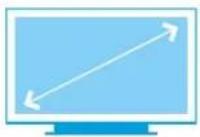
Kernau 32 KHD 4000 NP - kWh/annum - 1

inch

2010/1062 - 2020

Table of contents Click a title to access it
Manual assistant
Powered by Anthropic
Waiting for your message
Product information

Brand : Kernau

Model : 32 KHD 4000 NP

Category : Television