
USB-3.5 - Audio adapter CRUX - Free user manual and instructions
Find the device manual for free USB-3.5 CRUX in PDF.


| Product Type | Audio Adapter |
| Brand | CRUX |
| Model | USB-3.5 |
| Connectivity | USB-A to 3.5mm Audio Jack |
| Dimensions | 2.5 x 1.5 x 0.5 inches |
| Weight | 0.5 oz (14 g) |
| Power Source | USB Bus Powered |
| Compatibility | Windows, macOS, Linux, Android |
| Audio Output | Stereo 3.5mm Female Jack |
| Supported Audio Formats | 16-bit/44.1kHz and above |
| Plug and Play | Yes, no driver required |
| Cable Length | 6 inches (cable included) |
| Construction | ABS Plastic with Gold-Plated Connectors |
| Operating Temperature | 32°F to 104°F (0°C to 40°C) |
| Storage Temperature | -4°F to 140°F (-20°C to 60°C) |
| Certifications | CE, RoHS |
| Warranty | 1 Year Limited |
Frequently Asked Questions - USB-3.5 CRUX
User questions about USB-3.5 CRUX
0 question about this device. Answer the ones you know or ask your own.
Ask a new question about this device
Download the instructions for your Audio adapter in PDF format for free! Find your manual USB-3.5 - CRUX and take your electronic device back in hand. On this page are published all the documents necessary for the use of your device. USB-3.5 by CRUX.
USER MANUAL USB-3.5 CRUX
- Converts the factory USB port to a 3.5mm Auxiliary Audio Input in select vehicles.
- Completely plug and play.
PARTS INCLUDED:

natural_image
Close-up of a USB cable with a black connector attached, no visible text or symbols
natural_image
Black and white cord with three connected audio/video cables (no text or symbols visible)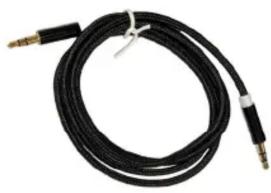
natural_image
Coiled black cable with two connectors, no visible text or symbolsUSB-3.5 Adapter 3.5 to RCA cable 3.5 to 3.5 Cable
VEHICLE APPLICATIONS:
BMW 6.5", 8.8" 10.25" NBT EVO
2017 - 2018 1/2/3/4/5/7 Series
X1/X3/X4
FERRARI
2018 488 GTB
FORD
ALL MODELS SYNC2 and SYNC3
JAGUAR
2017-2018 XE, XF, XJ, XEL, XFL, XJL, XK, F-PACE
LANDROVER
2017 - 2018 Discovery Sport, Freelander, Evoque (dual screen)
NISSAN
2018 ALL MODELS (without 3.5mm Aux in but with USB port)
PORSCHE
2017 - 2018 MACAN (PCM 4.0)
VOLKSWAGEN
2018 ALL MODELS (with 9" screen)
Brand : CRUX
Model : USB-3.5
Category : Audio adapter