CON-GAMECAPL - Electronic accessory KanexPro - Free user manual and instructions
Find the device manual for free CON-GAMECAPL KanexPro in PDF.


| Product Type | Video Capture Card |
| Brand | KanexPro |
| Model | CON-GAMECAPL |
| Dimensions (approx.) | 100 x 60 x 20 mm (3.9 x 2.4 x 0.8 in) |
| Weight (approx.) | 50 g (1.8 oz) |
| Power Supply | USB bus-powered (5V, 500mA) |
| Input Interface | HDMI (up to 4K@30Hz) |
| Output Interface | USB 3.0 (USB-C compatible) |
| Maximum Resolution | 4K@30fps or 1080p@60fps |
| Supported Formats | H.264, H.265, YUY2, NV12 |
| Primary Functions | Real-time video capture and streaming from HDMI sources |
| Compatibility | Windows, macOS, Linux, and standard streaming software (OBS, XSplit) |
| Care and Cleaning | Wipe with a soft, dry cloth. Do not use liquids or solvents. |
| Safety Precautions | Avoid exposure to moisture and extreme temperatures. Use only the provided cable. |
| Spare Parts and Repairability | No user-serviceable parts. Contact manufacturer for repairs. |
| Warranty | Limited 1-year warranty against defects |
| General Information | Designed for seamless game capture and streaming. Plug-and-play installation. |
Frequently Asked Questions - CON-GAMECAPL KanexPro
User questions about CON-GAMECAPL KanexPro
0 question about this device. Answer the ones you know or ask your own.
Ask a new question about this device
Download the instructions for your Electronic accessory in PDF format for free! Find your manual CON-GAMECAPL - KanexPro and take your electronic device back in hand. On this page are published all the documents necessary for the use of your device. CON-GAMECAPL by KanexPro.
USER MANUAL CON-GAMECAPL KanexPro
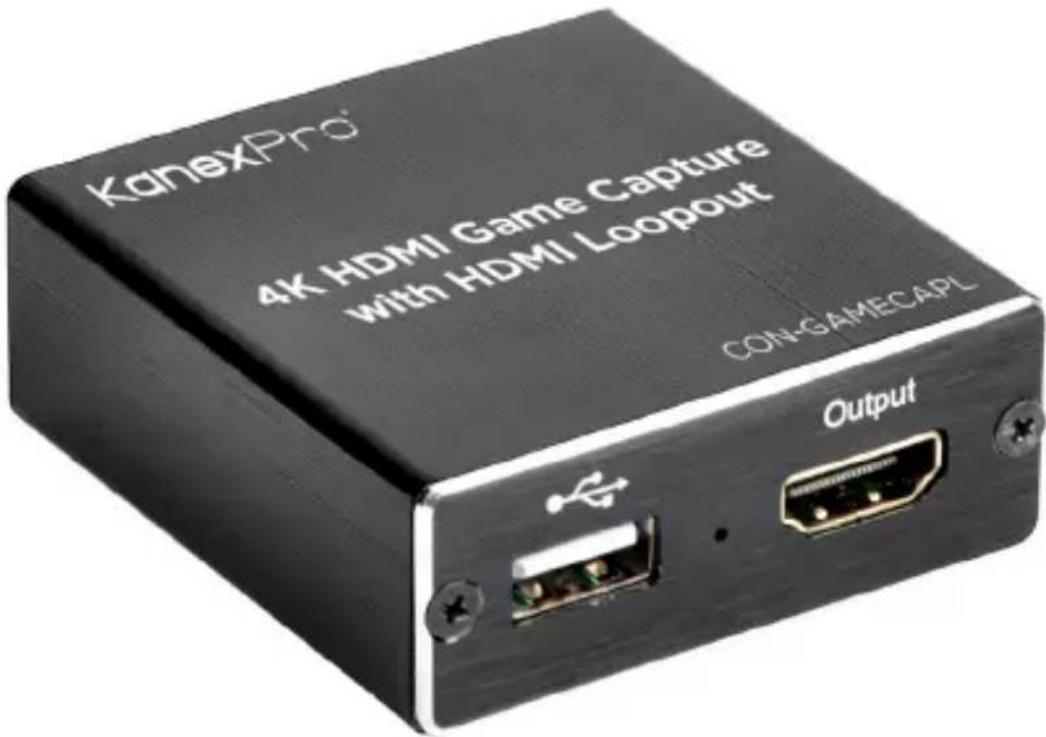
4K USB 2.0 Gaming Capture with HDMI Loop-out
Quick Installation Guide
Ver. 1.0
INTRODUCTION:
The KanexPro CON-GAMECAPL is a video capture device that can capture both HDMI video and HDMI audio, sending audio and video signals to a computer in order to preview or record video content. This model features an HDMI loop-out so that Suitable for video game console capture, educational recordings, medical imaging, or streaming with the use of an action camera.
FEATURES:
• Support input max resolution 3840x2160@30Hz;
• Support output max resolution 1920x1080@30Hz;
• Support 8/10/12bit deep color;
• Supports most video recording and streaming software, such as VLC, OBS, Debut, etc;
• Support Windows, Android and MacOS;
- Conform to USB Video and UVC standard;
- Conform to USB Audio UAC standard;
- No need for an external power supply, USB bus powered for a compact and portable solution. penguin
PACKAGE CONTENTS:
- 1x Main Unit
- 1x User Manual
- 1x Micro USB cable
- 1x USB cable male to male
• 1x HDMI cable male to male - 1x Type-C USB3.1 Male to USB 2.0 Female Connector
APPLICATION OPTIONS:
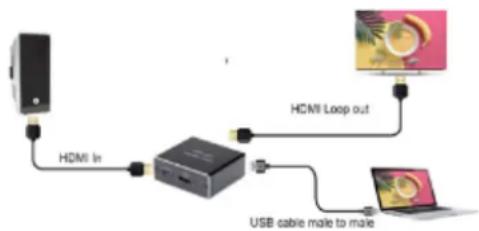
flowchart
graph TD
    A["Device"] -->|HDMI In| B["USB Cable"]
    B -->|USB cable male to male| C["Device"]
    D["HCMI Loop out"] --> B
    E["Computer"] --> D
- Connect the UHD signal source to the HDMI input of the video capture with the included HDMI cable.
- Connect the CON-GAMECAPL directly into a USB port on the computer using the included Male to Male USB Cable.
- Connect the HDMI Output port to a Display using an HDMI Cable.
- Getting Started:
The CON-GAMECAPL is compatible with various video recording and streaming applications. You can choose any of the popular programs like VLC, Debut, or OBS Studio (https://obsproject.com/).
KanexPro recommends OBS Studio for its simplicity and ease of use.
Open OBS Studio:
- →Add Sources:
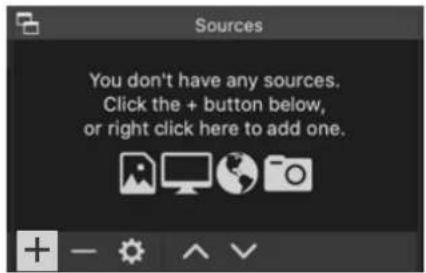
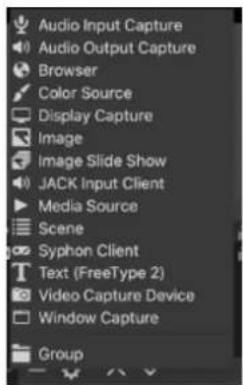
"Video Capture Device" -> USB Camera
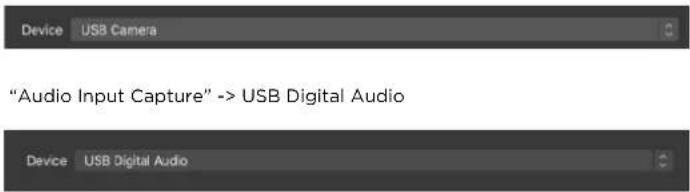
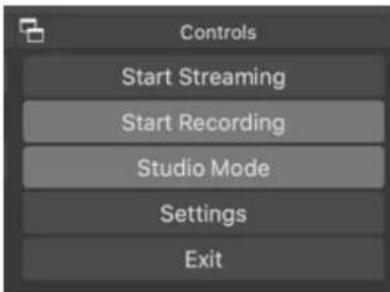
- Select either Recording or Streaming Mode a. Follow the on-screen prompts
- Choose "Studio Mode" (double window)
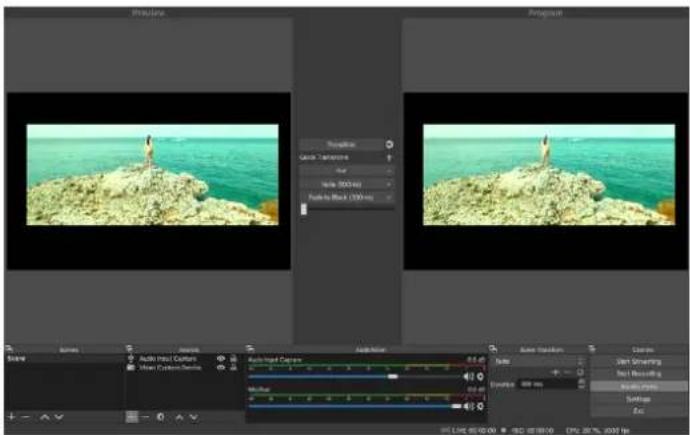
SPECIFICATIONS:
HDMI resolution ...... Max input can be 4K
Support video format 8/10/12bit Deep color
Video output format YUV, JPEG
Video output resolution ...... Max output can be 1080P
Support audio format L-PCM
Input cable distance ....≤15m, AWG26
HDMI standard cable
Max working current 0.7A/5VDC
Operating Temperature range (−10 to +55°)
Dimension (L x W x H) 60x58x22 (mm)
Weight 52g
Brand : KanexPro
Model : CON-GAMECAPL
Category : Electronic accessory